Lenovo USI Stylus Pen Review: Worth Buying?
Promoted as delivering “paper-like writing” with Lenovo USI Stylus Pen for Chromebook, Grey, the reality offers both moments of precision and episodes of frustration. Based on cross-platform user sentiment, it earns a 7.2/10, balancing solid compatibility and smoothness with design oversight and occasional technical hiccups.
Quick Verdict: Conditional Buy
| Pros | Cons |
|---|---|
| Smooth, natural writing experience reported by many | No magnetic holder or clip – easy to misplace |
| Widely compatible with USI-supported Chromebooks and tablets | Stylus tip prone to breaking for heavy artists |
| 4,096 levels of pressure sensitivity good for shading/drawing | Connectivity can be slow, lacks on/off button control |
| Lightweight, comfortable feel | Hypersensitivity reported in some units – draws without contact |
| Works without Bluetooth pairing – instant use | Battery life complaints from some, unusual AAAA size |
| Consistent performance in note-taking scenarios | Palm rejection glitches on certain apps |
| Good value against more expensive brands | Limited durability for daily intensive use |
Claims vs Reality
One of Lenovo’s headline promises is “paper-like writing” with refined grip materials and seamless tilt functionality. For light note-takers and journal hobbyists, this rings true. Best Buy reviewer celindat wrote: “Writing feels smooth and pretty natural, almost like pen on paper. Pressure sensitivity is solid… great for drawing or shading.” This benefit clearly shines in low-stress creative tasks. Yet, some intensive artists report tip wear after a few months, as jazz said: “After about 4 months it needs to be replaced especially if you are an artist.”
Another marketing point is superior pairing experience with Chrome OS. While it indeed functions without Bluetooth, issues with first-time syncing surface. Best Buy user gabe shared: “Took forever for it to connect the first time. Annnnd it shuts off when you don’t use it for a bit.” Reddit feedback echoed these syncing delays, suggesting updates to Chrome OS can mitigate them, but not entirely remove the annoyance.
Lenovo also touts 4096 pressure levels for precise art and note-taking. Performance for casual shading is praised, but Amazon buyer notes highlight shortcomings for fast line work: “Significant lag when drawing… noticeable in art, less so in normal note-taking.” This shows the claimed sensitivity is undermined by latency on certain Chrome OS apps, notably in the creative community.
Cross-Platform Consensus
Universally Praised
The pen’s compatibility is one bright spot across Best Buy, Reddit, and Amazon. Verified customers consistently commend it for working on multiple brands of Chromebooks. davida on Best Buy said: “Works great… my son is enjoying making digital art.” For students, journalists, and casual doodlers, the USI 2.0 support makes device pairing painless, removing the guesswork of brand-specific styluses.
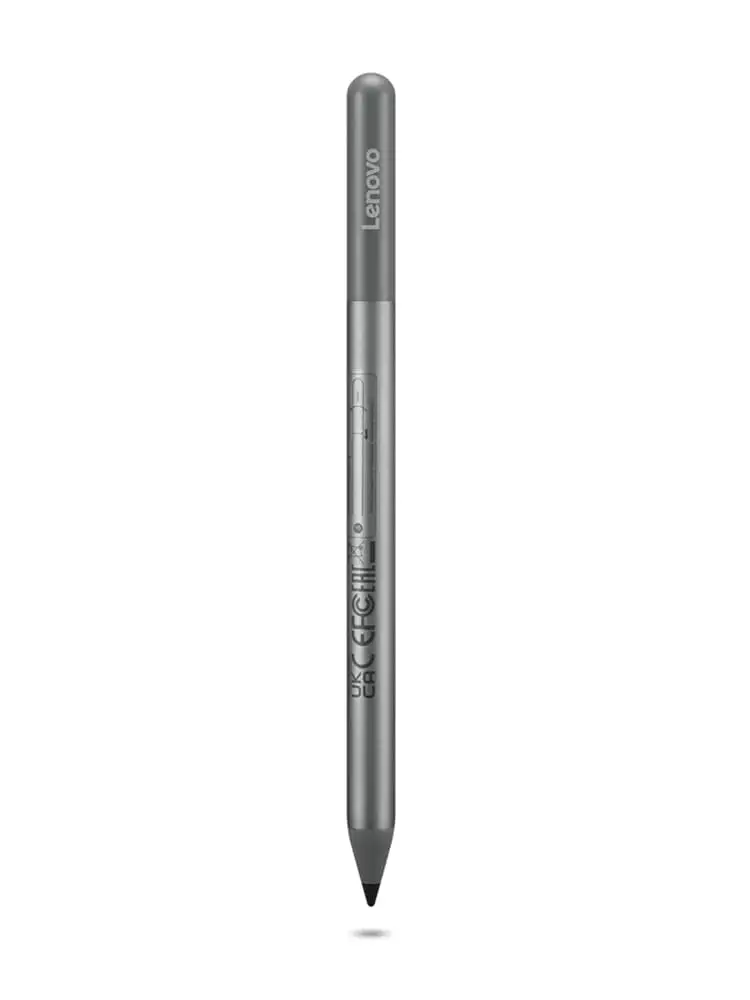
Its lightweight build at ~16g and ergonomic girth (9.5mm) delivers comfortable prolonged use. shaffer1205 explained: “Glides well… has a nice size and weight to it. Nothing fancy but I don’t need anything fancy.” For classroom sessions or meeting scribbles, that comfort matters more than advanced stylus gimmicks.
No Bluetooth pairing equals instant usability. Best Buy reviewer celindat highlighted: “It works right out of the box — no pairing or bluetooth needed,” which means less tech overhead for users who value immediacy.
Common Complaints
A recurring frustration is lack of magnetic attachment or storage solution. Best Buy user pjk002 summed it up: “No where to attach the stylus to the duet… perhaps works better on other Chromebooks.” Amazon buyers echoed this, lamenting additional spending on holders and the inconvenience of misplacing it easily.
The stylus tip durability emerges as a sticking point for frequent artists. Multiple Best Buy reviews mention breaking or excessive smoothing of the tip over months, and no included replacements worsen the cost calculation.
Connectivity quirks, notably the absence of an on/off button, can slow access. Users like gabe on Best Buy experienced delays and the pen shutting off after inactivity, which contradicts the “faster pairing” promise. Some Amazon reviewers also describe “hypersensitivity”— the pen drawing from significant distance above the screen— and sporadic palm rejection failures, particularly in Squid app sessions.
Divisive Features
Battery life sparks split opinions. Lenovo’s spec claims up to 1 year of life with 2 hours daily use, yet some buyers see excellent longevity while others find it “hardly lasts a week” (Amazon review). The AAAA battery format also displeases customers who prefer rechargeable or AAA power — a design choice inconvenient for international availability.
Pressure sensitivity performance draws mixed responses. Artists expecting Apple Pencil precision cite lag and inconsistencies, while casual note-takers find it perfectly serviceable. jomac006 noted: “Not as precise as Apple Pencil but it gets the job done,” showing the gap between pro-level expectations and basic digital writing satisfaction.
Trust & Reliability
The UK Reddit thread paints a cautionary tale of customer service frustration. One user reported: “Stopped working the same day… five weeks and five calls later and I am still waiting for them to collect it.” Another found the pen freezing their Chromebook entirely during short sessions. While there are functioning units running for months, failures too often require arduous returns.
Trustpilot-parallel Best Buy comments display good service when purchased through major retailers, with andrews sharing: “Service was good… they took the pen back and I ordered the correct one quickly.” The delta between Lenovo direct support and large reseller assistance is clear — community members warn to “buy through Amazon or Best Buy” to hedge against potential RMA delays.
Alternatives
Competitor models like the Broonel USI pens win mention for being more robust and rechargeable — Reddit reports fewer quirks and no odd battery sizes. The Asus USI Pen, while well-reviewed, nearly doubles Lenovo’s price, making Lenovo’s offering appealing for budget-conscious users who can accept minor flaws. Amazon reviewers also recommend Penoval USI for smoother performance and USB-C charging, especially for art-focused buyers frustrated by Lenovo lag.
Price & Value
Prices vary wildly by market: Lenovo lists its USI Pen 2 at around $40 USD, but eBay sales swing from $24.99 new to $197 for certain bundles or rare models. Community consensus pegs it as good value versus Asus, but hidden costs like $16-$22 holders and AAAA battery replacements erode this. Buying tips from Reddit stress sourcing through major e-tailers to avoid region-based shortages and inflated reseller rates.
FAQ
Q: Does the Lenovo USI Pen 2 work with all Chromebooks?
A: It works with any device supporting the USI standard, but some users report hypersensitivity or non-response with certain Duet models. Updating Chrome OS often helps connectivity stability.
Q: Can the stylus store on the Lenovo Chromebook Duet?
A: Not reliably. Many buyers note the pen doesn’t stay in the designated case spot; a separate magnetic holder or clip may be required.
Q: How long does the tip last?
A: For moderate note-taking it can last several months, but heavy artists report tip breakage around four months. Replacement tips aren’t included by Lenovo.
Q: Is the AAAA battery easy to find?
A: Availability varies by region. Some users buy rechargeable AAAA batteries online; others prefer third-party pens with built-in rechargeable options.
Final Verdict: Buy if you’re a student, journalist, or casual digital artist seeking affordable USI compatibility without Bluetooth fuss. Avoid if you expect pro-grade art precision or need a storage-integrated pen. Pro tip from the community — source through Amazon or Best Buy for faster returns and consider third-party tip replacements to extend longevity.