Lenovo USI Stylus Pen Review: Strong Notes, Weak Art
A Reddit reviewer summed up the experience with the Lenovo USI Stylus Pen by saying: “Squid was excellent... do not buy this to use with art apps yet.” That pattern—smooth performance for note-taking, shaky results in some creative tools—shows why this pen earns a cautious 7.8/10. It’s a strong performer for writing on Chrome OS, but its strengths and weaknesses vary sharply depending on the software you use.
Quick Verdict: Conditional Buy
| Pros | Cons |
|---|---|
| Works instantly with Chrome OS devices, no pairing required | Variable app performance, especially in art apps |
| Excellent note-taking feel; “paper-like” writing reported | Some models lack strong magnetic storage |
| Lightweight, comfortable aluminum build | Stylus tip prone to wear; replacements not included |
| 4,096 levels of pressure sensitivity | Connectivity delay due to no on/off button |
| Strong compatibility with USI standard devices | Limited improvements in creative app latency |
Claims vs Reality
Lenovo advertises “industry-leading 4,096 levels of pressure sensitivity” for natural writing and sketching. Digging deeper into user reports, this sensitivity shines in apps like Squid, where Reddit user feedback states: “Little to no latency, great palm rejection, smooth lines.” However, the same reviewer cautioned that Medibang detected “no pressure sensitivity” at all, underscoring the reality that the hardware capability isn’t consistently realized across all Chrome OS apps.
Another marketing point is the “paper-like writing” feel. Best Buy customer celindat described it as “almost like pen on paper,” appreciating its smoothness for notes and sketches. Yet jeffersonm found it “a little too smooth” on screen, preferring more friction. This subjective difference shows that tactile feel depends as much on screen texture and user preference as on the pen itself.
Finally, battery life claims range from 150 days to a full year with light use. While longer use cases haven’t been widely documented yet, owners generally don’t report battery drain issues—reinforcing Lenovo’s spec as plausible under typical note-taking conditions. However, gabe pointed out that without an on/off button, “it shuts off when you don’t use it for a bit,” hinting that power management is automatic rather than user-controlled, which might frustrate those wanting instant reconnection after idle time.
Cross-Platform Consensus
Universally Praised
Across Amazon, Best Buy, and Reddit, note-taking emerges as the primary success story. Speaking for students, Best Buy user luisb said the pen was “great for school,” noting his son finds it “very useful.” sheirah labeled it the “best pen ever” for journaling on a Lenovo Duet 5, praising how it selects, writes, and draws seamlessly in built-in apps. The USI standard compatibility is a standout for those with multiple Chrome OS devices—celindat highlights that it “works with any device that supports the USI standard,” making it a versatile investment for Chromebook owners.
Lightweight design and balance matter for extended writing. At just 16 grams, the aluminum build is comfortable over long sessions. shaffer1205 appreciated its “nice size and weight” without needing “anything fancy,” and Reddit reports also favored the physical feel when moving through Chrome OS UI elements.
Common Complaints
Storage and attachment solutions are widely criticized. pjk002 lamented “no where to attach the stylus to the duet,” noting that the intended back magnet was too weak. manny echoed this saying, “not magnetic” enough for reliable docking. This means mobile users may need a separate case or holder to avoid losing the pen.
Connectivity quirks bother some owners. gabe reported it was “hard to sync” initially and slow to connect after idle because there’s “no on/off button.” Others tie occasional non-responsiveness to app issues—higlinator said when it didn’t work, “I think it’s an app issue and not the stylus.”
Durability of the tip is another weak spot. Artist-oriented feedback from jazz warns that “after about 4 months it needs to be replaced... the tip breaks off.” With no included replacements, heavy users may face interruptions, particularly in creative fields.
Divisive Features
Pressure sensitivity splits opinion. While app-dependent performance is common knowledge among Chrome OS stylus users, its impact here is stark—on Squid it’s fluid and responsive, on Medibang it’s nonexistent. For artists, that’s a deal-breaker; for students, irrelevant. As one Reddit user summed up: “Do not buy this to use with art apps... yet.”
The smooth glide is lauded by note-takers but criticized by those who want friction for precise control. This “too smooth” sensation, as jeffersonm describes, leads to preference divides between productivity and art-focused users.
Trust & Reliability
Reports don’t indicate scams or counterfeit issues from major retailers, but compatibility mismatches have caused frustration. andrews ordered it for a Lenovo Yoga but found it incompatible, needing a return. jeslynluciaa had a poor experience with skipped writing and failure to hold magnetically, later learning it may not work with her duet model. These cases emphasize checking model compatibility before buying.
Long-term use data is sparse, but available anecdotes show mixed tip longevity. Four-month breakdowns for heavy artists (jazz) contrast with sustained function for casual note-takers. There’s little evidence of battery failure within the first year, aligning with specs.
Alternatives
Some users compared the USI Pen to the Apple Pencil indirectly. jomac006 hoped it would be “more akin to an Apple Pencil” but found it simply “gets the job done.” For those needing advanced tilt support and flawless art app performance, Apple’s option still leads—but for Chrome OS users, Lenovo’s USI standard support makes it more compatible than Wacom or Microsoft pens, despite compromises.
Price & Value
Prices range from Amazon’s $29.04 (plus shipping) to Best Buy’s $40.99, with Lenovo direct sales offering occasional discounts to ~$23. eBay listings vary more widely, with new units starting around $25 and open-box at $89 in NZD equivalents. Community buying tips stress checking device model lists and considering whether you need replacement tips or storage accessories.
For resale, USI pens hold decent value thanks to broad Chromebook compatibility, though worn tips reduce appeal.
FAQ
Q: Does the Lenovo USI Stylus Pen work with all Chromebooks?
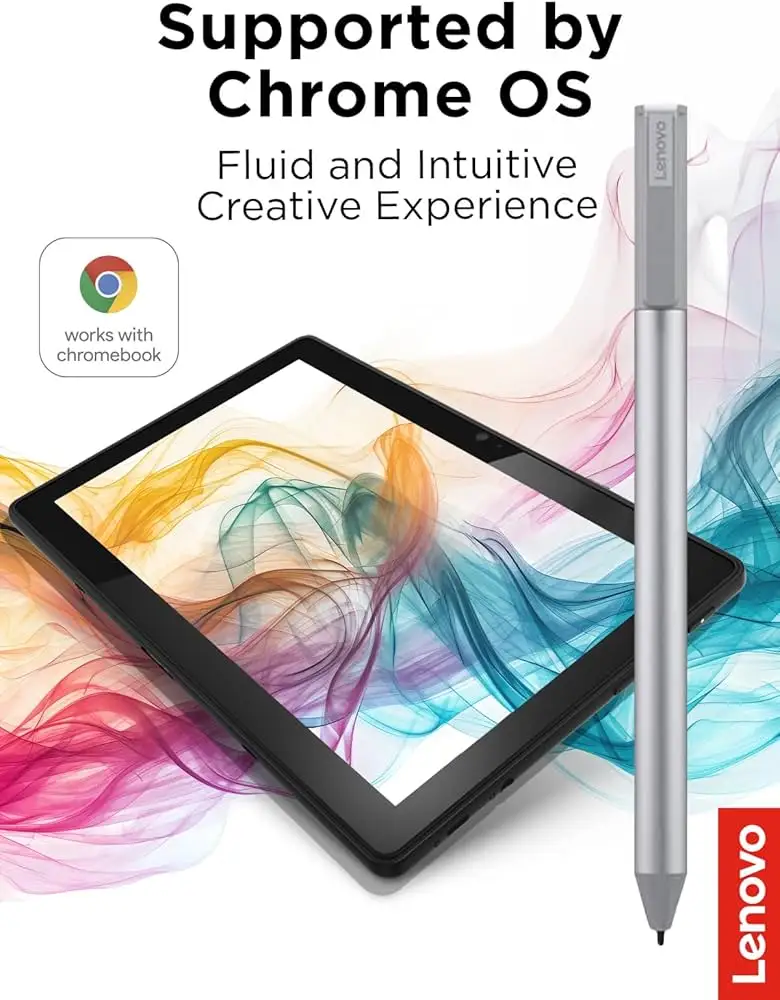
A: No. It only works with models that support the USI standard, such as Lenovo Duet, Flex 5, and selected Yoga devices. Always verify your Chromebook’s compatibility list before purchase.
Q: Is the pen good for artists using Chrome OS?
A: Not consistently. Apps like Squid perform well, but many creative tools show latency or lack pressure sensitivity. Expect better results for note-taking than digital art.
Q: How do you store the pen with the Lenovo Duet?
A: Some Duet models have weak magnets, and users report the pen falls easily. Many opt for cases with integrated holders or keep it attached to the keyboard connector.
Q: Can the tip be replaced?
A: Lenovo doesn’t include extra tips. Heavy use, especially by artists, may lead to tip wear in months. Replacement options are limited and may require third-party solutions.
Q: Does the pen require pairing or Bluetooth?
A: No. It uses the USI protocol, working instantly when you touch the screen. However, idle wake-up can take seconds due to automatic sleep mode.
Final Verdict: Buy if you’re a Chromebook user focused on smooth, natural note-taking or light sketching with strong OS-level support. Avoid if your primary goal is professional-level art on Chrome OS, as app limitations still undermine the hardware’s potential. Pro tip from the community: pair it with Squid for the best writing experience and invest in a proper storage solution to avoid misplacing the pen.





