Lenovo USI Stylus Pen Review: Solid but Flawed Performance
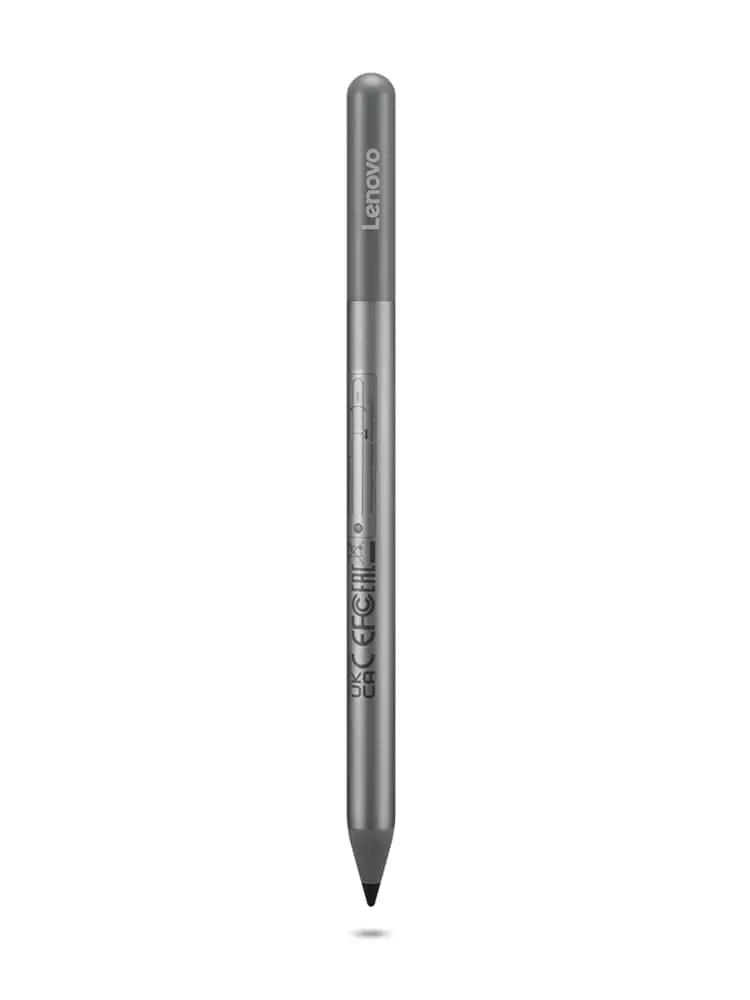
The Lenovo USI Stylus Pen for Chromebook, Grey earns a conditional 7.5/10 — praised for smooth writing and compatibility across Chrome OS devices, but dogged by magnetic storage issues, occasional latency, and inconsistent app performance.
Quick Verdict: Conditional – Great for note-taking and basic sketching, but art-focused users and those needing secure storage alternatives should weigh other options.
| Pros | Cons |
|---|---|
| Smooth, natural writing feel | Weak or absent magnetic storage |
| Broad Chrome OS compatibility | Variable latency depending on app |
| Strong pressure sensitivity (4096 levels) | Palm rejection glitches reported |
| No pairing needed | Stylus tip durability issues over time |
| Lightweight, sturdy build | No on/off button, occasional connection lag |
| Tilt support in Pen 2 version | Battery life shorter than claims for some users |
| Works out of the box | Pen reads before contact on some devices |
Claims vs Reality
Marketing touts "paper-like writing" backed by 4,096 levels of pressure sensitivity and "seamless integration with Chrome OS." While many buyers agree it feels natural, some noted disparity in real-world performance. Best Buy reviewer celindat shared: “Writing feels smooth and pretty natural, almost like pen on paper… works with any device that supports the USI standard.” However, Reddit user [name removed by moderator] found that in art apps like MediBang, “no pressure sensitivity detection, awful latency, terrible palm rejection,” showing that app compatibility greatly impacts results.
Lenovo claims 150 days of battery life at 2 hours daily use. This matches light-use experiences, but a US Amazon buyer contradicted it: “The battery hardly lasts a week with intermittent use… not trying to spend 10 bucks a week on batteries for a stylus.” This suggests heavy users may need frequent replacements.
The Pen 2 version adds “seamless tilt functionality” and better latency. Some buyers confirm improvements, while others still notice lag. gabe on Best Buy noted, “No on/off button so it takes a minute for it to connect sometimes. Took forever for it to connect the first time.”
Cross-Platform Consensus
Universally Praised
Across sources, the build quality and simplicity drew consistent praise. Best Buy reviewer shaffer1205 reported, “Glides well on my Chromebook, has a nice size and weight to it… nothing fancy but I don’t need anything fancy.” For students, lightweight durability is key — luisb praised it as “great for school… very useful.” The out-of-box usability with no pairing process also appealed to casual note-takers like sheirah, who uses it to journal.
Pressure sensitivity benefits digital artists when the apps cooperate. An Amazon customer noted: “Use our stylus pen… to precisely sketch and shade,” praising the accuracy for basic creative work on compatible software.
Common Complaints
Storage is a recurring frustration. pjk002 explained, “No where to keep it… the spot on the back… is not strong enough,” echoed by manny: “Works great… but as far as holding on to the spot… not so much.” Even on Reddit, a reviewer warned against relying on pogo pin attachment: “One shake and that pen is falling.”
Latency and palm rejection issues appear frequently, especially in certain apps. Reddit user [name removed] noted Squid “excellent… smooth lines,” but Onenote had “noticeable latency and minor palm rejection issues.” In MediBang, responsiveness was poor to unusable.
Tip durability is another pain point. jazz reported, “After about 4 months it needs to be replaced… the tip breaks off.” And hypersensitivity — registering before touching the screen — annoyed multiple Amazon users: “Reads from about 1/4 inch above the screen.”
Divisive Features
The AAAA battery design splits opinion. Some appreciate the swap-and-go convenience, others prefer rechargeable pens. Comparisons to rivals like Penoval’s rechargeable alternative highlight this divide. An Amazon reviewer switched to Penoval for its “USB-C input for charging… top functions as an eraser… way better than Lenovo’s USI pen.”
Tilt support in Pen 2 is praised by artists, but casual users might not notice. For navigation and handwriting, its benefits can be marginal compared to higher latency concerns.
Trust & Reliability
No direct scam claims surfaced, but compatibility mismatches caused frustration when buyers assumed all Chromebooks would work. andrews admitted, “Sadly the pen did not work with my Lenovo Yuga laptop… they took the pen back.”
Durability feedback is mixed. Some long-term users maintain consistent function, while others replace tips within months. Lenovo customers found customer service responsive when issues arose, but proactive compatibility checking is recommended.
Alternatives
Penoval USI Stylus is the most mentioned rival — rechargeable, compatible with USI 1.0 and 2.0, has a tail eraser, and includes a spare tip. A former Lenovo user switched, calling it “super awesome… no glitching… writes very smooth.”
Other alternatives like Vitalasc’s rechargeable stylus offer functional on/off switches and multiple tips, though some buyers report build issues.
Price & Value
Lenovo's Pen 2 retails roughly at $40–$50 USD, but promotions can drop it under $25. eBay listings show used models at inflated prices — one at $197 suggesting scarcity in certain markets. Buyers advise pairing purchase timing with sales events and checking for bundled pen holders, which are absent in US but included in UK packages.
FAQ
Q: Does the Lenovo USI Stylus Pen work with all Chromebooks?
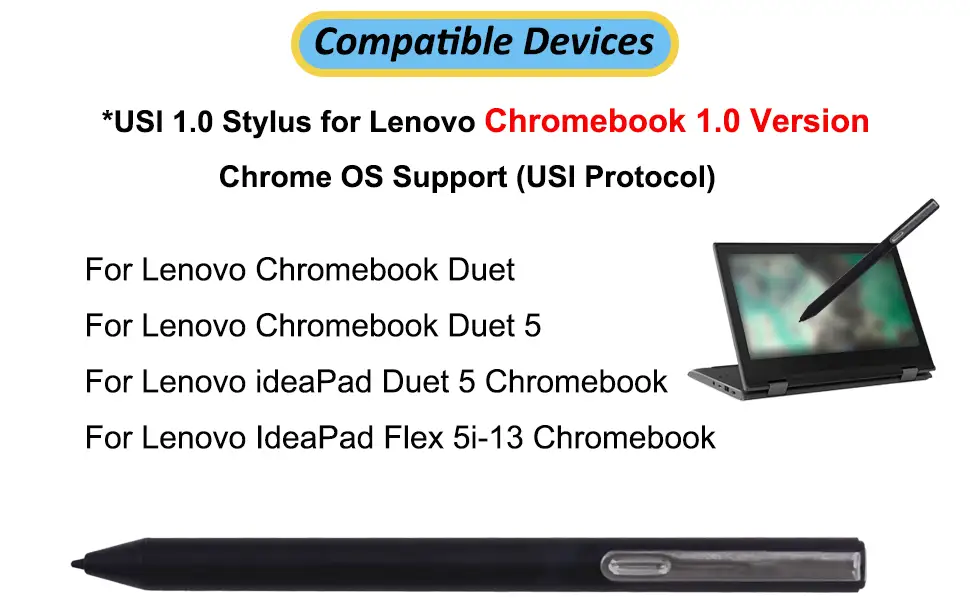
A: No. It works with USI-supported Chrome OS devices, but not all Chromebooks, e.g., not compatible with Lenovo Chromebook Duet 3. Always check official compatibility lists.
Q: How is the palm rejection?
A: Variable. Apps like Squid perform well (“little to no latency… great palm rejection” per Reddit), while others like MediBang struggle with glitches.
Q: Can you store the pen on the Chromebook magnetically?
A: Not reliably. Multiple users note weak or nonexistent magnetic holding on some models, particularly the Lenovo Duet.
Q: How long does the battery last?
A: Light users may see months of life, but heavy users report needing new AAAA batteries weekly. Battery life depends on usage intensity.
Q: Is it good for drawing?
A: For casual sketches and note illustrations, yes. For professional art, latency, app bugs, and tip wear can be limiting.
Final Verdict
Buy if you’re a student, work professional, or note-taker seeking a plug-and-play stylus for Chrome OS. Avoid if your primary use is digital art in more demanding apps — inconsistent latency and pressure sensitivity can frustrate. Pro tip from community: Pair the Pen with Squid or Cursive for the most fluid experience, and invest in a third-party holder to prevent loss.





