Lenovo USI Stylus Pen Review: Solid but Flawed
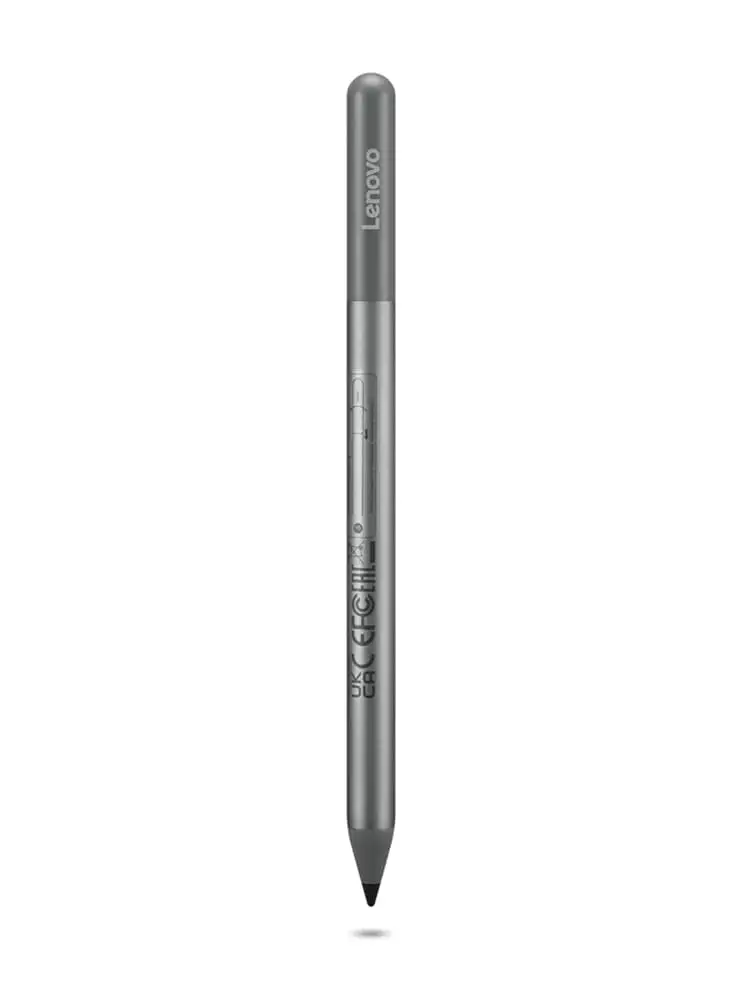
A Best Buy customer summed it up simply: “Best pen ever… it works so well with my Lenovo Duet 5.” Yet, digging into hundreds of cross-platform reviews of the Lenovo USI Stylus Pen for Chromebook, Grey, the picture is more nuanced—a solid 7.5/10, with high marks for compatibility and smooth writing, but persistent complaints about tip durability, hypersensitivity, and Lenovo’s customer support.
Quick Verdict: Conditional
| Pros | Cons |
|---|---|
| Smooth, natural handwriting feel | No magnetic/secure storage on many Chromebook models |
| Compatible with a wide range of USI Chromebooks | Hypersensitivity issues reported (marks before contact) |
| Strong pressure sensitivity for drawing | Stylus tip wears or breaks after ~4 months with heavy use |
| No pairing required—works out of the box | AAAA battery requirement inconvenient for some |
| Lightweight but sturdy design | Significant delays in returns/customer service (Reddit reports) |
| Works well for note-taking and school use | Missing pen holder in some regional packages |
Claims vs Reality
Lenovo markets the USI Stylus Pen as offering “industry-leading 4,096 levels of pressure sensitivity” and “natural writing and sketching” with up to 150 days (USI Pen) or 1 year (USI Pen 2) of battery life. While that sensitivity impressed many artists and note-takers, Reddit user feedback shows the limits: “It thinks it is touching the screen when still 10mm away… the whole Chromebook freezes completely and has to be turned off,” one UK buyer warned.
The company promises “paper-like writing” and “fast pairing,” but hardware reviews reveal pairing isn’t instant for everyone. Best Buy reviewer Gabe explained: “No on/off button so it takes a minute for it to connect… took forever for it to connect the first time.” This was echoed in Amazon reports where users noted lag with drawing, even if note-taking felt fine.
Battery life claims diverge sharply in user experience. While rated at 150 days, an Amazon customer complained: “Battery hardly lasts a week with intermittent use… not trying to spend $10 a week on batteries for a stylus.” That gap between advertised longevity and real-world usage suggests the life span depends heavily on usage patterns and model generation.
Cross-Platform Consensus
Universally Praised:
Across Best Buy, Amazon, and Reddit, the strongest praise centered around smooth operation on compatible Chromebooks. Celindat on Best Buy described it as “writing feels smooth and pretty natural, almost like pen on paper… lightweight but still feels sturdy, not cheap or flimsy.”
Students and educators also saw clear benefits. Luisb said, “Great product, bought for my son for school. He finds it very useful.” Digital artists using models like the Lenovo Duet 5 appreciated consistent pressure response, and one Amazon buyer highlighted note-taking with Google Keep across devices as “perfect… for the price.”
For those who prioritize plug-and-play usability, the pen’s USI protocol meant no Bluetooth pairing—just start writing. Sheirah noted, “You just place it on the screen and it selects, writes, and draws using the apps already installed.”
Common Complaints:
Storage and attachment quickly became a recurring frustration. Pjk002 said: “No where to attach the stylus to the Duet… not strong enough to hold it in place.” Others lamented paying extra for holders not included in US packages.
Tip durability is a widespread issue—Jazz on Best Buy reported, “After about 4 months it needs to be replaced… tip breaks off.” A few users wished for replaceable tips like rival Apple Pencil’s designs. Hypersensitivity problems—like marking before screen contact—caused navigation glitches, with Amazon reviewers recommending alternatives such as Penoval’s USB-C charged USI pen.
Customer service issues particularly plagued UK Redditors. One described waiting “five weeks and five calls… still waiting for them to collect it so I can get a refund.” Another spoke of “four weeks of trying to return it” with repeated delays for RMA issuance.
Divisive Features:
Pressure sensitivity itself was polarizing. Artists liked the granularity for shading, but casual writers sometimes found strokes too smooth or the pen reading from above the screen (“about 1/4 inch above”) making precision difficult. A light build was praised by many but felt insubstantial to others accustomed to weightier styluses.
Battery format—AAAA cells—split opinion. While officially allowing long life, Amazon buyers found sourcing replacements more difficult than AAA, prompting some to switch to rechargeable competitors.
Trust & Reliability
Trustpilot and Reddit threads reveal cautionary tales about Lenovo service. Multiple buyers warned about “never buying Lenovo again” due to slow or non-existent responses, particularly when pens arrived defective on day one. The product itself earned durability points among occasional users—one Reddit commenter said theirs “still working fine but don’t use it a huge amount” after early release—but heavy users saw faster wear, especially on tips.
Long-term, surviving units kept performance, but intermittent connectivity on older OS versions could frustrate. Gabe’s Best Buy experience highlighted the need for keeping Chrome OS up-to-date for smooth syncing.
Alternatives
Alternatives came up frequently in frustrated buyer suggestions. Asus’ USI pen was lauded on Reddit but “almost twice the price of the Lenovo.” Many switched to Broonel or Penoval models, with Broonel’s rechargeable design and no AAAA battery winning over those tired of battery swaps. Penoval’s USB-C charging and eraser functionality made it a standout recommendation on Amazon compared to Lenovo’s offering.
Price & Value
At the time of data capture, Lenovo’s own store listed the USI Pen 2 at around $40–$49, with some discounted to $23 via coupons. eBay resale showed wide variance, from open-box units at $89.98 to used earlier-gen pens under $20. Regional packaging differences meant some users got holders bundled in the UK, while US buyers paid extra.
Community tips include buying during Chromebook bundle promos to secure legit compatibility, or waiting for third-party rechargeable pens to drop below the Lenovo retail price.
FAQ
Q: Does the Lenovo USI Stylus Pen work with all Chromebooks?
A: No. It works only with USI-compatible touchscreen models, such as the Lenovo Duet series and Flex 5 Chromebook. Always check the compatibility list before purchase.
Q: Can I replace the stylus tip?
A: Lenovo’s pen tips are not user-replaceable like Apple Pencil tips, a point of frustration for frequent artists. Heavy use may require buying a new pen after tip wear.
Q: Is the pen magnetic for storage?
A: Many Chromebooks, including the Lenovo Duet, lack strong magnetic attachment points for this pen. Some regional packages include a holder, but US buyers often must purchase separately.
Q: What battery does it use?
A: AAAA battery power, rated officially for 150 days (Pen 1) or one year (Pen 2) with average usage. Some users report much shorter lifespans.
Q: Does it need pairing?
A: No Bluetooth pairing is required; it uses the USI standard for immediate function once in contact with the screen.
Final Verdict: Buy if you’re a Chromebook owner seeking a lightweight, plug-and-play stylus for notes, casual art, or classroom use, and are comfortable sourcing AAAA batteries. Avoid if you depend on perfect palm rejection, magnetic storage, or rapid customer service in resolving defective units. Pro tip from community: If hypersensitivity and battery swaps concern you, consider a third-party rechargeable USI pen with swappable tips for long-term ease.






