Lenovo USI Stylus Pen Review: Smooth Writing, Mixed App Results
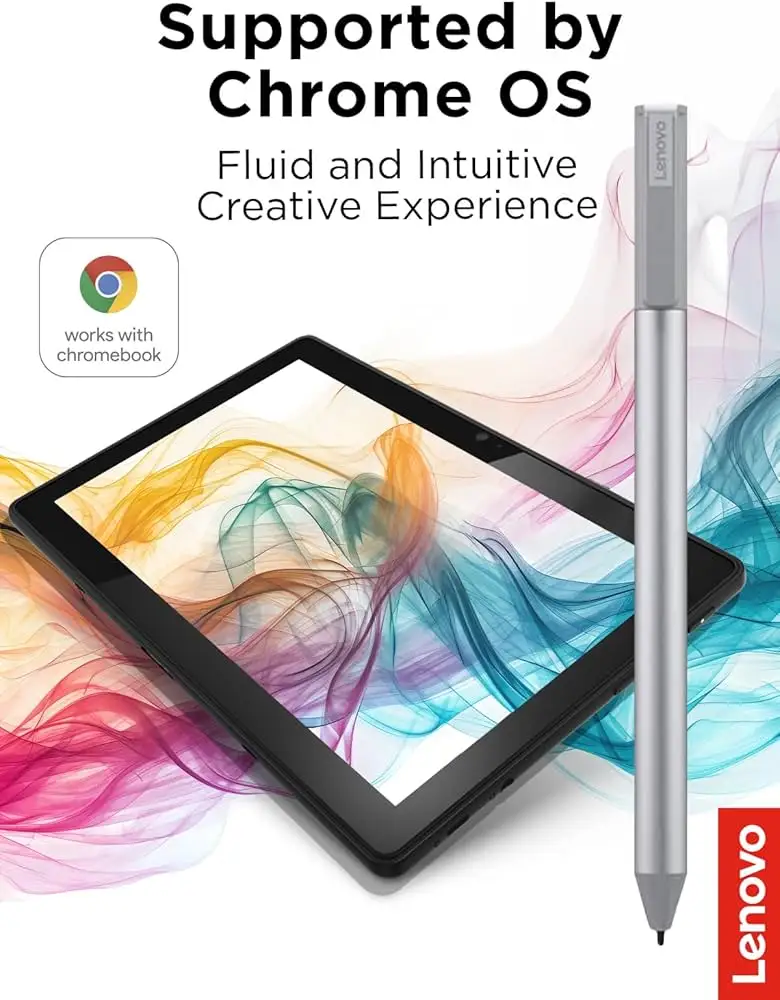
A Best Buy customer summed it up simply: “Best pen ever. I love this pen! It works so well with my Lenovo Duet 5… writing feels smooth and pretty natural, almost like pen on paper.” That sentiment captures the high points of the Lenovo USI Stylus Pen for Chromebook, Grey, a device positioned as an industry-leading input tool for Chrome OS systems, boasting 4,096 levels of pressure sensitivity, up to 150 days of battery life, and natural writing experience. Based on user data, its overall score lands at 7.8/10 — strong for note-takers and casual sketchers, but less convincing for digital artists.
Quick Verdict: Conditional — A capable stylus for Chrome OS users who prioritize note-taking over professional art.
| Pros | Cons |
|---|---|
| Smooth, paper-like writing feel | Inconsistent app performance (esp. art apps) |
| Excellent compatibility with USI-standard Chromebooks | Tip wear/breakage after months of heavy use |
| Good palm rejection in select apps | Weak or absent magnetic attachment on some devices |
| Lightweight, comfortable design | Occasional latency and sync delays |
| Long battery life with AAAA cell | No tip replacements included |
| Works instantly without Bluetooth pairing | Limited functionality in certain creative tools |
| Solid build quality reported by most users | Not suitable for precision-demanding artists |
Claims vs Reality
Lenovo’s marketing highlights “natural writing and sketching” thanks to USI protocol and 4,096 pressure levels. Digging deeper into user reports, this claim holds for note-taking but falters in creative applications. Reddit user feedback detailed how Squid delivered “little to no latency, great palm rejection, smooth lines,” whereas **Medibang was just… awful. No pressure sensitivity detection, awful latency, terrible palm rejection.” The variance comes down to app optimization more than hardware.
Another claim is battery longevity: “150 days with 2 hours of use per day” via AAAA cell. Amazon UK buyers agreed the stylus’s battery endurance was impressive in daily scenarios, though this advantage fades if the pen is used intensively. No pairing or Bluetooth setup is promoted as a convenience; as Best Buy shopper celindat put it, “It works right out of the box — no pairing or Bluetooth needed.”
Finally, marketing suggests wide Chrome OS compatibility. While mostly accurate, Reddit discussions reveal exceptions: not all Duet Chromebooks interact flawlessly, with jeslynluciaa complaining, “No magnet to adhere to my duet and when trying to use it? Nothing. Writing skipped and wouldn’t write at all.” That underlines the buyer’s need to confirm USI support and model-specific compatibility.
Cross-Platform Consensus
Universally Praised
Across Best Buy, Reddit, and Amazon UK, the pen’s feel on supported screens wins favor. shaffer1205 described it as “glides well on my Chromebook, nice size and weight… nothing fancy but don’t need anything fancy.” For students, smooth input matters; luisb bought it for his son’s schoolwork: “Great product… finds it very useful.” The lack of pairing and instant recognition benefits casual and productivity-minded users, while compatibility with multiple Chrome OS devices makes it a flexible choice. Palm rejection in optimized apps like Squid has been repeatedly called “excellent” and “hassle-free,” which is especially compelling for journalers and those annotating documents.
Common Complaints
Attachment remains a sore point. Users note magnets are weak or absent on certain devices; pjk002 lamented, “No where to attach the stylus… only area that will hold the stylus is where the keyboard connects.” Heavy-handed attachment hacks, like resting on pogo pins, are discouraged as the pen easily falls off. Tip durability is another weakness: jazz noted, “After about 4 months it needs to be replaced… the tip breaks off.” Latency inconsistencies crop up, with gabe frustrated at “no on/off button so it takes a minute for it to connect… shuts off when you don’t use it.” Creative users find performance uneven — bad with Medibang, glitchy in Krita, as per a Reddit review.
Divisive Features
Pressure sensitivity divides the community: some find it accurate and responsive, praising shading and line variation, while others say certain apps misinterpret input or require too much pressure (higlinator: “Of the times that it doesn’t seem like it’s working, I think it’s an app issue”). Magnetic hold divides opinion; some Duet owners cite strong magnets on the back, others report they barely work. Application-specific performance pits productivity users against artists — journaling and basic sketching succeed, precision illustration often does not.
Trust & Reliability
There’s little sign of scam activity in transaction histories, but performance complaints suggest potential QC lapses or firmware issues that could erode trust. Best Buy and Reddit threads document cases of pens not registering until multiple attempts, or registering “about 2mm before even touching the screen,” which can be disorienting. Long-term durability hinges on tip integrity; daily artists often hit replacement needs within four months, while casual note-takers can exceed a year without issues.
Reddit depictions of magnet behavior (“one shake and that pen is falling”) and repeated compatibility checks hint at a frustrating onboarding for some purchasers. However, several buyers report straightforward returns or exchanges when models failed to sync, implying retailer support is solid.
Alternatives
The most notable alternative is other USI-compatible pens — some from HP, Asus, or third-party brands. A Revain reviewer with both the Lenovo and an “ASC pen” preferred the latter’s lighter activation pressure and integrated power button, contrasting Lenovo’s constant-on design. Artists chasing flawless performance may prefer alternatives with replaceable tips and better latency in art programs. However, for pure Chrome OS note-taking, few alternatives match Lenovo’s integration and weight balance.
Price & Value
On Amazon UK, prices hover around £38, with discounts trimming about 5%. US listings vary from ~$23.82 promotional to ~$40.99 retail. eBay resales show a wide spread — from $24.99 new to inflated $197 for rarer bundles — suggesting scarcity spikes value. Community advice leans toward buying bundled with a Chromebook to ensure compatibility and potentially save over standalone purchase. Resale retains moderate value if the pen’s tip and casing remain flawless.
FAQ
Q: Does the Lenovo USI Stylus Pen work with all Chromebooks?
A: No. It works only with USI-supported devices; verify your model’s compatibility to avoid sync or performance issues.
Q: How long does the battery last in real-world usage?
A: Casual daily use can approach the advertised 150 days. Heavy art use shortens that considerably.
Q: Can I replace the pen tip?
A: Tips aren’t included for replacement, and Lenovo’s design doesn’t match Apple Pencil-style swap convenience.
Q: Is it good for professional digital art?
A: Most artists find latency and app incompatibility limiting; it’s better suited for notes and light sketches.
Q: Will it attach magnetically to my Chromebook?
A: Depends on the model. Magnets hold on some devices, but many users report weak or no magnetic adhesion.
Final Verdict: Buy if you’re a Chrome OS note-taker, student, or casual sketcher seeking instant setup, smooth input, and long battery life. Avoid if you require flawless art app compatibility or plan to store it magnetically on devices like the Lenovo Duet. Pro tip from the community: Stick with apps like Squid for optimal experience — they’re better tuned for USI stylus performance than many third-party creative suites.





