Lenovo USI Stylus Pen Review: Smooth But Flawed Verdict
A verified buyer on Amazon summed up a common frustration: “The stylus isn't half bad but the battery hardly lasts a week with intermittent use.” That sets the tone for the Lenovo USI Stylus Pen for Chromebook, Grey, a device that earns a solid but not flawless reputation — scoring 7.8/10 — thanks to consistent praise for its smooth writing and compatibility, tempered by complaints about tip durability, latency in certain apps, and weak magnetic storage solutions.
Quick Verdict: Conditional — buy if you prioritize Chrome OS note-taking and navigation over professional-grade art.
| Pros | Cons |
|---|---|
| Smooth, natural writing feel reported by Duet and Flex 5 users | Battery longevity varies; some experience short life despite marketing |
| Strong Chrome OS compatibility with USI standard devices | Magnetic attachment weak or non-existent for some models |
| Easy, no-Bluetooth setup out of box | Stylus tip wear and breakage after months of heavy art use |
| Solid build, lightweight yet sturdy | Noticeable latency in certain apps, esp. art programs |
| 4,096 pressure levels ideal for shading/note detail | No interchangeable tips included |
Claims vs Reality
Lenovo markets the pen with “150 days battery life based on 2 hours in active use daily,” suggesting minimal maintenance. In practice, battery performance varies dramatically. While some Best Buy customers, like “celindat,” noted it was “lightweight but still feels sturdy” without battery concerns, others ran into severe mileage drop-offs. An Amazon buyer found “battery hardly lasts a week with intermittent use,” contradicting the official figure.
The promise of “paper-like writing” mostly aligns with note-taking experiences. A Reddit user reviewing on Squid reported “little to no latency, great palm rejection, smooth lines,” making it ideal for students and journalers. Yet, marketing’s implicit support for creative workflows falters with art apps; that same reviewer warned “Do not buy this to use with art apps… yet” after awful performance in MediBang (no pressure detection, terrible latency). This mirrors another Amazon comment: “Significant lag… very noticeable when drawing.”
Finally, Lenovo touts compatibility with multiple Chromebook models from Flex to Duet. Buyers like “davida” on Best Buy did find it “works great… enjoying making digital art” with a Duet, but others discovered model mismatches. “andrews” said it “sadly… didn’t work with my Lenovo Yuga laptop” despite being sold as broadly compatible.
Cross-Platform Consensus
Universally Praised
Across Reddit, Amazon, and Best Buy, the pen’s ease-of-use is a recurring theme. “Works right out of the box — no pairing or Bluetooth needed,” said “celindat,” highlighting immediate productivity — a win for classroom note-takers and office professionals who don’t want setup delays. The USI standard compatibility means multi-device households benefit; “It works so well with my Lenovo Duet 5… I use it to journal as well!” shared “sheirah.” Even gamers and UI navigators find it handy; a Redditor noted, “For going through the UI the pen is fine.”
Pressure sensitivity delivers for shading in sketches or varying stroke weight in notes. Best Buy user “celindat” praised “solid… great for drawing or shading,” while others highlighted clarity in handwriting apps like Squid. Ruggedness under light use is also commended — “Has a nice size and weight… nothing fancy but I don’t need anything fancy either,” said “shaffer 1205.”
Common Complaints
Storage issues dominate negative feedback. “No magnet to adhere to my duet… detachable cover… not strong enough,” wrote “pjk 002” — a common pain for mobile users who lose pens in transit. Weak or absent attachment solutions force workarounds or extra purchases for holders.
Latency is a bigger issue for artists than note-takers. “Onenote had some noticeable latency and minor palm rejection issues,” detailed a Reddit review. MediBang users saw “awful latency” to the point of unusability. Even in better-supported apps like Krita, glitches persisted.
Tip durability surfaces after months of use. “After about 4 months it needs to be replaced… the tip breaks off,” warned Best Buy buyer “jazz.” No spare tips means downtime if damage occurs, frustrating for heavy daily sketchers.
Battery performance is inconsistent. Some achieve long service from the AAAA cell; others report rapid drain. A Redditor noted unintended “hypersensitivity… my pen registers with the screen about 2mm before even touching” — affecting accuracy. This early trigger alongside palm rejection glitches undermines fast stylus work.
Divisive Features
Build feel splits users. “Lightweight but sturdy” competes with “too smooth on my screen” comments like “jeffersonm” who wished for alternative tips. Magnet strength varies by device; strong on Duet magnets (per Reddit) but weak on others (per multiple Best Buy posts). Battery type choice (rare AAAA) annoys some for cost/availability while others simply buy rechargeables.
Trust & Reliability
Longevity impressions are short-term heavy in data. While no widespread “scam” allegations appear, isolated “didn’t work at all” from “jeslynluciaa” raises compatibility and QA concerns. Brand responses point to model mismatches or Chrome OS updates as fixes, suggesting some returns are due to user-device pairing issues rather than outright defects.
On Reddit, a note about unboxing — “Do not take out the white tag under the spring… only remove the thin black disk” — hints at user mishandling risk due to unclear instructions. Storage solutions again appear as a reliability touchpoint; pens held by pogo pins or magnets fall off under movement unless on strong-backed cases.
Alternatives
The most-cited alternative is the Penoval USI Pen, praised by an Amazon reviewer as “super awesome… USB-C input for charging… no glitching!” It offers built-in eraser function and rechargeable convenience, addressing both Lenovo’s battery and tip complaints. Some buyers compare to Apple Pencil, noting Lenovo falls short in latency for art but meets needs for navigation and general note-taking.
Price & Value
Prices vary from ~$29 (Amazon global) to $40.99 (Best Buy US). On resale platforms like eBay, open box units list near $90 USD — a steep markup — hinting at scarcity-driven market inflation. Community buying tips stress checking for included holder accessories, as Lenovo sells them separately for ~$22 shipped. Some international buyers use services like Big Apple Buddy to obtain the pen when unavailable locally.
For value-seekers, Reddit advice points to investing only if using for note-taking in supported apps, avoiding for pro art workflows until software catches up.
FAQ
Q: Does this pen work with all Chromebooks?
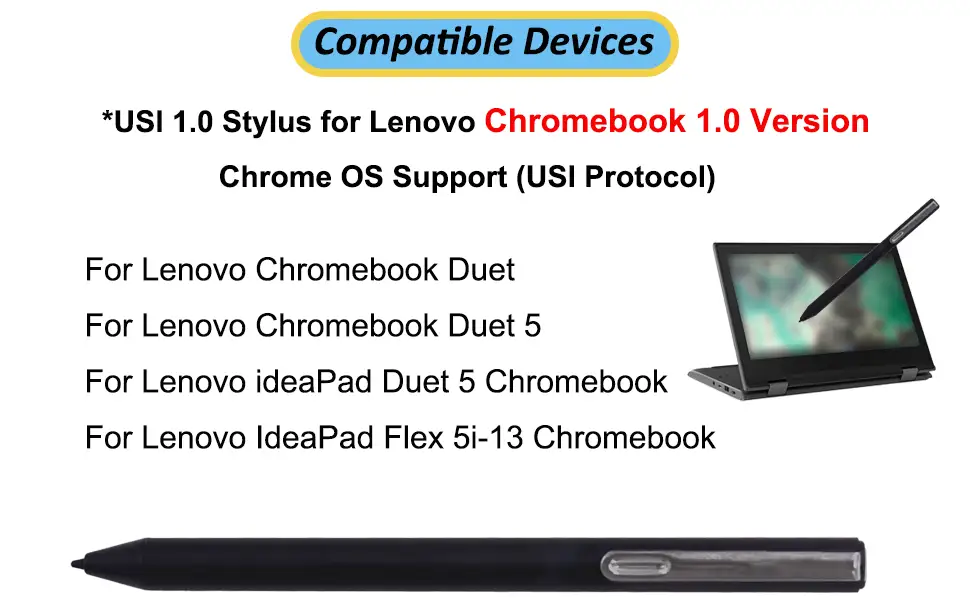
A: No. It supports USI protocol Chrome OS devices like certain Lenovo Flex and Duet models. Compatibility issues arise with non-USI or older models, so check your device’s spec sheet before buying.
Q: Can I replace the stylus tip?
A: Tips are technically replaceable, but no extras are included. Users report difficulty finding spares directly from Lenovo, forcing whole-pen replacements after breakage.
Q: How does it perform for art apps?
A: Poorly for now in many art-focused apps on Chrome OS — high latency, inconsistent pressure detection. Best experience is in supported note apps like Squid.
Q: Is the battery rechargeable?
A: No. It uses a AAAA battery. Some buyers switch to rechargeables to save money over time.
Q: Does it have magnetic attachment?
A: Depends on the Chromebook. Strong magnets on some Duet backs hold it well; many models lack effective attachment points, requiring separate holder purchases.
Final Verdict: Buy if you’re a student, writer, or Chromebook user wanting smooth, lag-free note-taking in apps like Squid. Avoid if your main goal is professional digital illustration on Chrome OS — latency and palm rejection issues will frustrate you. Pro tip from community: check your device’s magnet spots or get a case with a holder to prevent losing the pen.





