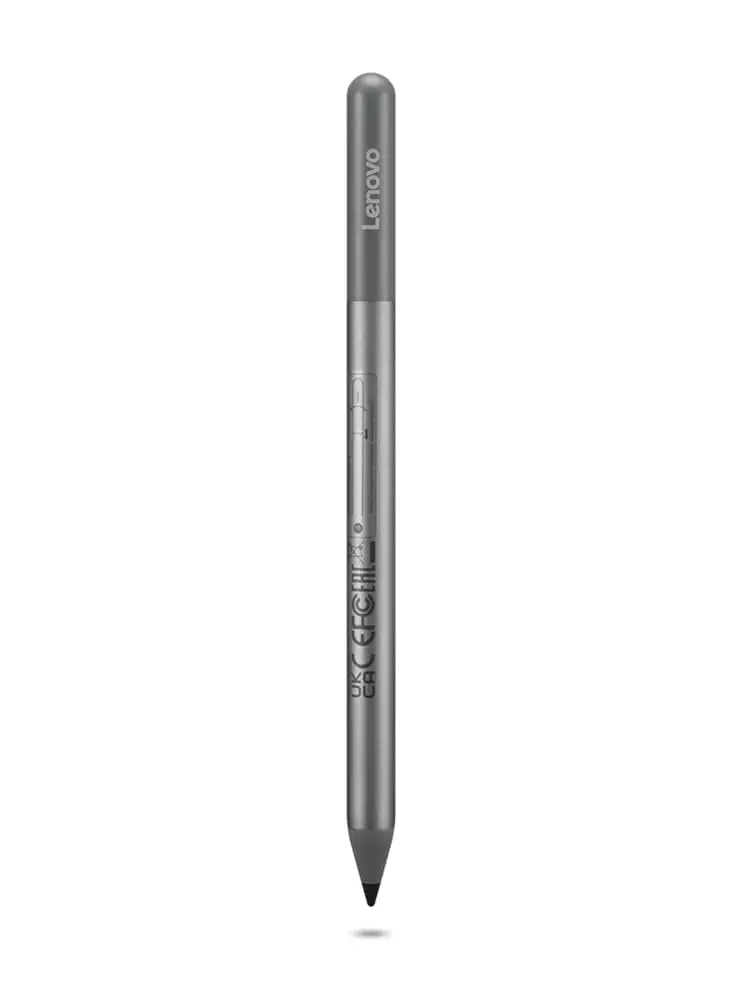
Lenovo USI Stylus Pen Review: Great for Notes, Mixed for Art
Few digital pens marketed to Chromebook owners spark as much debate as the Lenovo USI Stylus Pen. With official specs touting 4,096 pressure sensitivity levels, “paper-like” writing, and up to 150 days of battery life, expectations run high. Yet across Amazon, Reddit, and Best Buy, real-world performance lands it at 7.5/10 — widely liked for note-taking, but hampered by inconsistent app support and storage quirks.
Quick Verdict: Conditional — Great for Chrome OS note-takers, less ideal for artists.
| Pros | Cons |
|---|---|
| Smooth note-taking experience on apps like Squid | Latency and poor pressure sensitivity in many art apps |
| Strong Chrome OS compatibility | No built-in magnetic attachment or holder on most models |
| Lightweight ergonomic design | Pen tip wear and breakage over months of heavy use |
| Instant pairing — no Bluetooth needed | Hypersensitivity — activates before touching screen |
| Cross-device USI standard support | AAAA battery hard to source and short life for some users |
Claims vs Reality
One of Lenovo’s biggest claims is “industry-leading 4,096 levels of pressure sensitivity”. While this excites digital artists, Reddit user feedback tells another story. As one detailed tester wrote: “Do not buy this to use with art apps… yet.” They found Squid “excellent” with smooth lines, but Medibang “awful… no pressure sensitivity detection, awful latency” and Krita “glitchy with palm rejection.” This shows the hardware’s sensitivity is only as good as the app’s Chrome OS implementation.
Lenovo also advertises “150 days battery life based on 2 hours daily use.” Some Amazon buyers reported shorter runtimes — one review bluntly stated, “the battery hardly lasts a week with intermittent use.” The culprit seems to be cases of auto-on activation; without an on/off button, as Best Buy reviewer Gabe noted, “it shuts off when you don’t use it for a bit” but other times drains passively.
Finally, the “paper-like writing” claim does get backing from note-takers. Best Buy user Celindat praised how “writing feels smooth and pretty natural, almost like pen on paper,” especially for shading and journals. However, grip and tip feel aren’t universally loved — Jeffersonm found it “a little too smooth on my screen” and wished for tip options akin to Apple Pencil.
Cross-Platform Consensus
Universally Praised
Across Best Buy, Reddit, and Amazon, Chrome OS compatibility earns consistent praise. The pen works immediately with supported Chromebooks — no pairing or Bluetooth. Best Buy user Sheirah raved: “You just place it on the screen and it selects, writes, and draws using the apps already installed.” This instant usability appeals to students and professionals needing quick note capture.
Squid, in particular, is the hero app here. A Reddit reviewer’s experience shows it can be “hassle-free, smooth, little to no latency, great palm rejection.” For educational settings, parents like LuisB noted it was “great for school… my son finds it very useful” — meaning it hits the mark for typical classroom note-taking and annotating PDFs.
The ergonomic weight and balance also stand out; several buyers describe it as “lightweight but sturdy” with a comfortable diameter. Shaffer1205 said it “glides well on my Chromebook… nice size and weight.” For right-out-of-box usability, Celindat confirmed “works with any device that supports the USI standard, which is super convenient.”
Common Complaints
Storage and attachment issues are near-universal gripes. Best Buy reviewer Pjk002 explained the Lenovo Duet’s stylus slot “is not strong enough to hold the stylus in place” — forcing users to keep the keyboard attached or pen loose. Amazon reviewers echoed dismay at paying extra for a $16.95 “pen holder” in the US when UK buyers get it bundled.
Tip durability is another sore point for heavy use. Artist Jazz reported, “after about 4 months it needs to be replaced… the tip breaks off.” Combined with hypersensitivity problems — multiple Amazon and Reddit accounts describe it registering 2mm before touching — accuracy suffers for fine art.
App performance divides the audience. While Squid shines, OneNote shows “noticeable latency and minor palm rejection issues,” and art apps range from glitchy to unusable in Chrome OS. One Amazon reviewer summed it up: expect “Apple Pencil level drawing abilities” and “you’ll be sadly disappointed.”
Divisive Features
Pressure sensitivity’s feel sparks debate. For note-takers, it’s responsive and helpful for bold/italic effects in handwriting. For illustrators, it’s hamstrung by Chrome OS’s app ecosystem. Best Buy users praise “solid pressure sensitivity” for diagrams; Reddit artists lament missing tilt support in older USI models (fixed in USI Pen 2 but with its own quirks).
Battery life remains split. Some report many months of service off a single AAAA, others under a week. Factors appear to be device wake behaviors and lack of a power toggle. The unique AAAA requirement frustrates US buyers; one Amazon reviewer called for AAA cells “as those are more consumer-friendly.”
Trust & Reliability
Durability reports vary. Light-use owners see long service — Snowfox911 called it “a good purchase… good would buy again.” Heavy art users see degradation: tips wearing down, hypersensitivity worsening over time. Reddit’s caution about keeping the “thin black disk between the spring and the battery” shows setup fragility.
Compatibility mishaps surface occasionally. Jeslynluciaa’s Best Buy feedback: “no magnet to adhere… when it did work, writing skipped” suggests either model mismatches or firmware issues — Lenovo support asked for model details to troubleshoot. Most returns are painless, with Andrews noting, “service was good… they took the pen back.”
Alternatives
Community members suggest the Penoval USI Pen as a viable alternative for art-focused users. One Amazon reviewer switched, praising its USB-C charging, eraser functionality, and “no glitching.” It’s seeing traction for those burnt by Lenovo’s hypersensitivity.
Price & Value
Prices fluctuate — Lenovo’s online store lists USI Pen 2 from $23.82–$40.99; Amazon hovers near $29–$39.33 shipped internationally; eBay resellers ask inflated rates like $197 for rare bundles. Most feedback considers it fair under $30 for dedicated Chromebook use. Resale value holds well for mint condition but hinges on tip wear.
Tips from buyers: watch regional differences for included holders, check USI version compatibility (Gen 1 vs Gen 2), and stock AAAA batteries ahead of time.
FAQ
Q: Does the Lenovo USI Stylus Pen work with all Chromebooks?
A: No. It works with Chromebooks supporting the USI protocol. Owners of unsupported models, like some Lenovo Yoga laptops, report no functionality.
Q: Can I use the pen for digital art on Chrome OS?
A: Technically yes, but expect latency and palm rejection issues in many art apps. Squid is responsive, while Krita and Medibang are problematic.
Q: How long does the battery last in real-world use?
A: Reports vary from a week to several months depending on usage habits and whether the pen remains active passively.
Q: Is there a magnetic holder included?
A: Usually not in US shipments; some UK buyers get one bundled. US customers often must buy it separately.
Q: Does it require pairing or Bluetooth to connect?
A: No, it connects instantly via the USI standard — place it on the screen and start writing.
Final Verdict: Buy if you’re a Chromebook note-taker, student, or meeting annotator — you’ll get smooth, instant writing with strong app support for Squid and Cursive. Avoid if your primary goal is pressure-sensitive art on Chrome OS; app limitations and hardware quirks frustrate creative workflows. Pro tip: stock AAAA batteries, and secure a third-party pen holder to prevent loss.





