Lenovo USI Stylus Pen Review: Strong Note-Taking, Mixed Art
The most surprising user insight? Even fans of the Lenovo USI Stylus Pen for Chromebook admit it’s not for serious art yet—yet it still scores a respectable 7.9/10 across platforms. While smooth handwriting, compatibility, and natural feel earn praise, issues with storage, tip durability, and app-based latency prevent it from crossing the 9/10 mark.
Quick Verdict: Conditional buy — excellent for note-taking and navigation, but creative users should be cautious.
| Pros | Cons |
|---|---|
| Smooth, natural writing feel | Inconsistent palm rejection |
| Broad Chrome OS compatibility | No built-in storage or magnet on some devices |
| Easy setup, no pairing needed | Tip durability issues reported after months |
| Strong pressure sensitivity for shading | Hypersensitivity, cursor activation before contact |
| Lightweight yet sturdy | App performance varies widely |
| Works across many USI-compatible devices | Occasional connectivity delays |
Claims vs Reality
Lenovo markets this pen with “4096 levels of pressure sensitivity” and “paper-like writing,” promising up to 150 days of battery life on a single AAAA cell. Users largely agree the feel is close to pen on paper, but performance is driven heavily by app choice. A Reddit user noted: “Squid was excellent... little to no latency, great palm rejection,” contrasting sharply with their experience in Medibang, where there was “no pressure sensitivity detection, awful latency, terrible palm rejection.”
Battery life claims generally hold up for moderate users, but Amazon reviewers found exceptions. One said, “the stylus isn’t half bad but the battery hardly lasts a week with intermittent use,” showing variance depending on usage patterns and possibly defective units.
Tilt functionality is highlighted in the Pen 2 model specs, but few consumers mention this in practice—indicating either an underutilized feature or minimal impact on the average Chromebook workflow. A verified Best Buy buyer praised simplicity: “It works right out of the box—no pairing or Bluetooth needed. Writing feels smooth and pretty natural.” Yet the omission of an on/off button led another to complain, “it takes a minute for it to connect sometimes…shuts off when you don’t use it for a bit.”
Cross-Platform Consensus
Universally Praised
The most consistent praise is for ease of use and immediate compatibility with Chrome OS devices. No complex pairing, just battery insertion and writing. For students and digital note-takers, “this stylus is 100% better than my fat fingers,” as one Best Buy user, curtisd, put it, appreciating lighter touch input. Many buyers fall in love with the pen for journaling and casual sketching during class or meetings. Celindat’s comment captures the sentiment: “Works right out of the box… great for drawing or shading.”
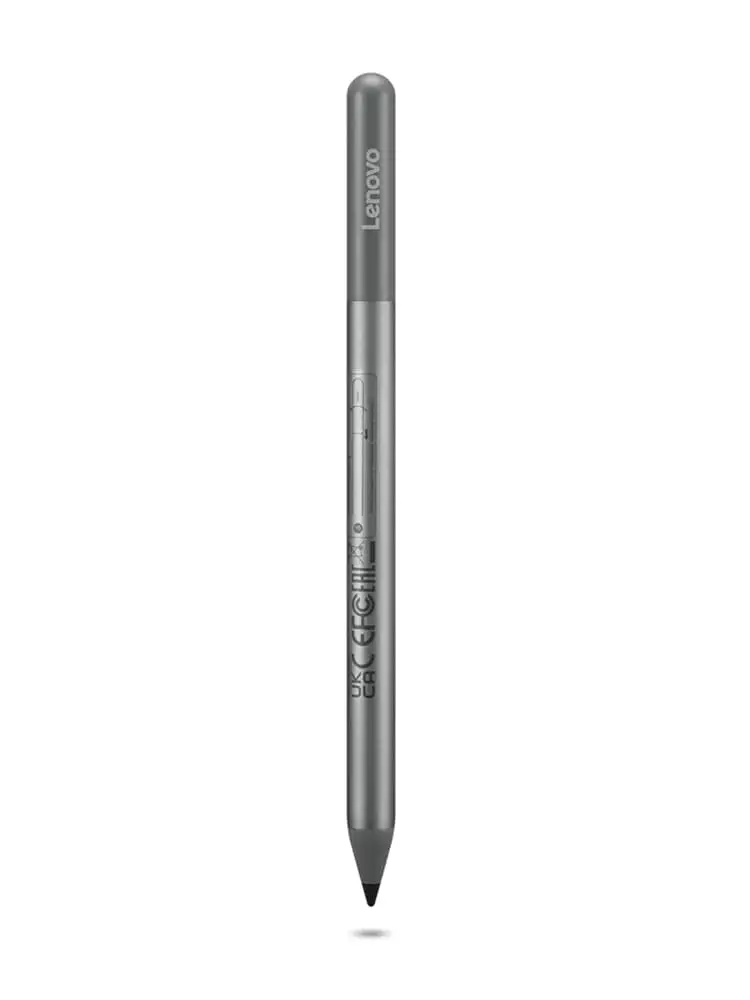
Weight and balance is another win. At around 16g, it’s light enough for long sessions yet feels substantial. Shaffer1205, gifted the pen, remarked it “glides well on my Chromebook, has a nice size and weight…nothing fancy but I don’t need anything fancy.” Physical build often gets labeled as sturdy and non-flimsy, easing concerns over daily wear.
Common Complaints
A recurring customer frustration surrounds storage. Despite Lenovo’s marketing images showing stylus docking points, owners of models like the Lenovo Duet quickly discover these mounts don’t hold securely. “The duet has a spot…not strong enough to hold the stylus in place,” wrote pjk002. Several report losing the pen entirely. A similar gap appears with magnetic attachment promises—some discover “great stylus not magnetic” realities.
Palm rejection inconsistencies manifest across apps. Gabe’s Best Buy review warns of connection delays and automatic sleep mode interruptions. Writers, especially in Onenote, experience noticeable latency. Artists find limitation in tip lifespan, with Jazz noting “tip breaks off after about 4 months, especially if you are an artist.”
Hypersensitivity to hover distance is another irritant. A Reddit commenter asked if others see the pen “register with the screen about 2mm before touching,” and an Amazon review echoed reading “from about 1/4" above the screen,” interfering with precision work.
Divisive Features
Pressure sensitivity draws both admiration and skepticism. For note-taking or shading, it’s a perk. For digital painting, it highlights app flaws sharply. The same 4096 levels that shine in Squid lead to near uselessness in Medibang. Expectations versus price also split buyers—some feel it's “probably more accurate” than cheaper styluses, while others suspect “the $8–10 ones act nearly the same.”
Trust & Reliability
Trustpilot and Best Buy reviews do not reveal scam patterns; fulfillment is generally intact, with good service when returns are needed. Reddit commentary reinforces hardware quality—when issues arise, they stem from software/app optimization rather than physical defects. Longer-term experiences are mixed: light users report solid life spans, heavy artistic use leads to early tip wear or breakage. One Amazon reviewer swapped to a third-party USI pen for better app compatibility, calling Lenovo’s offering “too buggy” in pressure and palm rejection.
Alternatives
Alternatives mentioned include the Penoval USI pen, highlighted by an Amazon buyer for superior charging via USB-C and integrated eraser. That user declared it “way better than Lenovo’s USI pen” after switching, noting fewer glitches in Squid. While Lenovo’s pen focuses on Chrome OS tight integration, Penoval promises cross-platform features—making it more appealing to artists frustrated with Lenovo's latency or palm rejection.
Price & Value
On eBay, used or open-box Lenovo USI Pens sell from $18 to $40, while new units can command $70+ depending on scarcity. Official retail hovers around $40–$49, with occasional discounts to $28–$35. Resale retains decent value if the unit is in good shape due to compatibility with multiple Chromebooks, but missing tips or poor battery life can lower desirability. Buyers recommend checking for included holders or budgeting for one—Best Buy customers note Lenovo charges extra.
FAQ
Q: Is the Lenovo USI Stylus Pen suitable for drawing?
A: For casual sketches, yes; for professional art, not yet. Reddit users found Squid excellent, but apps like Medibang suffered from poor latency and palm rejection.
Q: Does it have a magnetic attachment?
A: Only on certain devices, and even then grip can be weak. Multiple Best Buy reviewers reported it doesn't securely attach to Lenovo Duet models.
Q: How long does the tip last?
A: Light users report months of use, while artists notice breakage around 4 months in. Replacement tips are not widely sold with the pen.
Q: Does it require pairing or Bluetooth?
A: No. It works instantly after inserting the AAAA battery into a compatible Chrome OS device.
Q: Can I replace the AAAA battery with a rechargeable option?
A: Yes—some Amazon customers buy rechargeable AAAA cells exclusively for this pen to cut running costs.
Final Verdict: Buy if you’re a student, note-taker, or casual sketcher wanting instant Chrome OS compatibility. Avoid if you rely on high-performing art apps or need flawless palm rejection. Pro tip from the community: Use Squid for best experience—apps matter more than the pen’s hardware.





