Lenovo USI Stylus Pen Review: Mixed Verdict for Chromebook
Only 1.9 out of 5 stars on Amazon. That’s the jarring score that sets the tone for the Lenovo USI Stylus Pen for Chromebook, Grey, but on Best Buy, the upgraded Pen 2 variant fares much better with 4.0/5 from 33 reviews. This wide gap hints at a complex reality—the pen can be a smooth, paper‑like writing tool for some, and a frustrating lag‑ridden accessory for others. The verdict? 6.5/10, with strong performance in specific contexts but recurring usability quirks.
Quick Verdict: Conditional buy
| Pros | Cons |
|---|---|
| Smooth writing on supported apps (e.g., Squid) | No magnetic attachment on some devices |
| Broad Chrome OS compatibility | Palm rejection issues in certain apps |
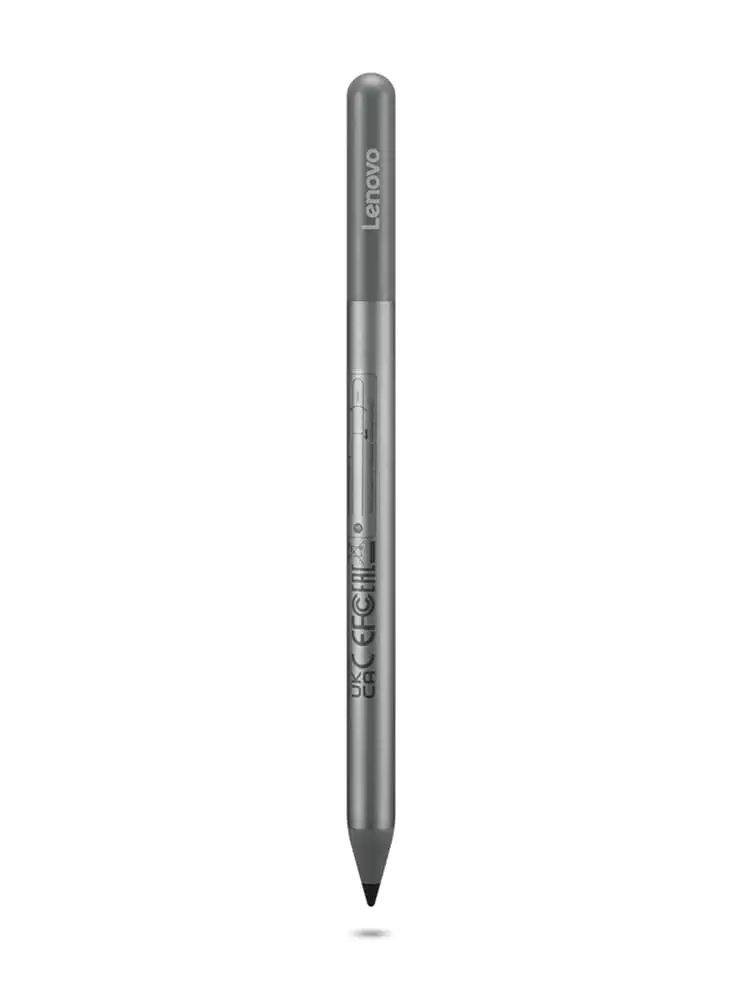
| Solid build, comfortable grip | Pen tip durability concerns |
| No pairing or Bluetooth needed | Latency in art apps like Medibang and Krita |
| Good pressure sensitivity (4096 levels) | Hard to sync initially, auto sleep causes delays |
| Works well for notes and journaling | Accessory holder often sold separately |
| Lightweight yet sturdy feel | Pen reads before contact ("hover touch") |
Claims vs Reality
Lenovo markets this pen as having "industry‑leading 4096 levels of pressure sensitivity" and "paper‑like writing." Digging deeper into user reports, the sensitivity claim is backed in some contexts—Best Buy buyer celindat noted: “Writing feels smooth and pretty natural, almost like pen on paper. Pressure sensitivity is solid, so it’s great for drawing or shading.” However, Reddit user feedback warns that not all apps honor that potential: “Medibang was just simply... awful. No pressure sensitivity detection, awful latency, terrible palm rejection.”
Another claim—“high quality guaranteed”—clashes with multiple durability concerns. Reddit discussions about tips breaking and Best Buy reviewer jazz stating "after about 4 months it needs to be replaced especially if you are an artist. The tip breaks off, that is the only con to the pen" show that the build can falter under heavy creative use.
Finally, Lenovo touts "seamless tilt functionality" in the USI Pen 2. While some Chromebook duet users found it easy to transition from note‑taking to shading, others—like Best Buy reviewer gabe—faced frustrating sync times and a lack of manual on/off control: “It works well, but no on/off button so it takes a minute for it to connect sometimes... took forever for it to connect the first time.”
Cross‑Platform Consensus
Universally Praised
Across Best Buy and Reddit, compatibility stands out as a win. The pen works on a wide range of Chrome OS devices without pairing hassles, making it ideal for students or note‑runners who need quick deployment. sheirah enthused: “I love this pen! It works so well with my Lenovo Duet 5... I use it to journal as well.” Chromebook Duet 3 owners appreciated plug‑and‑play behavior—no software setup, making it easy to switch between devices that support USI.
Squid app integration earns repeated praise. Reddit user noted “little to no latency, great palm rejection, smooth lines” in Squid—proof that when software is optimized, the hardware shines. For Chromebook note‑taking, this frictionless experience can rival premium pens, especially in classroom environments. Best Buy reviewer davida said: “My son wanted a pen to draw with on his Chromebook... works great, and he is enjoying making digital art.”
Common Complaints
Attachment—or rather, the lack of it—is the single most common gripe. “Stylus works but nowhere to keep it,” pjk 002 wrote, explaining that their Lenovo Duet’s “spot for the stylus... is not strong enough to hold” it, forcing either keyboard attachment or manual carry. Amazon buyers echoed frustration at paying extra for official holders.
Palm rejection shortcomings cut into artistic productivity. Reddit comments describe Squid’s solid rejection contrasted with apps that “completely reject stylus input” if the palm crosses the bezel in portrait orientation. Amazon customer grievances about “pen marking before contact” (hover touch) combine with lag complaints when drawing.
Durability concerns surface mid‑term—regular users report tips wearing or breaking within months. While casual note‑takers may get a year from the AAAA battery‑powered design, heavier artists face quicker degradation.
Divisive Features
Pressure sensitivity divides users sharply. For some, it elevates shading and digital art; for others, app limitations render it moot. jomac 006 compared it unfavorably to an Apple Pencil but accepted it as “handy... gets the job done.”
Battery life claims also split opinion. Lenovo lists 150 days for the original USI pen, 1 year for Pen 2 with light use. One Amazon buyer praised longevity, but another called the battery “terrible... hardly lasts a week with intermittent use.”
Finally, build feel triggers mixed reactions—the pen’s lightweight metal body feels sturdy yet smooth. Best Buy buyer jeffersonm found it “a little too smooth on my screen,” wishing for alternate tips.
Trust & Reliability
While no outright scam patterns emerged, dissatisfaction roots in misaligned expectations about device compatibility and accessory availability. Best Buy reviewer andrews discovered their pen did not work with a Lenovo Yoga laptop, but commended quick return handling.
Long‑term Reddit mentions imply hardware stability—issues often link to software updates or app flaws rather than hardware failure. However, loss risk is real: multiple Amazon and Best Buy users replaced lost pens, recommending holders or trackers.
Alternatives
Multiple Amazon reviewers and Reddit users point toward Penoval USI pens as superior for art apps—one suggested “get the usi pen by Penoval... top of pen functions as an eraser... way better than Lenovo’s usi pen.” For creatives needing USB‑C recharge and erasers, third‑party models may outperform, but they sacrifice OEM matching aesthetics.
Price & Value
Resale trends from eBay show used Lenovo USI pens between $18–$40, with brand new models fetching $20–$89 depending on variant. Official accessory holders bump cost significantly. Community advice leans toward bundling with a Chromebook purchase or catching sales—pjk 002 lamented accessory pricing, pointing out that UK bundles include holders free.
FAQ
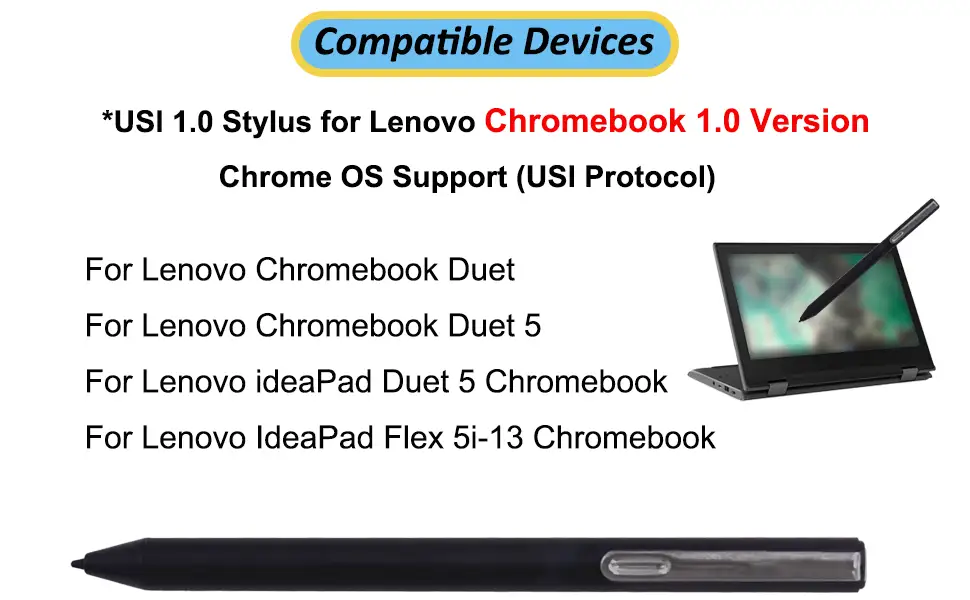
Q: Does the Lenovo USI Stylus Pen work with all Chromebooks?
A: No. It works with any device supporting the USI standard, but model compatibility should be checked—some Lenovo Yoga laptops do not support it.
Q: Is there a magnetic attachment for this pen?
A: Some Chromebooks have magnetic spots, but strength varies. Multiple users found their Duet would not hold the pen securely.
Q: How is the battery life in real use?
A: Light daily use can stretch to months. Heavy users report as little as a week before AAAA replacement.
Q: Does it have an eraser function?
A: No. The Lenovo version lacks an eraser tip—third‑party alternatives may offer it.
Q: Is it good for digital art?
A: For professional art, most users advise caution—latency and palm rejection issues persist in many creative apps.
Final Verdict: Buy if you’re a Chromebook user prioritizing note‑taking and quick app integration without pairing hassles. Avoid if your main goal is professional digital art—look for Penoval or similar alternatives with erasers and rechargeable batteries. Pro tip from community: Pair with Squid for the smoothest experience, and invest in a holder to avoid loss.





