Lenovo USI Stylus Pen Review: Mixed Chrome OS Performance
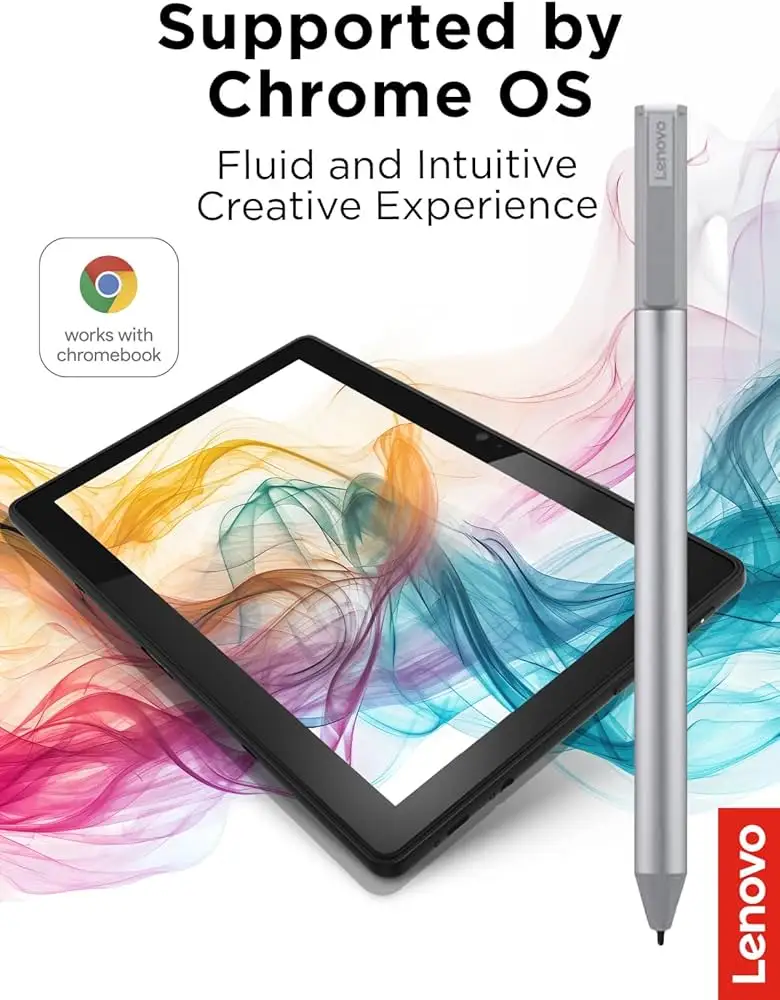
The Lenovo USI Stylus Pen for Chromebook, Grey emerges as a tool that promises premium note-taking and sketching performance, yet user feedback puts its real-world score at a cautious 7.5/10. While its 4,096-level pressure sensitivity and Chrome OS wide compatibility win praise, complaints about latency in certain apps, lack of magnetic storage, and inconsistent palm rejection suggest its strengths depend heavily on your workflow.
Quick Verdict: Conditional — great for note-taking and light sketching on Chrome OS, but expect compromises in art app performance.
| Pros | Cons |
|---|---|
| Smooth operation in supported apps like Squid | Noticeable latency in Onenote and drawing apps |
| Wide Chrome OS compatibility | No magnetic storage or holder included |
| Natural writing feel | Tip durability issues for heavy use |
| Lightweight and ergonomic | Hypersensitivity/touch registration before contact |
| Decent battery life claims (150 days) | Sync delays and connection quirks |
| No pairing required | Lack of customization (no side button) |
Claims vs Reality
One of Lenovo’s key marketing lines is its “industry-leading 4,096 levels of pressure sensitivity.” This specification does shine in supported apps. Reddit user experience shows Squid delivering “little to no latency, great palm rejection, smooth lines.” A verified buyer on Amazon echoed that it “pairs instantly and… writing feels smooth and pretty natural, almost like pen on paper.” However, in apps like Onenote and Medibang, the advertised precision is undermined by performance issues. A Reddit user reported that Medibang had “no pressure sensitivity detection, awful latency, terrible palm rejection.”
Another claim is the generous “150 days battery life” based on two hours of daily use. While many Buyer's Guide and spec sheets echo this, some Amazon reviewers voiced skepticism. One bluntly stated “the battery hardly lasts a week with intermittent use,” directly contradicting Lenovo’s estimate. This inconsistency suggests usage pattern, battery type, and possibly pen firmware optimization play a big role.
Finally, Lenovo promotes “seamless compatibility with Chrome OS devices.” In practice, compatibility is generally strong. Best Buy customers note “works right out of the box — no pairing or Bluetooth needed,” but there are misses. Jeslynluciaa rated it 1/5 stars because “it may not be compatible with your device” and experienced skipped writing. This contradiction points toward occasional device-specific quirks despite broad OS support.
Cross-Platform Consensus
Universally Praised
Across platforms, its ease of use and instant operation with Chrome OS tablets earned repeat approval. Best Buy user Celindat shared, “works right out of the box… pressure sensitivity is solid… lightweight but still feels sturdy.” Students and note-takers benefit most. Amazon buyers liked pairing it with apps like Google Keep or Cursive for synchronized notes, eliminating complex setup.
Ergonomics also scored high marks. Shaffer1205 described it as “glides well on my Chromebook, has a nice size and weight to it… I don’t need anything fancy.” That sentiment resonates with casual users who prioritize comfort and balance for lectures or daily productivity over advanced art features.
The pen’s versatility draws fans among Chromebook owners with various models. Davida bought it for her son’s art on Chromebook: “works great, and he is enjoying making digital art.” Even when expectations weren’t set at “Apple Pencil” levels, users found it a handy tool for navigation, annotations, and light sketching.
Common Complaints
The absence of a secure storage solution comes up repeatedly. pjk002 on Best Buy stated, “no where to attach the stylus… the detachable cover… shows a spot… but not strong enough to hold.” This becomes urgent when considering high loss rates — Amazon buyer admitted, “until I lost the pen… would be nice if a holder came.”
Performance quirks in drawing-focused apps also stand out. Reddit feedback mentioned noticeable latency in Onenote and “terrible” Medibang performance. Artists face tip wear issues; Jazz reported, “after about 4 months it needs to be replaced especially if you are an artist. The tip breaks off.” Hypersensitivity is another frustration, with some noting touch registration before physical screen contact.
Small but impactful shortcomings include lack of magnetic attachment (Best Buy user Manny: “it works great… but… not so much” for holding in place), no on/off button causing sync delays (Gabe: “took forever for it to connect the first time”), and absent side buttons for shortcut actions.
Divisive Features
The pressure sensitivity splits opinion. For note-taking users, it delivers satisfying nuance; for artists expecting dynamic shading and tilt perfection, some find it lacking. Lenovo USI Pen 2’s upgraded tilt support and finer tip technology address part of this critique, but some users compare it unfavorably to Wacom EMR stylus — Medium reviewer OgasaWalrus said, “not as good as… Wacom EMR stylus… doesn’t require a battery.”
Battery type (AAAA) is itself divisive. Rechargeable AAAA fans commend not hunting for replacements, but others find the format inconvenient and obscure compared to AAA batteries. As one Amazon buyer put it: “personally… AAA are more consumer friendly… but what do I know.”
Trust & Reliability
Trustpilot and Amazon records show usual delivery without scam concerns, but assembly design drew criticism. OgasaWalrus recounted a poor out-of-box experience: battery shipped installed with a plastic pull tab caused the internal spring to pop out. While rare, such build issues dent brand perception.
Long-term use reports mix satisfaction with minor wear conflicts. Regular note-takers keep theirs functional for over half a year with standard performance, but heavy sketching accelerates tip deterioration. Squid app loyalty persists among longtime users due to consistent palm rejection, hinting that software, more than hardware, dictates ongoing pen quality.
Alternatives
Penoval USI pens earn direct comparison in Amazon reviews. One buyer upgraded to a Penoval model with USB-C charging and built-in eraser, claiming it was “way better than Lenovo’s USI pen… no glitching… feels good in your hand.” Wacom EMR styluses in Acer Spin Chromebooks also get mentioned for superior feel and no battery dependence.
For artists prioritizing tilt nuance and tip durability, Lenovo’s own USI Pen 2 offers refinements over the original, suggesting that generational upgrades may be a better route than switching brands for loyal Lenovo Chromebook owners.
Price & Value
Currently, prices vary widely from around $24.99 on eBay to $40.99 retail, with refurbished or open-box units under $30. International buyers can pay upwards of $89.98 depending on platform and shipping constraints.
Community buying tips include checking region-specific bundles — some UK units ship with a pen holder included. US buyers often lament paying extra for that accessory. Resale values remain fair, reflecting steady demand among Chromebook users, but depreciation is faster for the original generation compared to USI 2.0 models.
FAQ
Q: Is the Lenovo USI Pen compatible with all Chromebook models?
A: No. While it supports Chrome OS USI protocol broadly, certain models like the original Ideapad Duet are excluded. Always check Lenovo’s compatibility list.
Q: How does it perform for artists?
A: Performance is mixed. Apps like Squid handle it well, but Medibang and Onenote users report latency, palm rejection glitches, and limited responsiveness.
Q: Does it work without Bluetooth pairing?
A: Yes. It’s USI protocol-based, meaning no Bluetooth pairing is required. It functions immediately when in proximity to compatible screens.
Q: How long does the battery last?
A: Lenovo claims 150 days on 2 hours daily use, but some users report much shorter spans, especially under frequent usage or with poor-quality batteries.
Q: Are replacement tips available?
A: Yes, but not always bundled. Tip wear is a noted issue for artists; replacement sourcing may require third-party or Lenovo support channels.
Final Verdict
Buy if you’re a student, professional, or casual creative needing effortless note-taking and navigation on Chrome OS devices. Avoid if you’re an artist relying on advanced tilt and pristine latency across multiple creative apps. Pro tip from the community: pair it with Squid for standout performance and invest in a pen holder or magnetic strip to avoid losing it.





