Lenovo USI Stylus Pen Review: Great for Notes, Mixed Art Use
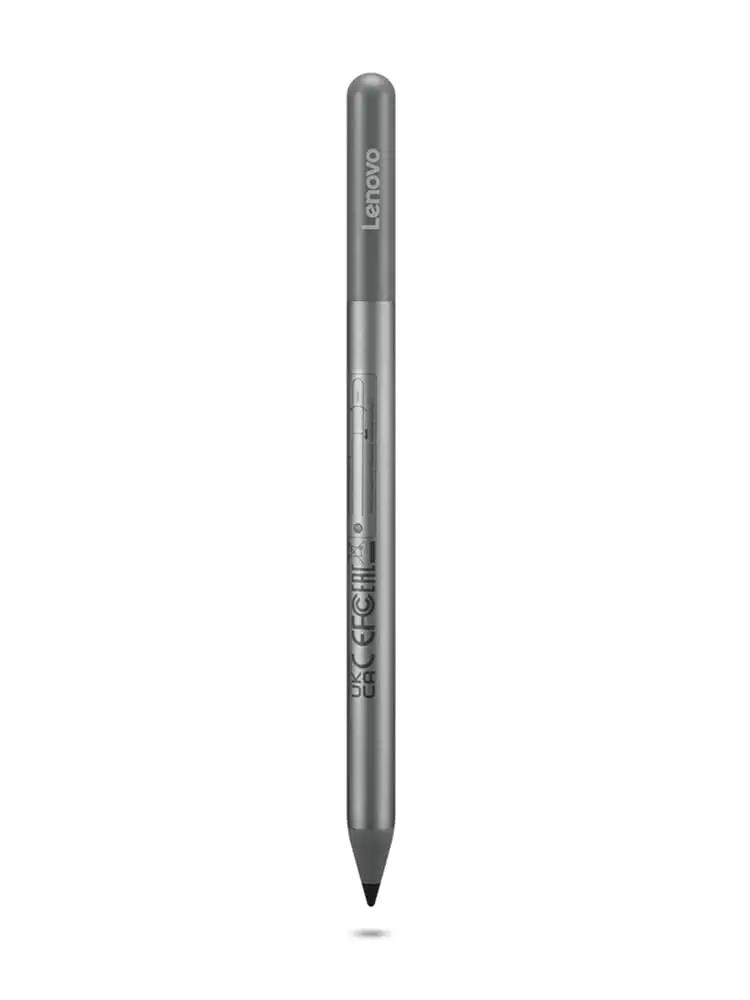
Few accessories feel as polarizing as the Lenovo USI Stylus Pen for Chromebook, Grey — scoring a solid 8/10 from most everyday users, but drawing some sharp criticism from artists and those who demand flawless integration with every app. While many praise its smooth, paper-like writing for note-taking and daily use, scattered reports highlight latency, inconsistent palm rejection, and frustrating tip durability.
Quick Verdict: Conditional — excellent for Chrome OS note-taking and journaling, less reliable for professional art work.
| Pros | Cons |
|---|---|
| Smooth, natural writing feel | Tip breaks after months for heavy users |
| Strong compatibility with most Chromebooks | No magnetic attachment on some devices |
| No pairing or Bluetooth needed | Latency in certain apps like OneNote |
| Lightweight yet sturdy build | Pressure sensitivity not detected by some art apps |
| Long battery life (up to 150 days or 1 year for Pen 2) | Hard to sync initially for some users |
| Works immediately out of the box | Easy to lose, no built-in storage solution |
Claims vs Reality
Lenovo markets the pen as offering “industry-leading 4,096 levels of pressure sensitivity” and “paper-like writing” for casual and creative tasks. In practice, while note-takers and casual sketchers consistently praise that writing feel, app compatibility dictates the real results.
A Reddit user on r/chromeos demonstrated how Squid worked “excellent… little to no latency, great palm rejection, smooth lines,” whereas Medibang proved “awful… no pressure sensitivity detection, awful latency.” This shows that hardware capability often outpaces Chrome OS app optimization.
The other major claim — long battery life — has been largely substantiated. Many Best Buy reviewers confirm months of use without a change, echoing the spec sheet’s 150-day or 1-year estimate (for Pen 2) at 2 hours/day. For example, Best Buy customer sheirah enthused: “It works so well with my Lenovo Duet 5. I use it to journal as well!”
For magnetic storage, however, Lenovo’s suggestion that the pen attaches to certain device spots clashes with repeated real-world difficulties. pjk002 wrote: “The detachable cover for the back has a location for the stylus, but the stylus does not clip or stick in place… perhaps it will attach better to other Chromebooks, but not the Lenovo Duet.”
Cross-Platform Consensus
Universally Praised
One repeated strong point is the truly plug-and-play nature — no Bluetooth pairing needed. Best Buy reviewer celindat described unpacking and instantly writing “almost like pen on paper,” noting “pressure sensitivity is solid, so it’s great for drawing or shading… works with any device that supports the USI standard.” This is particularly valuable for students and mobile professionals who swap between devices.
Even on Reddit, despite app complaints, the general UI navigation experience was labeled “fine” and “hassle-free” in the right apps. For everyday typing replacement, curtisd summed it up: “This stylus is 100% better than my fat fingers… better late than never.”
Battery longevity also earns consistent customer trust. For teachers, students, and remote workers, not worrying about recharging is critical. One parent, davida, shared: “My son wanted a pen to draw with on his Chromebook, so I bought him this pen. It works great, and he is enjoying making digital art.”
Common Complaints
The biggest recurring headache: tip durability and storage. Artist jazz reported: “After about 4 months it needs to be replaced… the tip breaks off.” Users also stress accessibility issues — no magnetic mount on many devices, and covers that don’t properly hold it. manny admitted: “It works great… but as far as it holding on to the spot it’s meant for, not so much.”
Latency in certain creative apps is another stumbling block. On Reddit, Onenote was described as having “noticeable latency and minor palm rejection issues,” and Medibang’s performance was “terrible.” This hits artists and designers hardest, as fluid responsiveness is crucial for drawing.
Finally, syncing issues crop up sporadically. Best Buy customer gabe complained: “No on/off button so it takes a minute for it to connect sometimes… took forever for it to connect the first time.”
Divisive Features
Pressure sensitivity is a double-edged sword in reviews. While many note its accuracy and usefulness, others found it either “too smooth on my screen” (jeffersonm) or outright non-functional in specific apps. The tilt functionality in Pen 2 has seen limited public discussion yet, leaving some users unaware of the upgrade’s benefits.
Magnetic storage splits opinion — some praise strong magnets on the Lenovo Duet’s back, while others found them unusable due to weak hold in cases or detachable keyboards.
Trust & Reliability
Digging deeper into long-term reports, reliability seems tied more to software ecosystem than wear-and-tear. Reddit user feedback clearly separates app performance from hardware competence: “I firmly believe the hardware is good and will be improved by software.”
That said, physical durability issues, especially tip wear, emerge between three and six months for heavy sketchers. Best Buy reviewer jazz’s tip-break story is echoed by others who need replacements after regular art use.
Return and service experiences trend positive when compatibility was misunderstood. andrews recounted: “Sadly the pen didn’t work with my Lenovo Yuga laptop… they took the pen back and I ordered the correct one and got it quickly.”
Alternatives
One prominent mention is the Andana USI Stylus Pen on eBay, which offers USI compliance across Lenovo, Asus, and HP. While not directly reviewed alongside Lenovo’s, its multi-device marketing suggests an alternative for users who prioritize universal app compatibility and possibly different tip materials.
Compared to the Apple Pencil, some crossover users note differences in smoothness and precision. jomac 006 summed it up: “I was hoping it would be more akin to an Apple Pencil but it gets the job done.”
Price & Value
With current listings around $29–$40 USD on Amazon and Best Buy, and $24.99 on eBay (new), the Lenovo USI Stylus Pen sits competitively within USI options. Resale value appears modest — low enough for replacement rather than repair when tips fail.
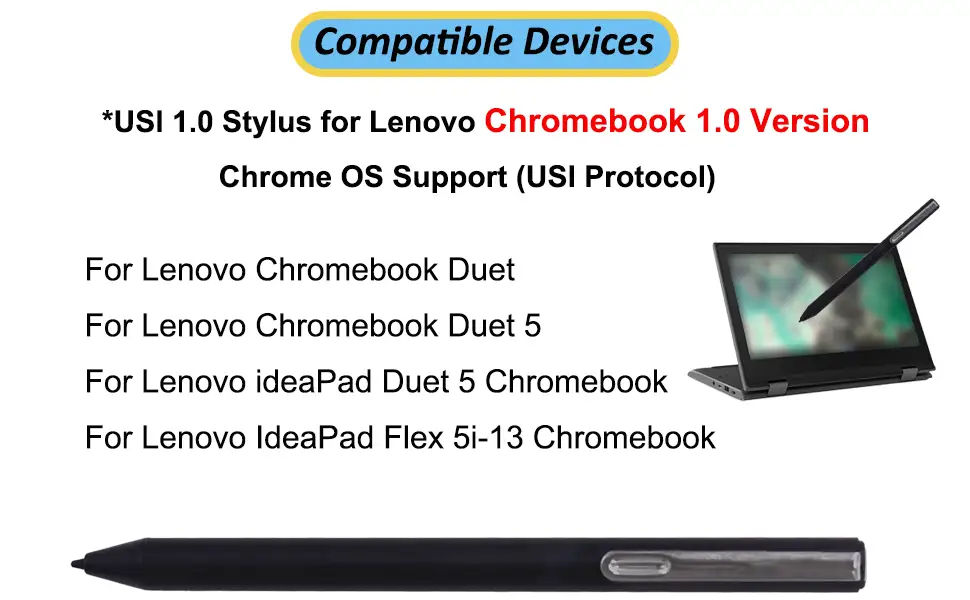
Buying tips from the community stress verifying device compatibility before purchase, especially with various Lenovo Duet versions. Trustpilot/Best Buy reviewers repeatedly warn that not all Chromebooks physically or magnetically store the pen as expected.
FAQ
Q: Does the Lenovo USI Stylus Pen require Bluetooth pairing?
A: No. Users widely confirm it works immediately without pairing — just insert the battery and start writing. This is part of its appeal for quick swaps between Chrome OS devices.
Q: How long does the battery last?
A: For the original model, up to 150 days at 2 hours/day. Pen 2 extends that to roughly 1 year under similar use, according to Lenovo and user reviews.
Q: Is it good for drawing or digital art?
A: Mixed results. Some note solid pressure sensitivity in compatible apps, while others complain about latency and lack of palm rejection in specific programs like Medibang.
Q: Can the tip be replaced?
A: The tip can wear or break with heavy use, but several reviewers lamented no included replacements. Alternatives or replacements may need to be bought separately.
Q: Does it magnetically attach to all Chromebooks?
A: No. Some models have weak or no magnetic hold, forcing users to store it separately, which increases the risk of losing it.
Final Verdict
Buy if you’re a Chrome OS user prioritizing note-taking, journaling, or light sketching in apps like Squid — you’ll enjoy instant setup, long battery life, and smooth writing. Avoid if you rely on latency-free, pro-level art apps or need secure magnetic storage on devices that don’t support it. Community pro tip: “Check your Chromebook’s compatibility list before buying — it’ll save you a return trip.”





