Lenovo USI Stylus Pen Review – Smooth Writing, Mixed Durability Verdict
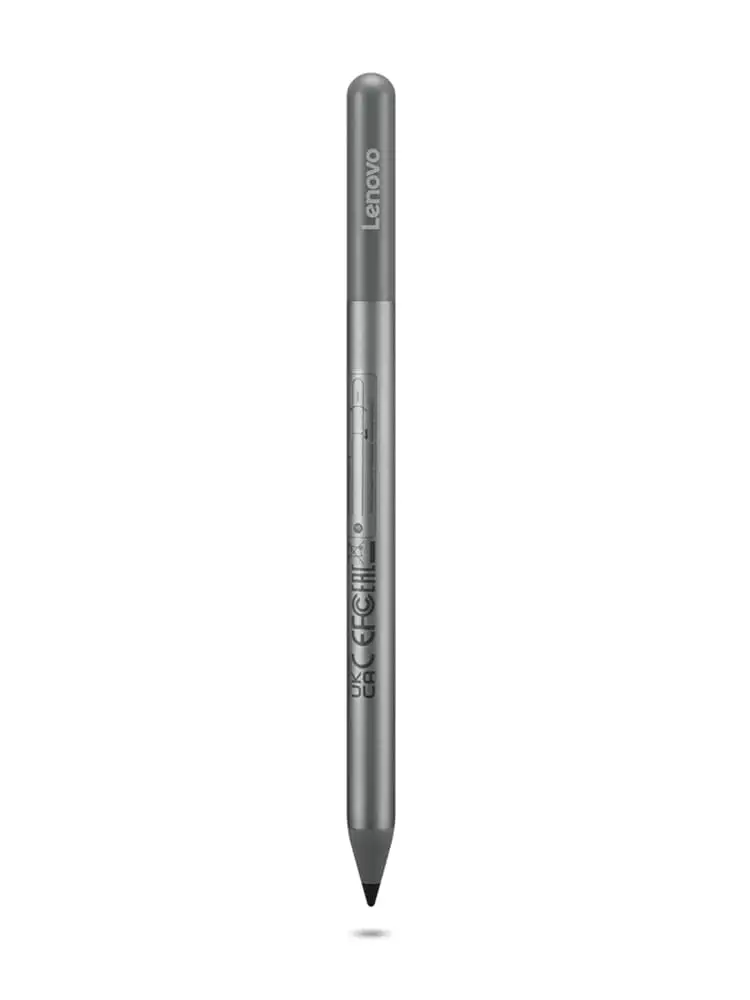
Surprising durability issues overshadow glowing performance reviews for the Lenovo USI Stylus Pen for Chromebook, Grey, leaving it with a conditional score of 7/10. While praised for smooth writing and strong compatibility across Chrome OS devices, frequent complaints about battery, tip longevity, and poor magnetic attachment raise usability questions for daily users.
Quick Verdict: Conditional
| Pros | Cons |
|---|---|
| Smooth, paper-like writing feel | Tip breaks after months for heavy users |
| Works out of the box without pairing | No magnetic attachment or secure holder in many models |
| Strong compatibility with Chrome OS devices | Battery life shorter than advertised for some users |
| Solid pressure sensitivity for shading/drawing | Occasional latency in certain apps |
| Lightweight yet sturdy build | Easy to lose; tracking system absent |
| Instant pairing on supported apps | Palm rejection inconsistent in portrait mode |
Claims vs Reality
Lenovo advertises “up to 4096 levels of pressure sensitivity” and “a natural paper-like writing experience.” Many Best Buy customers echoed this — “writing feels smooth and pretty natural, almost like pen on paper,” shared pjk_002 — but Reddit users found the story more nuanced. In Squid, the pen felt “excellent… little to no latency, great palm rejection, smooth lines,” yet apps like Medibang and Krita showed “awful latency” and glitchy palm rejection. This suggests hardware potential is real, but software variability can make or break the experience.
The company claims one-year battery life with average use. However, Amazon buyers reported drastically different outcomes: one called it a “good pen, terrible battery life,” noting it “hardly lasts a week with intermittent use.” Reddit threads also pointed out quirks in battery setup — removing the wrong tag in the housing caused connection issues — hinting at design oversight in user instructions.
Another big promise is device compatibility and portability. For some, it delivered: “Works great with my Lenovo Duet 5… easy to select, write, and draw,” wrote Best Buy reviewer sheirah. Yet others ran into frustration when their Chromebook lacked a secure mount. “No magnet to adhere to my duet… writing skipped and wouldn’t write at all,” lamented Trustpilot user jeslynluciaa.
Cross-Platform Consensus
Universally Praised
When paired with the right apps, especially on Chrome OS devices like the Lenovo Duet and Flex 5 series, the Lenovo USI Stylus Pen feels highly capable. Best Buy customer celindat called it “a really nice upgrade for notes and sketches… works right out of the box — no pairing needed.” This is a boon for students and professionals who need to jump into work without fiddling with settings.
Weight and build earned praise across reviews. “Lightweight but still feels sturdy, not cheap or flimsy,” noted celindat, making it suitable for extended writing sessions without hand fatigue. The pressure sensitivity was highlighted in several artistic contexts, with users appreciating its shading control for sketches and diagrams.
One standout user group: Chromebook note-takers. A verified Amazon buyer found it “ideal for note taking… perfect especially for the price,” and Squid users on Reddit reported buttery response for handwriting, reinforcing its role as a top-tier Chrome OS companion for productivity.
Common Complaints
Storage design is a recurring sore spot. Many Lenovo Duet owners complained there’s “nowhere to attach the stylus” — pjk_002 described having to choose between keeping the keyboard connected or the pen in place, while manny noted “as far as it holding on to the spot… not so much.” Without a secure magnetic connection, portability becomes risky and loss rates rise.
Tip durability is another weak point for heavy users, particularly artists. “After about 4 months it needs to be replaced… the tip breaks off,” said jazz on Best Buy. Lack of replacement tips in the box exacerbates the issue, especially given that third-party options may not match Lenovo’s feel.
Battery inconsistencies cause frustration among mobile professionals. Users who expected months of life before swaps found themselves running through AAAA batteries weekly. Those without rechargeable versions saw operating costs rise unexpectedly — a notable divergence from Lenovo’s marketing.
Divisive Features
Tilt functionality and “faster pairing” are part of Lenovo’s USI Pen 2 pitch, but feedback varies. Some users noticed instant recognition on supported tablets, others — like Best Buy’s gabe — found “it takes a minute for it to connect sometimes… took forever the first time.”
Palm rejection divides opinion sharply. Squid users on Reddit praised it, while portrait mode testers experienced complete rejection of pen input when palms partially rested on bezels. This inconsistency means artists and certain note-taking stances may need workarounds.
Device sensitivity also splits feedback — some see it as precision, others as hypersensitivity. One Amazon user criticized it for starting marks “before contact is made with the screen,” a behavior echoed in Reddit tests at a 2mm hover detection distance. While this assists hover-based tool previews, it can interfere with fine art workflows.
Trust & Reliability
Long-term use patterns show mixed reliability. Positive notes include months-long smooth operation for casual note-taking and regular schoolwork. As Best Buy reviewer luisb recounted, it was a “great product” for his son’s school work, with no major hiccups reported in early months.
But durability concerns, particularly related to storage and tips, hurt trust. Lenovo’s omission of magnetic storage compatibility in some models feels like a deliberate cost-cutting choice. Amazon buyers saw this as “nickel and diming,” especially when comparative UK bundles included holders.
On Trustpilot-style feedback, return policies worked — one purchaser of the wrong model had it “taken back quickly” — but compatibility confusion was common, leading some to believe their stylus was defective when it wasn’t.
Alternatives
The Penoval USI pen comes up repeatedly in frustrated Lenovo owner reviews. An Amazon buyer urged: “Get the USI pen by Penoval… has USB-C input for charging… no glitching.” The built-in eraser functionality and rechargeable design address two of Lenovo’s biggest complaints: tip wear and disposable battery limitations.
Competitors like HP’s rechargeable USI also serve the same Chromebook audience but offer magnetic attachments for certain devices, potentially suiting mobile professionals better than Lenovo’s offering.
Price & Value
Market prices range widely — eBay listings show Lenovo USI pens as low as $20 and as high as $197 for unopened Duet bundles. That volatility suggests considering resale opportunities if bundled with a device.
Buying tips from community feedback:
- Check your Chromebook model’s magnetic mount compatibility before purchase.
- Factor in cost of replacement tips or rechargeable AAAA batteries.
- Avoid overpaying on official store if discounts appear on third-party sellers for identical models.
FAQ
Q: Does the Lenovo USI Stylus Pen work with all Chromebooks?
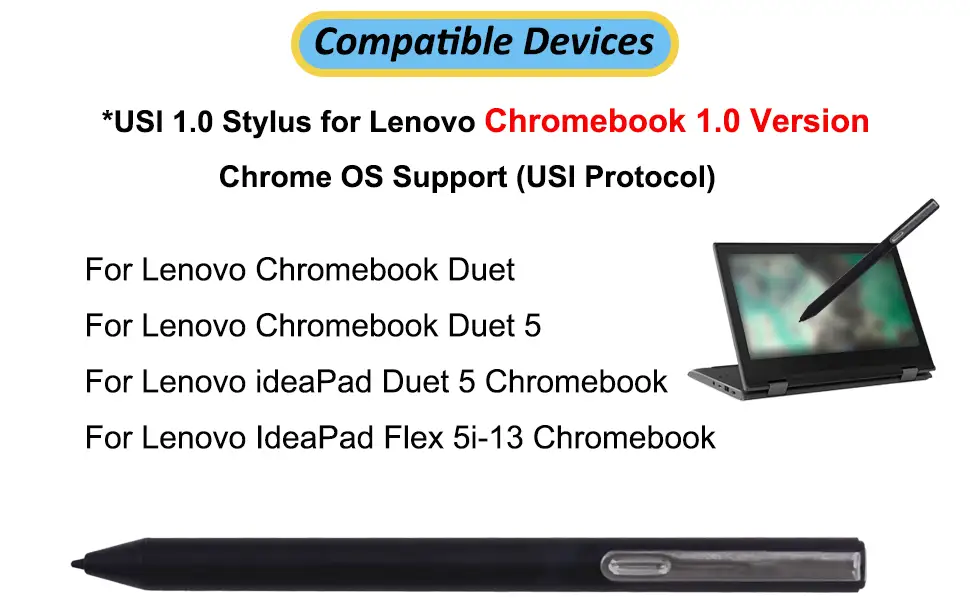
A: No. While marketed for Chrome OS, compatibility is limited to USI protocol devices. Always check Lenovo’s accessory compatibility guide before buying.
Q: How long does the battery really last?
A: Lenovo claims up to a year with light daily use, but some users report just a week under intermittent heavy use. Rechargeable AAAA batteries can mitigate costs.
Q: Can it be used for drawing?
A: Yes, but performance varies by app. Squid offers smooth lines, while art apps like Medibang and Krita suffer from latency and palm rejection glitches.
Q: Does it attach magnetically to the Lenovo Duet?
A: In many cases, no. Some Duet models have weak or incompatible magnetic mounts, leading to complaints of easy loss.
Q: Are replacement tips available?
A: Lenovo does not typically include extras. Third-party tips exist, but may not match the original’s writing feel.
Final Verdict: Buy if you’re a Chromebook note-taker or casual sketcher on supported apps like Squid. Avoid if your workflow depends on art apps with tight latency/palm rejection needs or if you demand secure storage in transit. Pro tip from community: invest in rechargeable AAAA batteries and a third-party pen holder to offset Lenovo’s design omissions.





