Lenovo USI Stylus Pen Review: Conditional Buy Verdict
Some users were surprised to find that the Lenovo USI Stylus Pen for Chromebook, Grey could be both “the best pen ever” for note-taking and at the same time “simply… awful” for certain art apps. Averaging 4.0/5 stars across platforms, it hits an 8/10 for casual writing and navigation, but dips for artists and those expecting Apple Pencil performance.
Quick Verdict: Conditional Buy
| Pros | Cons |
|---|---|
| Smooth, natural pen-on-paper feel for notes | Inconsistent palm rejection depending on app |
| Compatible with most Chrome OS USI devices | Tip durability issues after months of heavy use |
| No pairing or Bluetooth needed | No magnetic attachment/holder included for some models |
| Good pressure sensitivity (4096 levels) | Latency in certain art and productivity apps |
| Lightweight yet sturdy build | Hypersensitivity: registers before touching screen |
| 150 days (Gen 1) / 1 year (Gen 2) battery life claims | No on/off button; can take time to sync on first use |
| Works well for journaling and shading | Battery complaints from heavy users |
Claims vs Reality
Lenovo’s marketing promises “industry-leading 4096 levels of pressure sensitivity” and “paper-like writing.” For note-takers, this largely holds true. A verified buyer on Best Buy said: “Writing feels smooth and pretty natural, almost like pen on paper. Pressure sensitivity is solid, so it’s great for drawing or shading.”
However, when applied to digital art, the gap shows. Reddit user review*** noted: “Squid was excellent… Medibang was just simply... awful. No pressure sensitivity detection, awful latency, terrible palm rejection.” They concluded the hardware was good but dependent on Chrome OS app optimization.
Battery life is another claim — 150 days for the original USI Pen, up to 1 year for USI Pen 2 with average use. While many confirmed solid stamina, one Amazon buyer complained: “The battery hardly lasts a week with intermittent use. Not trying to spend 10 bucks a week on batteries.”
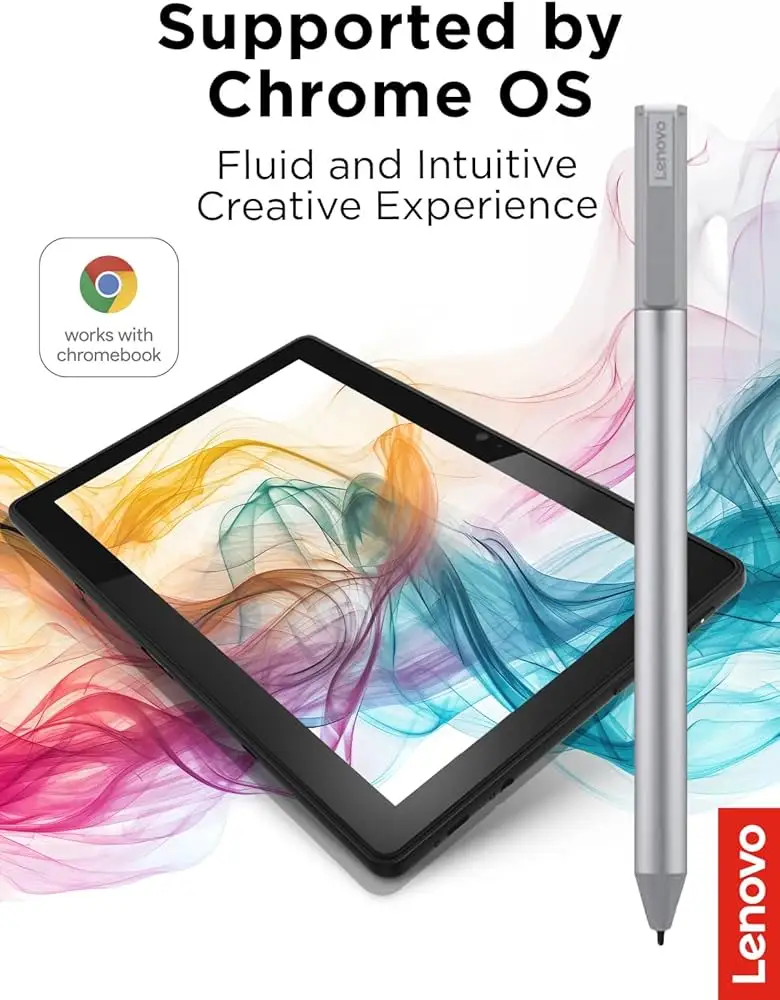
Attachment and portability show another mismatch. The product is shown magnetically parked in marketing images, but pjk002 from Best Buy shared: “The duet has a spot… but it is not strong enough to hold the stylus in place.”
Cross-Platform Consensus
Universally Praised
For students and casual Chromebook users, the pen delivers on simplicity and instant use. Sheirah from Best Buy enthused: “I love this pen!… I use it to journal as well.” Celindat highlighted cross-device convenience: “Works with any device that supports the USI standard, which is super convenient.” No pairing required means it’s ideal for multi-device environments, with owners swapping between Duet, Flex, and Pixel tablets effortlessly.
Ergonomics earned consistent praise. Shaffer1205 described it as “glides well on my chromebook, has a nice size and weight to it.” Lenovo’s choice of aluminum build and refined grip on the Pen 2 version appears to enhance the tactile experience.
App compatibility for core note-taking was strong — Squid in particular was recommended repeatedly. Reddit user review*** said: “Squid is proof that using the pen can be a hassle-free, smooth experience,” attributing its success to closer Google integration.
Common Complaints
Palm rejection remains the most cited frustration. Amazon reviewers flagged hypersensitivity, with one warning: “It’ll start marking the page before contact is made.” App-specific failures compounded this, as seen with art software: “Krita was better… but still glitchy… terrible latency,” said Reddit user review***.
Hardware limitations impacted storage and portability. Manny from Best Buy explained: “Works great… but as far as it holding on to the spot that it’s meant for — not so much.” The absence of magnetic hold on many models forces buyers to find aftermarket holders.
Various users disliked the lack of on/off control, leading to connection delays. Gabe from Best Buy noted: “Took forever for it to connect the first time… shuts off when you don’t use it for a bit.”
Durability concerns centered on the tip. Jazz from Best Buy warned: “After about 4 months it needs to be replaced… the tip breaks off.” Heavy sketchers faced the most impact here.
Divisive Features
Pressure sensitivity splits opinion: while casual doodlers enjoy shading, serious artists see noticeable latency and missed strokes. One Amazon customer summarized: “For note-taking and navigating it’s perfect… if you’re expecting Apple Pencil level drawing abilities then you’ll be sadly disappointed.”
Battery life also divides. Light users report months of use per AAAA cell; heavy users can burn through in weeks. And while the Pen 2 boasts “1 year” of life on paper, actual performance depends greatly on workload and app demands.
Trust & Reliability
While no systemic scam claims emerged, compatibility misunderstandings caused frustration. Jeslynluciaa from Best Buy called it “a big flop… took a few tries and when it did work, the writing skipped,” later learning their model may not have been supported.
On long-term durability, some owners report still enjoying smooth performance after 6–9 months for note-taking, but heavy, daily-use artists noted tip wear and reduced sensitivity, suggesting the pen is better suited for intermittent work than professional illustration.
Alternatives
One Amazon reviewer switched to the Penoval USI Pen after repeated glitches: “Has USB-C input for charging… no glitching… writes very smooth… way better than Lenovo’s USI pen.” The Apple Pencil was mentioned as a benchmark but acknowledged as not directly compatible with Chromebooks.
These alternatives generally offered rechargeable solutions and, in some cases, enhanced ergonomics — but Lenovo’s integrated Chromebook support remained its key selling point.
Price & Value
Current direct pricing for Lenovo USI Pen 2 hovers around $23–$40 depending on promotions, with the original USI Pen often in the $29 range. In eBay markets, new units list from $22–$69 depending on model and condition.
Reddit discussions suggest buying during Chromebook promotions or bundled deals to offset accessory costs. Several Amazon reviewers criticized the added expense of holders — “this $38 electronic device costs an additional $22.90 just for the privilege of putting it where it was intended” — a factor worth considering in total cost.
FAQ
Q: Does it work with all Chromebooks?
A: Only with Chrome OS devices supporting the USI protocol. Some Lenovo Duet models lack a strong magnetic holder for the pen, though input still works.
Q: Can it be used for professional art?
A: It’s functional but limited. Latency and palm rejection are inconsistent in complex art apps, so it’s better suited for notes and light sketches.
Q: How long does the battery last?
A: Lenovo claims up to 150 days (Gen 1) or 1 year (Gen 2) under average daily use. Heavy sketching or navigation can shorten this dramatically.
Q: Is the tip replaceable?
A: Tips are not designed for easy replacement like the Apple Pencil; after heavy wear, a new pen may be needed.
Q: Does it have an on/off button?
A: No — connection is automatic when in use, but may lag slightly without recent activity.
Final Verdict: Buy if you’re a Chromebook user who prioritizes smooth, instant note-taking and occasional sketches. Avoid if you’re an artist needing high-speed, flawless palm rejection in demanding apps. Pro tip from the community: pair it with Squid for the best experience on Chrome OS today.





