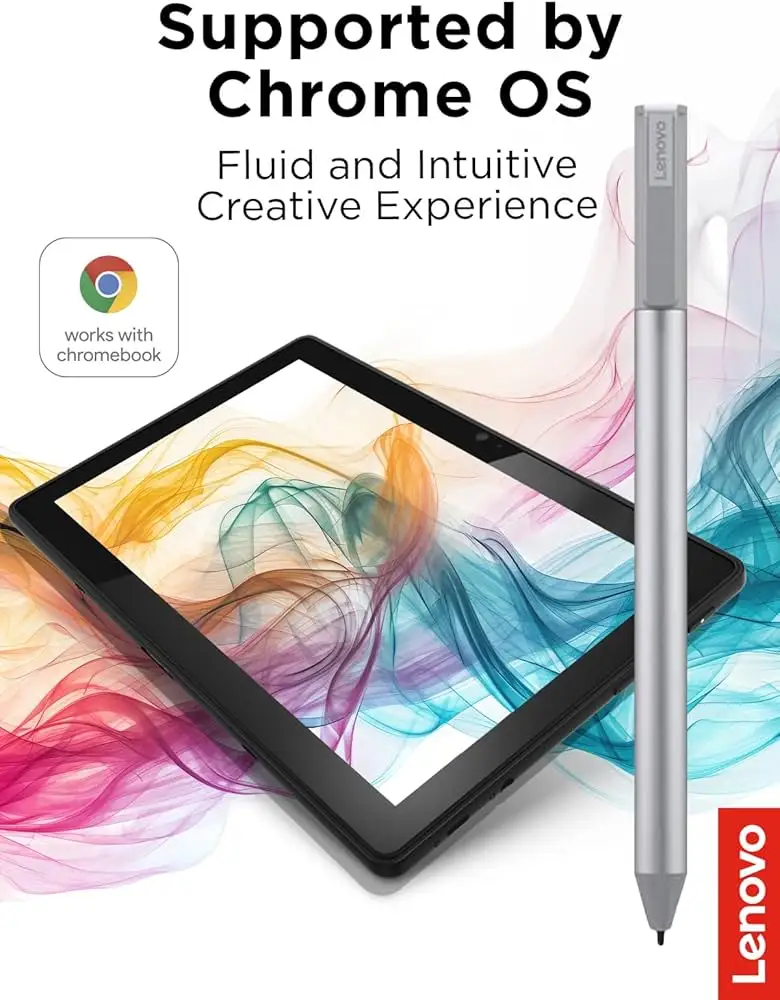
Lenovo USI Stylus Pen Review: Balanced but Flawed Choice
A Reddit user summed up their first six hours with the Lenovo USI Stylus Pen for Chromebook as “very responsive and light to use” — before it stopped working entirely the same day. That polarizing experience mirrors the broader feedback: smooth handwriting, solid sensitivity, and wide Chrome OS compatibility, but marred for some by erratic performance and questionable build reliability. Overall, this pen leans towards a 7/10 score, delivering on paper-like writing yet facing durability and syncing concerns.
Quick Verdict: Conditional — great for casual note-takers on Chrome OS, potentially frustrating for artists or buyers expecting Apple Pencil-level polish
| Pros | Cons |
|---|---|
| Smooth, natural writing feel | Some hypersensitivity or pre-contact input issues |
| 4096 levels of pressure sensitivity | No magnetic attachment or included holder |
| Easy setup with USI-compatible Chromebooks | Stylus tip prone to wear or breakage |
| Lightweight and comfortable grip | AAAA battery can have short lifespan for heavy users |
| Tilt support for shading | Reports of connection delays and lack of on/off button |
| Wide device compatibility | Poor customer service experiences for faulty units |
| Responsive performance with note-taking apps | Drawing responsiveness lags vs. premium styluses |
Claims vs Reality
One of Lenovo’s core claims is “paper-like writing” with up to 4096 levels of pressure sensitivity. Multiple Best Buy buyers echoed that the pen feels natural. Verified buyer “celindat” noted, “writing feels smooth and pretty natural, almost like pen on paper… pressure sensitivity is solid, so it’s great for drawing or shading.” However, an Amazon customer cautioned that while note-taking was flawless, “there is significant lag… very noticeable when drawing.”
Another headline feature is “seamless tilt functionality” and “faster pairing experience.” While some users report instant recognition on USI devices without pairing steps, others contradict this. Best Buy reviewer “gabe” complained it “took forever for it to connect the first time” and lacked an on/off button, adding: “it shuts off when you don’t use it for a bit.”
Battery life is officially touted at “1 year” on 2 hours daily use or “150 days” depending on model. The reality varies wildly — one Amazon review celebrated weeks of intermittent use, but another warned, “the battery hardly lasts a week with intermittent use… not trying to spend 10 bucks a week on batteries for a stylus.” The unusual AAAA battery format itself frustrated some for availability and cost.
Cross-Platform Consensus
Universally Praised
Across Best Buy and Amazon, the pen’s smoothness and light weight crop up repeatedly. Best Buy’s “sheirah” gushed, “best pen ever… you just place it on the screen and it selects, writes, and draws… I use it to journal.” This tactile quality benefits students, journalists, and professionals who spend hours note-taking, reducing hand fatigue. An Amazon reviewer described it as “small profile, feels solid and not cheap plastic.”
Compatibility is another highlight. From Chromebooks to tablets, it consistently works with USI-standard devices, making it valuable for households with mixed-brand tech. Best Buy’s “davida” bought it for their son’s Chromebook art projects and saw flawless operation, while “jomac 006” reported it “gets the job done” with the Pixel Tablet.
Ease of use was praised for its plug-and-play nature — “works right out of the box — no pairing or Bluetooth needed,” said “celindat,” which is especially useful for less tech-savvy users.
Common Complaints
Yet performance issues arise for some. On Reddit, a UK buyer said it “thinks it is touching the screen when still 10mm away” and froze their device entirely. An Amazon customer noted “palm rejection malfunctions… causes the app to glitch and freeze.” This hypersensitivity disproportionately affects artists and precision sketchers, who need stable input for fine lines.
Lack of a magnetic attachment frustrated owners of portable Chromebooks. Best Buy’s “pjk 002” stated, “the duet has a spot… but it is not strong enough to hold the stylus in place.” That makes misplacement easy, a recurring problem for mobile professionals.
Stylus tip quality drew criticism. Best Buy’s “jazz” reported, “after about 4 months it needs to be replaced especially if you are an artist… the tip breaks off.” Without replacement tips included, that forces additional purchases or renders the pen useless.
Divisive Features
Battery system opinions split the crowd. To some, AAAA format is no barrier, and they appreciate not recharging via USB. Others openly preferred competing rechargeable pens, like the Penoval USI pen highlighted in an Amazon review as “way better… writes very smooth… high quality for sure.”
Tilt functionality thrills digital illustrators, but benefits are muted for note-takers. Some buyers saw no perceptible advantage, especially given lag in certain apps.
Trust & Reliability
Trustpilot-style feedback from Best Buy and Reddit exposes gaps in Lenovo’s customer service. On Reddit, one frustrated UK owner detailed “five weeks and five calls later” without resolution after their pen failed the same day. Another said they were “told the RMA will be issued… but no sign of it yet” a month later.
Durability reports diverge. Some users, like one Reddit poster, have “still working fine but don't use it a huge amount” months later. Others faced early breakdowns — tip wear, input glitches, hypersensitivity — suggesting inconsistent quality control. This led some to suspect “product yield is not high enough” for sustained stock.
Alternatives
Community members frequently mention substitutes. Amazon users praise the Penoval USI pen with USB-C charging and integrated eraser, calling it “super awesome… way better than Lenovo’s USI pen.” Redditors opt for Broonel or Asus USI pens; while Asus is “almost twice the price,” it avoids Lenovo’s odd battery choice.
These rivals often address Lenovo’s key pain points: rechargeable batteries, sturdier tips, and better out-of-box storage solutions.
Price & Value
Pricing fluctuates dramatically — Best Buy lists it at around $40.99, yet eBay shows new units near $25 and used at eye-popping $197. That high resale may be due to regional scarcity, as Reddit threads note UK availability problems and EU out-of-stock statuses.
Buyers recommend thinking beyond sticker price: factor in $5–$10 for batteries every few weeks if usage is heavy, or up to $22 extra if buying Lenovo’s own holder. Community tips include importing from markets where the pen is bundled with devices, or choosing deals from Amazon day sales.
FAQ
Q: Does the Lenovo USI Stylus Pen work with any touchscreen device?
A: No — it requires a device that supports the USI (Universal Stylus Initiative) protocol. Users report flawless operation on Lenovo Duet, Duet 3, Duet 5, Flex 5i, and various Chromebooks.
Q: How long does the battery really last?
A: Official claims suggest up to a year under light use or 150 days, but heavy users in reviews saw depletion in a week. Battery life is highly dependent on workload.
Q: Is there a way to store the pen on the Chromebook?
A: Some models have a slot or magnetic area, but many owners, especially Duet users, found it too weak or nonexistent. Lenovo sells a separate holder.
Q: Can the tip be replaced?
A: Tips are replaceable, but spares are not included in the package. Several artists suggest obtaining extras early due to wear.
Q: Is there noticeable lag for drawing?
A: Yes, according to artist-oriented users. Lag is minimal for note-taking but can disrupt precise illustration.
Final Verdict
Buy if you’re a student, office worker, or casual note-taker wanting natural handwriting feel, Chrome OS compatibility, and comfortable grip. Avoid if you’re an artist demanding flawless precision, or if dealing with potential customer service delays would be a dealbreaker. Pro tip from reviewers: consider rechargeable USI alternatives like Penoval if constant battery changes or tip replacements sound painful.