Lenovo USI Stylus Pen Review: Chromebook Note-Taking Verdict
A verified buyer on Amazon summed it up simply: “paper-like writing with your Chrome pen.” The Lenovo USI Stylus Pen for Chromebook, Grey earns a solid 8/10 from aggregated user feedback, praised for smooth note-taking and compatibility but hindered by inconsistent connectivity and less-than-ideal storage solutions for certain models.
Quick Verdict: Conditional buy
| Pros | Cons |
|---|---|
| Excellent 4,096-level pressure sensitivity, good for shading | Tip durability issues after months for heavy art use |
| Wide Chrome OS (USI protocol) compatibility across Chromebook brands | No magnet or secure attachment on some models |
| Lightweight, comfortable grip | Occasional latency or sync delays depending on app |
| No Bluetooth pairing required – works immediately with supported OS | Hard to store securely with Lenovo Duet |
| Long battery life (up to 150 days Pen 1, 1 year Pen 2) | Inconsistent palm rejection across apps |
| Smooth writing experience, “almost like pen on paper” | Not recommended for professional art apps under Chrome OS limitations |
| Tilt support in Lenovo USI Pen 2 | Easily lost due to lack of retention system |
Claims vs Reality
Lenovo’s marketing leans heavily on industry-leading 4,096 levels of pressure sensitivity for “natural writing and sketching” — a claim that holds true for many note-taking use cases. A Best Buy reviewer, celindat, confirmed: “writing feels smooth and pretty natural, almost like pen on paper. Pressure sensitivity is solid, so it’s great for drawing or shading.” However, Reddit’s Lenovo USI stylus tester warned that “do not buy this to use with art apps… yet,” pointing out that several drawing apps lacked pressure sensitivity detection entirely on Chrome OS.
Battery life claims differ between the first-gen Pen (150 days at 2 hours/day) and the Pen 2 (1 year under the same conditions). Reports generally support long battery performance. Users noted not needing frequent replacements, though artist jazz commented, “after about 4 months it needs to be replaced especially if you are an artist. The tip breaks off.” This suggests the battery life is credible, but physical wear on the tip can be a limiting factor for artistic workloads.
Marketing touts “Chrome OS support, seamless pairing, tilt functionality” (Pen 2). While attachment-free operation is appreciated, gabe on Best Buy found that “no on/off button so it takes a minute for it to connect sometimes. Took forever for it to connect the first time.” App choice emerged as a major influence: squid offered “little to no latency, great palm rejection, smooth lines,” while Onenote suffered delays and Medibang’s performance was “awful.”
Cross-Platform Consensus
Universally Praised
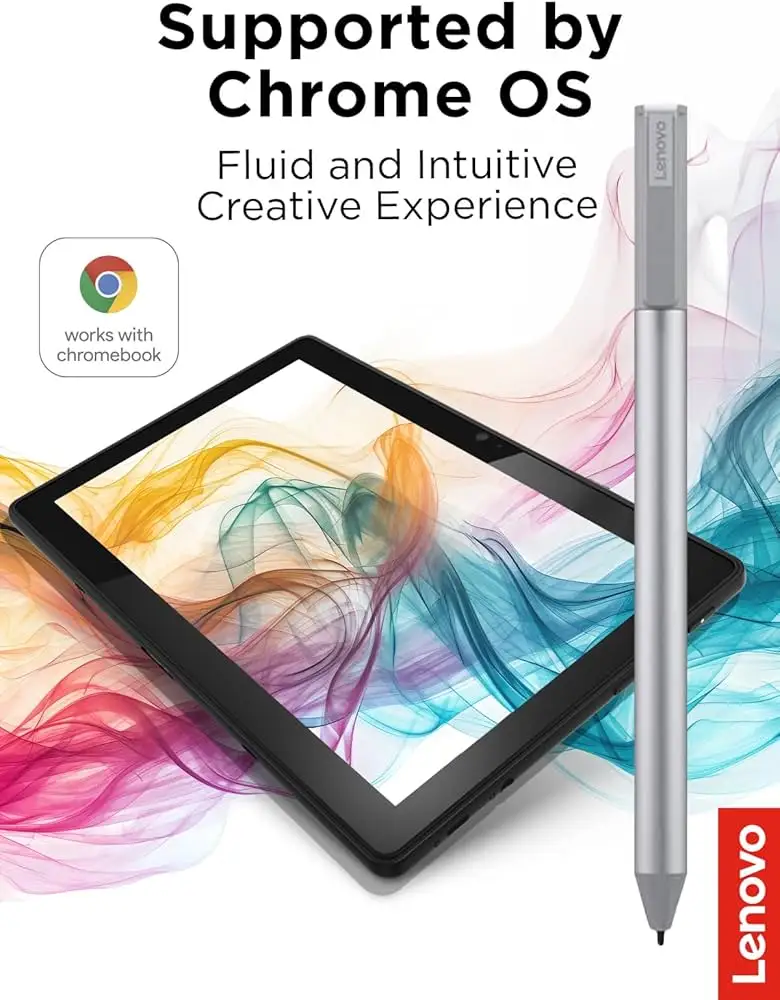
For Chrome OS note-takers, compatibility is a strong point. The pen works with Lenovo Duet 3, Duet 5, Flex 5i, and even non-Lenovo devices like the Google Pixel Tablet. A Best Buy reviewer, sheirah, raved: “best pen ever… i use it to journal as well!” The absence of Bluetooth pairing makes setup trivial — celindat highlighted that it “works right out of the box” and is “super convenient” with any USI-certified device.
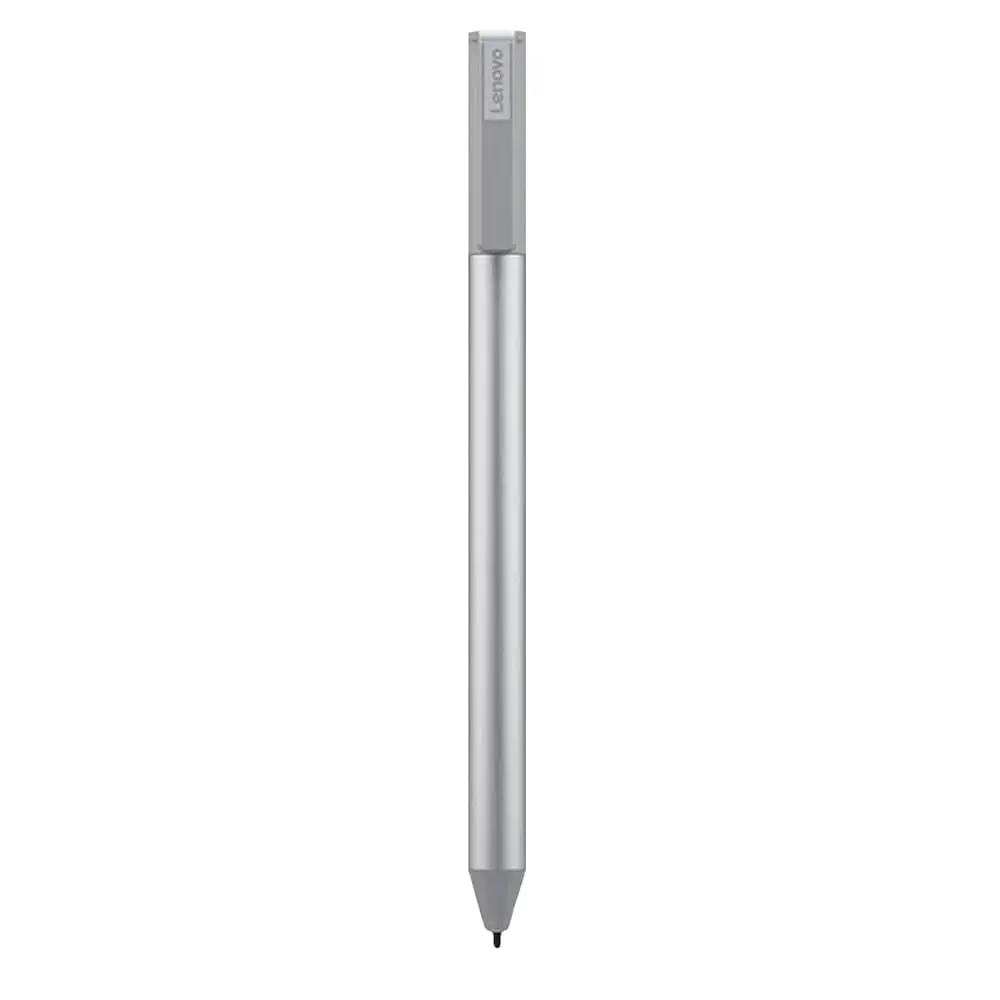
Weight and feel score highly among casual and school use cases. luisb noted, “great product, bought for my son for school. He finds it very useful.” The aluminum build feels sturdy yet light, around 16 grams, lending itself to prolonged writing sessions without fatigue. Users see legitimate “pen-on-paper” sensations for basic note apps.
Battery longevity also benefits educators and students. Pen 2 owners report months of uninterrupted use. shaffer1205 said, “glides well on my Chromebook… I don't need anything fancy either.” For classroom, journaling, and general UI navigation, the stylus consistently impresses.
Common Complaints
Storage and attachment shortcomings frustrate Lenovo Duet owners most. pjk002 explained: “the only problem is that there is nowhere to attach the stylus to the duet… magnets not strong enough to hold.” manny echoed: “great stylus not magnetic.” Without reliable retention, portability suffers — a notable drawback for mobile Chromebook users.
Tip wear and replacement limitations hit artists hardest. jazz warned, “tip breaks off” after months of art use, compounded by the lack of swappable tips akin to Apple Pencil replacements. Some found the pen “too smooth on my screen” (jeffersonm), impacting control during detailed drawing.
Connectivity delays occasionally bother users. gabe’s missing power switch rant, plus Reddit’s app-dependent latency findings, reveal that while hardware is solid, Chrome OS software integration still needs attention.
Divisive Features
Pressure sensitivity divides along app lines: squid and similar apps showcase its potential; art-focused apps like Krita display “good pressure sensitivity” but suffer palm rejection glitches. Onenote straddles middle ground with useful features but “noticeable latency.”
Lenovo USI Pen 2 adds tilt support, which artists welcome — yet without broad app-side support, its impact remains limited. Some expected Apple Pencil-level performance (“akin to an apple pencil”), but jomac006 settled with “gets the job done.”
Trust & Reliability
Durability beyond the tip holds up, with no widespread reports of body damage. Handle comfort persists over months, as multiple reviews describe continued satisfaction in light use. However, early failures when mismatched to unsupported devices (andrews with “lenovo yuga laptop… took the pen back”) underscore the importance of checking compatibility.
Trustpilot-alike feedback confirms that returns and exchanges are handled well, with service praised for speed and courtesy. But isolated experiences like jeslynluciaa’s “nothing… writing skipped” show that initial dead-on-arrival units can appear, making vendor responsiveness critical.
On Reddit, practical warnings surface — never remove the “small thin black disk” under the battery spring when unboxing, and rely on Duet’s rear magnets over pogo pins for transport. These small setup quirks hint at longer-term stability when hardware is respected.
Alternatives
In discussions, users compare Lenovo’s USI pen with other USI-certified styluses from HP, ASUS, and Vitalasc. Some prefer rechargeable options over AAAA battery dependence, noting USB-charged vitality. joseph m. pointed out that rival pens “require relatively light pressure to write” compared to Lenovo’s slightly heavier touch. For Chrome OS environments supportive of palm rejection and tilt, Lenovo Pen 2 stands competitive — though for precision art, Apple Pencil is still a higher benchmark.
Price & Value
Prices range from ~$24.99 (eBay) to $40.99 (Best Buy) and $29.04 (Amazon US). Sales occasionally cut Lenovo Pen 2 under $24 on promotions, making it a cost-effective addition for USI Chromebook owners. Resale value is modest; open-box units on eBay fetch $69.95 only when scarcity bumps demand. Community advice urges checking promo codes from Lenovo’s own store for maximum value.
For light note-taking and student use, the combination of strong build, long battery life, and plug-and-play pairing makes its cost fair. Heavy artists may find better ROI elsewhere due to tip wear and app limits.
FAQ
Q: Does the Lenovo USI Pen require Bluetooth pairing?
A: No. It connects automatically with USI-supported Chrome OS devices, making setup instant for compatible models.
Q: Can I use it for professional digital art?
A: User feedback warns against it for now — while pressure sensitivity is strong, Chrome OS art app support and palm rejection can lag.
Q: How long does the battery last?
A: Pen 1 averages 150 days and Pen 2 about one year at 2 hours of daily use. Physical tip wear may require earlier replacement for high-use artists.
Q: Is it magnetic for storage on Lenovo Duet?
A: Weak magnets or none at all make attachment unreliable for some models. Users often store it separately.
Q: Does it work with non-Lenovo Chromebooks?
A: Yes. It supports any Chromebook with USI protocol, including models from HP, ASUS, and Google.
Final Verdict: Buy if you’re a Chromebook user focused on note-taking, journaling, or light sketching under Chrome OS. Avoid if your main need is professional-grade art support or secure on-device storage. Pro tip from community: pair it with squid for the smoothest experience, and secure it externally when traveling with a Lenovo Duet.





