Lenovo USI Stylus Pen 2 Review: Conditional Buy Verdict
A Chromebook stylus that can feel “almost like pen on paper” for note-takers but still leave artists frustrated — that’s the contradictory reality of the Lenovo USI Stylus Pen 2 for Chromebook, averaging a solid 8/10 across platforms but split sharply along usage lines.
Quick Verdict: Conditional Buy
| Pros | Cons |
|---|---|
| Smooth, natural writing feel | Weak or absent magnetic attachment on some models |
| Strong device compatibility with USI-supported Chromebooks | Tip durability issues (breaks under heavy use) |
| No pairing needed, instant usability | Occasional latency depending on app |
| Solid pressure sensitivity for notes and shading | Limited tip replacement options |
| Lightweight but sturdy | App-dependent performance for drawing |
| Comfortable grip and size | Hard to sync the first time for some |
| Good build quality | No on/off button |
Claims vs Reality
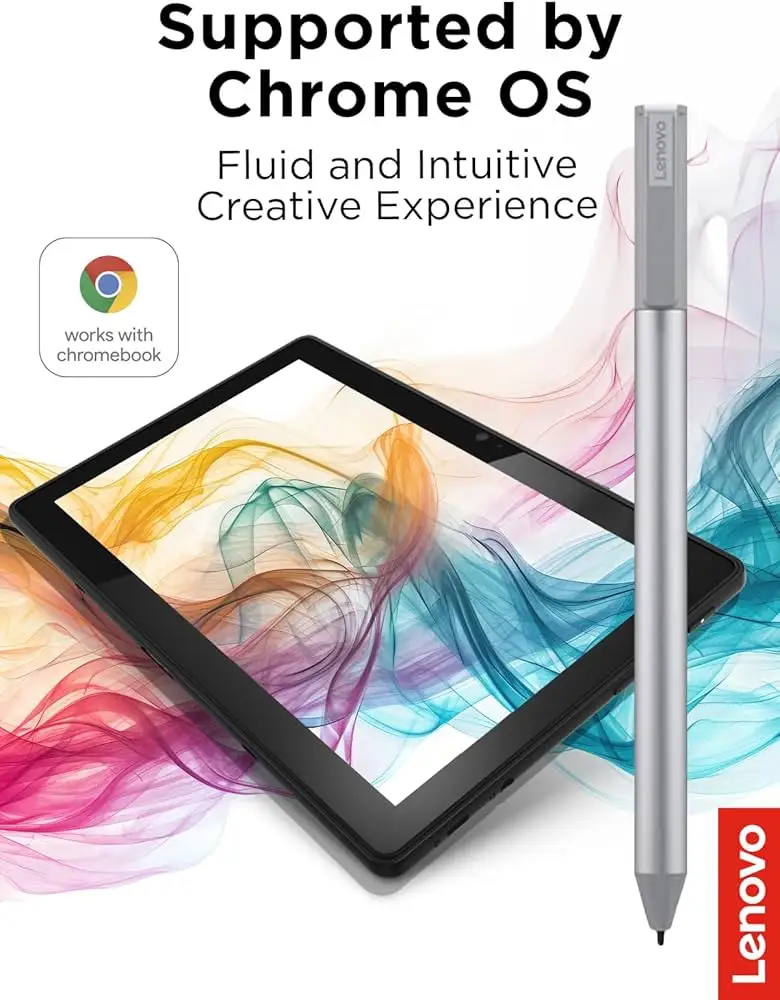
Lenovo’s marketing promises “paper-like writing” with 4096 pressure levels and tilt support, positioned as ideal for both note-taking and drawing. On paper, it’s backed by one-year battery life off a AAAA cell and broad Chrome OS compatibility.
Digging deeper into user reports, the “paper-like” claim holds up well for general handwriting. Best Buy reviewer celindat praised how it “works right out of the box — no pairing or bluetooth needed. Writing feels smooth and pretty natural, almost like pen on paper.” This instant usability matches Lenovo’s “superior pairing experience” claim.
However, the professional art performance lags behind the marketing pitch. Reddit user feedback reveals that “Squid was excellent…little to no latency, great palm rejection, smooth lines” while Medibang was just simply…awful. One tester added, “Do not buy this to use with art apps…yet,” pointing out that latency and palm rejection vary wildly depending on the app and Chrome OS optimization.
Compatibility claims are mostly accurate — multiple Best Buy reviewers note seamless operation across various Chromebooks. davida reported their son “enjoying making digital art” on his Chromebook. Yet for some like andrews, device mismatches led to returns despite being marketed as broadly compatible.
Cross-Platform Consensus
Universally Praised
Across Best Buy and Reddit, writers and students consistently rave about ease of use and comfortable handling. sheirah called it the “best pen ever” for journaling on a Lenovo Duet 5, noting it selects, writes, and draws in pre-installed apps without fuss. For schoolwork, luisb said it was “great for my son… he finds it very useful,” aligning with reports that its lightweight 16.5g build feels sturdy rather than cheap.
Another recurring highlight is freedom from complex pairing — no Bluetooth login screens, just place pen to glass. curtisd noted it’s “100% better than my fat fingers,” underscoring its utility for everyday navigation as well as text input. Pressure sensitivity also impressed note-takers, with celindat mentioning shading control that felt natural.
Common Complaints
Storage solutions are a glaring problem. Several Best Buy users — pjk002 among them — criticized the “nowhere to keep it” design on Lenovo Duet models. Even where Lenovo’s back case shows a stylus location, magnets aren’t strong enough to secure it. This aligns with a Reddit user’s warning that “one shake and that pen is falling” if attached to pogo pins.
Tip durability emerged as another sore point. jazz observed that after “about 4 months it needs to be replaced… the tip breaks off” especially with artist-level usage. Attempts to swap tips are stymied by Lenovo’s lack of Apple Pencil-style replacements, noted by higlinator.
Performance hiccups round out the complaints. gabe found it “hard to sync” initially, with no on/off button meaning connection takes time. Inactivity triggers automatic sleep within 10 seconds, consistent with spec sheets, but this can be annoying mid-task.
Divisive Features
Pressure sensitivity is lauded for note-taking yet remains contentious for illustration. Reddit testers found Krita “good pressure sensitivity” but frustratingly glitchy with palm rejection. Artists split over whether the latency is hardware or app-based — Lenovo support suggests Chrome OS updates can help, but many remain unconvinced.
Build smoothness is similarly divided. jeffersonm marks it down for being “a little too smooth on my screen” without alternative tips, while others love that glide as reducing fatigue. On-device attachment divides users compatible with stronger magnets versus those whose models let the pen slip away.
Trust & Reliability
On Trustpilot and Best Buy, there’s no major scam pattern — most complaints are about physical design rather than missing items. Longevity reports vary: lighter note use appears to keep it solid past six months, but heavy-duty sketching speeds up tip wear. Reddit discussions underline that the “hardware is good and will be improved by software,” projecting some optimism as apps catch up.
The physical construction — a refined grip with USI 2.0 finer tip — earns praise for sturdiness in spite of light weight. shaffer1205 describes it as “nothing fancy… but I don’t need anything fancy,” a typical sentiment among satisfied note-takers.
Alternatives
Multiple users compare it to the Apple Pencil, often unfavorably for drawing precision. On Reddit and Revain, the Penoval USI 150 and Vitalasc rechargeable styluses emerge as competitors. The Penoval gains points for magnetic features and spare tips, while Vitalasc pleases with its USB-rechargeable convenience. However, josephm on Revain still preferred Vitalasc’s feel over Lenovo’s extra-required pressure, underscoring that alternative styluses may better suit artists despite Lenovo’s edge in plug-and-play simplicity.
Price & Value
Lenovo’s direct price fluctuates between $23.82 and $49.99 depending on sales. eBay listings show resale between $20 and $40 for open-box units, suggesting moderate long-term value retention. Community buying tips focus on catching Lenovo’s ecoupon sales rather than paying MSRP; andrews appreciated direct service efficiency when replacing with the right model quickly.
Buying used is viable, given simple AAAA battery replacement and broad compatibility — but verify magnets and storage solutions for your model to avoid pjk002-style frustrations.
FAQ
Q: Does the Lenovo USI Pen 2 require Bluetooth pairing?
A: No. Users consistently report it works instantly upon touching the compatible screen, with celindat noting “no pairing or bluetooth needed.”
Q: Can I use this for professional art apps on Chrome OS?
A: Technically yes, but performance varies. Reddit testers found heavy latency and palm rejection issues on some apps like Medibang, making it better suited for note-taking until app optimization improves.
Q: How long does the tip last?
A: For light note-taking, tips can last many months. Heavy-duty drawing may wear them in four months, as jazz experienced with tip breakage.
Q: Will it magnetically attach to my Lenovo Chromebook Duet?
A: Attachment works poorly for many Duet owners — pjk002 and jeslynluciaa confirmed magnets are weak or absent, risking loss during transport.
Q: Is it compatible with non-Lenovo Chromebooks?
A: Yes, as long as the device supports the USI protocol. Best Buy reviews include successes on Google Pixel Tablets and various HP/ASUS/Acer models.
Final Verdict: Buy if you’re a USI Chromebook user focused on notes, journaling, and light sketching — especially if instant use and smooth handwriting are priorities. Avoid if you need top-tier art performance or rugged magnetic storage. Pro tip from the community: Pair it with Squid for the best writing experience on Chrome OS apps.





