Lenovo ThinkPad X1 Carbon Gen 13 Review: Conditional Buy
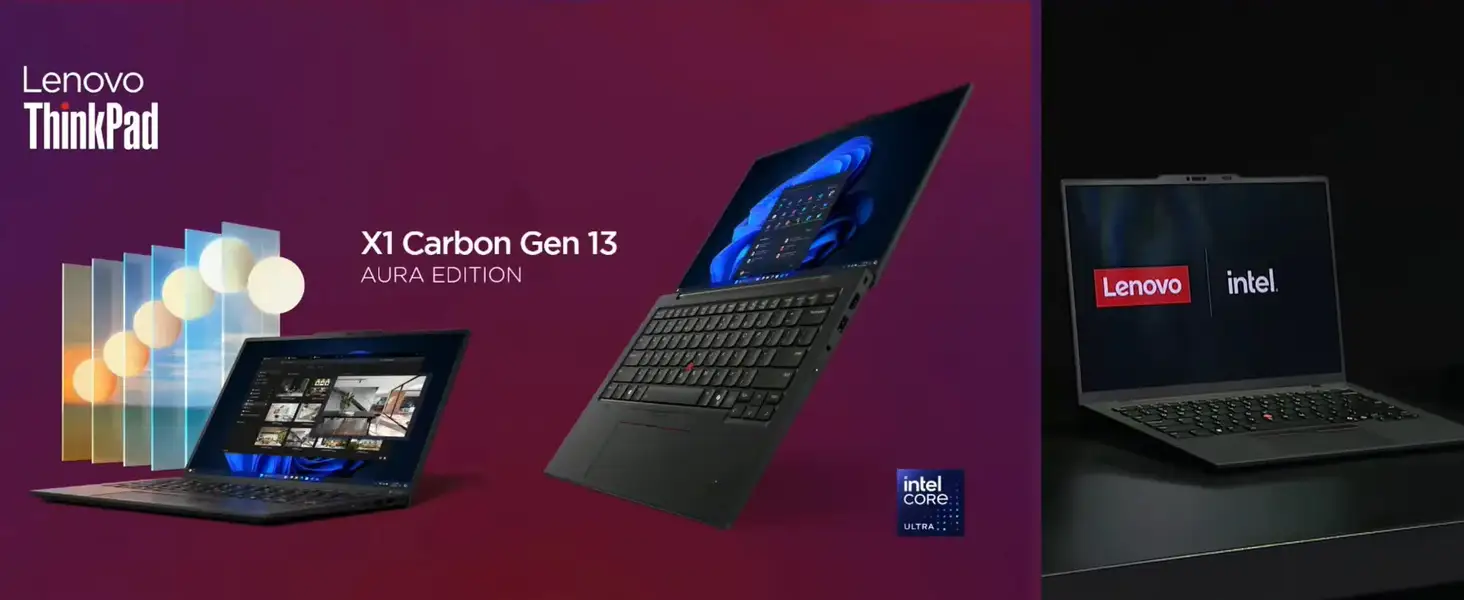
At just 2.17 pounds, the Lenovo ThinkPad X1 Carbon Gen 13 Aura Edition is the lightest X1 Carbon ever made — but the weight loss comes with trade-offs. Across Trustpilot, Reddit, Digital Trends, and Tom’s Hardware, users rate it between 7/10 and 9/10, praising its portability, keyboard, and OLED display, while consistently flagging its steep price and middling performance compared to cheaper rivals.
Quick Verdict: Conditional Buy
| Pros | Cons |
|---|---|
| Exceptionally light and portable | Premium price far above comparable machines |
| Best-in-class ThinkPad keyboard | Battery life lags behind competitors |
| High-quality OLED display with excellent contrast | No 64GB RAM option due to CPU limits |
| Improved cooling over previous gens | Weak webcam for a flagship model |
| Wide port selection | Tinny speakers, inconsistent audio quality |
| Durable build meets MIL-STD-810H | AI “Aura Edition” features seen as gimmicky |
Claims vs Reality
Lenovo claims the Gen 13 “tips the scales on features — not weight” and offers “best performance per watt” with Intel’s Lunar Lake CPUs. While it’s undeniably lightweight — Reddit user u/ThinkNano*** marveled it was “just 70 grams heavier than the Nano despite being bigger” — the performance story is more complicated. Tom’s Guide found it “running neck and neck with models literally half the price,” and NotebookCheck noted that multicore scores lag behind AMD and Snapdragon rivals due to Lunar Lake’s efficiency-first design.
Another marketing point is “extended battery life to power through your day.” NotebookCheck measured a 30% battery improvement over Gen 12, but even so, Digital Trends and Tom’s Hardware put it at around 11.5 hours under typical office workloads — solid, but well below the 17+ hours competitors achieve with IPS displays or Snapdragon chips.
Lenovo positions the Aura Edition’s AI modes (Shield, Wellness, Attention) as productivity boosters. Several reviewers called them “fun parlor tricks” — Tom’s Hardware noted Shield Mode failed to trigger in tests, while Trustpilot labeled smart modes “gimmicks” that duplicate existing Windows or third-party tools.
Cross-Platform Consensus
Universally Praised
Portability is the headline win. At just over two pounds, it competes with the now-discontinued X1 Nano for extreme travel friendliness. Reddit user NanoFan*** described lifting the lid with one finger, a feat “you couldn’t do with the Nano.” CEOs and frequent flyers in Trustpilot reviews love that it “disappears under the arm” while still packing a full 14-inch panel.
The OLED display earns praise for inky blacks and wide gamut coverage (100% sRGB, 99% DCI-P3). Tom’s Guide called it “worth ogling,” retaining color accuracy even outdoors, while NotebookCheck highlighted its blistering 1.9ms response times — making it even viable for some fast-paced gaming.
Keyboard feel remains a ThinkPad hallmark. Digital Trends found it “incredibly comfortable… over my usual favorite, the Apple Magic Keyboard,” while Tom’s Hardware’s typing tests hit normal speeds with low error rates. The 1.5mm travel feels deeper than many ultrabooks, ideal for programmers and writers.
Thermal improvements are real. Reddit user X1NanoVet*** stress-tested with “Tales of Arise at 1080p/60fps for two hours” and reported a lukewarm base — a far cry from the hotspot-heavy Gen 11 and AMD-powered Z13.
Common Complaints
Price is the number one sticking point. Even ThinkPad loyalists hesitate at $2,000+, especially when a similarly specced Yoga Slim 7i or HP Omnibook Ultra Flip can be $1,000 less. Tom’s Guide bluntly warned: “If you aren’t having an employer foot the bill, think twice.”
Battery life, while improved, is still average. Trustpilot reviewers found nine hours wouldn’t reliably cover international travel without a charge. OLED panels at 120Hz drain faster unless manually throttled to 60Hz.
Audio quality disappoints. Tom’s Hardware called the speakers “painfully distorted” at high volume, and Digital Trends noted absent bass despite Dolby Atmos tuning — fine for calls, weak for media.
Webcam performance is underwhelming at 1080p. NotebookCheck flagged that “lesser ThinkPads already feature 5MP webcams,” making this spec undercooked for a premium flagship in an era of video-first work cultures.
Divisive Features
The Aura Edition’s smart modes split opinion. Some, like Collaboration Mode for auto-framing during calls, are mildly useful in corporate settings. Others, like Wellness Mode posture reminders, were dismissed as “a built-in mother who nags you” (Tom’s Hardware).
Touchpad options divide the base: US units ship with mechanical buttons; EU units may get the larger haptic Sensel pad admired by NotebookCheck testers. TrackPoint fans applaud retained button zones, but others prefer the bigger click surface of the haptic design.
 ### Trust & Reliability
Durability heritage remains strong. Meeting MIL-STD-810H, it’s trusted for rough travel. One Hacker News commenter contrasted their decade-old ThinkPad W530 still in daily use against multiple MacBook Pros “that came and went.”
However, long-term firmware stability is questioned. A Reddit user reported BitLocker PIN delays, escalating to Premier Support without resolution. On Hacker News, one owner lamented multiple mainboard and trackpad replacements within a year, fearing new faults after each service.
Alternatives
The Yoga Slim 7i Aura Edition offers similar Intel Lunar Lake performance, OLED display, and Aura features for nearly half the price — but weighs 1 pound more. Apple’s MacBook Air M4 delivers far superior battery life (15 hours under load) and faster single/multicore performance for $999, but sacrifices port variety and touchscreen options. HP’s Omnibook Ultra Flip brings a haptic touchpad and convertible form at ~$1,500, competing directly if flexibility trumps ThinkPad heritage.
Price & Value
Community advice leans toward patience: older Gen 12 X1 Carbons can drop under $1,400, still offering OLED options and up to 64GB RAM, albeit with hotter chips. On eBay, recent Gen 13 deals hovered around $1,530 for 16GB/512GB configs — aggressive compared to Lenovo’s $2,000+ MSRP. Lenovo eCoupon codes surface regularly, with Reddit users reporting $500–$700 off during sales.
 ### FAQ
Q: Can the ThinkPad X1 Carbon Gen 13 RAM be upgraded?
A: No. RAM is soldered to the CPU package. You can upgrade storage by replacing the M.2 SSD.
Q: Does it have a touchscreen?
A: Not in the current OLED-only US configurations. Touch-enabled IPS variants are expected in 2025.
Q: Is Linux supported?
A: Yes, most hardware is supported by major distributions, though check specific component compatibility (Wi-Fi 7, camera) for your distro.
Q: How long does the battery last in real use?
A: Around 9–12 hours for office work; heavy creative workloads or high refresh rate drop it to 5–6 hours.
Q: Which touchpad version will I get?
A: US buyers currently receive the mechanical TrackPoint button design; EU units may get the haptic Sensel pad.
Final Verdict: Buy if you’re a highly mobile professional or executive who values extreme portability, premium build quality, and ThinkPad ergonomics. Avoid if you need maximum performance per dollar or all-day battery beyond 12 hours — cheaper rivals beat it there. Pro tip from the community: wait for major Lenovo sales or hunt certified used/on eBay to cut the cost almost in half.





