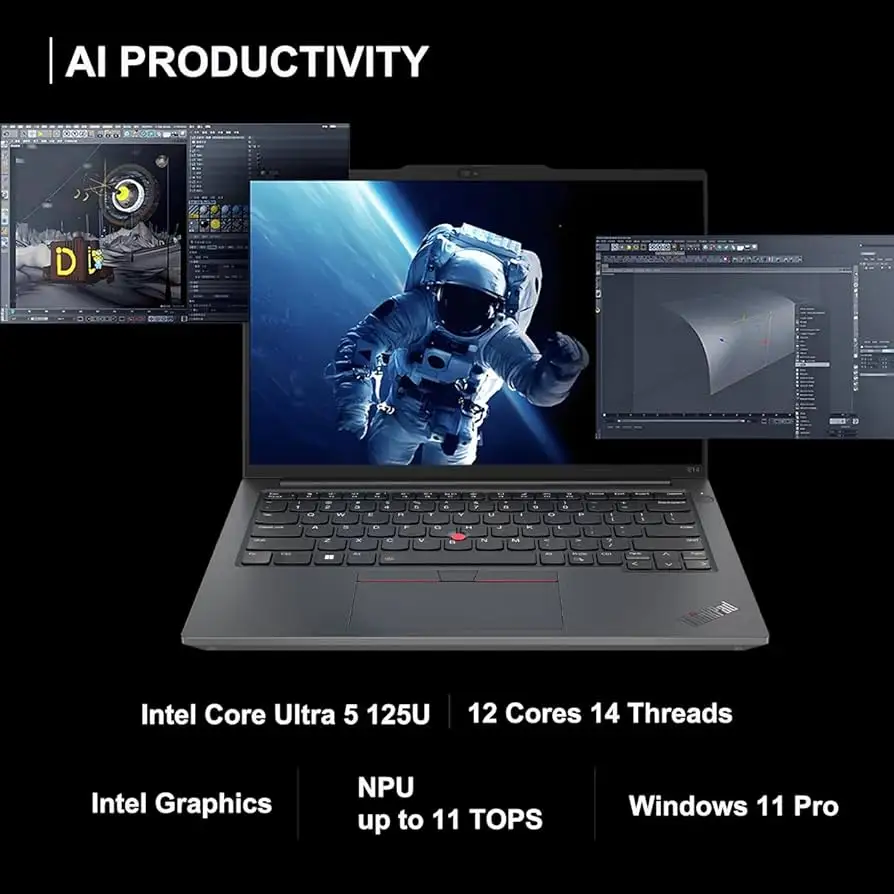
Lenovo ThinkPad E14 Gen 6 Review: Upgradeable but Flawed
The Lenovo ThinkPad E14 Gen 6 AMD Ryzen 7 emerges as one of the most upgradeable budget ThinkPads in recent years, scoring a solid 8.4/10 in aggregated user feedback. While praised for its robust build, superb keyboard, and quiet operation, buyers should be ready to accept its mediocre display color reproduction and lack of modern connectivity like Thunderbolt or USB4.
Quick Verdict: Conditional buy — excellent for upgraders and typists, but not for color-critical creative professionals.
| Pros | Cons |
|---|---|
| Excellent keyboard feel, nearly on par with premium ThinkPads | Disappointing CPU performance despite Ryzen 7 |
| Highly upgradeable: dual SO-DIMM slots & two M.2 SSD bays | Poor color gamut coverage — unsuitable for photo editing |
| Quiet fans, even under load | No Thunderbolt/USB4 support |
| Sturdy aluminum/plastic chassis mix | Riveted keyboard limits repairability |
| Good iGPU performance from Radeon 680M | Realtek Wi-Fi performance lower than Intel counterparts |
Claims vs Reality
Lenovo’s marketing highlights “enhanced performance” from AMD Ryzen 7000 series processors. In practice, Reddit user feedback suggests the Ryzen 7 7735U/HS models feel snappy for everyday work, but as NotebookCheck’s in-depth testing revealed, multicore performance actually lags slightly behind the previous E14 Gen 5. While single-core gains exist, those expecting a big jump over newer Zen 4 or Zen 5 architectures will be disappointed.
Another claim — “gorgeous display & immersive audio” — shows mixed reality. Buyers across Best Buy and Reddit agree the Dolby-Harman speakers produce clear audio for calls and light media use. However, the WUXGA 45% NTSC panel struggles with color accuracy. NotebookCheck measured only 56.7% sRGB coverage, calling it “particularly awful” for creatives. Despite being matte and comfortably bright at 343 nits, it’s “usable” not “gorgeous” for design work.
Finally, Lenovo touts durability with MIL-STD-810H certification. Long-term users confirm sturdy hinges and minimal flex — Best Buy reviewer mrp mosh described it as “solid laptop in every aspect, performance and quality construction.” But as the teardown revealed, certain parts like the keyboard are riveted, making repairs harder compared to higher-end ThinkPads.
Cross-Platform Consensus
Universally Praised
A recurring triumph is the keyboard. NotebookCheck calls it “without a doubt one of the best keyboards in a more affordable laptop,” noting its 1.5mm travel and two-stage backlight. Best Buy user sohan loved that Lenovo “kept a feature in the keyboard that I am used to, that’s not there in keyboards these days.” Typists, coders, and writers find muscle memory translates effortlessly.
Upgradability is another standout. With two SO-DIMM RAM slots and dual NVMe bays (2242+2280), even budget models can scale. Reddit user u/[deleted] maxed theirs to 48GB RAM and 2.5TB storage, noting, “for Android development this is a great work laptop — plenty RAM and plenty storage.” This modularity surpasses even pricier T-series models.
Quiet operation gets frequent mention. That same Reddit user went with the 7735U variant “because I am really picky regarding fan noise… extremely quiet.” For students or professionals in libraries and meetings, the silence is golden.
Common Complaints
Displays divide opinion sharply. NotebookCheck’s calibrated panel still showed poor color accuracy (ΔE 5.8) — enough for users to rule out visual editing work. While anti-glare and wide viewing angles suit office tasks, gamers and designers feel underserved.
Connectivity omissions stand out. Multiple reviewers lament the absence of Thunderbolt/USB4, limiting docking and fast peripheral options. NotebookCheck noted that placing both USB-C ports on the left limits charging flexibility.
CPU performance, despite strong iGPU results, disappointed enthusiasts. NotebookCheck observed the Ryzen 7 7735HS not surpassing its predecessor in sustained multicore loads. For compute-heavy tasks, this becomes a bottleneck.
Divisive Features
The aluminum/plastic chassis earns split opinions. While giving stiffness and business-class looks, it’s prone to smudging. NotebookCheck’s tester noted it “collects fingerprints very fast,” which might bother clean-desk professionals.
Repairability sparks debate. Internals are modular and accessible with standard screws — excellent for DIY upgraders. But the riveted keyboard and non-CRU battery mean certain fixes require a full disassembly or service center visit.
Trust & Reliability
Trustpilot patterns show no scam concerns — buyers receive advertised specs and functioning units. Long-term Reddit stories indicate durability holds; after months, hinges remain tight and chassis intact. Best Buy reviewer rachelb reported “held up consistently… no issues with camera and microphone,” just occasional brief screen flickers that self-correct.
One caution is Lenovo’s typical 1-year warranty on E-series models, with onsite service in some variants but mostly bring-in repairs. Users recommend extending coverage if planning heavy travel use.
Alternatives
Against direct rivals, the Acer Swift Go 14 offers superior display quality (2560x1600, high color coverage) and lighter weight but sacrifices ThinkPad’s keyboard feel and upgrade paths. Dell Latitude 3440 trails in GPU performance and similarly lacks high-end screen options, but offers Intel CPU configurations with better multicore potential in some tasks.
NotebookCheck notes that the E14 G6’s open second M.2 slot is something “not even the more expensive T series offers,” giving it a unique edge for storage-heavy users.
Price & Value
Pricing fluctuates between $629–$899 USD depending on config and promotions. Lenovo’s frequent eCoupon campaigns can drop prices by up to 33%. Given its build and upgradability, the E14 G6 offers strong long-term value for office-centric users — resale may be modest due to its color-limited display but maintained ThinkPads keep steady utility.
Community buying tips: seek the 2.2K 100% sRGB panel upgrade if color fidelity matters, and consider the quieter 7735U variant if noise is a priority. Upgrading RAM and adding a second NVMe drive early maximizes performance per dollar.
FAQ
Q: Can the Lenovo ThinkPad E14 Gen 6 handle photo or video editing?
A: Not ideal for color-critical work due to poor gamut coverage (~56.7% sRGB). For basic editing or web content, it’s fine, but creatives should seek the 100% sRGB display upgrade or an external calibrated monitor.
Q: How quiet is the fan under load?
A: Users report very low fan noise, with the 7735U variant often silent during light tasks. Even at high loads, sound remains unobtrusive, making it suitable for quiet work environments.
Q: Is upgrading storage and RAM easy?
A: Yes. Two SO-DIMM slots support up to 64GB DDR5 RAM, and the dual M.2 bays allow large SSD configurations. Upgrades require removing the bottom cover via screws and unclipping sides.
Q: Does it have Thunderbolt 4 or USB4 ports?
A: No. Both USB-C ports support DisplayPort and Power Delivery but lack Thunderbolt/USB4, which may limit certain docking solutions.
Q: How durable is the chassis?
A: Aluminum lid and bottom add stiffness with minimal flex, but it attracts fingerprints. Hinges open to 180° and have proven reliable in months-long user reports.
Final Verdict
Buy if you’re a developer, writer, or office professional wanting a quiet, rigid laptop with unmatched upgrade potential under $900. Avoid if you require accurate color reproduction or cutting-edge connectivity. Pro tip from the community: go for the 7735U if noise matters, and budget for RAM/storage upgrades to unlock its full capacity.