Lenovo ThinkPad E14 Gen 6 Review: Budget Workhorse Verdict
The Lenovo ThinkPad E14 Gen 6 has ignited debate among buyers by delivering excellent upgradability and a business-class keyboard at a budget price — but cutting corners on its display and certain connectivity options. On performance, it earns a solid 8/10, balancing productivity and mobility for SMBs and students who don’t need color-accurate screens.
Quick Verdict: Conditional — buy for business productivity and upgrade potential, avoid if display quality is your priority.
| Pros | Cons |
|---|---|
| Excellent keyboard feel, 1.5 mm key travel | Screen has poor color gamut on base models |
| Two RAM slots and dual SSD bays | No USB4/Thunderbolt on AMD models |
| Durable chassis, MIL-STD 810H tested | Riveted keyboard limits repairability |
| Quiet operation for office use | Speaker bass is lacking |
| Good battery life (6–7 hours) | Webcam only 1080p at best, poorer image quality |
| Affordable for ThinkPad line | Some thermal throttling on sustained loads |
Claims vs Reality
Lenovo promotes the ThinkPad E14 Gen 6 as “sleek & powerful” with “gorgeous display & immersive audio.” While the Harman/Dolby-tuned speakers are a welcome addition over previous E14 generations, display quality is where marketing meets resistance. Reddit user u/Track*** lamented, “USA market only has 45% NTSC display… god ddddddd damnnn it ttttt,” referencing the washed-out colors and limited coverage — NotebookCheck measured just 56.7% sRGB on the base AMD panel.
Performance claims about “desktop-level power” hold true for most office work. One Reddit user reported gaming capability: “It can even game with its 680M, it is not far behind the 780M.” However, NotebookCheck noted AMD’s Ryzen 7 7735HS was actually slower in multi-core than the prior E14 G5’s CPU, showing marketing’s “enhanced performance” varies by workload.
Mobility claims are supported by real use cases. A verified Best Buy buyer wrote: “It’s lightweight enough for travel but still feels sturdy and professional,” highlighting that the 1.44 kg aluminum build and 6–7 hours battery life work well for frequent travellers.
Cross-Platform Consensus
Universally Praised
The keyboard is the star. Multiple users — from Reddit to NotebookCheck’s AMD review — celebrated its travel depth and comfort. The AMD variant uses a Chicony-built board with near full-size keys, and for writers, coders, or spreadsheet-heavy workers, it’s a productivity asset. “Typing long texts is a pleasure… one of the best keyboards in a more affordable laptop,” NotebookCheck emphasised.
Upgradeability is another shared win. Buyers across forums noted joy at finding two RAM slots and dual SSD bays, unusual even in pricier ThinkPad lines. Reddit user u/Think*** praised: “Two SSD slots and both RAM slots upgradeable. This mf will serve me nice.”
Durability earns trust. The MIL-STD 810H rating isn’t marketing fluff — NotebookCheck confirmed it passed 12 standards and 200+ tests. Business travellers appreciate the 180-degree hinge and sturdy anodized aluminum lid that resists flex.
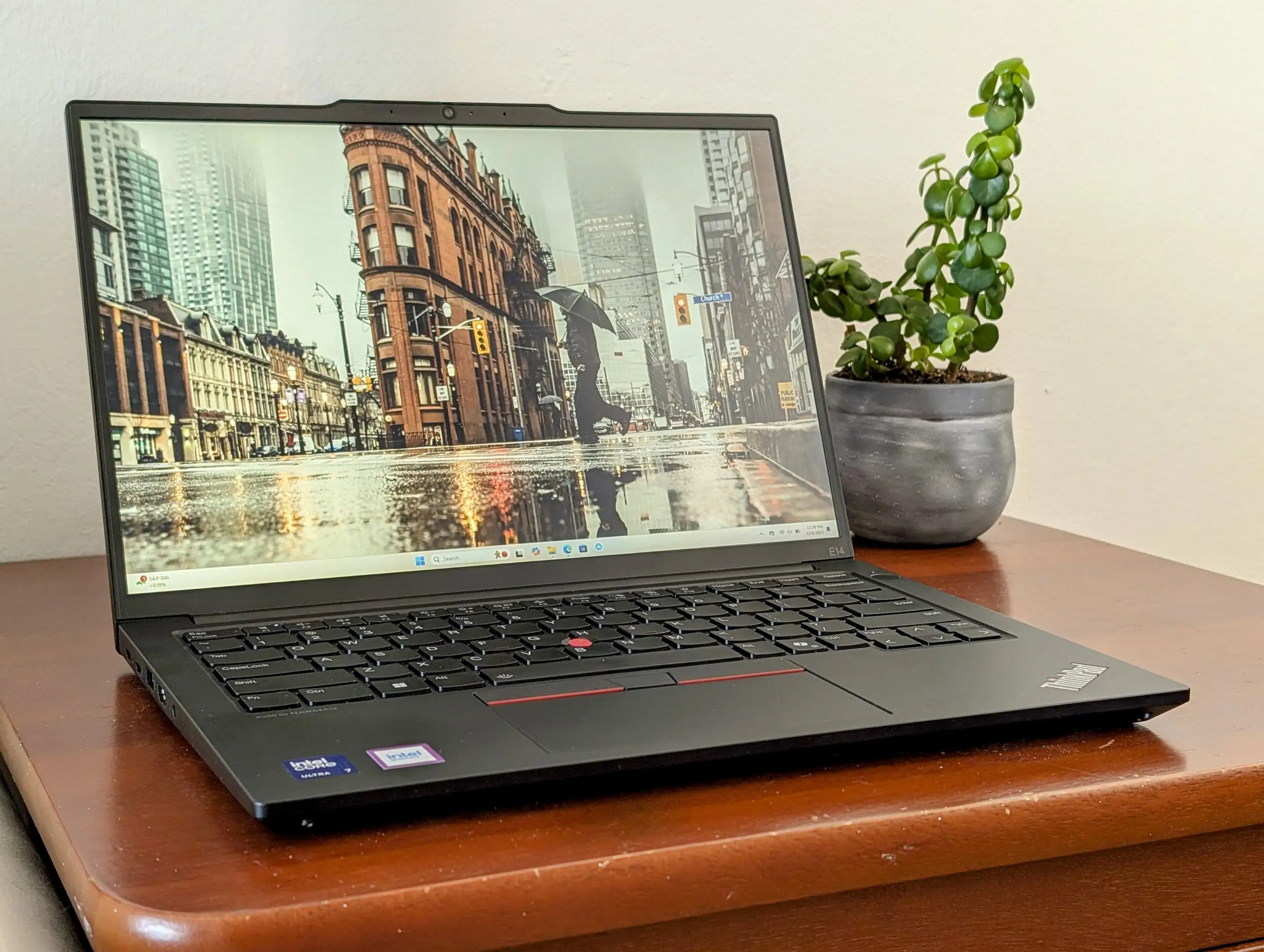
Battery endurance impresses given mid-size capacity. LibraSpecs’ data pointed to “around 6–7 hours of general use” on the Intel variant, and Reddit AMD users reported comfortable unplugged sessions thanks to efficient chips and restrained thermals.
Common Complaints
Base panel quality emerges as the Achilles heel. NotebookCheck’s AMD test found the 45% NTSC screen unsuitable for photo work, with colors “displayed wrong” and post-calibration improvement still leaving it far from accurate. Content creators or design students are hardest hit.
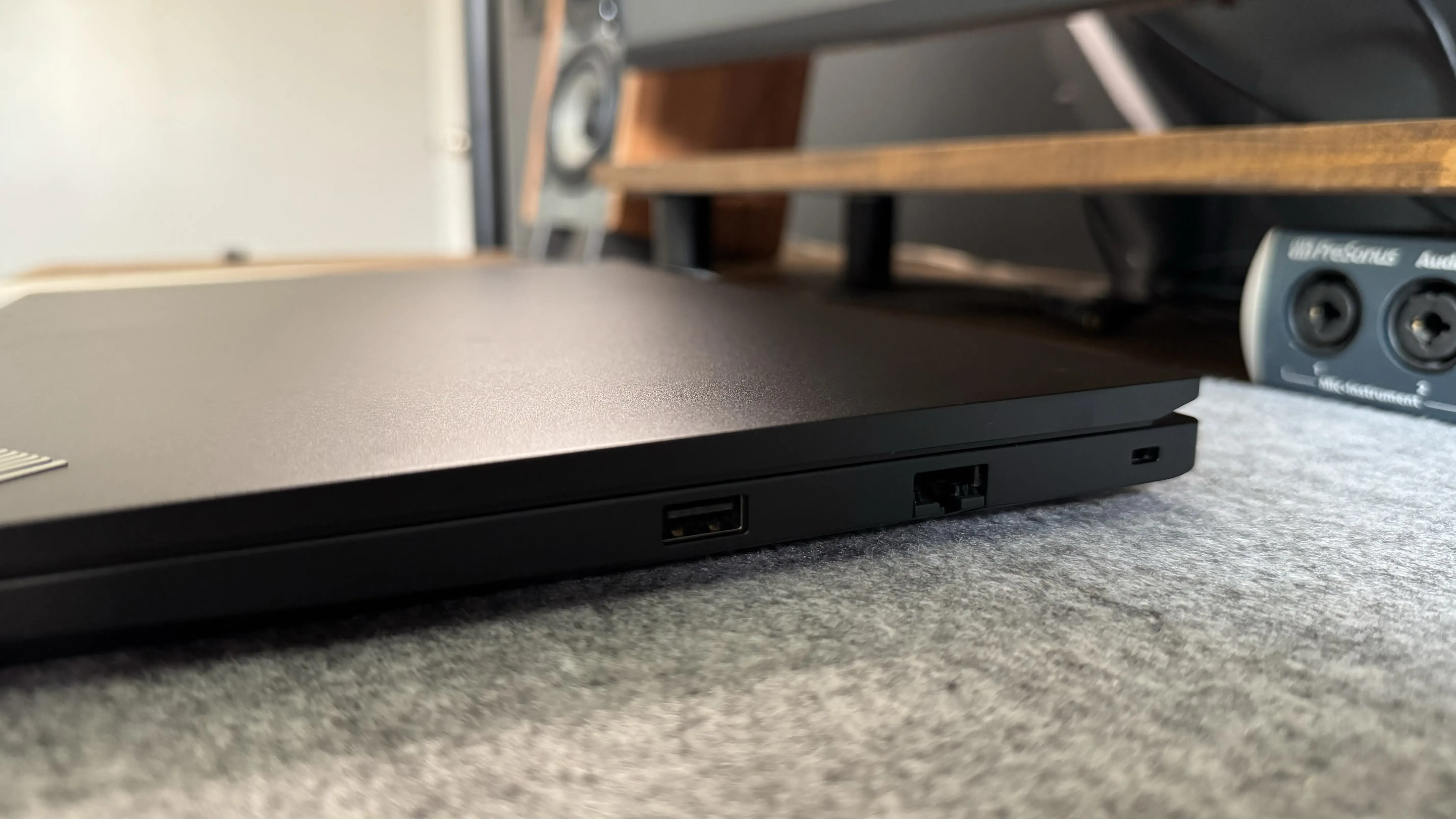
Connectivity on AMD models frustrates those relying on modern docks. The absence of USB4/Thunderbolt means fewer high-speed peripheral options. Reddit user u/Hard*** wrote, “No RJ45, it’s a no go for me,” underscoring that while AMD units retain Ethernet, certain market configs drop it.
Repairability lags. The riveted keyboard requires palmrest replacement to service, unlike premium ThinkPads with screw-in boards. NotebookCheck called this “a far cry” from more enterprise-focused models.
Speaker performance, while clearer than prior E14 G5, doesn’t satisfy audio-focused users. One Reddit owner noted, “Speakers… average, they lack a bit of bass.” Movie watchers or music listeners may need external solutions.
Divisive Features
Performance splits opinion. Intel’s Core Ultra 7 155U delivered 30–40% better multi-thread speeds than G5’s i7-1355U, but AMD’s Ryzen 7 7735HS didn’t surpass its predecessor in multi-core — though it offered stronger integrated GPU for light gaming.
The aluminum chassis is praised for premium feel yet critiqued for a “cheaper-feeling base” compared to magnesium-alloy T series, as NotebookCheck’s Intel review detailed. Some value the lighter, more affordable trade-off; others see it as compromising robustness.
Display options create buyer segmentation. The jump from 45% NTSC WUXGA to 100% sRGB 2.2K is dramatic, and users opting for the latter report satisfaction — while base panel owners regret not upgrading.
Trust & Reliability
Concerns over long-term durability are minimal for the chassis but present for the riveted keyboard. No coordinated Trustpilot scam patterns emerged, but Reddit histories show E-series consistency: owners from previous gens upgrading to G6 for RAM/SSD improvements express satisfaction.
Best Buy’s sole verified reviewer gave 5/5 stars after months of daily business use, citing “solid performance… excellent keyboard… dependable battery life” with no breakdowns reported.
Alternatives
The ThinkPad T14 Gen 5 offers superior display color coverage and replaceable keyboard but costs hundreds more. For OLED needs, Asus Vivobook S14 OLED stands out, offering near-total P3 gamut and lighter build at higher price. HP ProBook 445 G10 is mentioned as lighter but thicker.
NotebookCheck’s AMD review reminded budget buyers: “Notable is the second, open M.2 SSD slot, a feature that not even the more expensive T series offers,” pointing to a unique edge over pricier siblings.
Price & Value
Prices fluctuate wildly — Lenovo’s outlet listed an AMD Ryzen 5 7535U model at $454.81 (83% off), while high-end Intel configs approach $1,440 retail. Community advice: watch for Lenovo’s eCoupon promos, sometimes yielding $300–400 off. Resale holds moderately given ThinkPad branding, but buyers seeking displays with 100% sRGB retain better long-term value.
FAQ
Q: Does the AMD version support Thunderbolt or USB4?
A: No. Lenovo omits USB4/Thunderbolt from AMD configurations, limiting dock/peripheral choices to DisplayPort-enabled USB-C.
Q: Is the base display good for photo editing?
A: Not recommended. With only ~56.7% sRGB coverage, it inaccurately renders colors, making it unsuitable for critical visual work.
Q: How long can the battery last in real use?
A: Around 6–7 hours of mixed office tasks, streaming, and browsing, on both Intel and AMD variants under balanced settings.
Q: Can I easily upgrade components?
A: Yes — two SODIMM slots and both M.2 SSD bays are user-accessible, along with a socketed Wi-Fi card, making upgrades straightforward.
Q: Why is the keyboard hard to replace?
A: It’s riveted to the palmrest, requiring full palmrest replacement, unlike screw-in designs on higher-end ThinkPads.
Final Verdict
Buy if you’re a business user or student needing a robust keyboard, strong upgrade options, and long battery life at a low price. Avoid if color-accurate display or advanced port standards are critical. Pro tip from the community: “Spend extra for the 2.2K 100% sRGB panel — you’ll thank yourself every time you look at the screen.”





