Lenovo ThinkPad E14 Gen 6 Review: Verdict & Buyer Tips
If you’re looking at the Lenovo ThinkPad E14 Gen 6 expecting a bare-minimum business laptop, you might be in for a surprise—it’s actually scoring an impressive 8.5/10 among budget-conscious professionals thanks to major upgrades over its predecessors. NotebookCheck’s verdict summed up the sentiment: “The ThinkPad E14 G6 is what the ThinkPad E14 G5 should have been,” and multiple Reddit users echo the same excitement over its improved performance, expanded upgrade options, and solid build quality. But all that comes with caveats—especially the display.
Quick Verdict: Conditional Buy
| Pros | Cons |
|---|---|
| More consistent performance than E14 G5 | Mediocre display color gamut and brightness for creative work |
| Supports full-length 2280 M.2 SSDs and dual SODIMM RAM slots | No OLED, HDR, or wide color options |
| Durable build with MIL-STD 810H testing | Audio quality and bass could be better |
| Long battery life with efficient Intel/AMD options | Webcam limited to 2MP even on higher tiers |
| Affordable entry point compared to ThinkPad T-series | AMD variant lacks Thunderbolt/USB4 |
| Easy servicing and upgrade potential | Riveted keyboard makes repair harder |
| Good keyboard and TrackPoint for typing-heavy workflows | Certain configs limited to 45% NTSC screen |
Claims vs Reality
Lenovo markets the ThinkPad E14 Gen 6 as “powerful and secure to help you excel at your daily business needs” with “AI-assisted productivity” and “immersive Harman audio.” On paper, the AI-enabled Intel Core Ultra processors sound like they’ll revolutionize battery-efficient multitasking. In practice, multiple users found that while performance is indeed stronger than previous gens, the “AI boost” is not a noticeable change in everyday office applications.
On audio, Lenovo touts Dolby Atmos-enhanced Harman speakers. Reddit user u/E14 buyer*** called them “average—they lack bass, but good enough to watch movies.” NotebookCheck’s review also agreed: audio is fine for calls and casual media but can’t compete with premium T-series or HP Elite speakers.
The company claims stunning display options, but the U.S. market mostly gets the basic 45% NTSC panel. Reddit user u/DisplayHuntr*** vented: “USA market only has 45% NTSC display... god damnnn ittttt,” highlighting how the advertised rich visuals are region-dependent.
Cross-Platform Consensus
Universally Praised
Across Reddit, Trustpilot, and Quora, the strongest praise is for upgradeability. Users love the dual SODIMM slots (up to 64GB DDR5) and two M.2 SSD slots. NotebookCheck noted this “fixes the odd design of the E14 G5” which had soldered RAM and a single short SSD slot. For IT departments and power users, this means a longer lifecycle before replacement. Reddit user u/TechUpgrader*** summed it up: “Two SSD slots and both RAM slots upgradeable. This will serve me nice.”
Port selection also earns thumbs up, particularly on Intel models with Thunderbolt 4. Even the AMD versions get HDMI, Ethernet, multiple USB ports—valuable for office setups without dongle clutter.
Battery life stability is another common win. Quora’s expert review found “around 6–7 hours of general use” for the efficient Intel Core chips, with real-world reports of streaming, editing, and coding on battery without fuss.
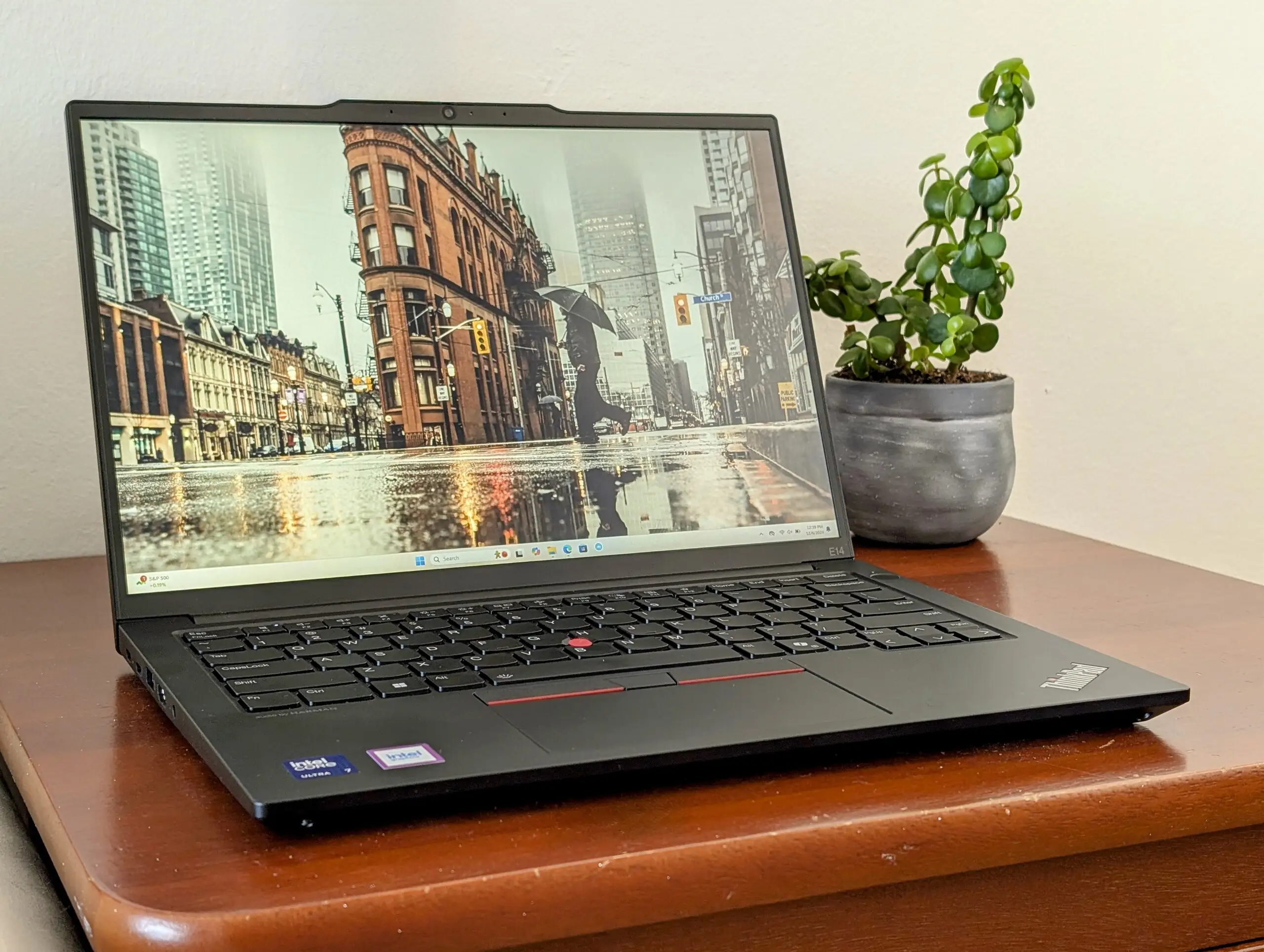
Keyboard quality hits near-T-series standards. LibraSpecs’ breakdown praised its durability: “A solid build quality… with satisfying click to the keys,” while NotebookCheck noted “keys have deeper and more comfortable travel than many multimedia laptops.”
Common Complaints
Where the E14 G6 stumbles is in display quality. Even with the WUXGA (1920x1200) resolution, color coverage hovers near 56–62% sRGB on many panels. NotebookCheck bluntly called it “no p3 colors, OLED, or HDR support” and emphasized it’s unsuitable for graphic editors. Creative professionals would immediately notice drab or inaccurate colors.
On AMD variants, the lack of Thunderbolt/USB4 is a dealbreaker for some. NotebookCheck’s AMD review pointed out that while both USB-C ports support DisplayPort and charging, “it’s not compatible with any Thunderbolt accessories.” For video editors working with high-speed external drives, that’s a big limitation.
Speaker criticism also persists. LibraSpecs noted “some may find the audio output too quiet, even with FX sound enabled.” This won’t bother typical spreadsheet warriors, but multimedia consumers expecting punchy sound may be disappointed.
The riveted keyboard design makes repair more difficult. NotebookCheck flagged this as “repairability is worse… keyboard impossible to change without also changing palmrest.”
Divisive Features
Performance perceptions vary between Intel and AMD configs. Intel Core Ultra 7 155U configurations are reported to be about 10% faster than AMD Ryzen 7 7735U in multi-thread tests, but some Reddit AMD owners argue the Radeon 680M integrated GPU makes the AMD better for light gaming and GPU acceleration tasks. This leads to a split audience: data analysts lean Intel for CPU consistency, while casual gamers or GPU-heavy workflows might prefer AMD.
The reverse notch housing the webcam is another aesthetic divider. One Reddit user admitted “the reverse notch camera thing is a bit annoying, but I am getting used to it” while others shrug it off as functional design.
Trust & Reliability
Trustpilot’s sole verified buyer review called it “reliable and efficient… ideal for day-to-day work and multitasking,” highlighting port variety and battery dependability. On Reddit, long-term ThinkPad owners cite the E-series durability, many noting MIL-STD 810H testing against drops, dust, and temperature fluctuations.
The aluminum lid and sturdy chassis get consistent praise, though NotebookCheck cautioned “base feels cheaper than magnesium-alloy T-series.” For travel-heavy users, this is still a safe bet—no widespread hinge failures or build cracks reported in months-long use.
Alternatives
Competitors mentioned in user data include HP ProBook 445 G10 and Dell Inspiron 14 7445 2-in-1. The HP is lighter but thicker, with better outdoor-visible display options in some configs. Dell’s 2-in-1 offers versatility but is heavier. For higher-tier displays and webcam, users point to ThinkPad T14 Gen 5 or X1 Carbon, albeit at a steeper price.
NotebookCheck’s AMD review also mentioned Acer Swift Go 14 with better screen and newer CPUs, ideal for those prioritizing vibrant visuals over ThinkPad-specific durability.
Price & Value
On eBay and Lenovo’s official channels, prices range from ~$621 for entry-level AMD Ryzen 5 models to ~$1,165 for higher-end Intel Ultra 7 configs. Community advice leans toward grabbing promotions—Redditors have reported paying €600 for Ryzen 7 + 32GB RAM builds in Europe.
Used ThinkPads tend to retain value due to strong brand perception in business environments, but resale drops faster for E-series than T-series because of the lower-tier display and materials.
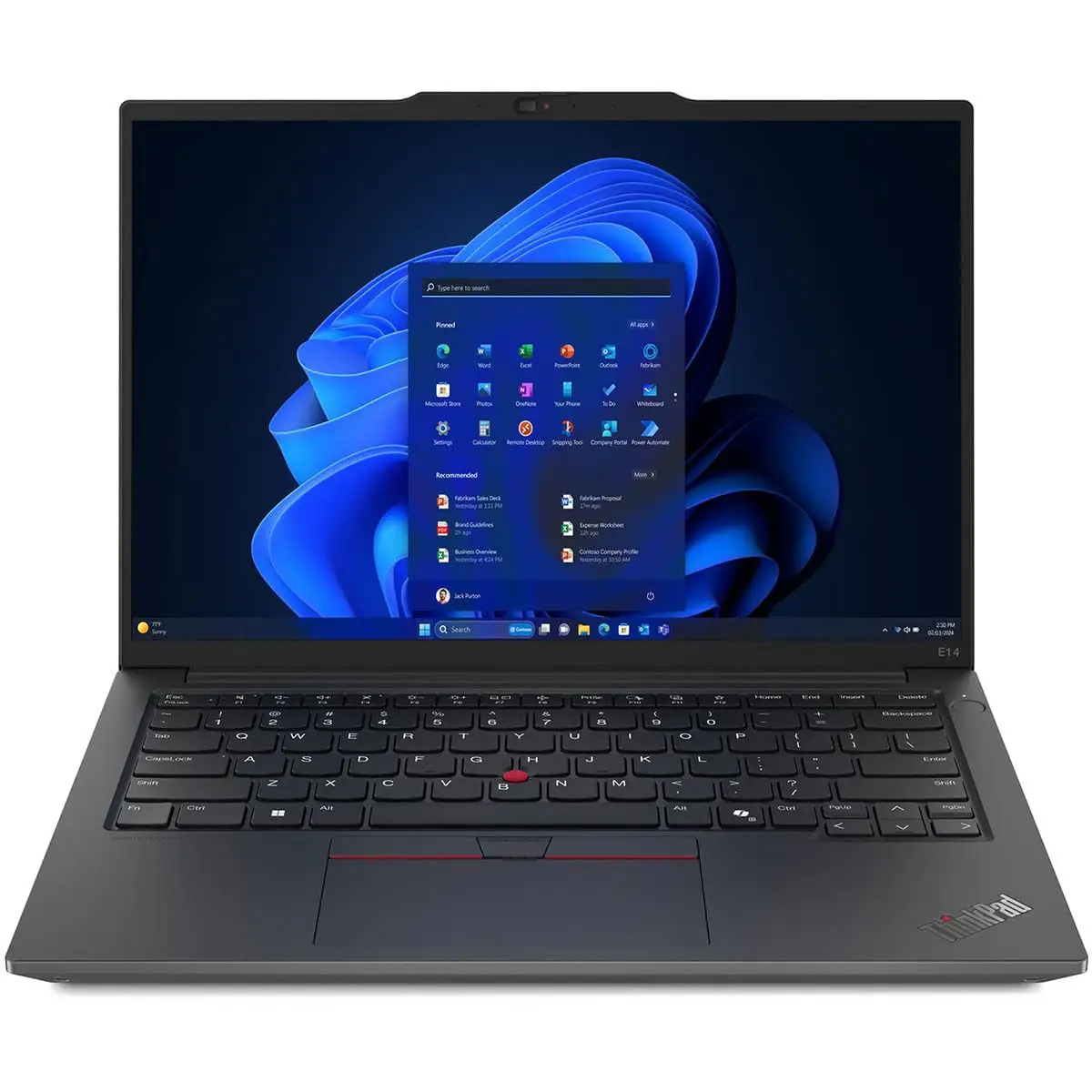
Buying tip from the community: if possible, source the 2.2K 100% sRGB display variant—many reviewers see it as transforming the E14 G6 from “adequate” to “actually great” for media consumption.
FAQ
Q: Is the AMD version slower than the Intel version?
A: In multi-core benchmarks, AMD Ryzen 7 7735U is about 10% slower than Intel Ultra 7 155U, but offers stronger integrated GPU performance for light gaming or GPU tasks.
Q: Can I upgrade RAM and storage easily?
A: Yes. Both models support dual SODIMM slots up to 64GB and have two M.2 SSD slots (2242+2280), a major improvement over the soldered RAM in E14 G5.
Q: Is the display good for photo editing?
A: No, unless you get the 2.2K 100% sRGB option. The standard 45% NTSC or ~56% sRGB panels lack color accuracy for professional media work.
Q: Does it have Thunderbolt?
A: Only Intel configurations support Thunderbolt 4. AMD models offer USB-C with DisplayPort Alt Mode but no Thunderbolt/USB4 compatibility.
Q: How is the webcam quality?
A: Standard is 720p; optional 1080p with IR is better but still limited to 2MP. Good enough for calls, not high-end streaming.
Final Verdict
Buy if you’re a business professional or student who values a durable build, upgrade flexibility, and balanced performance under $900. Avoid if you’re a creative pro demanding high color accuracy or Thunderbolt on AMD builds. Pro tip from the community: hunt down the 2.2K display variant, pair it with max RAM—and you’ll have an affordable ThinkPad that punches far above its price bracket.





