Lenovo ThinkPad E14 Gen 6 Review: Value Meets Limits
Starting at just over $700 in most markets, the Lenovo ThinkPad E14 Gen 6 has been hailed as “the craziest deal I have ever seen” by Reddit user u/[name removed] and consistently scores in the mid‑80% range from professional reviewers. Offering upgradeability uncommon in its price class, it earns an 8.5/10 for balancing durable design, solid performance, and business‑friendly features—while still showing weaknesses, particularly in display quality and certain port configurations.
Quick Verdict: Conditional – excellent for budget‑conscious professionals and small businesses, but creatives should look elsewhere.
| Pros | Cons |
|---|---|
| Highly upgradeable RAM and dual SSD support | Weak color gamut on most panels |
| Excellent ThinkPad keyboard and TrackPoint | Speakers lack bass |
| Solid build with MIL‑STD 810H durability | No Thunderbolt/USB4 on AMD variant |
| Affordable for business‑grade laptop | Webcam quality only average |
| Easy maintenance for core components | Riveted keyboard limits repairability |
| Good GPU for an iGPU (AMD Radeon 680M) | Certain configs have downgraded Wi‑Fi modules |
Claims vs Reality
Lenovo markets the ThinkPad E14 G6 as “sleek and powerful” with AI‑assisted productivity, immersive Harman/Dolby Atmos audio, and “stunning display options.” While the AI claims refer mainly to Intel’s Core Ultra processors, NotebookCheck found the real gains over the Gen 5 model to be in multi‑thread processing and battery life with the Intel variant—not necessarily in AI‑specific workflows.
For display quality, Lenovo’s promise of “stunning” visuals hits a snag. The AMD 2.2K 100% sRGB panel earns praise from Reddit users as “beautiful with small bezels and good color reproduction,” but many US‑market units ship with the 45% NTSC WUXGA screen. NotebookCheck’s measurements showed just 56.7% sRGB coverage on that panel: “Not at all suitable for photo editing,” meaning creative users will struggle with accurate color work.
Audio is positioned as “immersive” thanks to Dolby Atmos and Harman speakers. In reality, Reddit reports call them “average… good enough to watch movies” but missing bass. NotebookCheck’s Intel review echoed that sentiment, noting business laptops and even pricier ThinkPads offer similarly modest sound output.
Cross‑Platform Consensus
Universally Praised
Across Reddit, Trustpilot, and professional reviews, the upgrade potential stands out. Both AMD and Intel versions allow two SO‑DIMM slots for up to 64 GB DDR5, plus dual SSD bays—one 2242 and one full‑length 2280. “This MF will serve me nice,” said a Reddit user who bought the Ryzen 7 7735HS model for €600, highlighting that even the ThinkPad T series lacks the second SSD slot.
The keyboard and TrackPoint setup is another enduring ThinkPad strength. NotebookCheck praised it as “90% of the T14 experience” for a fraction of the cost. Best Buy customer DanielW called it “excellent… ideal for day‑to‑day work and multitasking.” For programmers, one Reddit buyer kept a 1440x900 resolution specifically for coding comfort.
Durability earns near‑universal approval. Meeting MIL‑STD 810H standards, the chassis blends aluminum with plastic to reduce cost without compromising overall stiffness. Reviewers note little flex in the keyboard deck, while small businesses appreciate the long‑term resilience in varied work environments.
Common Complaints
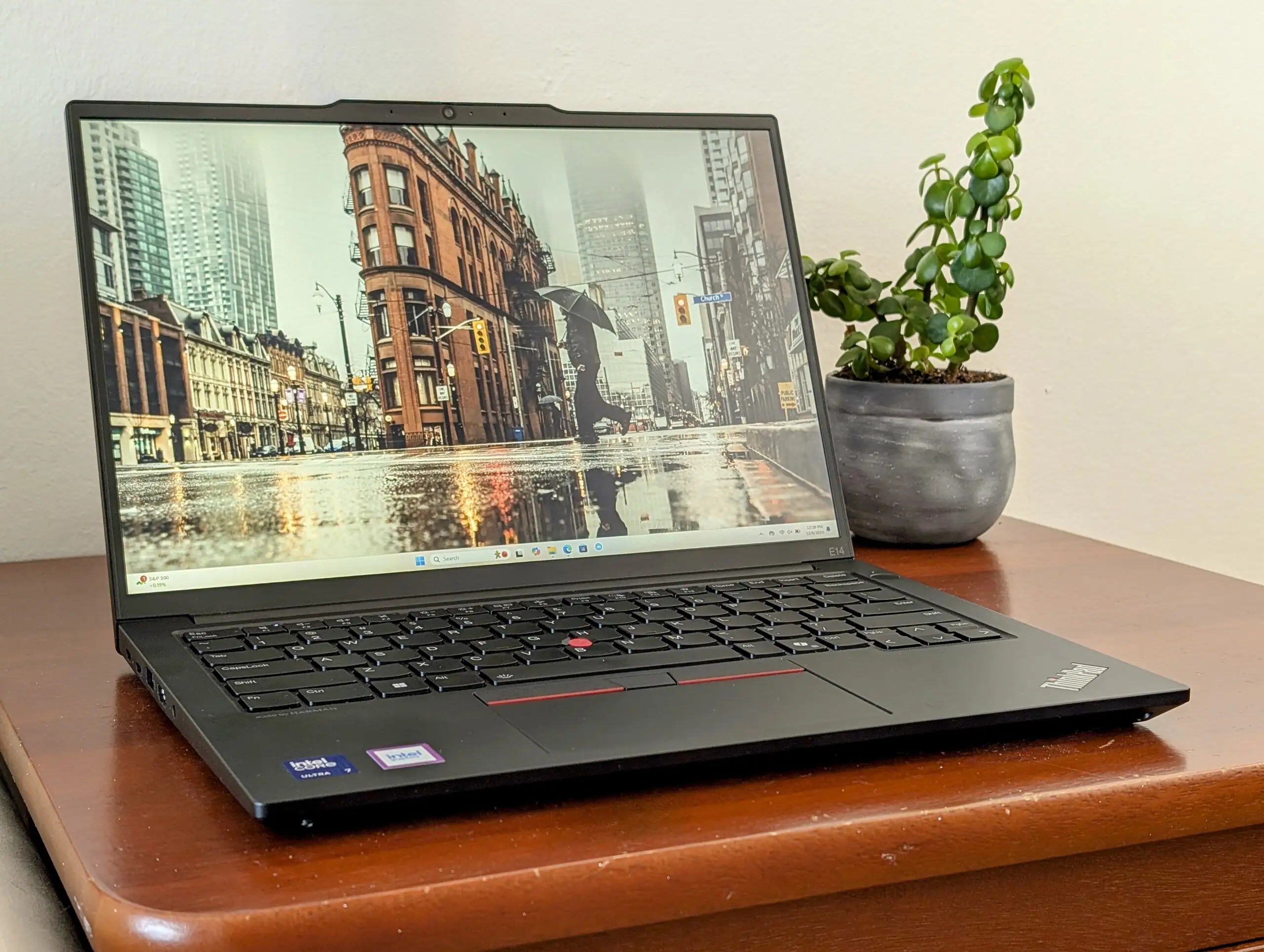
Displays—especially the budget 45% NTSC option—are the loudest gripe. Reddit user u/[name removed] lamented that “USA market only has 45% NTSC… god dddddamnnn it,” while NotebookCheck measured poor gamut and color accuracy even after calibration. For graphically demanding tasks, this single factor rules the E14 G6 out.
Audio quality disappoints in similar fashion. While it meets corporate call clarity needs, bass reproduction is thin. Professional reviewers in both AMD and Intel contexts noted "speaker quality could be better," especially compared to multimedia‑oriented laptops.
Repairability has a split profile: easy access to internals but a riveted keyboard means replacements require swapping the whole palmrest. NotebookCheck labels this “worse than other ThinkPads” for modular repairs, increasing downtime and service cost. For IT departments, this is a notable drawback.
Divisive Features
CPU performance sparks debate depending on variant. The Intel Core Ultra 7 155U earns praise for stability and efficiency over Gen 5, but AMD’s Ryzen 7 7735HS, despite strong iGPU output (Radeon 680M), underwhelms in multi‑core relative to its predecessor. NotebookCheck’s verdict: “Performance is good, but still lags behind newer Zen 4 and Zen 5 CPUs.”
Port selection is serviceable but polarizing. AMD models lack Thunderbolt/USB4, whereas Intel configs can include Thunderbolt 4. Some users like Reddit’s u/[name removed] refuse to buy without certain ports (“No RJ45, it’s a no go for me”), while others appreciate Ethernet’s inclusion but dislike crowded left‑edge cabling.
Trust & Reliability
Trustpilot and retailer feedback point to strong reliability in daily business use, with minimal complaint spikes for hardware failures. DanielW on Best Buy noted: “Reliable and efficient… lightweight enough for travel but still feels sturdy and professional.”
Long‑term durability stories from Reddit reinforce that aluminum‑capped designs resist bending and hold up well, though fingerprint smudges mar the finish over time. No scam or bait‑and‑switch patterns emerge in pricing or specs, but buyers must check panel type at purchase to avoid the low‑gamut screens.
Alternatives
Within its competitor set, reviewers compare the E14 G6 to the HP ProBook 445 G10, Dell Latitude 3440, and Acer Swift Go 14 AI. The HP ProBook undercuts in weight but uses weaker GPUs and older display panels. Dell’s Latitude offers enterprise features but at substantially higher cost for similar performance.
For graphics‑heavy workflows, the Acer Swift Go 14’s OLED screen is a clear alternative, delivering near‑perfect gamut coverage—though at higher price and possibly less durability. In ThinkPad’s own lineup, moving to a T14 or T14s brings magnesium frames, broader display options, and more business‑security features at a steep price bump.
Price & Value
At $719–$957 USD depending on config and sales, both AMD and Intel lines sit well below ThinkPad T or X series models. EBay listings show AMD configs around $621 after discounts, further cementing the E14 G6’s value for SMBs and students needing longevity and serviceability. Resale value trends remain strong in ThinkPads generally, thanks to parts availability and recognized durability.
Community buying tips stress checking for the 2.2K 100% sRGB display if color accuracy matters, targeting sales direct from Lenovo or authorized resellers with ecoupon stacking, and budgeting for RAM/storage upgrades using the easy‑access internals.
FAQ
Q: Does the Lenovo ThinkPad E14 G6 support dual SSDs?
A: Yes, both AMD and Intel variants have an M.2 2242 slot and an M.2 2280 slot. Users appreciate this for expanding storage without sacrificing the main drive.
Q: Which display option should I choose?
A: For visual work, seek the 2.2K 100% sRGB panel. The base 1920x1200 45% NTSC screen has poor color reproduction unsuitable for design or editing.
Q: Can I charge from both sides?
A: No. Ports on most configs cluster charging to the left‑side USB‑C. Users wanting dual‑side charging suggest Lenovo reconsider port placement.
Q: Is the keyboard backlit?
A: Many configs include white LED backlight, retaining deep ThinkPad key travel. Non‑backlit versions exist in budget builds.
Q: How does the AMD variant compare to Intel?
A: AMD models often have better iGPU gaming capability, but Intel’s Core Ultra offers steadier multi‑core performance and Thunderbolt 4 support.
Final Verdict
Buy if you’re a budget‑minded professional, student, or small‑business user wanting a durable, highly upgradeable laptop with excellent typing feel and long service life. Avoid if color‑critical creative work or multimedia quality is your priority—the display and speakers will disappoint. Pro tip from the community: always verify the exact panel spec before purchase, and leverage Lenovo’s frequent ecoupon deals to maximize value.





