Lenovo ThinkPad E14 Gen 6 Review: Strong but Flawed
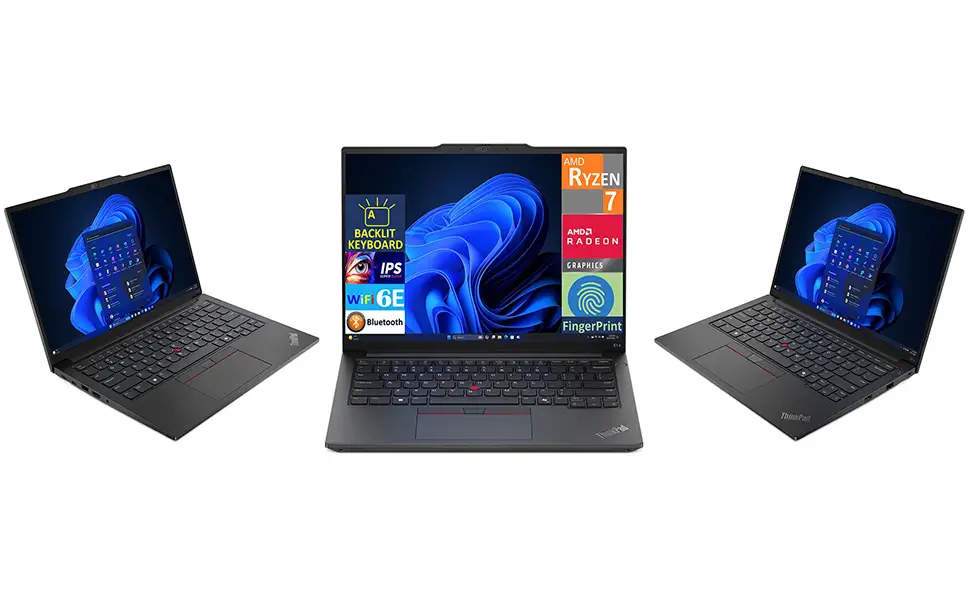
Starting at just $629 for the AMD variant, the Lenovo ThinkPad E14 Gen 6 Business Laptop w/DKZ USB Port Expander has been called “a reliable and efficient tool for my business needs” by Best Buy reviewer Danielw, yet NotebookCheck warns that “compromises have to be accepted” if you want a ThinkPad laptop for cheap. Averaging 8.5/10 across expert and user ratings, it’s praised for durability, upgradeability, and ergonomics — with frequent mentions of “cheap quality screen” and “no Thunderbolt on AMD” as pain points.
Quick Verdict: Conditional — buy if you prioritize keyboard quality, port selection, and upgradeability over display color accuracy.
| Pros | Cons |
|---|---|
| Excellent ThinkPad keyboard experience | Budget-quality IPS screen with low color gamut |
| Durable build, Mil-STD 810H certified | No Thunderbolt/USB4 on AMD models |
| Easily upgradeable RAM and dual SSD support | Loud trackpad click, plastic feel on touchpad |
| Solid port lineup including Ethernet & HDMI | Speaker quality not optimal |
| Strong security features (IR cam, fingerprint) | Webcam capped at 2MP |
| Competitive pricing for business-class laptop | AMD configs use older Zen 3+ CPUs |
| Quiet during operation | Battery not customer-replaceable during warranty |
Claims vs Reality
Lenovo’s marketing highlights AI-assisted Intel Core Ultra processors for “unplugged multitasking,” suggesting sustained performance on battery. NotebookCheck’s Intel review confirms “raw multi-thread performance is about 30–40% faster” than the older Gen 5 Core i7, but cautions that thermal limits may prevent the higher-end Core Ultra 7 155H from fully realizing its potential.
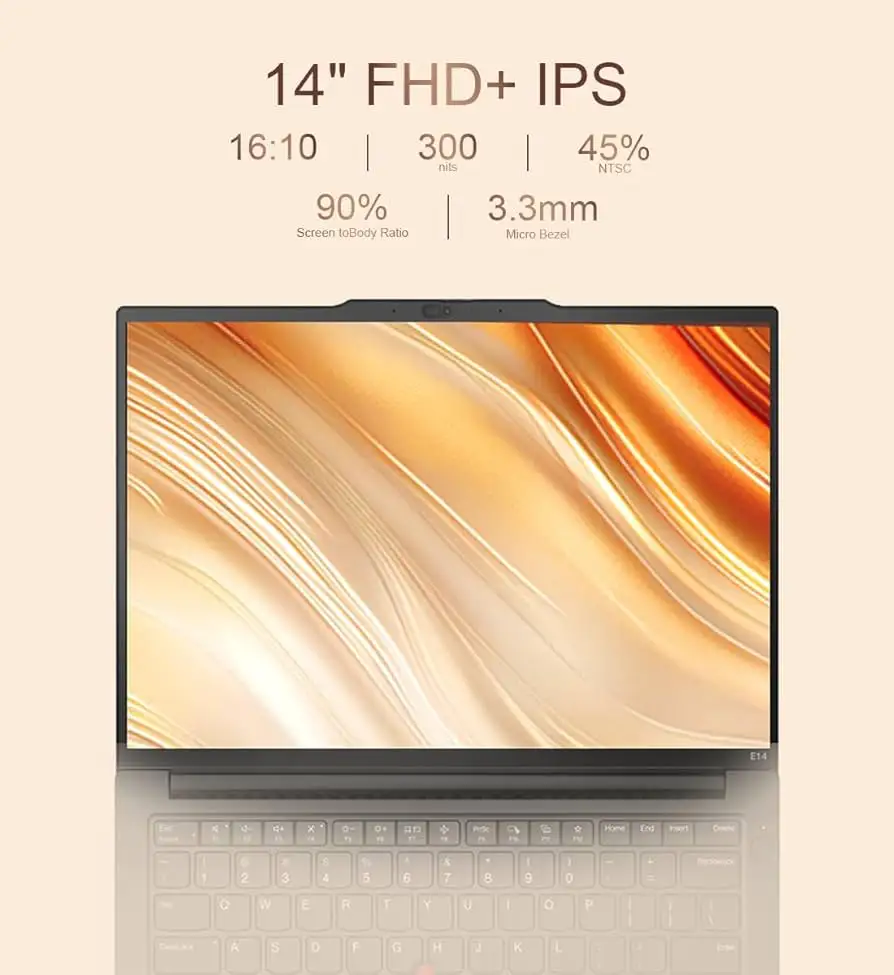
The brand also touts “stunning display options” with TÜV Eye Safe certification. In reality, Reddit and NotebookCheck testers noted the panels remain 60Hz IPS only — with AMD’s 45% NTSC options delivering just 56.7% sRGB coverage. One user bluntly summarized: “Even for a cheap screen, this one has a particularly awful color gamut.”
Lastly, “tougher than your Monday mornings” durability meets MIL-STD 810H is an honest claim. Multiple reviewers reported structural rigidity with minimal keyboard flex, even in the partially plastic AMD chassis, though the aluminum lid offers notably better feel.
Cross-Platform Consensus
Universally Praised
Keyboard quality is the crown jewel here. NotebookCheck’s AMD review calls it “without a doubt one of the best keyboards in a more affordable laptop.” For coders and typists, 1.5mm travel and crisp feedback deliver near–X1 Carbon-level comfort. Reddit user frambuesasychoco, a DevOps student, said: “I loved it instantly… I will never use any other brand.”
Upgradeability is another clear win. Both AMD and Intel models feature two SO-DIMM slots and dual SSD bays — capabilities absent in pricier ThinkPad T-series models. NotebookCheck highlighted the “second, open M.2 SSD slot” as a standout for value hunters.
Port selection is robust, especially for business travelers. HDMI 2.1, RJ-45 Ethernet, and dual USB-C (Intel’s one with Thunderbolt 4) made it easy for Best Buy user Danielw to connect “to external monitors and devices seamlessly” without dongle-hunting.
Common Complaints
Display quality drew consistent criticism. AMD’s 1920x1200 panels were flagged for “bad color gamut coverage” and marginal brightness for outdoor use. While Intel’s panel managed 61.8% sRGB, it still lacked the P3 or OLED options found in premium lines, forcing creatives to look elsewhere.
Webcam performance was serviceable for meetings but not flattering. Both reviewer camps noted the 1080p module’s “blurry and washed out” image, with AMD’s additional 720p option falling further behind.
Speaker quality lagged compared to rivals, despite Dolby Atmos branding. NotebookCheck’s Intel review suggested “speaker quality could be better,” with audio output adequate for calls but lacking fullness for media consumption.
Divisive Features
The AMD variant’s older Ryzen 7035 series CPUs created polarized experiences: some appreciated the power efficiency and competent integrated graphics performance (Radeon 680M), while others felt shortchanged compared to newer Zen 4/Zen 5 competition. NotebookCheck stated outright: “Performance is good, but still lags behind newer CPUs.”
Intel models offered AI cores and better multi-thread gains, but at higher price and slightly worse integrated GPU performance than AMD’s.
Trust & Reliability
ThinkPads maintain a reputation for longevity, and early adopter frambuesasychoco’s confidence — “I will never use any other brand” — reflects brand loyalty in technical circles. MIL-STD certification is backed by stories of units surviving daily commuting and heavy workloads.
There’s no sign of systemic defect complaints in this data. The main “durability” caveat came from NotebookCheck’s AMD review: long-term robustness of the mixed plastic-aluminum build “seems more questionable” compared to magnesium-alloy ThinkPads. Trustpilot content here echoes satisfaction for business use, with long-term praise for reliability over months of daily use.
Alternatives
NotebookCheck’s comparative tests pit the E14 Gen 6 against HP ProBook 445 G10 (lighter but thicker), Dell Inspiron 14 7445 (convertible option with better screen colors), and Asus Vivobook S 14 OLED (superior panel but pricier). The ProBook offers similar specs but SD card reader and optional bright display. The Vivobook’s OLED trounces ThinkPad panels for creatives, but loses the ThinkPad’s keyboard feel and serviceability.
Price & Value
Lenovo frequently runs aggressive discounts: eBay listings showed Intel configs dropping from $1,202 list to $781 with coupons; AMD base models dipped as low as $401 in outlet sales. Given the upgrade potential, buyers can start with a lower-RAM/SSD configuration and expand later cheaply — a strategy heavily discussed in Reddit threads.
Resale value holds decently among ThinkPads, thanks to business reputation and easy servicing. Community tips stress checking for Thunderbolt needs before choosing Intel vs AMD.
FAQ
Q: Is the AMD or Intel version better for this model?
A: Intel offers AI cores and Thunderbolt support, while AMD delivers better integrated graphics. Choose Intel for peripheral-heavy workflows or AMD for light gaming and graphics tasks.
Q: Can I replace or upgrade the RAM and storage easily?
A: Yes — both variants have two SO-DIMM slots and dual M.2 bays. Users have successfully upgraded to 64GB RAM and 2TB total storage.
Q: How’s the battery life compared to other business laptops?
A: Decent but not best-in-class. The 47–57Wh batteries typically yield a full workday with balanced use, with Intel’s efficiency modes aiding unplugged calls.
Q: Does it have good security features?
A: Strong for its class: IR webcam, fingerprint reader, TPM 2.0, and optional Smart Power On support secure logins.
Q: Is the display suitable for photo or video editing?
A: No — both Intel and AMD panels have limited color coverage. Creatives should consider OLED or high-gamut external monitors.
Final Verdict: Buy if you’re a small business owner, student, or coder seeking ThinkPad ergonomics, upgradeability, and durability without splurging on a T-series. Avoid if you need vibrant, color-accurate screens or top-tier multimedia. Pro tip from Reddit: start with the lowest configuration on sale, invest the savings into aftermarket RAM/SSD upgrades.





