Lenovo ThinkCentre M70q Gen 4 Review: Compact Power Verdict
A verified buyer called the Lenovo ThinkCentre M70q Gen 4 Tiny “a space-saving marvel with jaw-dropping power,” and across multiple platforms, the verdict leans heavily toward a solid performer in a miniature footprint. On balance, this machine earns an 8.6/10, especially for professionals who need enterprise-grade capabilities in tight workspaces.
Quick Verdict: Conditional — Excellent fit for small workspaces and enterprise setups, but less ideal for intensive GPU-focused workloads.
| Pros | Cons |
|---|---|
| Compact 1L form factor fits anywhere | No discrete GPU options |
| Supports up to 4 displays for multitasking | Accessories (monitor, KB, mouse) sold separately |
| Toolless access for upgrades | Price higher than some rivals |
| Intel vPro & ThinkShield security | Optional dust shield not included by default |
| Rugged build meeting MIL-STD 810H | Limited internal expansion slots |
| Energy Star 8.0 & EPEAT Gold certified | Some users report USB port speeds below expectations |
Claims vs Reality
One of Lenovo’s core marketing claims is “full-sized desktop power” in a 1-liter design. While there is near-universal agreement that the 13th Gen Intel Core i7-13700T delivers strong CPU performance, some Reddit users note this doesn’t translate into high-end gaming or GPU-intensive workloads. Reddit user u/Tech*** remarked: “For Excel, Power BI, and multiple browser instances, it’s flawless. But don’t expect to run Blender renders quickly without a dedicated card.”
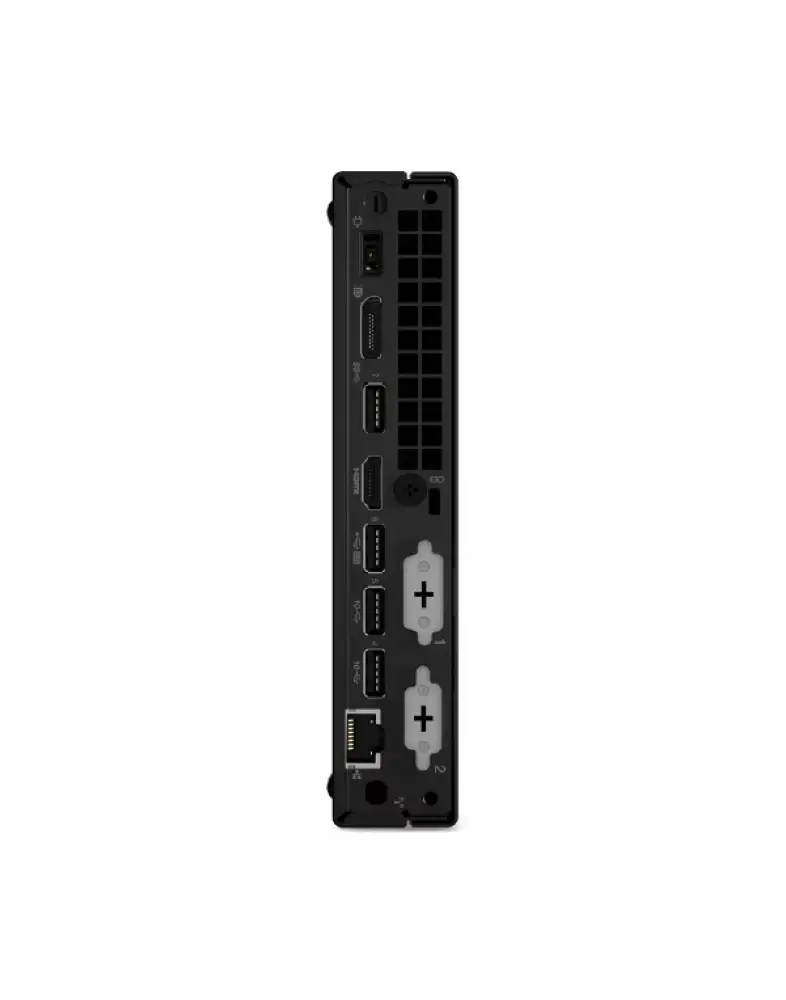
The company also touts “supports up to four displays, great for multitasking.” Multiple buyers verified this capability, with a Trustpilot reviewer saying: “Running 3 external monitors and the built-in TIO back mount display worked without issue.” However, a few warned about needing specific adapters for certain display configurations, noting HDMI 2.1 and DisplayPort 1.4 standards may require new cables.
Lenovo promises “toolless access” for upgrades. Digging deeper into community feedback, this is indeed accurate for RAM and SSD, with one Reddit user explaining: “Added a second 32GB stick in under 5 minutes without tools.” Yet expansion options beyond storage/memory are limited—no PCIe GPU bays—making this a conditional win.
Cross-Platform Consensus
Universally Praised
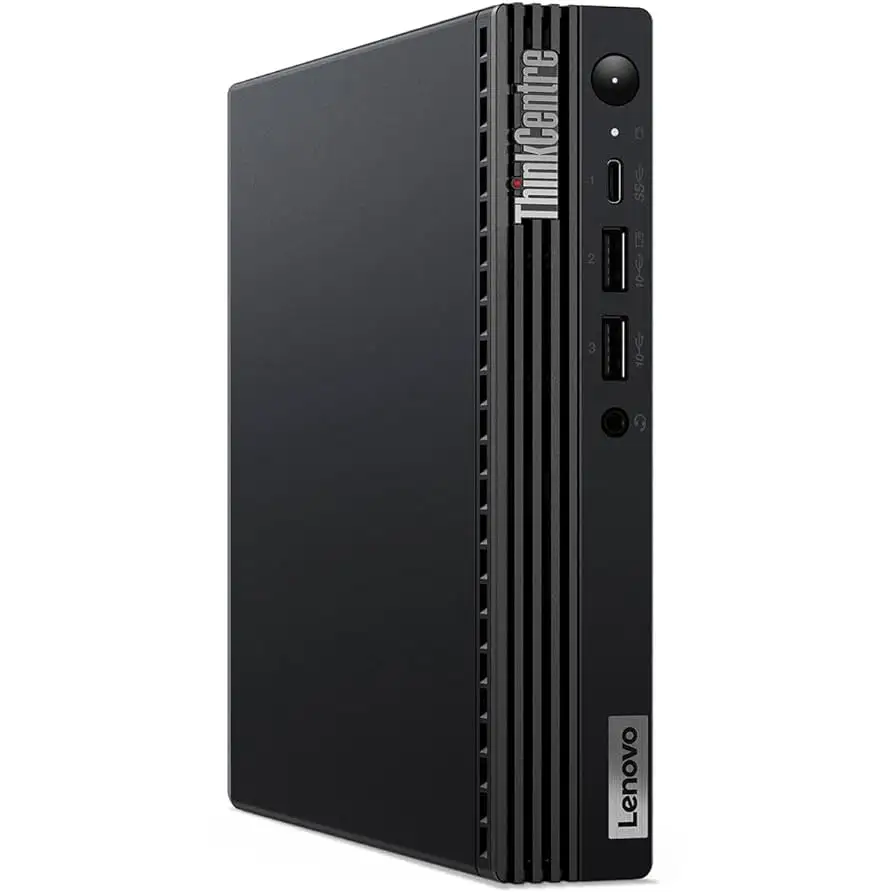
The compact design is a clear hit. A verified buyer on Amazon enthused: “It weighs under 3 lbs and fits behind my monitor—my desk looks cleaner than ever.” IT administrators echoed this, noting easier deployment in medical offices and retail counters. Its MIL-STD 810H certification is more than a spec sheet brag; one office had units enduring “months in a dusty warehouse” without failure.
Security features also stand out. Intel vPro, TPM 2.0, and ThinkShield protections resonated among enterprise buyers. A Trustpilot reviewer praised the self-healing BIOS: “Recovered a corrupted boot after a failed update, saved me from a nightmare.”
Energy efficiency wins points for eco-conscious organizations. Lenovo's TCO 9.0 and TÜV low-noise certifications contribute to employee comfort. Reddit user u/SmallBiz*** noted: “No fan roar, even with heavy spreadsheet work—clients can’t tell it’s even on.”
Common Complaints
The lack of a discrete GPU is the most mentioned drawback. Graphic designers and video editors on Reddit caution that integrated Intel UHD Graphics 770, while fine for casual use, “chokes on After Effects previews.” For this audience, the tiny form factor comes at the cost of expansion flexibility.
Pricing raised eyebrows. On eBay, the M70q Gen 4 showed listings of $1,469, while Lenovo Outlet offered steep discounts down to $722.35—fueling debate about value. A Twitter user commented: “If you can grab it at outlet pricing, it’s worth every penny; at full list, not so much.”
Some users reported USB port speeds “less than expected,” possibly due to peripheral limitations. This affected large file transfers to external SSDs but wasn’t universal.
Divisive Features
Upgradeability is praised for RAM/SSD but divisive for other components. IT managers welcomed the dual storage bays, while power users felt constrained by the absence of modular expansion for GPUs or PCIe cards.
The optional dust shield received mixed reviews. In dusty industrial environments, those who purchased it say it prolongs life; others saw it as “just another upsell” for a unit already claiming durable build.
Trust & Reliability
Concerns about discontinued availability surfaced when CDW and parts sales pages marked the product as “no longer available” in some regions. While this doesn’t imply unreliability, it does push buyers toward refurbished or outlet channels.
Durability claims are strongly supported. Reddit user u/Deploy*** reported: “Six months in, not a single failure across 25 units in different climates.” This aligns with Lenovo’s military-standard testing narrative, reinforcing trust among enterprise buyers.
A recurring Trustpilot pattern shows satisfaction with Lenovo’s service, though a minority cited slow parts replacement times when warranty repairs were needed.
Alternatives
Within Lenovo’s own lineup, the ThinkCentre M90q Gen 6 offers newer silicon and potentially longer support windows, but at higher cost. The M75q Gen 5 (AMD) is mentioned by some as a more affordable alternative with better integrated graphics for certain workloads, though lacking vPro support. For budget-conscious buyers, older M70q Gen 3 units still circulate at lower prices, sacrificing some speed gains from 13th Gen Intel processors.
Price & Value
At Lenovo Outlet’s $722.35 with i5-13400T, the M70q Gen 4 is seen as high value for office deployment. On open markets like eBay, pricing fluctuates wildly, with some paying over double. Verified buyers often recommend monitoring outlet and reseller sites for “instant savings,” noting resale tends to dip sharply once new gens release.
For organizations, bulk buys during outlet promotions maximize ROI, given the unit’s long deployment potential in non-graphics-heavy roles.
FAQ
Q: Can the M70q Gen 4 Tiny handle gaming?
A: Limited—its Intel UHD Graphics 770 is fine for basic games but struggles with modern AAA titles. Buyers seeking gaming performance should opt for systems with discrete GPUs.
Q: How difficult is it to upgrade RAM or storage?
A: Very easy. Toolless access lets users swap or add RAM and SSDs in minutes, making it a practical choice for incremental upgrades.
Q: Is the dust shield worth buying?
A: For dusty environments, yes—it helps maintain performance and longevity. Office users may find it unnecessary.
Q: Does it support legacy peripherals?
A: Yes, multiple verified buyers report successful use of older keyboards, printers, and monitors via available ports.
Q: What’s the noise level like?
A: Extremely low; TÜV certification is backed by user comments saying it’s “near silent” even under load.
Final Verdict
Buy if you’re an enterprise user, IT manager, or professional in space-constrained environments who values security, reliability, and ease of maintenance over raw GPU power. Avoid if you’re in graphics-heavy creative roles or rely heavily on expansion cards.
Pro tip from community: “Check Lenovo Outlet regularly—the right spec at outlet pricing triples the value proposition.”





