Lenovo Ideapad 3 Review: Budget Laptop Worth Buying?
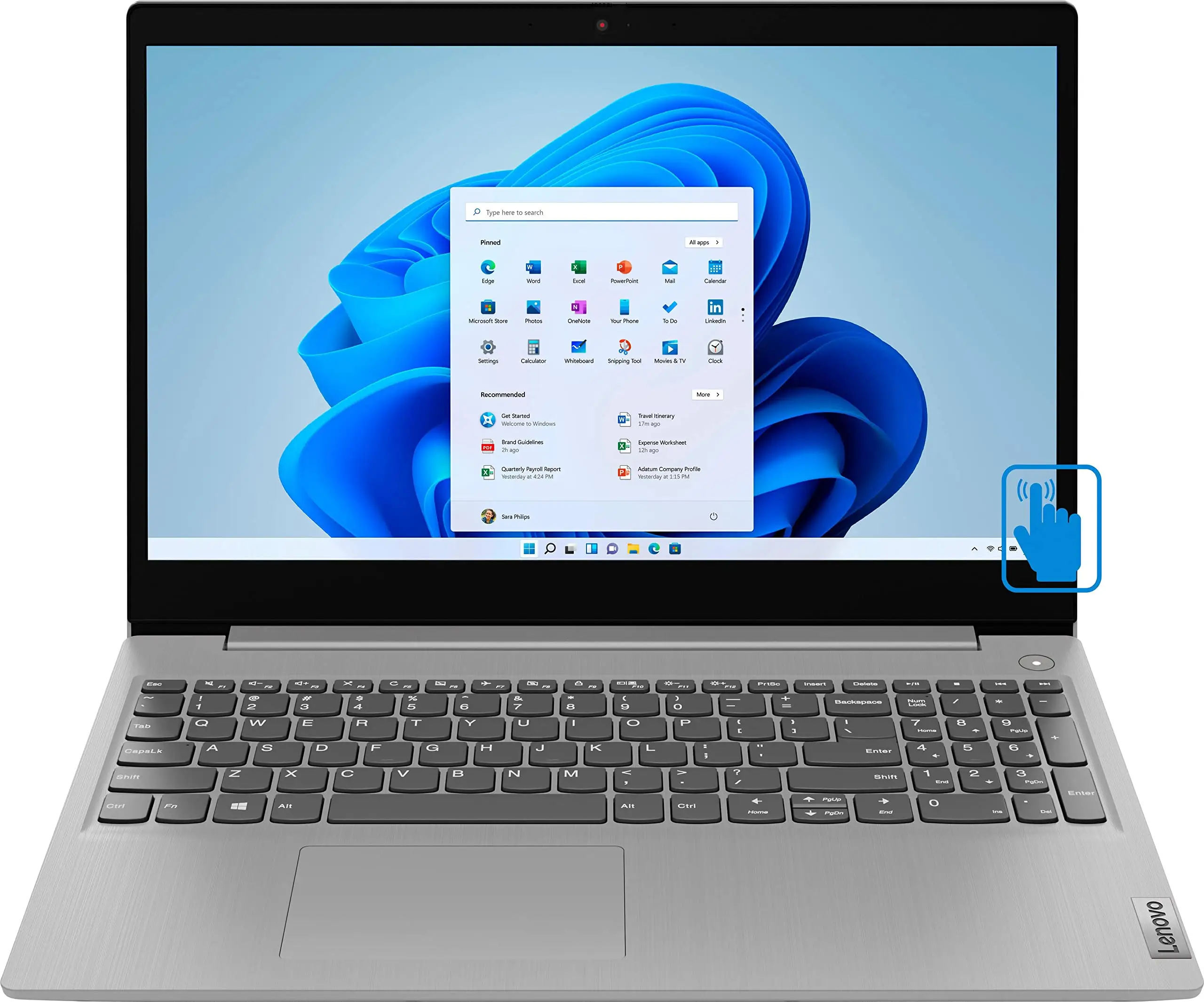
Starting at under $300 during sales, the Lenovo Ideapad 3 15.6-inch Laptop (Intel Core i3, Platinum Grey) has been called “the best budget laptop of the year” by a Best Buy buyer, earning an average score of 8.2/10 across thousands of reviews. While praised for everyday performance, its screen quality and battery life reveal a more complicated story once user reports are examined.
Quick Verdict: Conditional Buy
| Pros | Cons |
|---|---|
| Affordable price, often discounted heavily | Battery life inconsistent across use cases |
| Smooth everyday performance for basic tasks | Build quality feels “all plastic” to some buyers |
| 1080p screen option with anti-glare | Webcam quality described as grainy |
| Fast boot-up via SSD storage | Limited graphics capability for intensive tasks |
| Light and portable for its size | Trackpad not centered, takes adjustment |
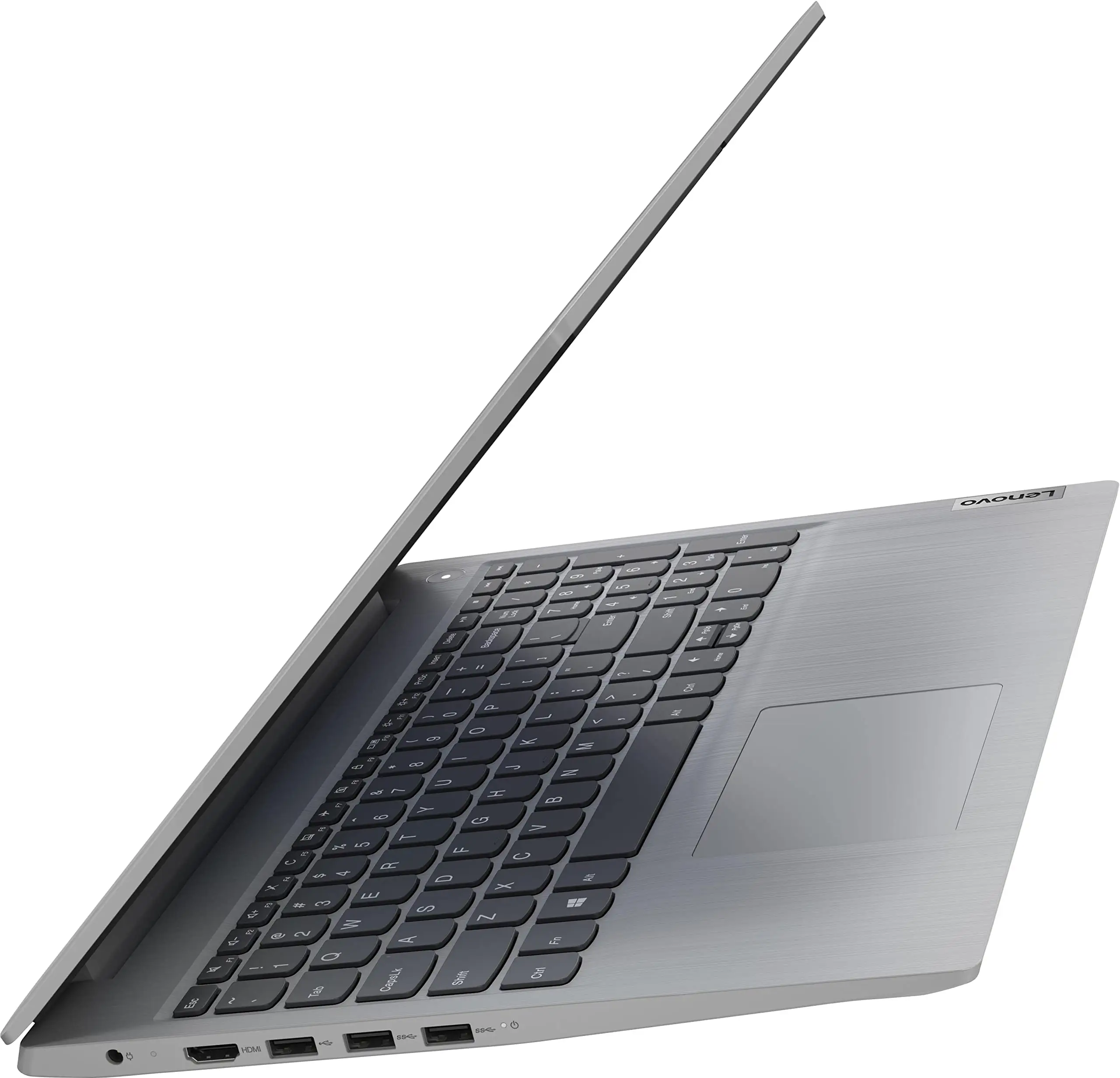
| Numeric keypad boosts productivity | No backlit keyboard |
Claims vs Reality
Lenovo promotes the IdeaPad 3 as an “everyday-use laptop engineered to offer far more,” with up to 12 hours of battery life and “impressive visual and audio experience.” Digging deeper into buyer stories, the first gap appears in battery performance. While Amazon lists a 12-hour maximum, Consumer Reports testing found “9.25 hours in a light load of web browsing tests, and 4.75 hours in a heavier load of 4K video playback.” Best Buy reviewers also report real-world use closer to 3-7 hours, with one owner saying: “The battery runs low quickly… about 2.5 hours total although in save battery mode.”
A second marketing point is display quality. Lenovo’s product page flaunts up to FHD resolution with 300-nit brightness, but many configurations ship with a 1366x768 HD panel. A verified buyer on Amazon noted: “The resolution… leaves something to be desired… watching HD content feels underwhelming.” Yet others with the 1080p version praised it as “actually very good… the first time I got about 4 hours from the battery… no complaints.”
Finally, portability is advertised as a strength. Official specs claim 3.64 lbs weight, narrow bezels, and solid ergonomics. While the weight is indeed verified and praised for commuting, build quality splits opinion. One Best Buy customer noted: “Not the most solid build (all plastic with cheap feel) but performs well for the price,” whereas others countered: “Physically more appealing (not plasticky!)… beats my Acer with an i5 hands down.”
Cross-Platform Consensus
Universally Praised
Performance for everyday tasks comes up again and again as a bright spot. For students and remote workers, the Intel Core i3 paired with 8GB RAM “runs fast for any social media and school programs,” according to one Best Buy reviewer who bought it for his daughter. The SSD’s quick boot impressed even skeptical buyers: “Boots very fast… I could not find a better one at $300.” Light productivity such as office work, browsing, streaming, and even some casual gaming (Fortnite ~30-40 fps) is within reach.
Another consistently mentioned benefit is its portability. Weighing just over 3.6 lbs, it fits into backpacks easily, making it attractive for campus use. A buyer replacing a Chromebook for school reported: “Perfect size… Intel Core i3 is fine, 8 GB is good enough… more than sufficient for school.” The inclusion of a numeric keypad was highlighted by multiple office users — one noting it “sped up my productivity… uncommon but welcomed.”
Sound and audio controls also earned modest praise. Dual speakers with Dolby Audio™ were described as “better than I expected” for video chats and online classes. The webcam privacy shutter’s practicality drew nods from privacy-conscious users, one admitting they had previously resorted to “painters tape.”
Common Complaints
Battery life remains the most frequent complaint. Heavy Zoom users and travelers find themselves tethered to outlets: “I get about 2-3 hrs of use… don’t want to be attached to a cord when using a laptop,” wrote one dissatisfied Best Buy buyer. Even when adjusted for brightness and background apps, several still saw short runtimes compared to Lenovo's maximum rating.
Screen quality, especially in HD variants, drew critique from media consumers and editors. One tech reviewer stated: “If you’re used to sharper displays… feels like a pitfall when watching HD content.” Narrow viewing angles mean sharing the screen is impractical in group work or presentations.
Build materials contributed to a perception of fragility. Some reported the laptop “feels like plastic… expected to handle with care,” though this does bring advantages in weight. A few encountered early hardware faults: webcam failures within weeks, Wi-Fi dropouts, and one case where “device needs to restart over and over.”
Divisive Features
The trackpad’s offset position is because of the numeric keypad-centered design, which some users adapted to but others disliked. Buyers intending to work in dim environments strongly missed a backlit keyboard — "hard to work in the dark." The operating system’s Windows S Mode sparked friction; those favoring Microsoft Store apps praised its security, while others quickly switched to regular Windows 10 or 11 Home to install browsers like Chrome.
Graphics capability is another split. Casual gamers hit playable frame rates in certain titles, but creative professionals called performance “only suitable for basic editing… struggles with demanding applications.”
Trust & Reliability
Trustpilot and independent complaint sites tell a less flattering tale for Lenovo service. On lenovosucks.com, one customer claimed warranty disputes over screen and fingerprint sensor repairs: “wanted $120… warranty states repairs are covered.” Others complained about needing to pay for basic help: “Lenovo wants $5 to answer any help questions.”
On the flip side, some owners report years of dependable service. A computer technician repaired a beer-spilled keyboard by swapping the palm rest and declared: “These are easy to work on compared to other manufacturers… laptop is as good as new.” Long-term Best Buy buyers often stick with Lenovo, citing prior good experiences: “This is the second Lenovo in my family… can’t go wrong.”
Alternatives
Buyers comparing to HP Pavilion and Dell Inspiron series saw the Ideapad 3 as competitive in portability and typing comfort, though rivals sometimes offer sharper displays at similar prices. The Asus Vivobook was mentioned by one reviewer for its full HD screen, tipping in favor for visual tasks. Against Acer Aspire 5, the IdeaPad 3 won on aesthetics and keyboard layout, despite Acer carrying a faster i5 CPU.
Price & Value
eBay listings show new IdeaPad 3 units with similar specs around $340–$399, while open-box or refurbished options fall as low as $247. Pricing swings widely with seasonal sales: several Best Buy buyers secured units for $299 or less, with some Thanksgiving deals under $200. Resale value depends heavily on condition and display type; 1080p versions tend to attract quicker buyers. Many community tips emphasize waiting for sale periods rather than paying MSRP above $450.
FAQ
Q: Is the battery life really 12 hours?
A: No. Real-world reports range from 2.5 hours under heavy loads to about 7–9 hours for light browsing. Usage type and brightness settings heavily impact performance.
Q: Can it handle photo or video editing?
A: Light photo edits are fine, but intensive projects feel sluggish. Integrated Intel UHD graphics limit performance in demanding creative apps.
Q: Does it have a backlit keyboard?
A: No built-in backlight. This frustrates some users working in low light. An external USB light is a workaround.
Q: Is Windows S Mode mandatory?
A: No. You can switch to standard Windows Home at no extra cost, allowing installation of non-Microsoft Store apps.
Q: How upgradeable is it?
A: One RAM slot is available to expand beyond the soldered 4GB, plus SSD swaps. Some buyers added up to 12GB RAM via certified technicians.
Final Verdict: Buy if you’re a student, remote worker, or casual gamer seeking a light, responsive laptop under $300 with solid everyday performance. Avoid if you require long battery life away from outlets or premium display quality for creative work. Pro tip from the community: wait for major retailer sales — one Best Buy reviewer scored it for $199 during Thanksgiving.