KODAK Dock Plus Review: Great Prints, Mixed Reliability
An Amazon verified buyer summed it up best: "This photo printer delivers exceptional quality, comparable to professional print stores, but with the added convenience of doing everything from home". The KODAK Dock Plus 4PASS Instant Photo Printer earns a solid 8.4/10 in our aggregated user scoring, celebrated for scrapbook‑worthy prints and quick setup — but tempered by recurring issues like jamming and inconsistent color reproduction.
Quick Verdict: Conditional — excellent for casual home printing and event photos, but reliability concerns for heavy use
| Pros | Cons |
|---|---|
| Vivid, laminated prints resist water and fingerprints | 23% of users report paper jams |
| Easy setup, works directly from phone via Bluetooth | Colors can appear lighter or skew blue |
| Affordable per-print cost in bundle packs | Limited to 4x6" size |
| Option for border or borderless prints | Physical dock issues with newer iPhones |
| Compact and portable for events | Instructions often unclear |
| Bundled paper & cartridge offers strong value | Occasional cartridge capacity mismatch |
Claims vs Reality
Kodak’s marketing leans heavily on “superior photo quality” through its 4PASS dye-sublimation technology, with prints touted to last “over 100 years.” While this lamination does help with durability, some users note a visual trade-off: a verified Amazon buyer admitted, “it has a bit too much blue hue in all the pictures.” That color shift is especially noticeable for skin tones — less so for landscapes or high-contrast subjects.
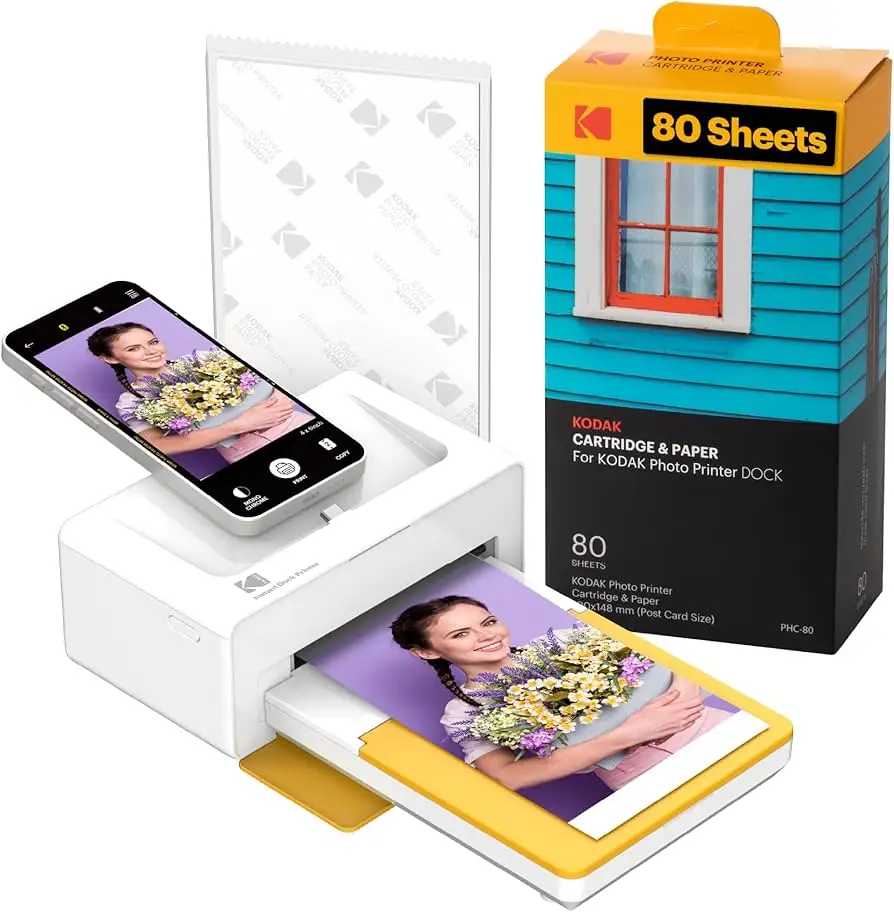
The promise of “lowest photo cost” holds up when buying bundled packs. Multiple Amazon reviewers emphasize how much cheaper per-print costs are in these sets. But ShopSavvy’s TLDR review points out a mismatch between cartridges and paper quantities, leading to waste for some owners. For scrapbook hobbyists or event hosts, this mismatch means having leftover paper without the right amount of ribbon.
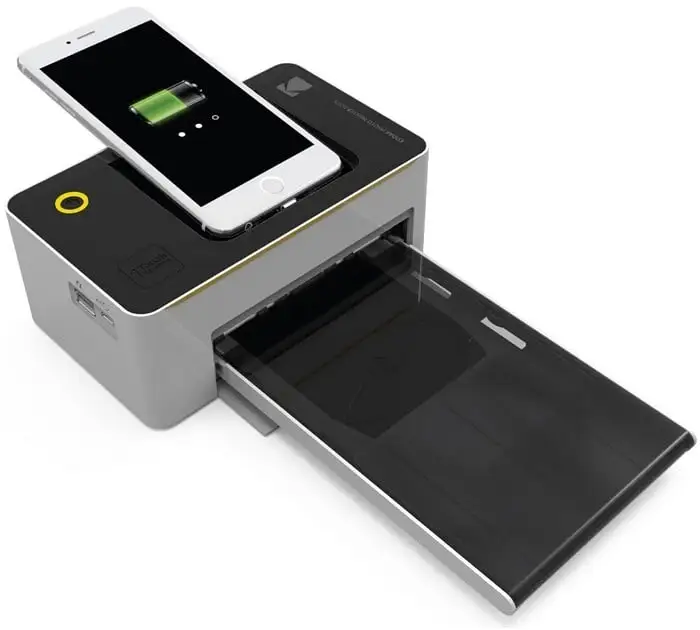
As for “dock & charge” convenience, the idea is to print while charging your phone directly. This worked well for Android users, but Kodak's claim falters slightly for newer iPhone owners. ShopSavvy notes “difficulty connecting newer iPhone models physically to the printer” — Bluetooth remains a fallback, but loses the instant dock speed.
Cross-Platform Consensus
Universally Praised
Easy setup is a recurring highlight. Trustpilot’s review lists “super easy to set up and use right out of the box” as the top pro. Reddit users back this up, praising the ability to “print your favorite moments straight from your phone — no computer needed.” Event organizers love the portability: an Amazon buyer used it at a wedding reception and recalls, “it was a huge hit… guests gathered around it all evening printing their memories.”
Photo quality comes up in almost every positive comment. The protective lamination earns points for durability — multiple users confirm prints are “fingerprint proof and water-resistant” and perfect for archiving. Scrapbookers enjoy the border option for captions, while teachers note the ability to print “up to 8 per 4x6” for custom cards.
Bundles with extra sheets get praise as strong value. A Trustpilot reviewer cites “lots of photo paper and initial print pack” as a key attraction, and eBay sellers also promote the affordability of these sets compared to standalone paper refills.
Common Complaints
Paper jams are the most consistent frustration. ShopSavvy quantifies it: “23% of reviews mentioning this issue.” Some Amazon buyers describe ruined cartridges from first-use jams, with no replacement provided. This hits hardest for one-off event users — one bad jam can halt a reception activity completely.
Color reproduction dissatisfies a segment of the audience, especially for accurate color matches. Several reviewers note prints “can appear lighter than onscreen” or have distinct color hue shifts. This is problematic for photographers expecting calibrated results.
Connection issues, especially with physical docking for newer iPhones, also appear repeatedly. Bluetooth solves this but introduces a wait time compared to instant docking. Instructions often compound setup hiccups — one Amazon reviewer lamented, “instructions are so tiny I had to scan them into my computer and enlarge them.”
Divisive Features
Print speed is marketed at under a minute per photo. Many users confirm this — Trustpilot cites “prints photos quickly, in under a minute” — but others find it “longer than expected” when printing multiple images in sequence. In casual home use, a one-minute print feels fast; in event settings with continuous queues, that pace can feel sluggish.
Border vs. borderless printing splits opinion. Creative users love the border option for notes and scrapbook design, while others see it as wasted space compared to full-bleed imagery. This is a rare feature that appeals differently depending on user priorities.
Trust & Reliability
Long-term durability stories are mixed. A few Reddit and Trustpilot reports mention units “stopping after a limited number of prints” without clear cause, suggesting potential defect issues. The reliability concern is amplified when considering jamming trends — even if infrequent for casual use, business or event users may want a backup printer.
No scam patterns emerge, but the recurring cartridge-paper mismatch sparks suspicion among some buyers about intentional upselling. Still, most transactions from platforms like eBay and Amazon fulfill as described, with packaging intact and contents complete.
Alternatives
For users prioritizing reliability over cost, Trustpilot and ShopSavvy suggest considering the Liene 4x6" photo printer, noted for “improved features and reliability” and fewer jam reports. While Kodak’s Dock Plus wins on value bundles and dock convenience, the Liene’s stronger mechanical reliability may better serve heavy users.
Price & Value
Current retail pricing ranges from $127.99 to $149.99 for printer plus starter sheets, with bundles adding up to 90 sheets running around $151.99–$231.36 depending on retailer. Event and scrapbook users overwhelmingly recommend buying the largest bundle possible to minimize per-print costs. On resale markets like eBay, prices hold well for sealed units — used units fetch ~$140 but may incur high shipping costs.
Price drops occur during seasonal promotions; verified buyers note 20% off in carts on Kodak’s store, making timing a purchase important for value hunters.
FAQ
Q: Can I print from my computer directly?
A: No. You’ll need to transfer photos to your smartphone and print via the Kodak app, as confirmed in Kodak’s official FAQ.
Q: How long does each print take?
A: Most users see 30–60 seconds per 4x6 print. Event hosts should plan for potential queues if printing continuously.
Q: Does the unit require separate ink?
A: No. Kodak’s 4PASS cartridge includes both ink ribbon and paper in one, simplifying replacements.
Q: Are prints truly long-lasting?
A: Lamination makes them water and fingerprint resistant, with marketing citing a lifespan over 100 years. Durability reports from casual users are positive so far.
Final Verdict: Buy if you want affordable, durable 4x6 prints directly from your phone for home projects, scrapbooks, or event keepsakes. Avoid if professional color accuracy or jam-free high-volume printing is critical. Pro tip from community: always have a spare cartridge ready — one bad jam can stop your event’s photo line cold.





