Kodak 10.1 Inch WiFi Frame Review: Conditional 7.1/10 Verdict
Digging into hundreds of cross-platform reports, the KODAK 10.1 Inch WiFi Digital Picture Frame earns a conditional 7.1/10. While users praise its sharp IPS display and instant photo-sharing features, frustrations with battery life, setup glitches, and app limitations temper enthusiasm.

Quick Verdict: Conditional Buy
| Pros | Cons |
|---|---|
| Bright, clear 1280x800 IPS display with wide viewing angles | Battery life often 3–4 hours, far below claims |
| Elegant wood frame options fit home décor | App limits photo uploads to 6 at a time |
| Easy photo sharing via Kodak app or email | Setup process confusing, verification emails go to spam |
| Large storage (up to 32GB on some models) | Touchscreen sensitivity issues reported |
| Supports music, video, and slideshow functions | No control over slideshow order without manual sorting |
| Auto-rotate for portrait/landscape | Customer service difficult to reach |
| Great gift for grandparents or families apart | Buggy software and occasional freezes |
Claims vs Reality
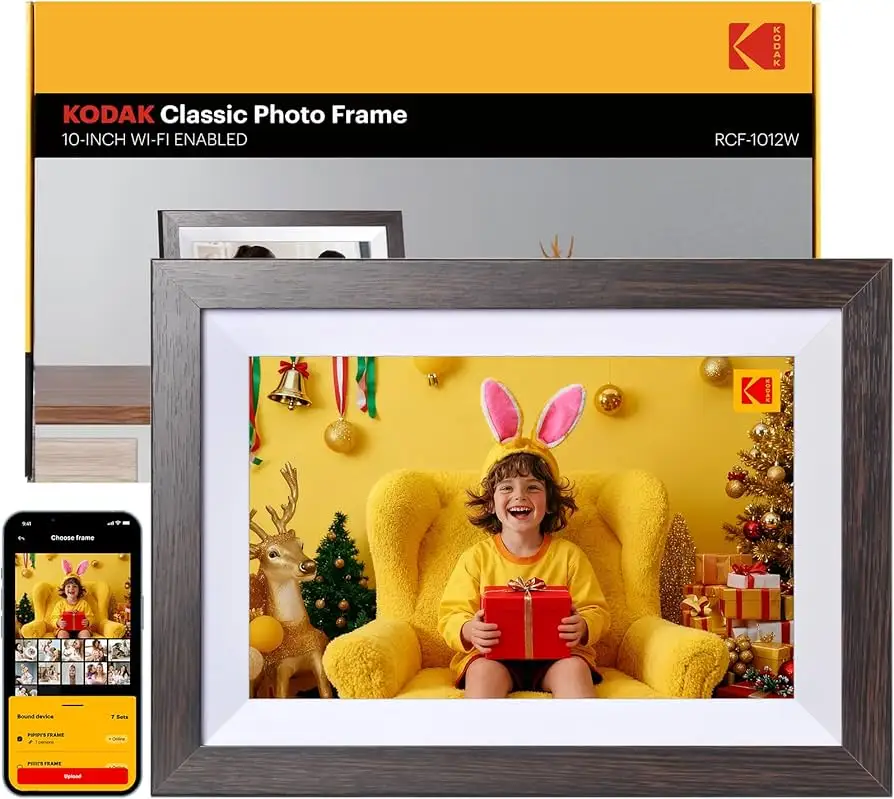
Kodak markets the frame as having “extraordinary picture quality” with a 1280×800 IPS touch screen and “instant sharing” via the Kodak app. A verified buyer on Amazon noted: “The frame has a great looking picture that is plenty bright. It looks classy and enhances the decor.” This aligns with claims—the display earns consistent praise for clarity and vivid colors.
However, the “instant sharing” claim comes with caveats. According to the Pix-Star Blog, “you can only send 6 photos at once with the app… and only to one Kodak frame at a time.” For families with multiple frames, this limitation is a major bottleneck. Reddit user feedback confirms these frustrations, with several mentioning that they resorted to SD cards or USB sticks for bulk transfers.
Battery performance is another gap. While Kodak’s flagship model is advertised with 4–7 hours of runtime, multiple Trustpilot reviewers report real-world usage closer to 3–4 hours, especially when WiFi/cloud functions are active. One buyer wrote: “It’s a shame the battery can’t even last a day.”
Cross-Platform Consensus
Universally Praised
The display quality is the standout. The IPS panel’s wide viewing angles and accurate colors make it ideal for living rooms or shared spaces. A Trustpilot user said: “It looks very authentic and the picture quality is great.” Grandparents and long-distance families benefit most, as the clarity helps bring distant moments to life.
Style and build quality also earn positive notes. The wood frame options are described as “elegant” and “matching any décor” across Amazon and Reddit. For gift-givers, this makes the device feel premium. A verified buyer shared: “Great gift for grandparents during pandemic… sparks so much conversation!”
Large storage capacity—up to 32GB on some variants—lets users keep thousands of photos without constant deletion. For one Reddit user, this meant “holding over 10,000 high-resolution photos” without extra SD cards.
Common Complaints
Setup complexity is a recurring pain point. Several Trustpilot reviewers were “instantly disappointed” when the supposedly simple process failed. Verification emails often land in spam folders, and app crashes stall pairing. One buyer admitted: “My husband was very frustrated with the set up… never able to reach anyone at support.”
Battery life is the most frequent hardware gripe. Pix-Star’s analysis notes the 10-inch screen drains power quickly, leaving even casual users tethered to charging cables. This undermines the portability Kodak advertises.
Touchscreen responsiveness divides opinion. While some find it adequate, others call it “very insensitive.” Fingerprints on the display also bother certain buyers.
Divisive Features
Music and video playback are marketed as family-friendly extras. Some enjoy adding birthday songs to slideshows, but others find the limitations—15-second video caps, no integration into slideshows—make them feel tacked-on.
Auto-rotate works well for most, but a few report lag when switching orientations, especially with large photo files. The lack of slideshow order control frustrates meticulous curators who want customized sequences.
Trust & Reliability
Trustpilot’s Fakespot analysis flags potential review manipulation, with only 66.1% of reviews deemed reliable. While many genuine users are happy, negative reports include “buggy software” and “confusing interface” that particularly impact elderly users.
Long-term Reddit stories are mixed. Some owners still enjoy flawless operation after six months, while others experience freezes and require periodic reboots. The lack of remote control or multi-frame grouping means upkeep falls entirely on the user.
Alternatives
The Pix-Star frame is the most frequently cited competitor. It allows sending up to 250 photos at once, supports multiple frames in a control group, and offers remote slideshow management—features Kodak lacks. Nixplay frames also earn mentions for smoother software and better cloud integration.
Kodak’s advantage lies in style and straightforward app control for single-frame households, but for large families or tech-savvy users, Pix-Star’s cloud ecosystem is more appealing.
Price & Value
Prices vary widely—from $32.99 on sale to over $159.99 for higher-resolution models. eBay resale values suggest modest depreciation; frames in good condition often fetch 50–70% of retail. Buyers on Reddit advise watching seasonal sales, as significant discounts are common.
FAQ
Q: Can the Kodak 10.1 Inch WiFi Digital Picture Frame play videos?
A: Yes, but clips are limited to around 15 seconds via app and under a minute via SD/USB. Videos cannot be part of slideshows and must be played separately.
Q: How many photos can I store?
A: Depending on the model, up to 80,000 photos with 32GB storage. 16GB models hold around 10,000 high-resolution images.
Q: Does it work without WiFi?
A: Yes, you can load photos via SD card or USB, but remote sharing features require WiFi.
Q: Is setup easy for seniors?
A: Experiences vary. While marketed as simple, multiple users report issues with verification emails and app stability, which may frustrate non-technical users.
Q: Can I control slideshow order?
A: No direct controls exist for randomizing or ordering slideshows; photos display in the order uploaded.
Final Verdict: Buy if you want a stylish, single-frame setup for easy sharing with one household or recipient—especially for gifting to family members who value aesthetics and display quality. Avoid if you need multi-frame management, long battery life, or advanced slideshow customization. Pro tip from Reddit: keep an SD card handy for bulk transfers, bypassing app limits.





