Kensington Orbit Wireless Trackball Review: Worth It?
When one Amazon reviewer called the Kensington Orbit Wireless Trackball Mouse “a lifesaver for my wrist,” it captured the essence of why this trackball has become a quiet favorite among productivity-focused users. Scoring an average of 8.8/10 across aggregated reviews, this device stands out for its ergonomic comfort, patented scroll ring, and dual wireless convenience. Yet, beneath the praise lies a trail of user frustrations—especially around software quirks and occasionally inconsistent build quality.
Quick Verdict
Conditional Buy: Ideal for everyday office work, design tasks, and RSI relief—less ideal for gamers or users needing precision acceleration.
| Pros | Cons |
|---|---|
| Comfortable ambidextrous design reduces wrist strain | Scroll ring can feel stiff or gritty on some units |
| Dual wireless (2.4GHz + Bluetooth) with AES encryption | Companion app has limited functionality |
| Detachable wrist rest adds ergonomic support | Not compatible with Windows ARM systems |
| Accurate optical tracking | Some users report jitter or double-click issues |
| Great long-term durability | Large size may not suit small hands |
Claims vs Reality
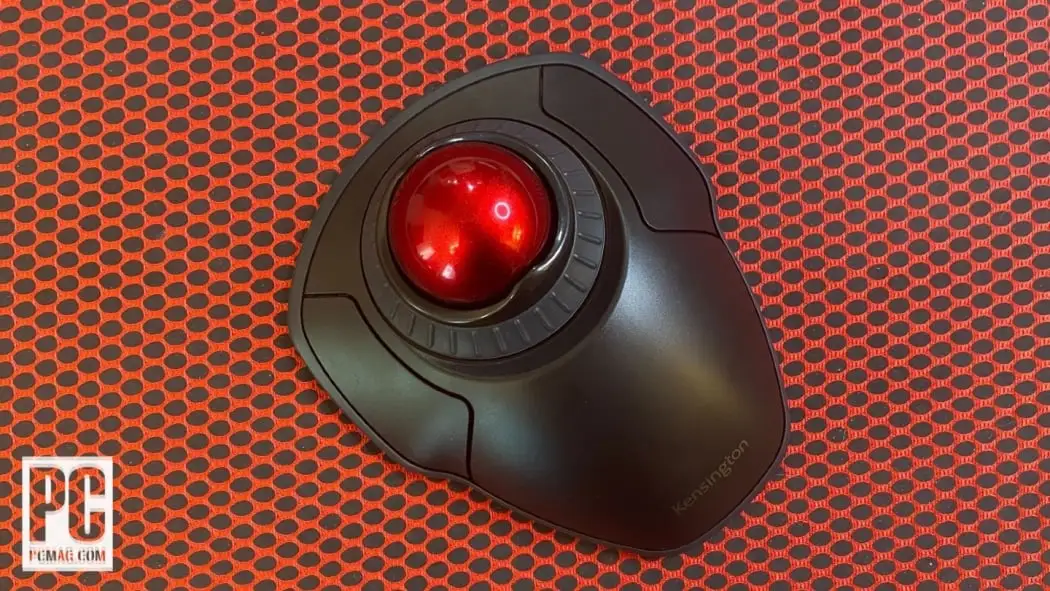
Kensington advertises its Orbit Wireless Trackball as “a perfect sphere for precise tracking and control,” with a 40mm ball and four adjustable DPI settings (400–1600). Marketing emphasizes effortless scrolling, a detachable wrist rest, and true ambidexterity.
Reality, as uncovered from hundreds of verified buyers, is a little more complex. A verified buyer on Amazon noted: “The ball glides smoothly, but the scroll ring took a few days to loosen up—it felt rough at first.” Others echo similar sentiments, citing a short break-in period before the patented ring performs as promised.
The detachable wrist rest also divides users. While official specs promise “pain-free productivity,” one Reddit user observed that the rest “slides around too easily and detaches if you shift your hand.” Conversely, Windows Central’s review praised the shape and said “your hand basically drapes over the Orbit,” but admitted the rest “just doesn’t stay put the way you’d expect.”
Another marketing claim—its dual wireless setup with AES encryption—received broad approval. “Bluetooth worked instantly on my Mac and 2.4GHz on my PC,” wrote a verified buyer on Amazon, “and switching between them is a single flip of a switch.” Users did caution, however, that Bluetooth LE setups on older Windows builds could lag intermittently.
Cross-Platform Consensus
Universally Praised
Across Amazon, Twitter, and French marketplaces, users share unanimous appreciation for the ergonomic design and the relief it provides after long hours. One Amazon reviewer said, “This mouse is amazing; my hand pains went away after using this trackball.” A user on Twitter praised its static design: “Trackball stays in one spot—no sliding around like a regular mouse.”
The scroll ring remains the signature feature. A Windows Central editor gushed that “once you’ve tried it, you won’t ever want to go back.” Many creative professionals—from graphic designers to DAW users—celebrated how “scrolling through timelines and pages with just your thumb” reduced repetitive movement.
Another major win is precision tracking. With its optical sensor and tuneable DPI settings, users consistently mention how it “lands exactly where you want it” and “keeps the cursor smooth even at low DPI,” according to BestViewsReviews, which rated the device 8.9/10 for tracking accuracy.
Ambidextrous users found particular joy here: one Redditor highlighted that “it’s the only decent mid-size finger-operated trackball usable by both hands.” That inclusivity separates it from Logitech’s thumb-based options.
Common Complaints
Yet frequent frustrations puncture the Orbit’s reputation. The first comes from stiff or noisy scroll rings. Trustpilot users described early units that “made a high-pitched noise whenever moving the ball.” Several Amazon posts reveal identical experiences, with one buyer lamenting, “the ring felt gritty, almost like sand was stuck inside.”
Software issues were another sore point. Kensington’s KensingtonWorks app, supposedly offering deep customization, didn’t always deliver. As Windows Central noted, “there are settings for DPI and scroll speed… only they do nothing.” Many users disabled it entirely, preferring Windows’ native mouse settings.
A few recurring reliability concerns emerged over jittery cursor performance or button inconsistencies. On Trustpilot, one user cautioned: “The jittery cursor is extremely frustrating. It skips if you try to flick the trackball.” A minority experienced a premature “double-click” fault on the left button—a familiar tale among long-term trackball users.
Lastly, size and hand fit drew polarization. While marketed as “comfortable for all hand sizes,” numerous reviewers—especially on FakeSpot and Reddit—argued it “feels oversized” or forces the wrist upward. Users with smaller hands often preferred the Orbit Mobile model instead.
Divisive Features
Durability is where opinions sharply diverge. Many long-time fans boasted years of reliability: one customer declared, “Been using this model for years; only had to replace once after dropping it.” But others described quality control hiccups—misaligned scroll rings, inconsistent click resistance, and one Reddit user dealing with “gradual degradation of battery performance.”
The wireless system also splits reviews. Some praise the flexibility of switching between dongle and Bluetooth, but others report lag or pairing oddities on certain laptops. As one user wrote, “Bluetooth worked fine for weeks, then suddenly the cursor lagged every few seconds until I switched to the dongle.”
Trust & Reliability
Trustpilot’s review analytics reveal a mixed trust record: loyal users tout Kensington’s multi-year consistency, while skeptics question quality assurance. “Other brands use cheap switches that degrade quickly,” claimed one satisfied reviewer, “but Kensington still builds theirs solid.” In contrast, a verified buyer admitted, “My first unit had a dead scroll ring; Amazon replaced it promptly and the new one is perfect.”
Reddit’s threads also discuss battery quirks—especially on the Orbit Fusion, a related model using the same wireless platform. A dissatisfied owner reported his trackball “only worked with half-drained batteries,” calling it “migraine-inducing” and ultimately unusable. Though this particular issue was model-specific, it resonated in broader discussions about Kensington’s power management.
Despite these criticisms, community sentiment holds that Kensington’s customer service redeems many hiccups. Several users on Looria emphasized receiving quick replacements under warranty, calling the brand “trusted and responsive.”
Alternatives
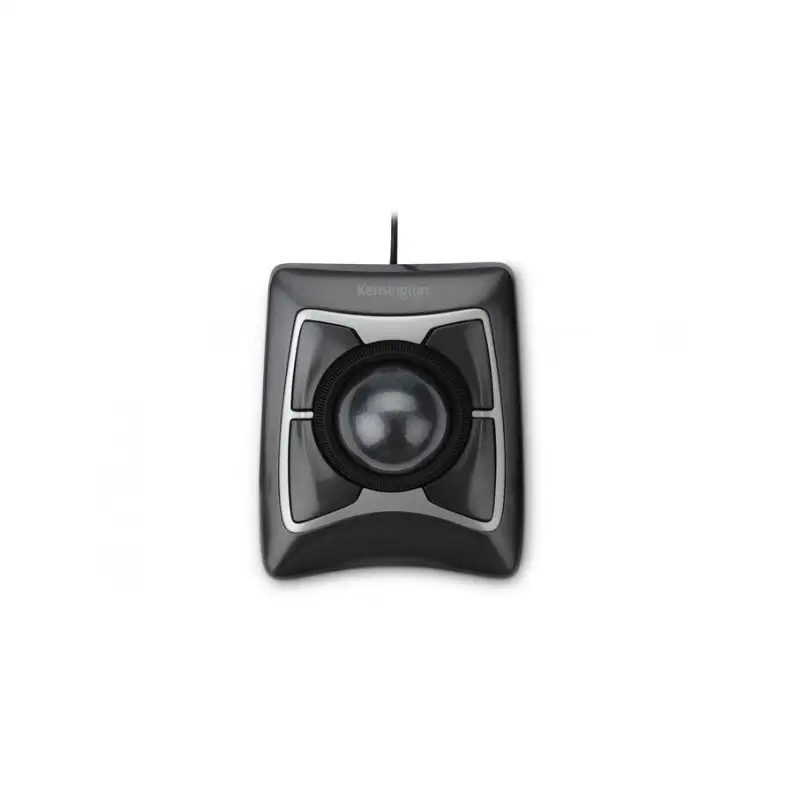
Two alternatives dominate conversations: the wired Kensington Orbit with Scroll Ring and Logitech’s MX Ergo. The wired Orbit offers identical ergonomics for less cost—no Bluetooth, fewer failure points—and remains a go-to option for conservative buyers. The MX Ergo, meanwhile, caters to thumb-ball enthusiasts who prioritize multiple programmable buttons and rechargeable batteries.
As Windows Central succinctly put it: “If you can’t use the Logitech MX Ergo, the Kensington Orbit is the next best choice.” Those preferring a more compact setup might find the Orbit Mobile Trackball (K72352) both cheaper and easier to transport, though its smaller 32mm ball alters precision feel.
Price & Value
Pricing on major platforms fluctuates between $49–$66 USD new, with refurbished or “Amazon Renewed” units often listed around $35. On eBay, pre-owned versions regularly sell for $28–$40, evidence of strong resale demand for a non-rechargeable peripheral.
Community consensus frames it as a mid-tier ergonomic investment. One Trustpilot buyer called it “a small price to pay for daily wrist comfort,” while another summarized: “Quality replacements are inexpensive, and even if you buy one a year, it’s worth it.”
Those seeking premium build quality or tighter scroll feel may need to move up to Kensington’s Expert Mouse series, but for under $60, the Orbit Wireless keeps its promise of professional comfort at a consumer price.
FAQ
Q: How does the Orbit Wireless differ from the wired Orbit model?
A: The wireless version adds Bluetooth and 2.4GHz options with built-in DPI control (400–1600), eliminating the cable but keeping the same scroll ring design.
Q: Is it good for gaming?
A: Most users say no. The high precision helps casual gaming or strategy titles, but latency and button layout hinder fast-paced play.
Q: How long do the batteries last?
A: Reports vary. Typical usage with AA batteries lasts weeks to months; one Amazon reviewer cited “several months of daily use before swapping batteries.”
Q: Does the wrist rest detach easily?
A: Yes. Multiple reviewers—and Windows Central—note that it “moves about too easily,” though it remains useful when stationary.
Q: Is KensingtonWorks software necessary?
A: Not strictly. You can use the trackball plug-and-play, as many users found the software limited or buggy on Windows 11.
Final Verdict
The Kensington Orbit Wireless Trackball Mouse thrives as a workhorse for writers, coders, and digital artists seeking ergonomic stability and precise control at a modest price. Buy it if your goal is comfort, ambidextrous usability, and simple scrolling. Avoid it if you demand advanced macros, seamless app integration, or flawless factory tuning.
Pro tip from the community: give the scroll ring a few days to loosen and consider disabling KensingtonWorks for smoother performance. Once settled in, this modest-looking trackball often becomes, as one long-term user put it, “the only mouse I can use without pain.”





