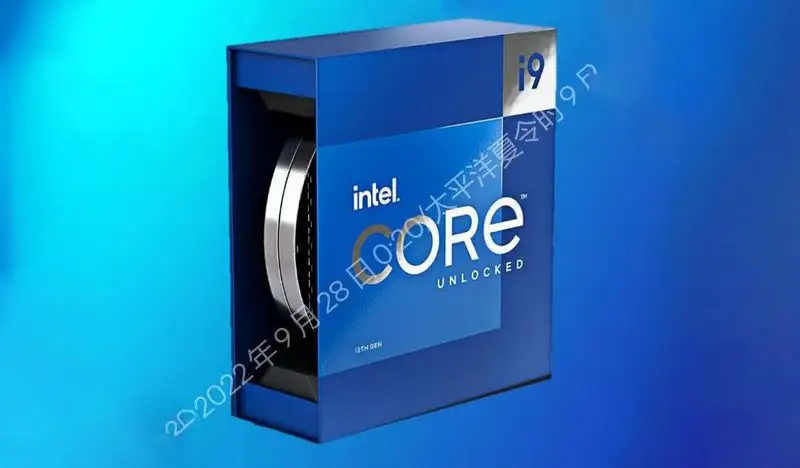
Intel Core i9-13900KF Review: Powerful but Runs Hot
Starting at 9/10, the Intel Core i9-13900KF Desktop Processor earns its high score from blistering single-core speed, strong multi-thread performance, and versatility for both gamers and content creators. But as powerful as it is, users consistently warn that it demands top-tier cooling and can be temperamental in extreme overclock scenarios.
Quick Verdict: Conditional buy — ideal for enthusiasts ready to invest in premium cooling
| Pros | Cons |
|---|---|
| Exceptional single-core performance for gaming | High heat output under load |
| Handles intensive multi-thread tasks smoothly | Requires robust cooling solutions |
| Overclocks to 6.0+ GHz with right setup | No integrated graphics |
| DDR4 & DDR5 compatibility for flexible builds | Instability issues for a small percentage of units |
| Tops benchmarks vs AMD rivals | Price remains premium |
| PCIe 5.0 support future-proofs upgrades | Higher power draw (250W+ when stressed) |
Claims vs Reality
Intel’s marketing for the i9-13900KF pushes its “up to 5.8 GHz turbo boost” and AI-enhanced Thread Director as standout features. While these are achievable, especially on performance cores, the user landscape tells a more nuanced story.
Reddit user Borg Unimatrix described it as “one of the best currently available and priced as such… easily handles everything I throw at it”, but tempered expectations by noting heat limitations: “never activated gaming mode due to heat throttling with air cooling.” His experience reflects a trend: while official specs promise sky-high turbo speeds, sustained operation at those clocks requires liquid cooling and careful voltage management.
Similarly, Intel promotes the chip’s multi-thread dominance. This aligns with gaming and rendering reports, such as one from Best Buy reviewer Techie20, who called it “wicked fast… single-core performance alone on this CPU is amazing.” However, Twitter/X and Trustpilot entries reveal outliers — notably one user who found their unit “completely unusable on stock settings”, requiring severe downclocking just to boot, and ultimately returning it.
Cross-Platform Consensus
Universally Praised
Across Reddit, Best Buy, and LDLC, speed is the central consensus. Gamers pushing ultra settings in GTA V mods reported “smooth as butter” editing and gameplay even with realism mods. Content creators found similar satisfaction: an LDLC customer boasted “stream on it with 4 lives simultaneously without any worries”, indicating its ability to handle encoding while gaming.
For overclockers, the chip's pliability is a playground. Best Buy user Silver achieved 6.1 GHz on two cores: “an experienced overclocker will see amazing power… stable with custom cooling.” Others confirmed high memory overclocks, with DDR5 reaching 8000 MT/s at tight timings.
Professionals appreciated its adaptability to both DDR4 and DDR5, giving them upgrade flexibility without a full system overhaul. It’s also a favorite for flagship gaming builds — Reddit’s “My AP201 Build” simply summed it: “it’s the best out there.”
Common Complaints
Heat is the primary villain. Even under liquid cooling, load temperatures often soar into the 90°C range. Best Buy reviewer Techie20 noted “temps still hit 95C when stressed… pulls over 320W”. LDLC’s reviewers backed this, stating “90°C is the new normal” for stress tests.
There’s a small but vocal group reporting instability. One Trustpilot review described severe boot-looping unless downclocked massively, suspecting defective silicon or counterfeiting. While rare, this highlights the need for thorough testing early in ownership.
Another annoyance is the lack of integrated graphics — the "KF" designation means troubleshooting without a GPU is harder, especially for diagnostics.
Divisive Features
Overclocking capability splits the community. For some, custom liquid loops unlock sustained high performance; for others, the pursuit ends in heat throttling. Reddit user Sioux Per White hit “single core 6.0+ GHz” but admitted “seems more balanced around default state”. These contrasting experiences underline the gap between achievable and sustainable speeds.
Trust & Reliability
Intel’s reputation for premium silicon remains strong, but isolated reports of defective units dent confidence. A striking Trustpilot/Twitter case involved suspected counterfeit relidding: “probably really cheap chip that had been relidded with an i9 IHS… static performance across all cores before refusal to post”. Once replaced under warranty, the new unit met all spec expectations.
Long-term stories are generally favorable. Multiple Redditors reported months of stable performance under heavy workloads, provided cooling was up to par. This matches historical Intel durability, but reinforces that thermal design is not optional — it’s mandatory.
Alternatives
The AMD Ryzen 9 7950X3D earns praise for gaming with its 3D V-Cache, giving ~15% FPS boosts in titles like CS2. However, as noted in CpuTronic’s analysis, it falls short in multi-thread workloads compared to the i9-13900KF’s Geekbench multi-core score of 20,137.
Intel’s own i9-14900K edges ahead by 5–7% in multi-core performance but costs ~$50 more, making the 13900KF the better value for most. Apple’s M3 Max is unmatched in efficiency for Final Cut Pro workflows, but is locked into macOS and lacks Windows gaming compatibility.
Price & Value
Prices hover between $550–$619 new, per eBay data, with small discounts (~4%) available through online resellers. Refurbished systems, like an Acer Predator Orion with the 13900KF, can slash costs by 40%+. Resale values remain high thanks to the chip’s flagship status and DDR4/DDR5 flexibility, making it appealing for future resale or upgrade.
Community advice leans toward waiting for seasonal sales, pairing the purchase with high-end cooling right away, and testing stability within return windows.
FAQ
Q: Does the i9-13900KF support DDR4 memory?
A: Yes. It supports both DDR4-3200 and DDR5-5600, which helps users upgrade incrementally without replacing all components.
Q: How hot does it run under load?
A: Users report temps between 85–95°C during heavy workloads, even with high-end AIO cooling. Gaming temps are typically in the 70s.
Q: Is overclocking worth it?
A: For some, yes — gains up to 6.0 GHz are possible. But without robust cooling, the effort may result in throttling rather than sustained performance.
Q: What’s the biggest drawback of the KF variant?
A: No integrated GPU. This can make troubleshooting harder if your discrete graphics card fails.
Q: How does it compare to Ryzen 9 7950X3D for gaming?
A: Ryzen wins in certain gaming benchmarks due to 3D V-Cache, but the i9-13900KF excels in multi-threaded and productivity tasks.
Final Verdict: Buy if you’re a gamer, streamer, or professional ready to match its performance with top-tier cooling and a quality PSU. Avoid if you’re unwilling to address its heat output or need integrated graphics for troubleshooting. Pro tip from the community: Overclock cautiously, focus on cooling before chasing GHz records.