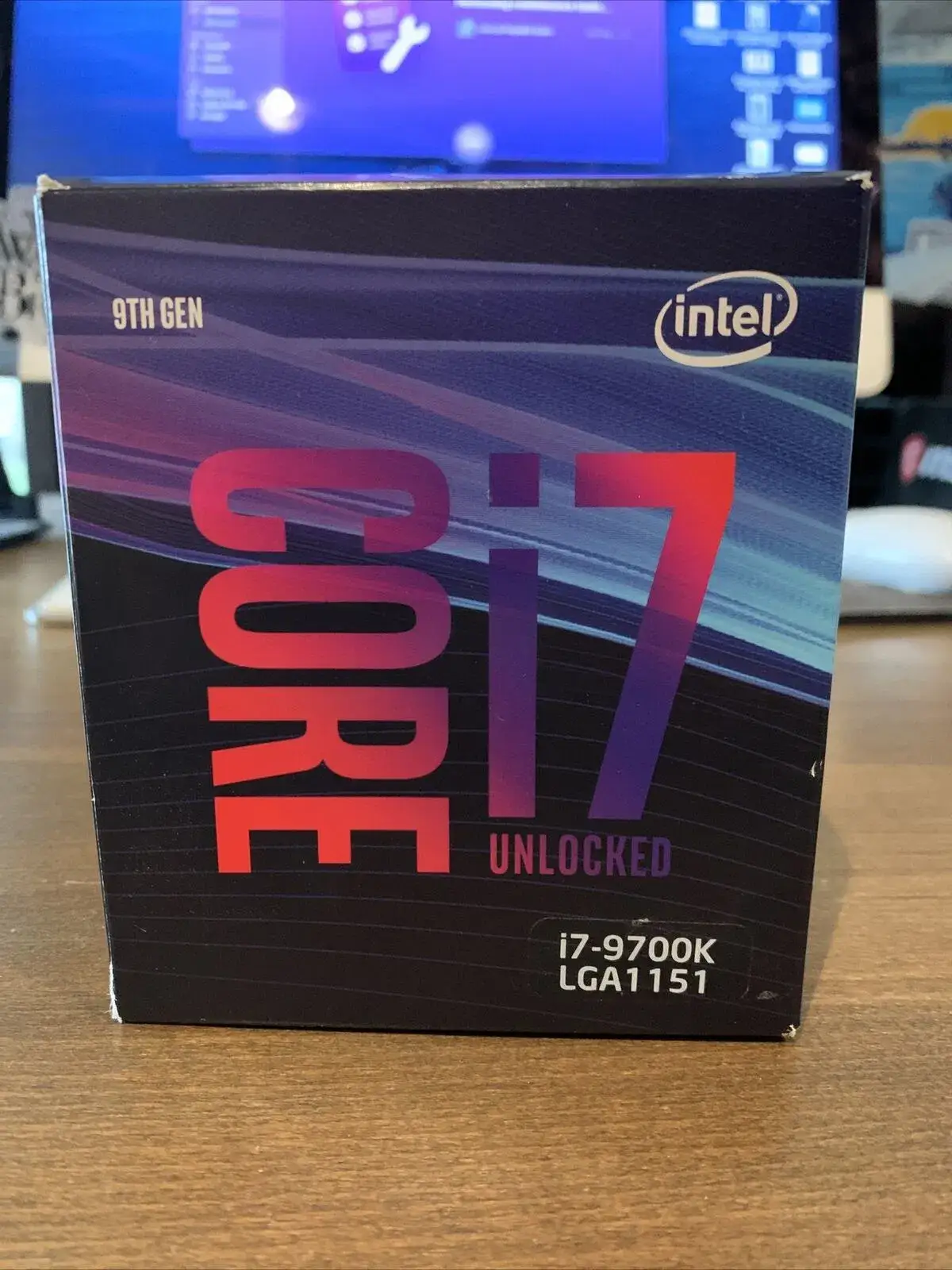
Intel Core i7-9700K Review: Gaming Power and Verdict
A Reddit user summed it up bluntly: “This is the price of a damn 3600 while being 3700/3800 level.” That sentiment captures the reality of the Intel Core i7-9700K Desktop Processor, an eight-core unlocked chip that’s cemented its reputation as one of Intel’s best gaming CPUs of its generation — even in an era of rising AMD competition. Its mix of raw game performance, simple overclocking, and enduring resale value earns it a solid 8.7/10 on the enthusiast scale.
Quick Verdict: Conditional — unbeatable for gamers who want high FPS and don’t care about hyper-threading, but thermal demands and dead-end platform limit future upgrades.
| Pros | Cons |
|---|---|
| Excellent gaming performance — beats some higher-tier CPUs | Runs hot under load, even at stock |
| Easy overclocking to 5.0 GHz with proper cooling | No hyper-threading limits multi-threaded scaling |
| Strong single-core performance for competitive titles | No bundled cooler adds extra upfront cost |
| Integrated UHD 630 graphics as a safety net | Dead socket (LGA1151) — no upgrade path beyond 9th gen |
| Stable performance across resolutions | Power limits throttle boost speeds under heavy loads |
Claims vs Reality
Intel marketed the Core i7-9700K as a high-performance gaming chip with “max turbo frequency of 4.90 GHz” and a “thermal design power” of 95W. In marketing, that base 95W figure sounds manageable. In reality, sustained workloads or overclocking frequently push thermal demands well above 130W. Twitter user michael_223112 described their chip as a “hot beast impossible to cool down” even with high-end liquid coolers: “This chip jumps straight to 100°C under stress… crazy greedy chip.”
The company also touted soldered thermal interface material (STIM) for better heat transfer. Tom’s Hardware confirmed the STIM helps overclocking potential by allowing frequencies “north of 4.50 GHz” on all cores without instant thermal throttling, but some real-world cases still saw significant heat buildup. PCPartPicker reviewers reported stock temps around 65°C with a 240 mm AIO, but hitting 80°C with smaller coolers when pushing to 5.0 GHz.
Finally, Intel positioned the chip as capable for “PC/client/tablet” workloads with 8 physical cores. While gaming benefits are clear — TechPowerUp found it even fractionally ahead of the Core i9-9900K in certain titles — heavier productivity tasks reveal the absence of hyper-threading. A Best Buy buyer, tech1, praised “very good single core performance” but noted multi-threaded speed “is slowed because hyper-threading was disabled in this generation.”
Cross-Platform Consensus
Universally Praised
Gaming performance is the unifying applause point. Best Buy reviews consistently highlight “tolerates 4K gaming with ease” and “no bottlenecking” when paired with high-end GPUs like the RTX 2080. PCPartPicker’s data showed users holding stable 5.0 GHz OCs for over a year, with one noting Battlefield V at “70–80 fps on varied settings at 3440x1440” and their GPU finally “hitting 100%.” Reddit buyers compared it favorably to AMD’s mid-range chips, with one saying “objectively better for gaming… you probably won’t need to upgrade from this for a long time.”
Ease of overclocking also garners praise. Multiple buyers achieved 5.1 GHz “with minimal effort” and found MSI’s Game Boost one-click tools helpful for novices. Trustpilot sources from Tom’s Hardware stress a “great balance between price and performance,” especially for enthusiasts on a budget compared to the i9.
Integrated graphics is another fan-favorite safety net. One Redditor pointed out “having integrated graphics is nice if your GPU ever breaks or if you need hardware acceleration,” a detail often overlooked until it’s urgently needed.
Common Complaints
Heat is the most consistent frustration. Twitter threads and Intel Community posts detail scenarios where even large radiators couldn’t keep temps below 100°C in stress tests. Michael_223112 detailed using three different coolers and premium thermal paste without significant improvement, ultimately blaming “Intel made few hot examples and I have one in my rig.” These high temps make stock coolers impossible (none are included), adding to the total build cost.
No hyper-threading is another sore point for productivity users. While gamers rarely miss it, video editors or streamers noticed AMD alternatives like the Ryzen 7 2700X handled heavy multi-threaded workloads better. One Best Buy user found their “editing with Vegas felt faster and smoother” on AMD’s 8-core/16-thread chip.
Lastly, the LGA1151 socket’s end-of-life limits upgrade paths. Reddit discussions caution against “buying into a dead socket,” advising builders to factor in future expansion, especially with PCIe 4.0 absent in this platform.
Divisive Features
Price positioning splits opinions. Early buyers remember paying $340+, while recent sales at $199.99 made it a no-brainer. Reddit user psa noted Micro Center’s aggressive discounts drew them from considering AMD entirely. For others, depreciation hurts — Reddit threads highlight how AMD’s durability in sockets makes them more appealing long-term even if per-core performance trails.
Soldered STIM is universally praised for gaming OCs, but serious thermal modders like michael_223112 claim “it’s not” the silver bullet Intel suggests, pointing to persistent heat issues despite delidding. These divergent thermal experiences often come down to case airflow and workload type.
Trust & Reliability
Intel’s long-standing reputation for stable CPUs plays out here. Even buyers at Best Buy with over a year of use report “rock steady” performance and minimal degradation. PCPartPicker stories indicate sustained 5.0 GHz clock speeds paired with RTX 3080 GPUs without throttling in games, a testament to its durability.
However, isolated complaints raise eyebrows — Best Buy user oleg reported a packaging/socket mismatch (“physically it has LGA 1155 socket”) that made the chip unusable. While likely a fulfillment issue rather than a product defect, it underscores the need to buy from trusted sources. eBay sales data shows steady demand with used units fetching $180–$250, suggesting confidence in second-hand purchases.
Alternatives
Competitors mentioned most often are AMD’s Ryzen 5 3600, Ryzen 7 3700X, and Ryzen 7 2700X. The 3600 matches or beats the i7-9700K in some multi-threaded workloads and comes at a lower cost, with Reddit gamers admitting Intel is “objectively better for gaming” but AMD offers future-proofing. The 3700X closes the gaming gap while delivering hyper-threading, and the 2700X, while slower in games by 7–15% depending on resolution (per TechPowerUp), comes bundled with a capable cooler and cheaper motherboards — a value win for budget-conscious builders.
Price & Value
Current eBay listings range from $160 for used to $339 new, a steep drop from its $374–$385 MSRP. Micro Center sales at $199.99 show how competitive pricing revives interest in older Intel chips. Resale values remain high — Redditors note “Intel i7’s retain their value really well,” with 4th-gen models still fetching ~75% of this CPU’s sale price. Buying tips from PCPartPicker and Reddit include monitoring local store sales and calling for price matches, as one buyer saved $80 with a phone request.
FAQ
Q: Does the i7-9700K come with a stock cooler?
A: No. Intel ships it without a cooler, so plan for an aftermarket solution. Many users recommend a 240 mm liquid cooler or high-end air cooler to manage thermals if overclocking.
Q: Can it handle 4K gaming?
A: Yes. Multiple buyers, including Best Buy’s chris, report “tolerates 4K gaming with ease” when paired with a capable GPU, without bottlenecking.
Q: How hot does it run under load?
A: Reports vary. With adequate cooling, gaming temps around 65°C are common. Stress testing or poor airflow can push it near its 100°C Tjunction.
Q: Is hyper-threading important for gaming?
A: Not necessarily. TechPowerUp found it sometimes outperforms the i9-9900K in games despite lacking hyper-threading, but productivity tasks can be slower.
Final Verdict: Buy if you are a gamer prioritizing high FPS and willing to invest in strong cooling, especially at sub-$250 pricing. Avoid if you need future-proof upgrades, PCIe 4.0, or high multi-threaded performance for work tasks. Pro tip from Reddit: “Call Micro Center for a price match — they knocked mine from $279 to $199.”