Intel Core i3-12100F Review: Budget Gaming Win with Limits
Two years after launch, the Intel Core i3-12100F Desktop Processor is still being called “the fastest budget gaming CPU on the market” by Tom’s Hardware, with a TechSpot user score of 9.4 out of 10. Reddit user IcebergTech*** summed it up bluntly: “For my day-to-day needs (programming, gaming, etc.), the 12100’s 4 cores get the job done.” But beneath the praise, a clear picture has formed—this is a chip that delivers remarkable single-core performance for cheap, yet falters when pushed toward heavy multitasking or high-end GPU pairing.
Quick Verdict: Conditional — Excellent for budget and mid-tier gaming rigs, poor fit for heavy multitasking or AAA streaming with high-end GPUs.
| Pros | Cons |
|---|---|
| Outstanding single-core performance for price | Bottlenecks with high-end GPUs in CPU-intensive games |
| Handles 1080p esports and many AAA titles well with mid-range GPUs | Lacks integrated graphics—discrete GPU required |
| Low temperatures, efficient cooling even with stock cooler | Multicore workloads suffer—only 4 cores/8 threads |
| Supports PCIe 5.0 and DDR5 at entry-level price | Requires newer, often more expensive LGA1700 motherboards |
| Comes with decent Laminar stock cooler | Locked multiplier—no overclocking potential |
| Strong resale value due to demand | Energy efficiency worse than AMD Zen 3 |
Claims vs Reality
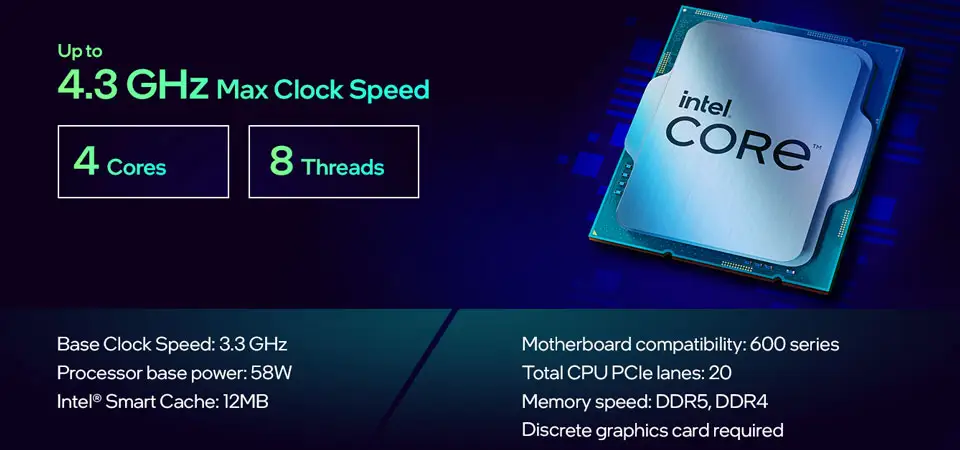
Intel advertises the i3-12100F as “built for the next generation of gaming,” touting features like DDR5 support, PCIe Gen 5.0, and solid turbo frequencies up to 4.3 GHz. On paper, that’s impressive for a budget chip. While users confirm smooth frame rates in esports titles, the gap appears when moving to heavier workloads. A PCPartPicker reviewer noted, “It will bottleneck in games like Cyberpunk, but for easy-to-run games it’s perfect. Using it with RX 6600.”
The claim of “revolutionary performance and multitasking” is partially true in light-threaded scenarios. TechSpot observed huge gains in low-threaded applications, even rivaling older six-core chips. But as one Looria user detailed, “CPU-intensive games always suffered and exhibited massive amounts of stuttering and fps drops” when paired with a high-end GPU like an RTX 3070, despite Intel’s marketing hints that high-end pairing was viable.
Even the cooling claim—thanks to Intel’s new Laminar stock cooler—has limits. Users generally find it adequate and quieter than past stock units, but one Reddit builder warned about “a noticeable whining noise when it gets up to higher speeds,” suggesting sensitive listeners may prefer aftermarket options.
Cross-Platform Consensus
Universally Praised
The most consistent praise spans across Reddit, TechSpot, and PCPartPicker: its single-core speed. Gamers running budget to mid-range GPUs see spectacular value. TechSpot declared it “insanely good value… AMD really has nothing,” highlighting gaming results on par with more expensive CPUs. A PCPartPicker reviewer wrote, “I can push hundreds of frames in games while never having to experience loading times for anything on my computer.” Budget builders laud its ability to stay cool under the included Laminar cooler, with one noting it “only needs around 50W so it stays cool.”
Esports players report hitting 200+ FPS in Valorant or CS:GO when paired with GPUs like the RX 6600 XT. Codentricks benchmarks echoed this, touting “minimal bottlenecking at 1080p resolution” with mid-tier cards. For office users or light productivity, the same responsiveness shines—Reddit user IcebergTech*** runs theirs in a fanless build for programming and indie gaming, enjoying the low heat output.
Common Complaints
Multicore workloads expose the i3-12100F’s 4-core limitation. Tasks like streaming gameplay via OBS cause visible degradation: “The quality is pixelated and choppy,” reported a PCPartPicker builder who tried gaming and live encoding simultaneously. Higher-tier AAA games with complex CPU loads—Cyberpunk 2077 being the common example—bottleneck even with mid-range GPUs.
Compatibility costs also bite budget buyers. While the CPU supports DDR5 and PCIe 5.0, that means a mandatory LGA1700 motherboard, often driving total platform costs higher than competing AMD options. Club386 warned that “it makes absolutely no sense to pair the i3-12100F with an expensive Z690 motherboard and even more expensive DDR5” if you’re trying to stay budget-friendly.
Non-overclockability further frustrates tuning enthusiasts. TechSpot lists “multiplier-based overclocking locked” as a negative, meaning gains must come from pairing with faster memory or GPU.
Divisive Features
The lack of integrated graphics is celebrated by some (“significant cost savings for gamers who will be using a dedicated graphics card anyway,” says Codentricks) but is a dealbreaker for others who need integrated backup. While Intel packages this as a feature for gamers, it’s a limitation for those wanting a failsafe display output.
The advice to pair it with high-end GPUs splits buyers sharply. Some report acceptable performance with cards like the RTX 3060, while others, as on Looria, see stutter and massive FPS drops with GPUs like the RX 6800. The consensus is cautious: great with mid-tier cards, risky beyond that.
Trust & Reliability
Patterns across Reddit and PCPartPicker show strong long-term reliability. Multiple builders mention running the CPU for over a year without upgrades—one admitted they planned to replace it but “haven't found a reason to upgrade yet… handles every task I throw at it with ease.” Low wattage and temperatures reduce thermal wear risk, and resale markets like eBay reveal steady demand for used units.
Trustpilot ratings referencing TechSpot’s review reflect no widespread quality or defect concerns. Pricing discussions occasionally mention inflated motherboard costs, but there’s no indication of performance degradation over months of use. Even fanless or passively cooled builds, as noted on Reddit, remain viable without thermal throttling.

Alternatives
Within Intel’s own lineup, many recommend the i5-12400F, which adds two extra cores for better multicore performance. One Reddit user was blunt: “The 12100F is a dumb CPU to buy. You can get a 12400F for $90-100 if you search around.” This advice targets those using heavier applications or streaming.
On the extreme budget side, a Reddit commenter suggested a Xeon E5-1650 v3 plus low-cost AliExpress motherboard for under $50 total, acknowledging it’s “dumb, cheap, and... will play any game out there” but without high refresh rates.
AMD’s Zen 3 budget territory is notably absent—TechSpot and Club386 both state AMD has no direct competitor here, underscoring Intel’s dominance in the <$110 new CPU market for gaming.
Price & Value
Current eBay prices for used units hover around $71–$100, depending on condition, with new boxed units ranging from $90 to $122. Market chatter from Reddit still cites brand-new sales near $90 USD, sustaining its budget appeal.
Resale value remains robust thanks to steady demand from budget builders seeking PCIe 5.0 and DDR5 compatibility without the i5/i7 price jump. Buying tips from community veterans include seeking H610 or B660 motherboards to keep total build cost low, and avoiding overpriced DDR5 memory unless planning a future CPU upgrade.
FAQ
Q: Does the i3-12100F have integrated graphics?
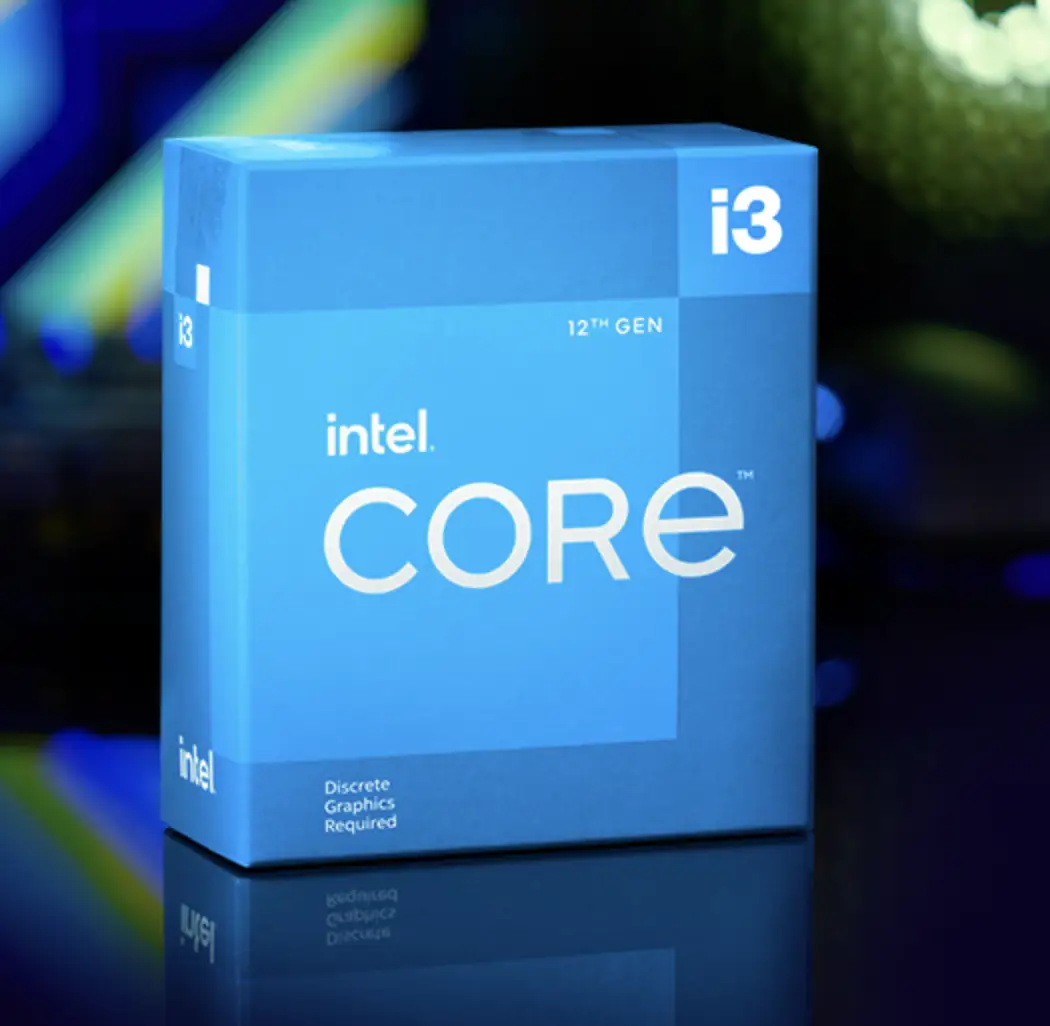
A: No. The “F” suffix means it requires a discrete GPU, which saves cost for gamers but removes the option for built-in display output.
Q: Can this CPU handle AAA games?
A: Yes, with conditions. Paired with mid-range GPUs like the RTX 3060, it runs many AAA titles at 60+ FPS at 1080p, but can bottleneck in heavy CPU-load games like Cyberpunk 2077.
Q: Is DDR5 worth it with the i3-12100F?
A: Not for pure budget builds—users note DDR5's high cost offsets the CPU’s value. DDR4 at 3200–3600 MHz is the community's preferred pairing.
Q: How good is the stock cooler?
A: Intel’s Laminar cooler is widely seen as adequate and quieter than past models, though some report a “whining noise” at max speeds.
Q: Will it work for streaming games?
A: Light streaming is possible, but multiple reports say quality suffers with CPU-heavy encoding alongside gaming. An i5/i7 is recommended for serious streaming.
Final Verdict: Buy if you’re a budget or mid-tier gamer targeting high FPS in esports or light AAA titles with a mid-range GPU. Avoid if you plan on streaming intense games, using high-end GPUs, or need integrated graphics. Pro tip from community: Pair with affordable DDR4 and a mid-range GPU, and skip costly DDR5 unless you’re future-proofing for CPU upgrades.





