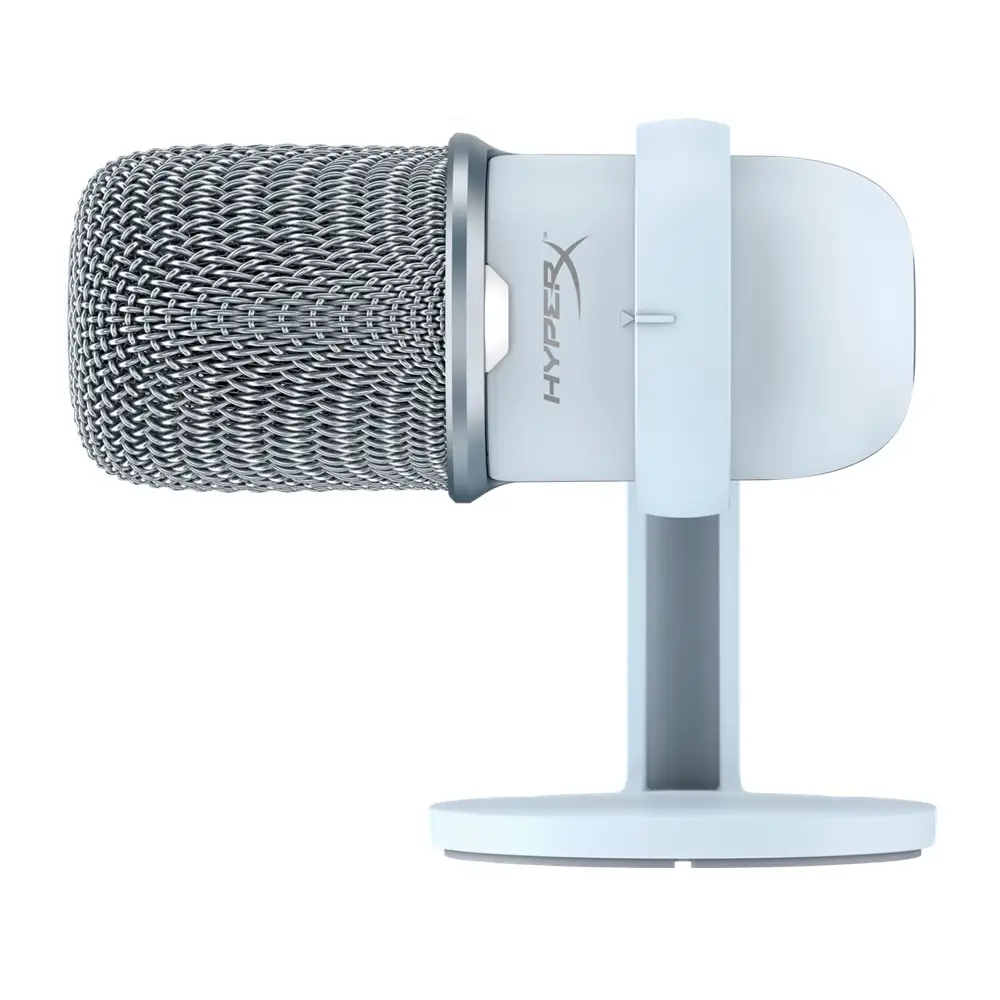
HyperX SoloCast Review: Budget Mic with Big Value
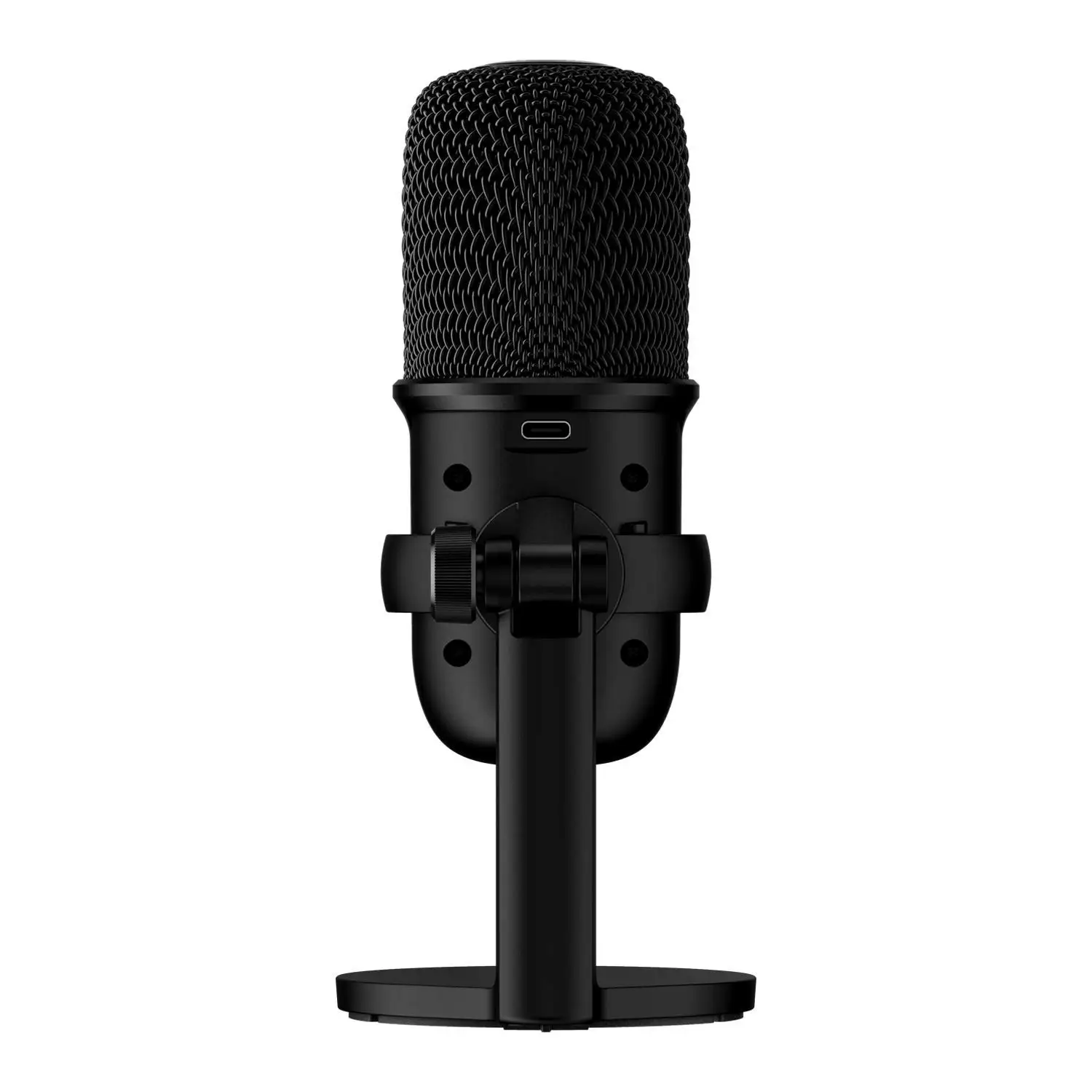
The HyperX SoloCast USB Condenser Gaming Microphone has built a reputation as one of the best entry-level streaming mics, earning solid marks for plug-and-play simplicity and sound quality. Across platforms, users consistently rate it between 8.5 and 9/10 for value, but caution that its minimal controls and cardioid-only pattern may limit professional or multi-speaker uses. Many first-time streamers and gamers say it “sounds way better than expected for the price,” while more experienced audio users acknowledge it as “a budget mic warrior” with trade-offs.
Quick Verdict: Conditional – Excellent for budget-conscious gamers, students, and casual streamers, but less suited to complex recording setups.
| Pros | Cons |
|---|---|
| Rich, clear sound for under $60 | No gain/volume dial |
| Plug-and-play via USB-C | Picks up background noise without filters |
| Compact, adjustable stand fits under monitors | No headphone jack for monitoring |
| Tap-to-mute with LED indicator | Cardioid-only pickup pattern |
| Compatible with PC, PS4, PS5, Mac | Stand can transmit desk vibrations |
| Works with major streaming platforms | Occasional software/firmware quirks |
Claims vs Reality
Marketing highlights the SoloCast’s “hi-res 24-bit/96kHz recording” and “studio-level” sound for gamers and streamers. While this spec is accurate, multiple Reddit users noted that without gain control or noise filtering, those specs alone won’t guarantee professional-grade audio. As Reddit user u/buildapcsales commented: “Very good and simple just plug and play. Does pick up background noise but can always use Nvidia Broadcast… to cancel out.”
Another prominent claim is “flexible, adjustable stand” for versatile placement. Best Buy reviewer mike tex 90 confirmed its usefulness, noting: “Rotate the mic 90 degrees… it will pick up keyboard presses as light audible taps if you don’t have it on a boom… rotating gets rid of this completely!” However, Trustpilot reports also warn that the stock stand transmits vibrations easily, making boom arm mounting preferable.
The brand also promotes the tap-to-mute sensor with LED status indicator as a streamer-friendly feature. Most users agree it works well—Best Buy reviewer nano praised the “blinking red light as an indicator”—but one Reddit poster pointed out: “The mute button isn’t very clear when my mic is muted or not, especially if you have a pop filter over the front.”
Cross-Platform Consensus
Universally Praised
Across Amazon, Reddit, and Best Buy, users rave about the SoloCast’s sound quality relative to cost. Best Buy’s andres wrote: “Perfect for my future streams… must-have if you want a good quality microphone but don’t want to spend hundreds.” Reddit user u/buildapcsales called it “great budget mic… been using it for about a year now.” For gamers, the cardioid pattern minimizes keyboard clatter; angel shared that in Valorant and Discord “both only pick up my voice, no tapping on my keyboard.”
Its compact footprint is a recurring theme. Tom’s Guide described it as “tiny… could fit under a monitor.” Best Buy’s mckay appreciated that “it isn’t too tall to get in the way visually… plenty of space for your keyboard.” This suits streamers with limited desk space or those wanting a low-profile setup.
The plug-and-play setup earns near-universal approval. Multiple Best Buy reviewers used phrases like “no downloads required” and “ready to be used” minutes after unboxing. Trustpilot feedback echoed the same, noting it “will work out of the box with Windows 11.”
Common Complaints
The absence of onboard controls—no gain knob, no volume dial—is the most frequent criticism. Tom’s Guide remarked it “handles the basics… but no volume or gain dials.” Trustpilot reviewers warned that “you will have to adjust it from your taskbar settings or the HyperX software.”
Background noise capture is another pain point. While the cardioid pattern reduces ambient sounds, Trustpilot warns “the microphone does pick up a good amount of background noise… recommend getting a boom arm… and free software like Voicemeeter.” Best Buy users found that stock stand placement could transmit vibrations from the desk.
A smaller group experienced firmware/software quirks. Trustpilot reported cases where “the mic mutes itself every time I open a game” or intermittent crackling. Support solutions for these issues appear limited, with buyers noting “zero support for what to do if it happens.”
Divisive Features
The tap-to-mute feature splits opinion. Many call it “awesome” and “easy to use” (Best Buy’s king josh), but others find the LED indicator insufficient in certain setups. Similarly, the cardioid-only pattern is fine for solo streaming, but podcast hosts or multi-speaker recorders may find it restrictive compared to multi-pattern mics like the JLab Talk.
Trust & Reliability
Trustpilot’s analysis flags potential review manipulation on Amazon, estimating only 44.8% of reviews as reliable. However, long-term Reddit and Best Buy posts suggest solid durability, with multiple users reporting 6–12 months of consistent performance. Best Buy’s andrewe noted using it “for more than 2 years… even my friends… compliment my mic.”
That said, hardware stability is occasionally questioned; some Trustpilot users reported unexplained muting or interference when placed near routers. Preventative tips from the community include using shielded USB cables and keeping distance from other electronics.
Alternatives
Users most often compare the SoloCast to the HyperX QuadCast, Blue Snowball Ice, Blue Yeti Nano, JLab Talk, and Samson Q2U. Tom’s Guide found SoloCast “beats the Snowball Ice on design” and “competes with mics like the Blue Yeti Nano” in clarity for half the price. However, Reddit user u/buildapcsales suggested spending “$20 more on a Q2U… only caveat is you don’t get gamer red colors,” highlighting Q2U’s dynamic mic benefits and headphone jack.
The QuadCast offers multiple pickup patterns and more controls but at roughly double the price. For budget users, SoloCast’s simplicity is a selling point; for multi-source recording, higher-tier mics are recommended.
Price & Value
At launch, the SoloCast retailed at $59.99, but community reports show frequent discounts to $35–$40. Reddit discussions often highlight bundles with headsets for $60 as “pretty good deal if you need a headset too.” eBay listings show open-box units around $29.99, and used models under $20, indicating strong resale availability.
Buying tips from Reddit: watch for seasonal sales, and consider pairing with affordable boom arms and pop filters to enhance audio while minimizing desk vibrations.
FAQ
Q: Does the HyperX SoloCast work on PS5?
A: Yes. Users confirmed seamless operation via USB dongle connection, with no extra setup required.
Q: Can I monitor audio directly from the mic?
A: No. It lacks a headphone jack for real-time monitoring; adjustments must be done via software.
Q: How effective is the tap-to-mute feature?
A: Generally responsive and avoids mechanical click noise, but LED visibility can be reduced with pop filters.
Q: How to reduce background noise?
A: Use software like Nvidia Broadcast or Voicemeeter, and mount the mic on a boom arm to avoid desk vibrations.
Q: Is it good for podcasting?
A: Fine for solo voice recording; limited for multi-speaker setups due to cardioid-only pattern.
Final Verdict: Buy if you’re a gamer, student, or casual streamer wanting excellent sound for minimal cost and setup effort. Avoid if you need multi-pattern flexibility, onboard controls, or professional monitoring. Pro tip: Pair with a boom arm and noise-filtering software to unlock its full potential.