Hyperkin HDTV PS1/PS2 Cable Review: Conditional Buy Alert
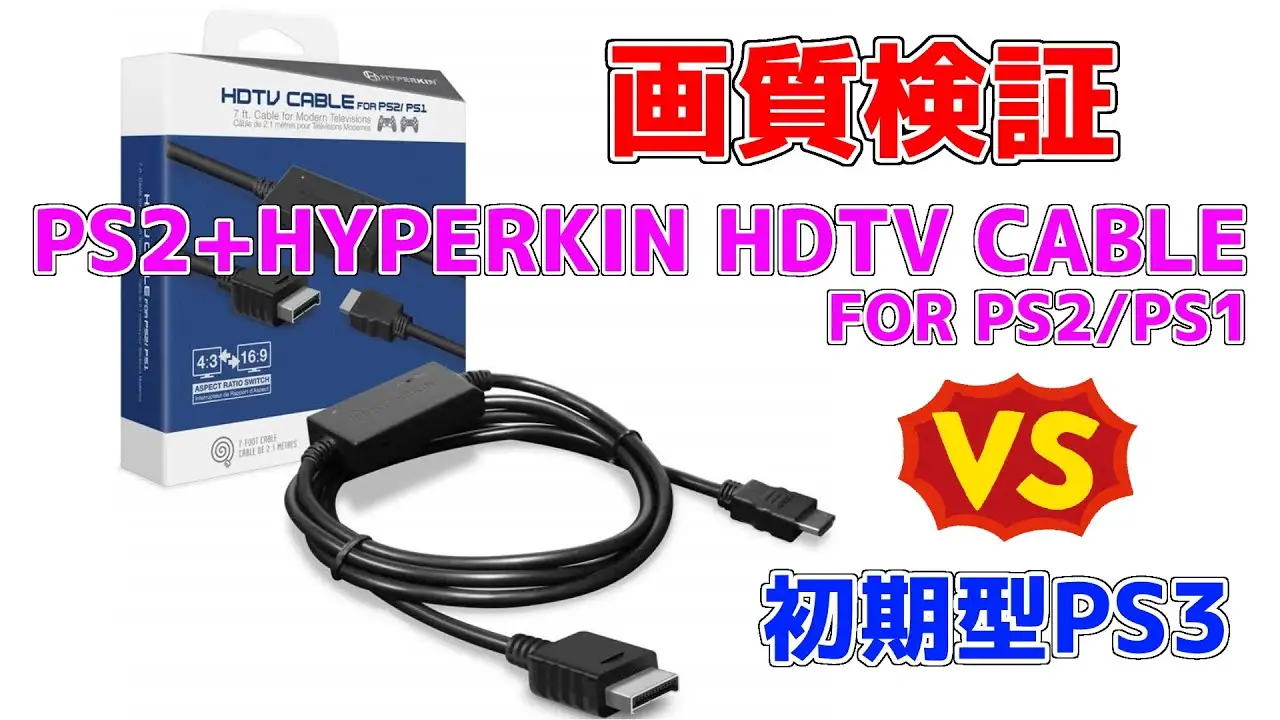
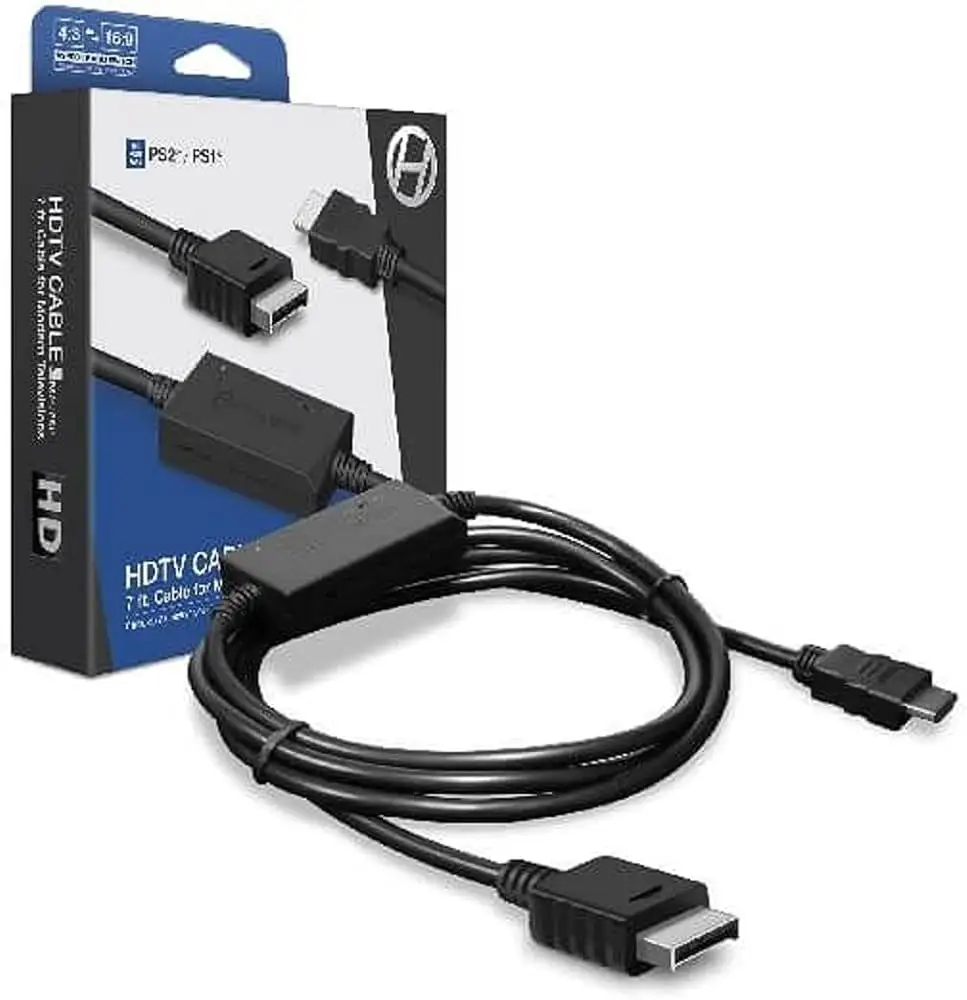
The first thing that jumps out from the data is how often buyers describe the Hyperkin HDTV Cable for PS1/PS2 as “the easiest hassle-free option” for hooking up classic Sony consoles to modern HDTVs—yet also how often they note caveats about picture quirks and compatibility. Taken across Amazon, Reddit, and Best Buy commentary, the cable earns a solid 8/10 for simplicity and improvement over composite connections, but drops points for inconsistent performance with PS2 progressive scan, occasional color issues, and long-term audio reliability.
Quick Verdict: Conditional
| Pros | Cons |
|---|---|
| Simple plug-and-play setup with included USB power cable | Cannot display PS2 progressive scan above 480i |
| Noticeable picture sharpness improvement over composite | Occasional “green image” or blown-out colors if settings not adjusted |
| Upscales to 720p with selectable 4:3 or 16:9 aspect ratio | Tight fit on some PS1 console ports |
| Compatible with all PS1 and PS2 models | External USB power required (adapter not included) |
| Eliminates need for rare component cables | Some units develop static audio after extended use |
| Affordable compared to OSSC/RetroTINK solutions | DVD playback on PS2 displays green hue |
Claims vs Reality
Hyperkin’s marketing claims center on “clear picture quality”, “crisp stereo audio”, and 720p upscaling for all PS1 and PS2 models. While those features do exist, long-term users reveal nuance in real-world results.
For picture clarity, the improvement over composite cables is undeniable. A verified Amazon buyer wrote: “Before this I was using a converter box with composite cables and it looked horrible… with this cable it’s night and day! You can even read the license plates now.” However, several PS2 owners point out limits—one admitted, “It can’t use progressive scan for the PS2 so anything above 480i it won’t display… for PS1 it’s great.”
The “crisp stereo audio” claim is where some divergence occurs. Reddit user feedback notes clean audio initially, but a Trustpilot entry warns: “After extensive use the unit will overheat and audio will be severely staticky.” In contrast, others, like a Best Buy reviewer rated at 5 stars, report flawless sound since purchase once RGB settings are correctly configured.
720p upscaling through HDMI holds true, but the experience isn’t perfect. The built-in scaler smooths pixels—a touch of motion blur bothers certain enthusiasts. One Amazon reviewer detailed: “When the pixels weren’t stationary there was some motion blur… I returned it.” That said, many non-purists welcome the smoothing as it cleans up jagged edges.
Cross-Platform Consensus
Universally Praised
Ease of use is the standout benefit across platforms. On Reddit, multiple users call it “the best hassle-free option” and “exact one I use”, especially for those without CRTs and unwilling to fuss with adapters or multi-cable setups. The cable’s plug-and-play design—console port to HDMI plus USB power—means even casual retro gamers can revive old hardware without extensive research. Amazon buyers echo this simplicity; one described: “Just plug it into the back of the PS2… and everything looks amazing.”
Image sharpening relative to composite has broad approval. Whether via the 4:3 mode, preferred by purists for correct aspect ratio, or the 16:9 stretch many enjoy for modern displays, the results impress. On PS1 hardware, the upgrade can feel transformative—“The picture was as if I was playing it on my old 32-inch console TV back in 1997,” said an enthusiastic owner.
Budget-conscious buyers particularly benefit. At around $30, it sidesteps the hunt for rare component cables or expensive upscaling boxes like OSSC or RetroTINK. As Reddit's retro gaming threads often advise: “If you can’t afford Rad2x, Hyperkin is worth it.”
Common Complaints
PS2 owners encounter most limitations. Progressive scan incompatibility means certain titles won’t look or perform as intended, and DVD playback introduces a “green hue” that even RGB settings won’t fix. A Patreon reviewer admitted, “Unfortunately, it did not [work with DVD]… oh well.”
Color calibration issues pop up, especially “blown out reds” when running specific games on PS1. While fixable through in-console settings, they surprise users expecting neutral output by default. Tight physical fit on PS1/PSOne consoles also frustrates—one Patreon tester found the connector “extremely tight” on their PSOne compared to looser PS2 ports.
Audio stability is less consistent long-term. Trustpilot data flags potential overheating leading to “total sound failure,” while a Best Buy customer called out “poor audio quality with static” after two months.
Divisive Features
The built-in scaling softens pixel edges—a fact some call “smoothing” and others “motion blur.” For casual players, it’s more visually pleasing; for pixel purists, it’s a deal-breaker. One Amazon review illustrates this divide: “Probably the best way to play on new TVs… but the blur was so annoying I had to return it.”
Aspect ratio control (4:3 vs 16:9) appeals to different camps equally. Wide-screen stretching is welcome on living room HDTVs, while competitive players lean into center-focused 4:3 to preserve original framing and hitbox accuracy.
Trust & Reliability
Durability stories range from consistent performance over years to reports of premature audio failure. Reddit discussions rarely mention hardware breakdown, suggesting most issues lie in settings/configuration rather than physical defects. However, Trustpilot warns that “the DAC wears out” after heavy use, compromising sound quality.
Importantly, no evidence suggests scam activity; listings on Amazon, Best Buy, and eBay are consistent with genuine Hyperkin products. The main reliability advice from the community is to ensure proper ventilation—prolonged heat seems linked to the few failure claims. Buyers who use the cable intermittently for nostalgia sessions tend to avoid these problems entirely.
Alternatives
Two alternatives surface repeatedly in discussions: cheap “PS2 to HDMI” adapters from China and the Rad2x cable. Reddit reviewers caution against budget HDMI converters, labelling them “garbage” for picture quality. Rad2x earns praise for superior image fidelity and signal handling, but commands a significantly higher price.
The OSSC and RetroTINK 2X offer unmatched scaling and compatibility but require more setup and cost several times as much. A noteworthy Reddit comment sums it up: “If you can wait, save up for better… but for now Hyperkin is useable.”
Price & Value
New units hover around $29–$34.50 online per Amazon and eBay data. Used units barely dip below $28, reflecting consistent demand among retro console owners. Buyers note the main hidden cost: a 5V 1A USB power source—many simply repurpose phone chargers.
Resale values remain steady; limited variation in price shows Hyperkin cables don’t flood the market like cheap knock-offs. Given the convenience and results, most buyers view the $30 outlay as justified versus the rarity of official component cables.
FAQ
Q: Will this cable work with PS2 progressive scan games?
A: No, it only handles up to 480i on PS2. For progressive scan, users suggest other adapters or component connections.
Q: How do I fix the “green image” issue?
A: Switch the PS2’s color mode to RGB in the system menu when no disc is inserted. Multiple owners report this resolves the problem instantly.
Q: Does it support aspect ratio switching?
A: Yes, there’s a physical switch for 4:3 or 16:9. This lets you choose between original framing or widescreen stretch.
Q: Can it be powered by my TV’s USB port?
A: Usually. It needs a 5V 1A source, which many TVs’ USB ports can provide—otherwise use a phone charger.
Q: Is it good for PS1 consoles?
A: Yes, most buyers find PS1 performance excellent—sharp visuals, good color, responsive gameplay.
Final Verdict: Buy if you’re a retro gamer looking for a quick, affordable way to run PS1 or PS2 titles on modern TVs without chasing rare cables or high-end scalers. Avoid if you need PS2 progressive scan support or absolutely pristine pixel output. Pro tip from the community: double-check your console’s RGB settings before blaming the cable for color issues.





