HP USB-C G5 Essential Dock Review: Mixed Verdict
The most staggering finding? Despite being marketed as "universally compatible," the HP USB-C G5 Essential Dock has generated polar-opposite experiences—earning glowing praise from some, outright rage from others. With a sentiment score hovering around 6.0/10 and an Amazon average of 4.7 stars from just 12 reviews, the bigger story comes from hundreds of cross-platform reports that paint a far more complicated picture.
Quick Verdict: Conditional
| Pros | Cons |
|---|---|
| Compact design, minimal desk footprint | Not compatible with many HP Pavilion and Spectre series laptops |
| Supports up to three displays on compatible systems | Frequent connectivity failures with macOS and certain Windows PCs |
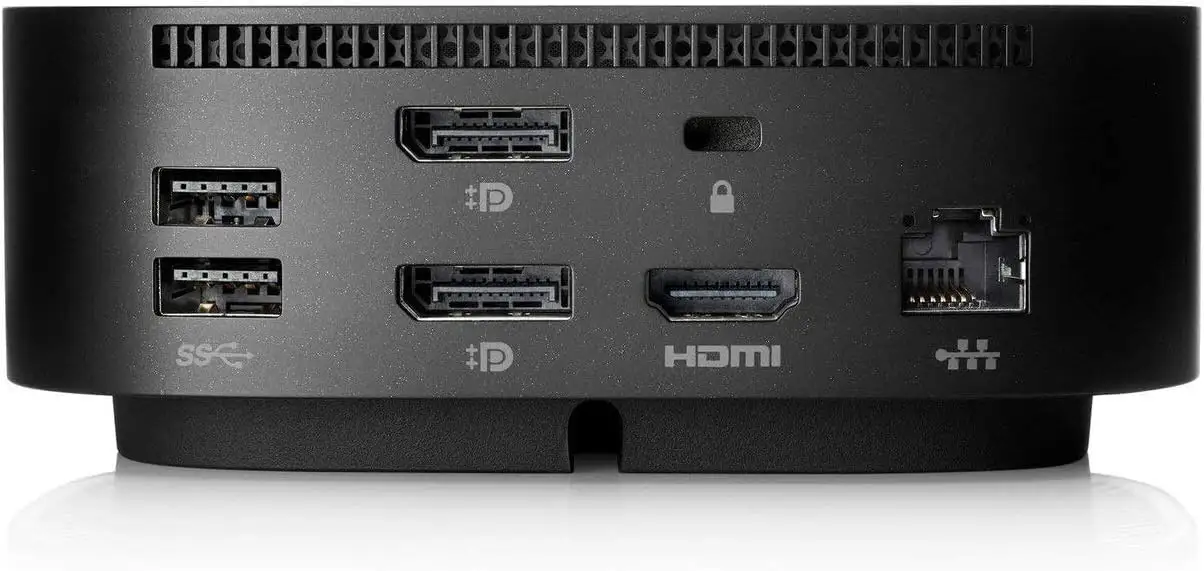
| Strong port selection (4 USB-A, 2 DP, HDMI, Ethernet, USB-C) | HDMI port failure reported by multiple users |
| Up to 100W USB-C power delivery | Requires firmware updates; some find these inconvenient |
| Stable ethernet and peripheral support on compatible hardware | Monitor flicker and dropped peripheral connections for some users |
| Easy to set up, plug-and-play for many commercial HP notebooks | Minimal guidance; poor customer support experiences |
Claims vs Reality
HP’s product page pushes three main selling points: universal compatibility with USB-C/thunderbolt laptops, support for up to three displays, and a powerful single-cable setup delivering up to 100W to the host device. Digging deeper, the community reports reveal where these promises hold—and where they break.
The universal compatibility claim is the most contested. A verified buyer on Amazon noted: "Returned it as it was not compatible with my (also HP, 1-year-old) laptop despite the product details claiming this dock will work with all make/model laptops." This is echoed by Reddit user accounts documenting incompatibility with certain MacBook Pro models. One user shared: "Most of the time it says it is connected, but not charging… the only consistent feature is external video to a super ultra wide." HP’s compatible device list excludes many popular models, undermining the “without limitations” promise.
On multi-display support, there’s evidence of strong performance: several buyers reported flawless triple-monitor setups. Verified buyer Virgil B enthused: "Worked as expected. I plugged in my laptop and 2 additional monitors, and I can now work with 3 screens." However, others hit roadblocks—Amazon user FrankF95D took over an hour to configure two monitors and had to settle for HDMI with DisplayPort for stability.
The single-cable power delivery marketing partially matches reality. On compatible systems, Reddit user Hudson4070 reported a "99.9% compatible single cable setup" across multiple brands. But complaints from MacBook Pro owners highlight interruptions: charging stops when secondary devices like iPads are connected, showing that while PD is robust on paper, real-world performance varies by device.
Cross-Platform Consensus
Universally Praised
Across Reddit’s technical workstations and HP’s own store reviews, compatibility with commercial HP notebooks is the most consistent win. Professionals running EliteBook series and ZBooks describe seamless docking, full-resolution multiple displays, and peripherals all functioning without manual driver installs. A verified buyer Pap Askew said: "Windows took care of linking the device and everything works that has been plugged in." For users tied to the HP commercial ecosystem, the dock delivers on its plug-and-play branding.
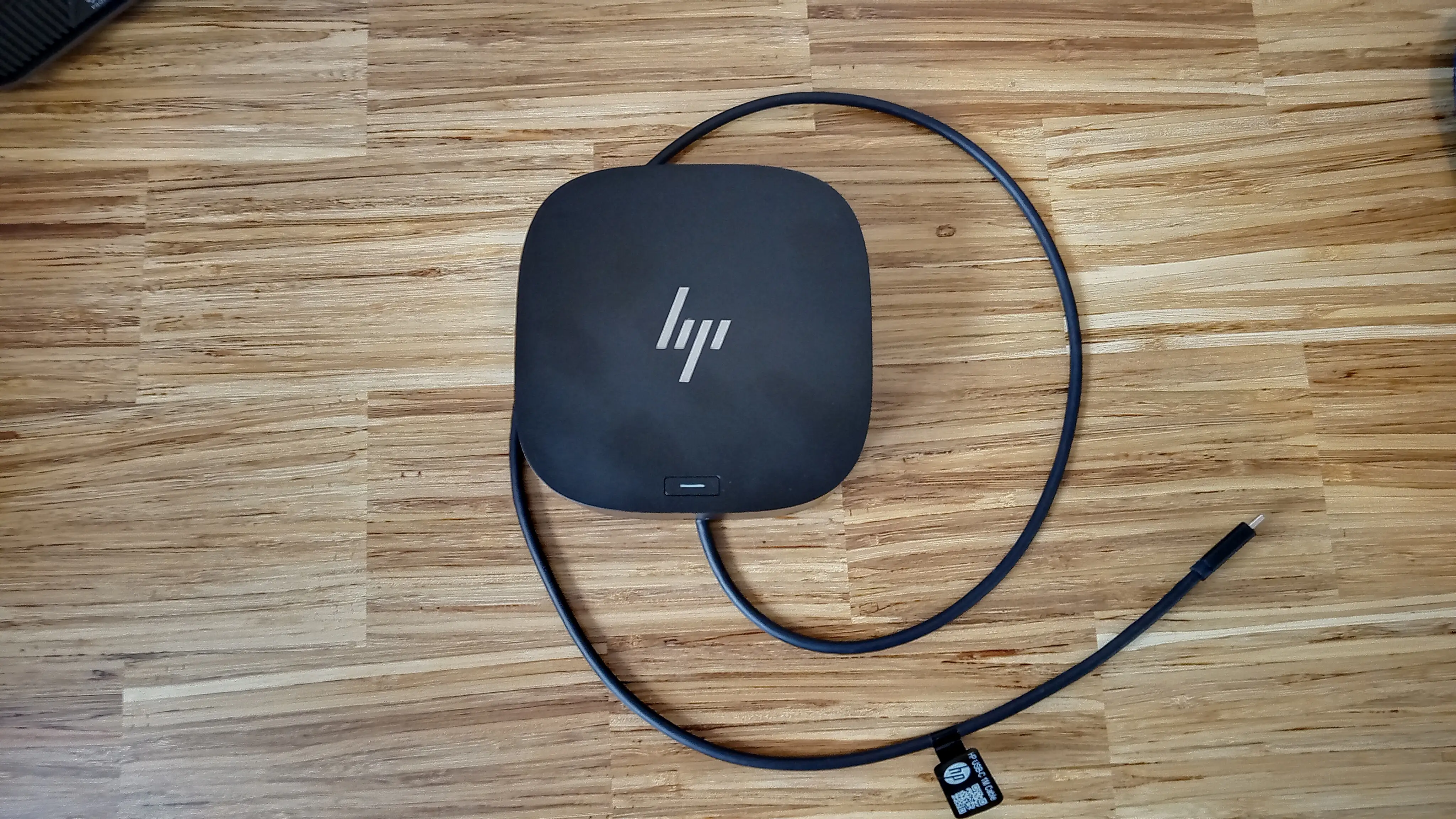
The compact design wins aesthetic points. Measuring under 5"x5", it’s celebrated in home office setups for reducing clutter. Amazon user Mountain Boy called it "a little beauty… everything works well together to give me a real personal computer experience." For remote workers with limited desk real estate, that footprint matters.
Ethernet stability emerges as another universal win—crucial for IT roles. Amazon user Fatbike Maniac found "the power button controls my HP laptop… nice feature. Plenty of ports. Charges my laptop, connects to a display and speakers." Network-intensive work benefits from latency-free gigabit connections through the dock’s RJ-45.
Common Complaints
The HDMI port’s spotty functionality is a recurring red flag. Amazon user Another Guy Named Mark shared: "New as delivered HDMI port didn’t work but DisplayPort connection did… used known good HDMI cables and display." This forces users into specific cabling schemes, undermining flexibility.
Compatibility constraints are a frustration that blindsides buyers who trusted the “universal” tag. Trustpilot reviews describe docks sold to Pavilion owners that refuse to charge or output video. Amazon user RJ Ruf warned: "This is not compatible with all laptops and that is not clear when shopping."
Mac users bear the brunt of these issues. Multiple Reddit posts recount failed extended monitor setups under macOS on M1/M2 chips, with one report of hardware damage: "Turns out it blew a screen fuse in my MBP. $530 logic board replacement." While HP markets macOS support, these field outcomes suggest diverging experiences.
Monitor flicker haunts some HP laptop owners too. Amazon user Kavoos: "This dock causes monitors to flicker every few seconds… same setup with G2 worked fine." This persistent issue hints at firmware or hardware inconsistencies in the G5 model.
Divisive Features
Firmware updates spark debate. For some, they’re an easy maintenance tool—Reddit users managing commercial fleets appreciate PXE boot and remote asset tagging. For others, it’s a nuisance. Trustpilot buyers remark on the "inconvenient process" and note performance instability until updates are applied.
Power delivery split opinion. High-wattage ultrabooks charge smoothly, but gaming laptops and certain MacBooks exceed PD capabilities or suffer when peripherals drain shared power. Reddit MacBook users found that plugging in an iPad through the dock could halt laptop charging—acceptable for basic office users, deal-breaking for power users.
Trust & Reliability
Trustpilot patterns reveal frustration tied to HP’s compatibility guidance. The phrase “not compatible” appears in dozens of one-star reviews from buyers who were sold the dock by HP reps for unsupported models. This undermines consumer trust, especially when no refunds are offered.
On long-term durability, Reddit and Amazon show a split. Some users report flawless operation past the one-year mark, especially in standardized HP office fleets. Others experienced degraded functionality—Sauders Hardscape observed: "Had one stop working soon after we received it." This variance hints at manufacturing batch differences or usage conditions.
Alternatives
The G2 model emerges in conversation as a more stable, if slightly older, alternative. Reddit user Kavoos mentioned "same setup with G2 worked fine" when the G5 caused flicker. Buyers comparing with Thunderbolt docks note stronger macOS monitor support in that category, albeit at higher cost.
For users seeking true universality across brands and operating systems, community tips point toward third-party USB-C docks that match necessary video and PD specs, especially for mixed offices with MacBooks, gaming PCs, and regular ultrabooks.
Price & Value
On eBay, the HP USB-C G5 Essential Dock’s resale price ranges between $45 and $75—well below its original retail of $149.99. This steep depreciation suggests low perceived value outside corporate-standard use cases. Sellers offload “barely used” units cheap, often citing incompatibility in listings.
Buying tips from the community emphasize checking your device’s USB-C capabilities before purchase. If your port supports only data transfer, as in certain Pavilion models, no dock can magically supply charging or video. Skipping compatibility checks is where most dissatisfaction begins.
FAQ
Q: Can this dock run three external monitors plus my laptop screen?
A: No. It supports three displays total, including the notebook’s own screen, so at most two externals are possible.
Q: Does it work with macOS M1/M2 for extended monitor setups?
A: No, multiple users report macOS fails to run two screens in extended mode with these chips.
Q: Why won’t my Pavilion laptop charge through the dock?
A: Many Pavilion USB-C ports are data-only; they don’t support power delivery or DisplayPort Alt Mode, key requirements for this dock.
Q: Is the HDMI port reliable?
A: Not for everyone—several buyers found it nonfunctional, while DisplayPort worked. Cable quality or firmware might influence results.
Q: Can it be used with Dell laptops?
A: Yes, if the Dell’s USB-C supports PD up to 100W and DisplayPort Alt Mode, and the OS is Windows 10/11, macOS, or ChromeOS.
Final Verdict
Buy if you run a compatible HP EliteBook, ZBook, or similar commercial model and value a clutter-free desk with solid ethernet and DisplayPort video. Avoid if you own a Pavilion, MacBook with M1/M2, or high-power gaming laptop requiring absolute PD stability. Pro tip from the community: confirm your USB-C port’s capabilities before purchase—“data only” means no charging or video output, rendering this dock little more than a fancy USB hub.





