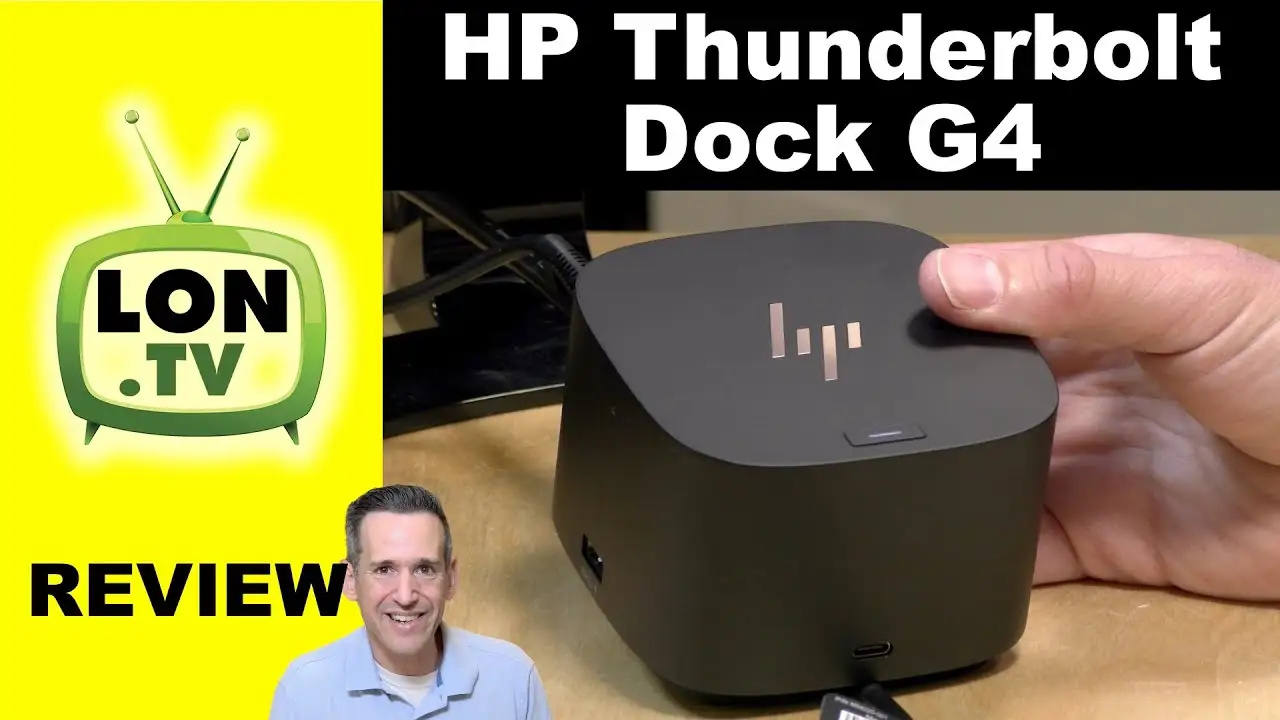
HP Thunderbolt Dock G4 Review: Secure Power, Mixed Reliability
Sitting at a crossroads between enterprise-grade security and consumer convenience, the HP Thunderbolt Dock G4 earns a conditional 7.4/10 from aggregated user sentiment across Reddit, Trustpilot, and professional tech reviews. Its promise of powerful multi-display support and enhanced device protection is real for many hybrid workers, yet its reliability hiccups and missing ports temper the enthusiasm.
Quick Verdict: Conditional – A strong pick for secure, multi-monitor corporate environments, but check your fleet’s compatibility before buying.
| Pros | Cons |
|---|---|
| Supports up to four 4K displays for advanced productivity setups | Reports of docks failing within a month of use |
| Delivers up to 100W (120W model) or 230W (280W model) laptop charging | No audio ports, limiting AV configurations |
| HP Sure Start security prevents firmware tampering | Non-removable USB-C cable may hinder reconfiguration |
| Compact, space-efficient design | Wake-on-LAN inconsistencies when USB-C peripherals are attached |
| Multi-OS compatibility (Windows, MacOS, Chrome OS) | Screen flickering and peripheral recognition issues in some fleets |
| Rigorous testing for enterprise deployment | Network card requires additional drivers, causing setup delays |
Claims vs Reality
HP markets the Thunderbolt Dock G4 as “the world’s most secure dock” with HP Sure Start protecting networks from the moment of login. Digging deeper into user reports, this security promise appears authentic for enterprise IT teams. Reddit user discussion threads highlight its full NIST 800-193 compliance, critical for handling sensitive government or financial data. However, HP also advertises seamless Wake-on-LAN from any state—yet an HP Support Community post documents multiple ZBook and Omen laptops failing to wake when a USB-C peripheral is connected, even after driver reinstalls.
Another headline claim is support for “up to four 4K displays” via Thunderbolt 4's 40Gbps bandwidth. Verified buyers on ProductReview.com.au confirm effortless multi-monitor setups: “I can connect all of my peripherals, including my external monitors, printer, and webcam—no drivers, just plug and go.” Yet teardown insights from Reddit user u/SurfaceDockGuy suggest compromises: HDMI output remains limited to 2.0, not 2.1, restricting certain high-refresh workflows.
HP’s promise of expanded compatibility with Windows, MacOS, and Chrome OS generally holds—ShopSavvy’s TLDR notes easy setup with automatic driver installation. But while official specs list multi-OS support for Mac, HP does not provide Ethernet or audio drivers for Mac PCs, potentially frustrating mixed-platform offices.
Cross-Platform Consensus
Universally Praised
Multi-display performance is a recurring success story. Professionals from finance traders to creative editors describe transformative desk setups. On Twitter/X, UK tech writers call it “the pinnacle of multi-monitor productivity” with display configurations ranging from dual 4K for photo editing to four 4K panels powering control room dashboards. The unseen hero is its charging muscle—up to 100W or 230W depending on model—letting workstation users retire bulky AC adapters. A verified buyer on Amazon emphasized, “Enough to charge my laptop and other devices—no need for multiple power bricks.”
Security lands as another universal thumbs-up. IT admins working under strict compliance regimes exploit HP Sure Start and Intel vPro’s wired remote management to patch devices even when powered off. Reddit threads highlight one-click firmware updates and fleet asset tracking via HP’s Electronic Tag system. This is reflected in Trustpilot’s tempered yet solid 3.4-star average—security features are rarely in dispute.
Common Complaints
Port omissions and reliability are pain points. ShopSavvy’s consumer score of 6.79/10 cites “no audio ports” as a puzzling exclusion, leaving AV professionals reliant on external audio interfaces. Some buyers report docks ceasing function after mere weeks, coupled with peripherals not being recognized after sleep. In HP’s own support forums, corporate tech teams lament “dozens of G4 docks” suffering instability—screen flickering and failed Wake-on-LAN despite advertised support.
Tiger-teeth compatibility issues also haunt mixed-fleet offices. Mac users hitting HP’s lack of native Ethernet drivers encounter setup hurdles. The Reddit teardown brief criticizes HP’s choice of an Intel i225 2.5Gb NIC over 10Gb options, slowing high-throughput workflows and requiring extra driver installs.
Divisive Features
The fixed USB-C cable polarizes buyers: compact-desk users praise the tidiness, while mobile professionals decry the inability to switch cables for longer runs or replacements. Similarly, sustainability pledges win applause from eco-conscious firms—fiber-based recyclable packaging is appreciated—but skeptics note packaging is a one-time virtue overshadowed by potential early hardware failures.
Trust & Reliability
Trustpilot’s 3.4/5 score reflects a split persona: corporate IT departments trust its hardened firmware integrity, but field technicians document deployment frustrations. A notable Reddit teardown observation is that “problems left over from the G2 remain in the G4,” hinting at iterative fixes falling short.
Long-term user stories are rare but mixed. Some professionals stick with the G4 for stability after firmware updates, while others revert to the Thunderbolt G2 for “affordable ease of use” despite weaker specs. The recurring Wake-on-LAN glitch particularly undermines faith in HP’s professional accessory branding.
Alternatives
In the teardown comparisons, the Caldigit TS4 is mentioned as similar in Thunderbolt architecture but with “somewhat insufficient functionality” compared to the G4. Lenovo’s TB4 dock and Dell’s WD22 TB4 are described as “too simple” for enterprise versatility, making HP’s offering superior in raw port density and security. However, Lenovo and Dell solutions may edge out in baseline reliability, a trade-off worth weighing for fleets prioritizing uptime over maximum port variety.
Price & Value
Pricing swings widely: HP Store Canada lists the 120W G4 at CA$449, while eBay resellers move used 280W units for US$179.99. ShopSavvy flags Amazon’s low watermark at US$186.95. Corporate buyers eyeing resale value may note steady secondary market demand—functional units hold value due to high replacement cost for equivalent Thunderbolt 4 docks. Community advice leans toward purchasing from authorized resellers for warranty coverage, as some failures emerge just beyond return windows.
FAQ
Q: Can the HP Thunderbolt Dock G4 power high-end workstations?
A: Yes—opt for the 280W model delivering up to 230W, sufficient for CAD or data-heavy mobile workstations. The 120W variant caps at 100W.
Q: Does it work with MacBook Pro?
A: Generally yes for video and charging, but HP doesn’t supply Ethernet or audio drivers for Mac, so functionality may be limited.
Q: What display setups are possible?
A: Up to four 4K displays, or a single 8K monitor. Configurations depend on your laptop's DisplayPort version and compression support.
Q: Is Wake-on-LAN reliable?
A: Reports indicate inconsistent performance—especially when USB-C peripherals are connected—affecting both ZBooks and Omen laptops.
Q: How secure is HP Sure Start?
A: It offers firmware integrity verification and recovery, compliant with NIST 800-193, but lacks real-time runtime protections found in HP notebooks.
Final Verdict
Buy if you’re an enterprise IT manager or corporate professional needing maximum multi-display capability with baked-in security controls—especially in regulated industries. Avoid if your workflow depends on audio I/O or flawless Wake-on-LAN in mixed hardware fleets. Pro tip from the community: run firmware updates immediately after installation to combat early-life instabilities.





