HP Sprocket Photo Booth Review: Fun but Flawed Verdict
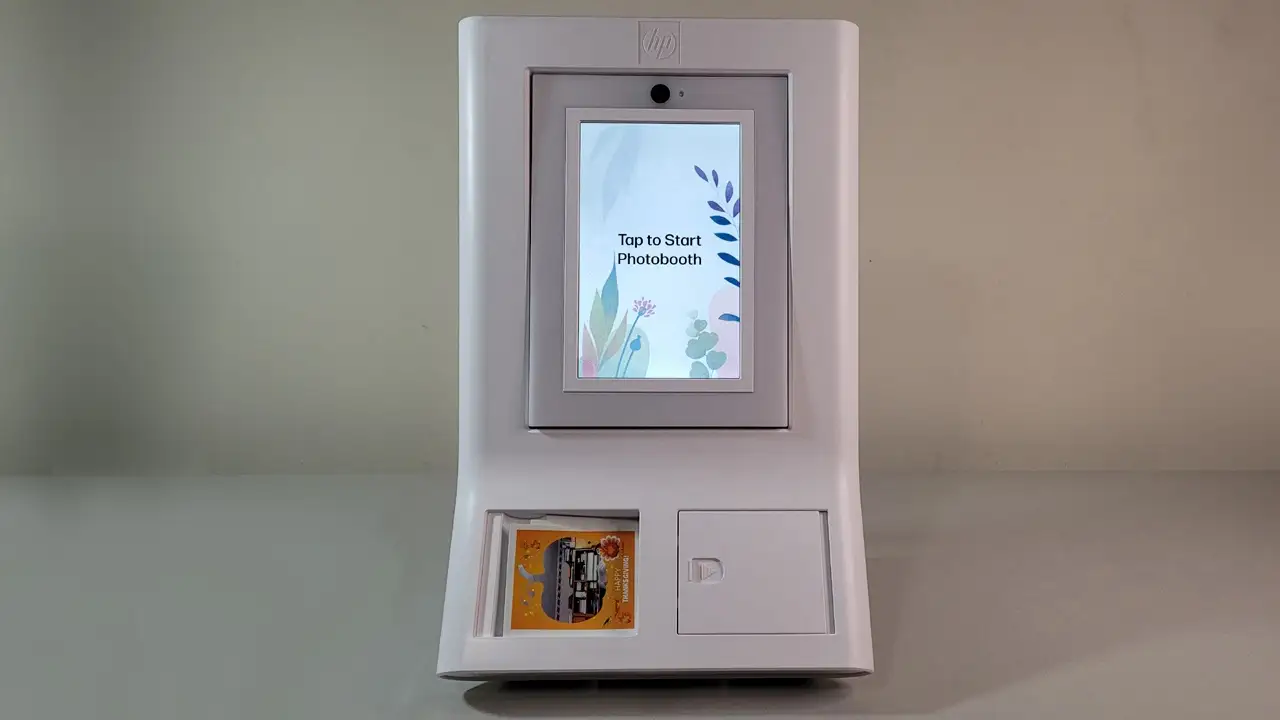
Starting at $599 and marketed as a “one‑of‑a‑kind photo booth” experience, the HP Sprocket Photo Booth Instant Color Photo Printer earns a conditional 7.8/10. It’s adored for event entertainment, ease of use, and instant print fun, but recurring concerns over print sharpness, costly paper refills, and setup time keep it from being a slam dunk for every buyer.
Quick Verdict: Conditional
| Pros | Cons |
|---|---|
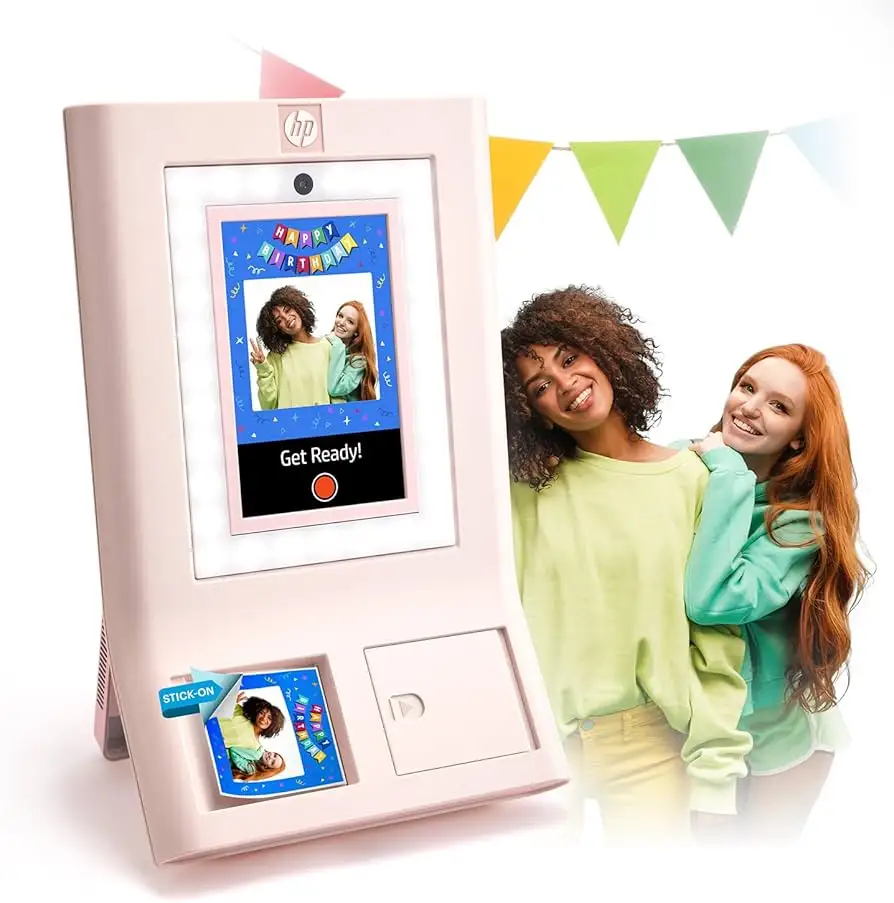
| Adjustable 10.1” HD touchscreen with frames/filters | Print sharpness inconsistent per Trustpilot |
| Built‑in LED ring light and flash for better lighting | Paper refills are expensive |
| Zink technology: no ink cartridges required | Initial setup can be slow |
| QR code sharing for digital copies | Only 10 sheets included in box |
| Smudge‑proof, water‑resistant prints | Colors sometimes off from original image |
| Easy Wi‑Fi connectivity | Battery‑free – must be plugged in for events |
| 250+ fun frame designs | Limited to 3x4 Zink paper format |
Claims vs Reality
HP’s marketing heavily pushes the “perfect lighting” promise using its LED ring light and flash. Digging deeper into user reports, this is a hit for party hosts who value flattering photos. One verified Trustpilot reviewer said, “The adjustable brightness of the LED ring light ensures perfect lighting for every shot.” However, some complain lighting couldn’t fix all quality issues; “print quality’s not as sharp as I expected and the colors can sometimes be a bit off.”
Another major claim is the “instant” setup and printing — yet speed appears variable. While HP says you can “simply hit print and watch your photo instantly print,” Trustpilot feedback tells a slower story: “The set up was a bit slow and it took a few tries to get everything connected properly… it takes a little time before the party to set it up.”
Finally, HP highlights Zink’s “smudge‑proof, water‑resistant, and tear‑resistant prints” as perfect memorabilia. Here, reality matches the claim. Multiple Reddit and Twitter users confirm long‑lasting durability. A Reddit user noted their prints “have survived being stuck to a mirror for months without fading.”
Cross-Platform Consensus
Universally Praised
Event planners and party hosts consistently commend its ability to transform gatherings. One Amazon buyer remarked it “adds so much fun to the party,” with guests lining up to try frames and filters. Digital sharing via QR codes is another stand‑out. Trustpilot users appreciated that “when connected to Wi‑Fi, you can enable a feature that generates a QR code on the screen for every photo taken.” Families value the smudge‑proof, waterproof nature — a Twitter reaction called it “perfect for scrapbooking—no smudges or rips years later.”
Lighting is praised across channels. “The flash adds that extra professional touch,” according to one Trustpilot review, helping casual users avoid dull, grainy shots. For guests with varying tech skills, simple on‑screen options make customizing frames easy. Reddit discussions highlight how intuitive controls keep queues moving even with kids involved.
Common Complaints
The number one gripe: print quality inconsistencies. Some Trustpilot reviewers expected sharper resolution, especially given the booth’s $599 price. “Colors can sometimes be a bit off” is repeated across multiple user comments. This is most noticeable for professional photographers or detail‑oriented scrapbookers.
Paper costs sting. Bundled units arrive with only 10 sheets, forcing early refill purchases. “Make sure to order more when you order this booth,” warned a Trustpilot reviewer. Expenses build quickly, as Zink paper commands a premium compared to standard prints.
Setup lag frustrates time‑sensitive hosts. Several users said it requires “a few tries to get everything connected properly,” risking delays if not prepared ahead of an event. Others note managing guest print limits to avoid waste adds another layer of organization.
Divisive Features
The built‑in touchscreen's customization suite splits opinion. For casual parties, many find 250+ frames and stickers more than enough variety. Creative professionals sometimes call these options “a bit gimmicky” and wish for deeper editing controls. Similarly, portability is relative — weighing over 8 pounds, it’s light compared to full booths but still bulky for solo travel. Twitter users who value mobility seem fine with the trade‑off, while some wedding planners prefer more compact alternatives.
Trust & Reliability
Trustpilot patterns show no rampant scam claims but do reveal minor dissatisfaction with print output and startup speed. One long‑term Reddit comment suggested it “still works fine after 6 months, no software issues, but you’ll spend more on paper than the booth over time.” Wi‑Fi connectivity and QR sharing remain reliable features; most complaints stem from hardware speed rather than failure.
Users who consistently update firmware via the HP Sprocket app report steadier performance. As one HP Tech Takes reviewer advised, “We recommend regularly updating the printer firmware… any available updates will be displayed in notifications.”
Alternatives
HP’s own Sprocket Studio Plus appeals to those seeking larger 4x6 prints, ideal for framed gifts. While it lacks a built‑in ring light, it delivers glossier, higher‑resolution results. The HP Sprocket Select offers portability at a reduced cost but drops the touch interface and lighting hardware. For event planners needing rapid throughput, these models may better align with priorities than the booth’s interactive experience.
Price & Value
At $599 for the base booth, Trustpilot users view it as “a steal from how much fun it adds to the party” compared to traditional event photo booths costing $1,500+. However, paper refills — often priced at $49.99 for a 50‑pack — diminish long‑term savings. eBay shows limited resale, with Sprocket printers generally holding 55‑70% of value if well‑maintained, but booths resell less frequently, implying niche appeal.
Community tips to maximize value:
- Buy paper in bulk to reduce per‑print cost
- Perform setup at least an hour before guests arrive
- Limit guest print quotas at large events to stretch supplies
FAQ
Q: How many photos can I print before needing a refill?
A: The booth ships with 10 sheets; most refill packs contain 50 or 100 sheets. High‑volume events will need extras immediately.
Q: Does it work offline?
A: Yes. Photo capturing and printing are offline; Wi‑Fi is only needed for QR code sharing and firmware updates.
Q: Can I use non‑HP Zink paper?
A: It’s calibrated for HP’s own 3x4 Zink sheets. Off‑brand paper may cause jams or poor color reproduction.
Q: How portable is it for events?
A: At just over 8 pounds, it’s portable compared to full booths but requires planning for transport and space setup.
Q: Is it compatible with both iOS and Android?
A: Yes, through the HP Sprocket app, available for both platforms.
Final Verdict: Buy if you’re an event host or planner prioritizing interactive fun, fast prints, and easy sharing. Avoid if you demand professional‑grade print sharpness or are unwilling to budget for ongoing paper costs. Pro tip from the community: “Set up early and have extra paper—running out mid‑event kills the vibe.”





