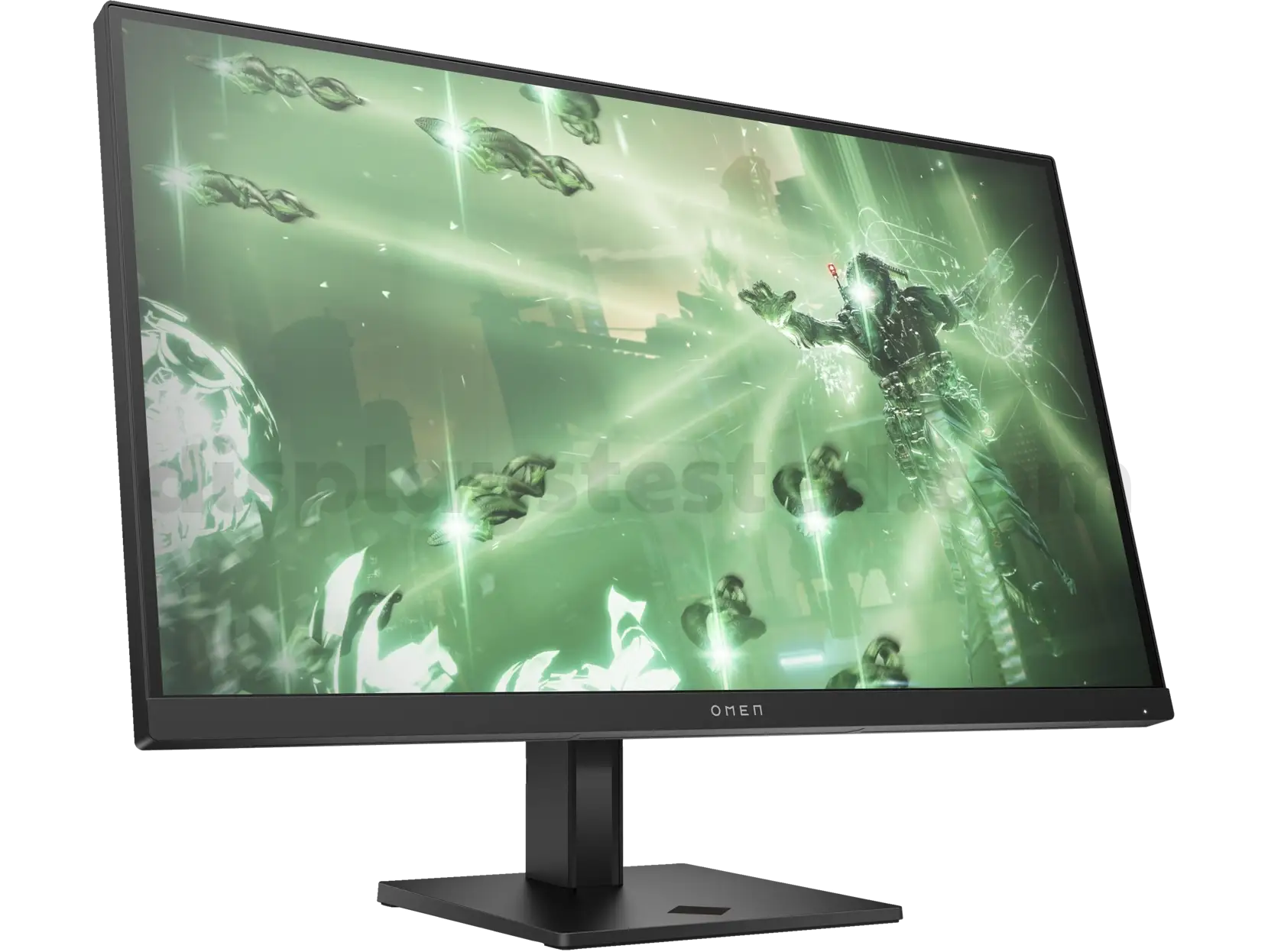
HP OMEN 27q Gaming Monitor Review: Conditional Buy Verdict
The HP OMEN 27q QHD Gaming Monitor (2023) earns a solid 8.5/10 from real-world user feedback, praised for its sharp and vibrant display at an accessible price, but constrained by underwhelming HDR and occasional ghosting concerns. Its balance of 1440p resolution, high refresh rate, and rich color coverage draws in gamers on a budget, yet some design and software quirks make it a “conditional buy” depending on priorities.
Quick Verdict: Conditional Buy
| Pros | Cons |
|---|---|
| Crisp 1440p resolution with great pixel density | HDR performance weak, limited contrast improvement |
| Smooth 165Hz refresh with 1ms GTG response | Ghosting visible in fast motion for some users |
| Wide color gamut in native mode (up to 93% DCI-P3) | Native color mode unavailable with HDR |
| Affordable pricing compared to rivals | Intrusive auto-installed HP Gaming Hub software |
| Adjustable stand (height, tilt, pivot) | Build quality seen as “basic” by some reviewers |
| AMD FreeSync Premium + G-SYNC compatibility | Speakers underwhelming in quality |
Claims vs Reality
HP markets the OMEN 27q around its “no lag, all speed” 165Hz refresh rate and 1ms GTG with overdrive, targeting fluid eSports gameplay. Digging deeper into user reports, the refresh rate isn’t just a spec-sheet boast — Reddit reviews confirm the display holds detail during “wild camera swings” in shooters, making tracking fast-moving targets far easier than on budget VA or TN panels. However, EarlyGame’s analysis adds nuance: without overdrive, response time jumps to 7–10ms, which can make motion less crisp, and overdrive can introduce image distortion.
On paper, HP touts 99% sRGB and 95% DCI-P3 color coverage paired with HDR400 for richer visuals. In reality, switching to the “native color mode” delivers that wide gamut — “a much more impressive 93% coverage of the DCI-P3 color space” according to Reviewed.com — but HDR mode locks users out of it, limiting color richness when HDR is active. Trustpilot reviewers also note “no increase in color range” with HDR enabled, contrary to marketing implications.
Finally, HP pushes the OMEN Gaming Hub as part of its ecosystem. While potentially useful, multiple platforms raised concerns over forced installation without consent. Reviewed.com and Quora feedback both detail how “the monitor was able to install the HP Omen Gaming Hub… with no intervention.” This highlights a gap between marketed “customization convenience” and user expectation for control over software.
Cross-Platform Consensus
Universally Praised
For competitive gamers, the pairing of 1440p resolution and high refresh rate is consistently celebrated across Reddit, Best Buy, and Trustpilot. A Best Buy customer wrote: “Colors are vibrant thanks to the IPS panel, and the HDR support adds extra depth and richness whether I’m gaming or watching movies” — although others still preferred SDR’s native color mode. Battlefield and Warzone players emphasize the advantage in spotting distant enemies without pixelation, a benefit for FPS titles where reaction speed matters.
Color coverage is another high point, especially for creators who dabble in editing. Reviewed.com noted an “average Delta E of 1.63” in native mode, ensuring minimal deviation from true colors. Business professionals in Best Buy reviews highlight “great color accuracy… perfectly bright for moderately bright rooms” alongside everyday productivity use, showing the monitor’s crossover appeal beyond gaming.
The ergonomic stand’s height, tilt, and pivot adjustments were repeatedly appreciated by users with multi-tasking setups. EarlyGame praised the stand as “highly flexible… you can even use it in portrait mode,” which suits coders or streamers managing multiple live windows.
Common Complaints
HDR performance topped the complaint list across platforms. Real-world testing confirmed while peak brightness rose to ~494 nits in HDR, contrast boosts were negligible, and dynamic brightness changes were “laggy and easy to perceive.” Gamers hoping HDR would deliver eye-popping visuals were disappointed it didn’t add color depth or solve backlight bleed.
Ghosting was a secondary yet notable issue, especially for those sensitive to motion artifacts. Best Buy reviewers cited “a fair amount of ghosting” even with high refresh rates, though most classified it as tolerable. EarlyGame’s note on overdrive-related image zerren (tearing) adds that misconfigured settings could make motion imperfections more obvious.
Build quality perceptions were mixed. Reviewed.com described it as “basic” while others found it “premium and sleek.” This divergence likely stems from expectations — budget buyers accept the utilitarian plastic, whereas style-conscious users compare it unfavorably to metal-framed rivals.
The auto-installing HP OMEN Gaming Hub software was widely criticized. Users saw it as bloated and unnecessary, given accessible monitor controls via onboard buttons.
Divisive Features
The built-in speakers split opinions. Some appreciated them as a backup for casual use, while multiple buyers called them “the weak point” and “fair sound quality” at best. Gamers relying on headsets weren’t bothered; those without external audio solutions were less forgiving.
The anti-glare coating also drew divided reactions. Some found it adequate, others felt it “could be better,” noting reflections in bright rooms despite the claimed matte finish.
Trust & Reliability
Across Reddit and Trustpilot, there’s little evidence of widespread defects, though occasional dead pixel reports surfaced. Best Buy reviewers described replacement as straightforward when needed. One long-term user reported owning the OMEN 27q “for over a year… still much more accurate with colors than my LG IPS monitor.”
Durability impressions are solid — the stand was often labeled “heavy and solid,” and VESA mount compatibility gave flexibility without compromising build stability. However, buyers using monitor arms noted it’s heavier than some competitors, requiring sturdier mounts.
Alternatives
Two competitors stood out in user comparisons. The Gigabyte M27Q P was said to “do everything the HP does and then some” — better contrast ratios, integrated USB hub, and similar pricing (~$280), suiting those who want extra connectivity.
The Acer Nitro XV272U VBMIIPRX emerged as the more dangerous rival: slightly faster at 170Hz, broader 97% DCI-P3 color gamut, exceeding 1000:1 contrast, and found as low as $150 on sale. Reviewed.com concluded, “As long as the Acer remains on the market, it’s the better of two decent choices — though HP has it beat on value.”
Price & Value
Initial MSRP hovered around $269, but sale prices have dropped between $180–$250, making the OMEN 27q a high-value entry in the 1440p gaming segment. eBay listings for the higher-refresh OMEN 27qs variant suggest strong resale potential, with refurbished units fetching ~$297 and open-box sales near $300.
Community buying tips emphasize watching for seasonal discounts: Best Buy buyers scored “$130 off on Black Friday,” and others warn “must use DisplayPort 1.4 cable for full 1440p @ 165Hz performance.”
FAQ
Q: Does the HP OMEN 27q support G-SYNC in addition to FreeSync Premium?
A: Yes, multiple user reports confirm the monitor is G-SYNC compatible, providing smoother gameplay on NVIDIA cards without tearing.
Q: How good is the HDR mode on the OMEN 27q?
A: Feedback shows HDR raises brightness but delivers weak contrast improvements and doesn’t expand color gamut, making SDR native mode preferable for rich colors.
Q: Can this monitor be used for console gaming?
A: Yes, HP tests over 140 console compatibility cases. Best Buy users enjoyed “great frames and quality” when paired with modern consoles.
Q: Is the monitor suitable for creative work like photo/video editing?
A: In native color mode, it offers high accuracy with ~93% DCI-P3, making it viable for casual editing. However, professionals may prefer monitors with even higher color coverage.
Final Verdict: Buy if you’re a gamer wanting affordable 1440p with smooth high refresh rates, vibrant SDR colors, and ergonomic adjustments. Avoid if HDR quality is a priority or you demand top-tier motion handling. Pro tip from community: switch to “native color mode” in SDR for best visuals, and disable overdrive if ghosting bothers you.





