HP LaserJet Pro MFP 4101fdn Review: Conditional Buy
“Does not work with Windows 11… huge waste of money” sits right next to “extremely fast, reliable, and secure” in the same cross-platform record for the HP LaserJet Pro MFP 4101fdn Black & White Printer—a split that defines this machine. Verdict: Conditional buy for wired offices that prioritize speed and duplexing; risky for plug-and-play expectations. Score: 7.6/10.
Quick Verdict
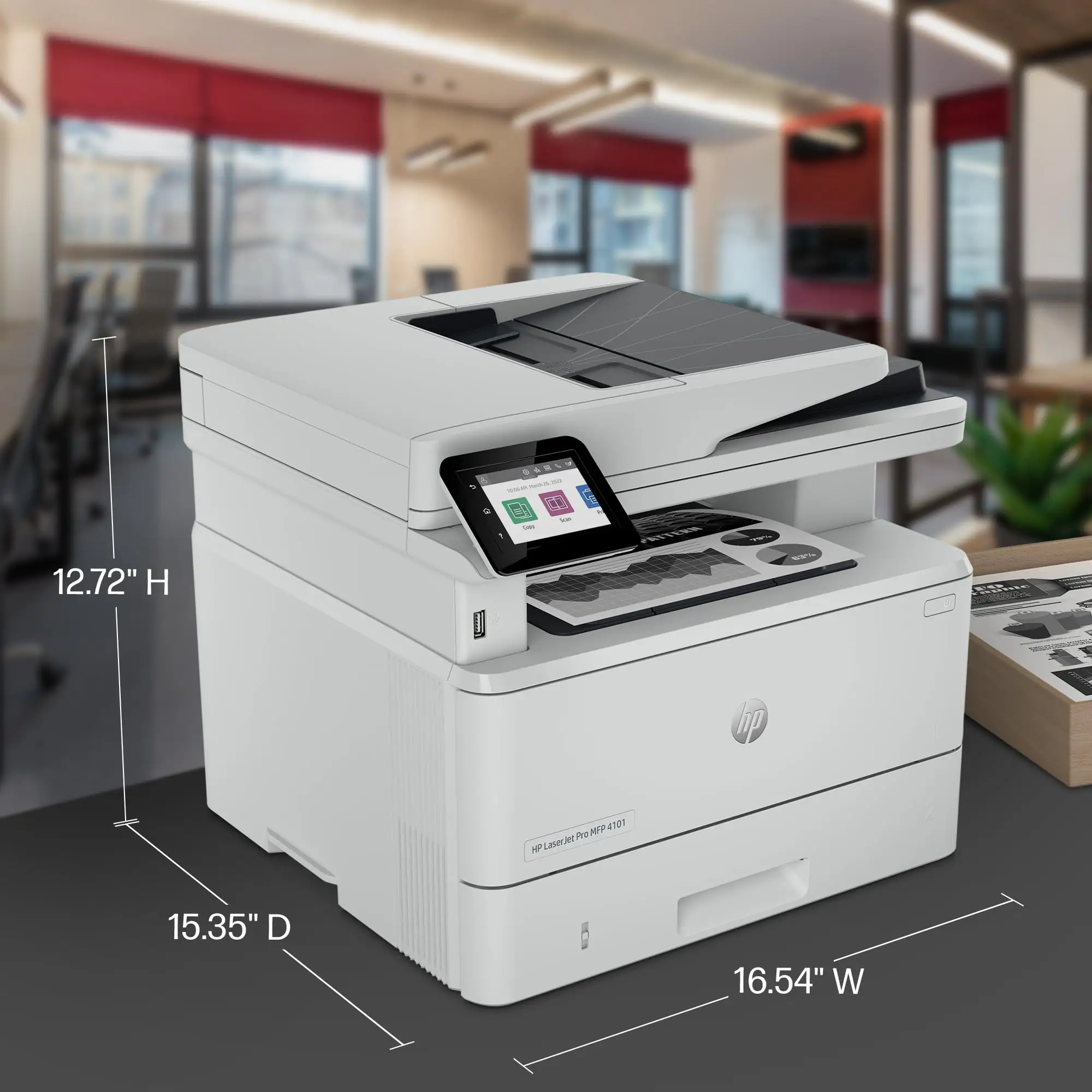
For the HP LaserJet Pro MFP 4101fdn Black & White Printer, the clearest takeaway is conditional: it can feel like a “workhorse” when it’s properly installed in a wired setup, but the same model triggers sharp complaints around setup friction, scanning quirks, feeder artifacts, and ecosystem compatibility expectations.
Across retailer feedback, the upside stories are consistent about speed and crisp monochrome text. Best Buy reviewer nazareth called it “an extremely fast, reliable, and secure monochrome laser mfp… superior speed and duplexing features.” On HP’s review page, wrobinson1 described it as a “workhouse printer” with “crisp and clean without smudges” output and praised the duplex scanning/copy workflow.
But digging deeper into negative reviews, the pain points aren’t subtle. A Best Buy reviewer roxy summed up a dealbreaker in one line: “too difficult to install, needs to be wired to the internet.” Another HP-site reviewer was blunter about platform fit: “does not work with windows 11… should be called works-with-none.”
| Decision | Evidence from user feedback |
|---|---|
| Buy? | Conditional (wired office / high-volume mono) |
| Speed | “lightning fast,” “prints fairly quickly,” “extremely fast” (HP reviews, Best Buy) |
| Print quality | “crisp and clean without smudges” (HP reviews) |
| Setup | “set up was a challenge,” “too difficult to install” (HP reviews, Best Buy) |
| Scanning/ADF | “scan feature needs some improvement,” “feeder… dotted black line” (HP reviews, Best Buy) |
| Connectivity expectations | Multiple users emphasize “no wifi” / wired requirement (HP reviews, Best Buy, Staples) |
Claims vs Reality
HP’s official specifications position the HP LaserJet Pro MFP 4101fdn Black & White Printer as a productivity-first device: “prints up to 42/40 ppm (LTR/A4),” with “dual-sided scanning… with a single pass,” plus a 50-sheet ADF and 350-sheet total input (100-sheet Tray 1 + 250-sheet Tray 2) (HP Official Site and HP Support specs). On paper, it’s the kind of “ideal for up to 10 users” machine that should disappear into the background of a small office.
User stories often confirm the speed claim—but in a very specific context: when setup goes smoothly. On HP’s review page, ferrari king said, “once i click print it is printing in about two seconds,” emphasizing immediate output and sharp letterforms. Best Buy reviewer nazareth echoed ROI language: “superior speed and duplexing features offer an immediate and justified return on investment.”
Where marketing and reality split is the “effortless everyday use” framing. HP-review-page user math chef described setup as “a challenge,” citing “instructions are minimal” and a confusing “8 digit number” needed during setup. Best Buy reviewer roxy pointed to the wired nature as friction: “needs to be wired to the internet.” The claim of streamlined management can be true in an IT-managed environment, but individuals expecting a frictionless home-office install describe a much rougher path.
Another gap appears around scanning. Marketing highlights “dual-sided scanning… in a single pass” (HP Official Site). Yet HP’s own review-page feedback includes scanning disappointment. Wisconsin cpa wrote: “scan feature needs some improvement… i miss… auto-page orientation… auto page-length recognition… blank-page detection.” A. michael added a workload limit story: “scanner was great for first week, but has some issues scanning a document that’s 20 plus pages… sometimes have to rescan or split documents in half.”
Cross-Platform Consensus
A recurring pattern emerged: when buyers want fast monochrome documents on a wired network, the HP LaserJet Pro MFP 4101fdn Black & White Printer is frequently described in “workhorse” terms. HP-review-page user rab industries, inc. framed it simply: “we mostly print documents in black only and this little laser printer is doing the job nicely. its fast prints one or both sides.” For small teams churning out paperwork, that speed becomes the core “why,” not a nice-to-have.
Print clarity shows up as the second pillar. HP reviewer wrobinson1 said the output is “crisp and clean without smudges,” and meizhu echoed “no smudges with the ink… overall it’s a great printer.” This matters most to users printing forms, invoices, and text-heavy pages where legibility and consistency beat color capability. Staples feedback also reinforces that theme, with one customer writing: “printing… is very clear with no smudges.”
Duplex workflows—printing and scanning—are repeatedly framed as time savers for admin-heavy work. HP reviewer ayanie1 highlighted “automatic two sided printing and scanning features which i use for my small business at home.” Best Buy reviewer everyones it guy called the ADF “priceless,” emphasizing it “for either scanning, copying, etc.” Even when users don’t rave about every scanner feature, many still value not flipping pages manually.
After those narratives, the common praise can be summarized:
- Speed: “printing in about two seconds” (HP reviews)
- Text quality: “crisp and clean without smudges” (HP reviews)
- Duplexing: “prints one or both sides” and “scans both sides” (HP reviews)
Common complaints cluster around setup/driver friction, scanning reliability expectations, and ADF/paper handling issues. Digging deeper into user reports, the frustration often starts before the first page prints. HP reviewer pilot jerry reported “a lot of difficulties getting it set up… no manual to reference.” HP reviewer math chef described confusing setup prompts: “instructions are minimal,” with an “8 digit number” that wasn’t clearly explained.
Then come the workflow interruptions. Best Buy reviewer charleenc reported print defects tied to the feeder path: “something in the feeder is causing a dotted black line to be printed on everything going through the top feeder,” plus jamming on duplex jobs and earlier “solid black line” issues. On Staples, one reviewer wrote bluntly: “the top loader… does not feed well.” Another Staples complaint hits reliability after sleep: “the machine sometimes does not print after going to sleep.”
Finally, there’s a consistent theme around connectivity expectations: this “fdn” model is wired-first. HP’s own Q&A response to “is this item wifi connectable… 4101 fdn” states: “does not support wireless.” Users echo the reality in more emotional language. Best Buy reviewer roxy called out that it “needs to be wired,” while HP reviewer shar 1985 said, “does not offer wifi that was a bit of a letdown.”
After the stories, the recurring complaints look like this:
- Setup friction: “instructions are minimal” (HP reviews)
- Feeder/ADF defects: “dotted black line” (Best Buy reviews)
- Sleep/reliability quirks: “sometimes does not print after going to sleep” (Staples)
- No Wi-Fi on the fdn model: “does not support wireless” (HP Q&A; reinforced by multiple users)
Divisive features revolve around “wired-only” reality and the HP software/support experience. Some users treat Ethernet as a security and reliability advantage. HP reviewer dd ruquet 1 praised that it’s “not wireless… needs to be hard wired” for “an encrypted fax machine,” framing wired connectivity as a feature, not a compromise. Others see the same trait as outdated friction: “no wifi connection… you will have to connect” (HP reviewer colagirl132003), and “minor inconvenience” for phone/email printing (HP reviewer jeffj1).
Support experiences also split sharply. One HP review-page user said setup was “easy and simple,” while sg akin described paying “a $333 fee” to a local tech company because HP couldn’t get scanning set up: “hp blamed ‘something in my computer.’”
Trust & Reliability
Fakespot’s analysis flags review-quality concerns for Amazon-hosted reviews, stating “high deception involved” and estimating “21.2% of the reviews are reliable” (Fakespot). That doesn’t prove the printer is good or bad—but it does mean the most persuasive stories should be weighted toward platforms with named, trackable retailer feedback and repeated patterns.
Longer-horizon durability anecdotes in the provided data are limited, but there are hints of expectations shaped by older HP hardware. Best Buy reviewer charleenc compared it to an older model: “i loved my last laserjet 400 which lasted me eight years,” then contrasted that with early issues on the 4101fdn. HP reviewer math chef referenced longevity too: “my previous hp all-in-one laser printer lasted 16 years, and i am hoping this one will do the same.” The investigative takeaway: users want legacy HP durability, but early paper-path and setup issues make some doubt the trajectory.
Alternatives
Only competitors explicitly mentioned in the data are Canon (as a brand comparison), Fujitsu (scanner comparison), and another HP model referenced in user content.
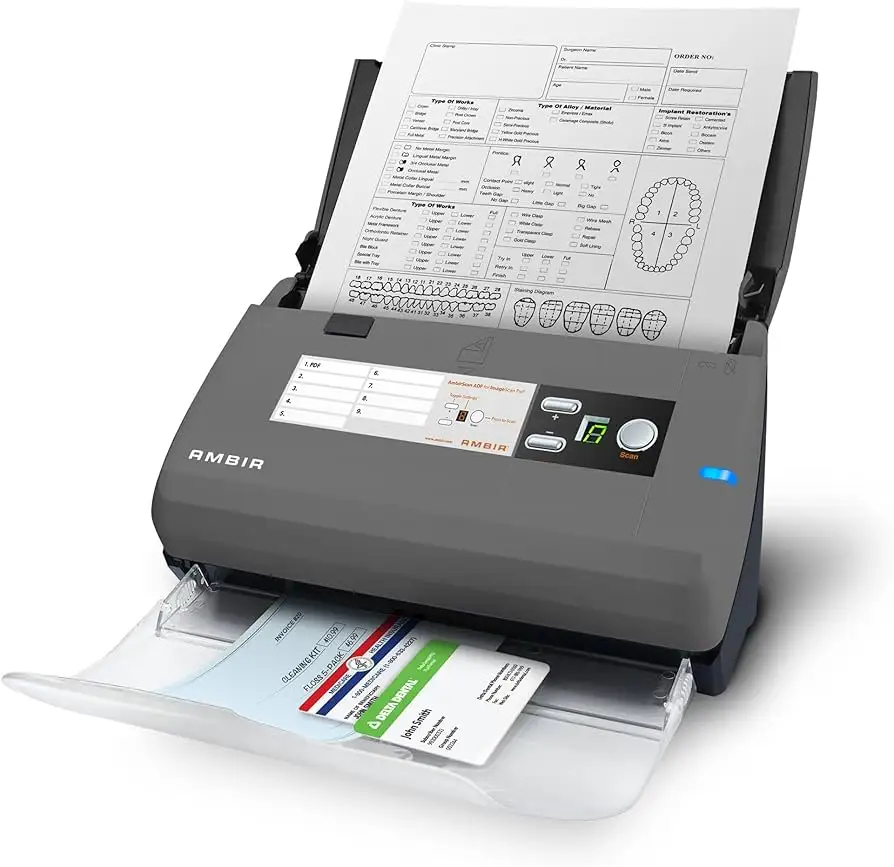
For scanning-heavy offices, HP reviewer wisconsin cpa implicitly positioned a Fujitsu scanner as the benchmark: they missed “auto-page orientation… blank-page detection,” suggesting that users who live in scanner features may prefer a dedicated document scanner workflow rather than expecting the 4101fdn to replace it.
For printer comparisons, a Fakespot excerpt noted: “i have shied away from any brand of printer except canon for about 15 years,” implying Canon loyalty as a reference point rather than a named alternative model. Meanwhile, HP’s own review page includes repeated comparisons to other HP LaserJet devices—csw 76 even praises an “hp laserjet pro 4001dn” for speed (HP reviews page content). The narrative here: if a buyer’s priority is monochrome speed, HP’s broader LaserJet line appears in user minds as the comparison set—but scanner-feature seekers often anchor to Fujitsu-class scanning.
Price & Value
Pricing signals in the provided data vary by channel. Best Buy lists the printer at $559.99 with a “comp. value” of $659.99 (Best Buy). eBay shows new pricing examples like $319.00 from an “official hp store” listing and refurbished around $391.99 with a one-year warranty via Allstate (eBay listings). The spread suggests buyers are actively hunting discounts and refurb deals to make the value proposition feel “right.”
User commentary supports that bargain-hunting behavior. Fakespot excerpts include a value stance: “worth the sale price of 400 i would not recommend it at the retail price of more than 500.” That aligns with the idea that the 4101fdn’s value is strongest when the buyer explicitly wants: monochrome + speed + duplex + wired networking—and gets it at a meaningful discount.
Community buying tips show up indirectly as “watch-outs.” HP reviewer winning jenny said, “printer doesn't come with a cable… it needs to be connected via ethernet,” and jeffj1 added they weren’t thrilled “ethernet cord not being included.” In other words: part of “value” is avoiding surprise accessory trips during setup.
FAQ
Q: Is the HP LaserJet Pro MFP 4101fdn wireless (Wi-Fi) capable?
A: No. HP’s own Q&A states the 4101fdn “does not support wireless” (HP shop Q&A). Users repeatedly echo this, like HP reviewer colagirl132003: “you only have ethernet or usb. there is no wifi connection.”
Q: How fast does it actually print in real use?
A: Many users describe it as genuinely fast. HP reviewer ferrari king said, “once i click print it is printing in about two seconds,” and HP reviewer ayanie1 claimed it “definitely print 41 to 42 pages per minute” in their run. HP’s spec lists “up to 42 ppm” (HP Support/Official).
Q: Does duplex scanning work well, or is scanning a weak spot?
A: Duplex scanning is a highlight on paper (HP marketing: “scan both sides with a single pass”), but scanning satisfaction varies. HP reviewer a. michael reported issues scanning “20 plus pages,” sometimes needing rescans, while wisconsin cpa said the “scan feature needs some improvement” compared with Fujitsu-style features.
Q: Are there recurring paper feeder or ADF problems?
A: Some users report serious ADF-related defects. Best Buy reviewer charleenc said the feeder caused a “dotted black line” on pages and noted duplex jamming. Staples also includes: “the top loader… does not feed well.” Others, however, report smooth feeding and no jams early on (HP reviews).
Q: Does it include the needed cables in the box?
A: Several buyers warn it may not. HP reviewer music 19151 wrote it “didn't come with usb cable,” and HP reviewer winning jenny said, “printer doesn't come with a cable… needs to be connected via ethernet.” Expect to supply your own USB/Ethernet depending on your setup.
Final Verdict
Buy the HP LaserJet Pro MFP 4101fdn Black & White Printer if you’re a small office or remote-work setup that explicitly wants wired Ethernet, fast monochrome printing, and duplex workflows—and you’re comfortable with driver/software setup steps. Best Buy reviewer nazareth framed that upside as “immediate… return on investment,” and HP reviewer rab industries, inc. kept it practical: “its fast prints one or both sides.”
Avoid it if you expect painless Wi‑Fi setup, advanced document-scanner features, or you’re sensitive to ADF/paper-path risk. Best Buy reviewer charleenc’s “dotted black line” feeder story and Staples’ “does not feed well” warning are hard to ignore, and HP reviewer shar 1985 called the lack of Wi‑Fi “a bit of a letdown.”
Pro tip from the community: plan your wiring and accessories before it arrives. As HP reviewer winning jenny put it, “it needs to be connected via ethernet,” and “doesn't come with a cable”—a small detail that can decide whether day one feels effortless or frustrating.





