HP EliteBook 830 G7 Review: Refurbished Verdict & Score
The surprise isn't that the HP EliteBook 830 G7 13.3" Notebook (Renewed) scores high with power users—it's that even skeptics of refurbished tech are calling it "virtually new" and “worth the money.” Across 400+ aggregated reviews from Best Buy, Trustpilot, and community threads, it consistently lands at 8.9/10 for performance and design, though battery complaints lower its portability score.
Quick Verdict: Conditional Buy — Excellent for professionals, students in demanding fields, and frequent travelers who prioritize performance over all-day unplugged use.
| Pros | Cons |
|---|---|
| Blazing multitasking with up to 32GB RAM | Battery life less impressive under heavy loads |
| Compact, premium build quality | Some units ship with missing or inactive fingerprint scanners |
| Excellent screen clarity; some surprise touch-enabled units | Isolated hardware freezes in a small number of refurb units |
| Upgradeable internals (RAM up to 64GB, SSD swap) | Keys like [M] and [N] misbehaving in rare cases |
| Robust refurbishing process (Joy Systems praised for quality) | Privacy screen option reduces viewing angles |
Claims vs Reality
HP markets the EliteBook 830 G7 as “a powerful, secure, and durable laptop” with “long battery life” and “responsive performance.” Under the hood, most refurbished models feature a 10th Gen Intel Core i7 or i5, Intel UHD Graphics 620, SSD storage from 256GB to 1TB, and RAM configurations from 8GB to 32GB.
On performance, users broadly agree. A verified buyer on Best Buy raved: “The combination of the Intel 10th gen core i7 processor and 32 GB of memory ensures swift performance and smooth multitasking.” Even customers running heavy CAD, programming, or video editing found it “super fast… perfect for my programming” (Reddit user steeve***).
Battery claims tell a different story. While HP suggests “long battery life,” refurb buyers report real-world usage closer to four hours at full load. Trustpilot user danisha mentioned: “Battery runs for 4 hours on a full charge… only problem was with the fingerprint reader not working.” For light, document-based work, runtimes extend significantly, but engineers and designers planning full-day unplugged sessions should temper expectations.
Cross-Platform Consensus
Universally Praised
The strongest consensus is on speed and multitasking. Students like Reddit user calvin*** use it for engineering assignments, saying “I haven’t experienced much lag with demanding engineering programs.” Small business owners echo this, with mics*** describing it as “the perfect tool for starting up my new e-commerce business.”
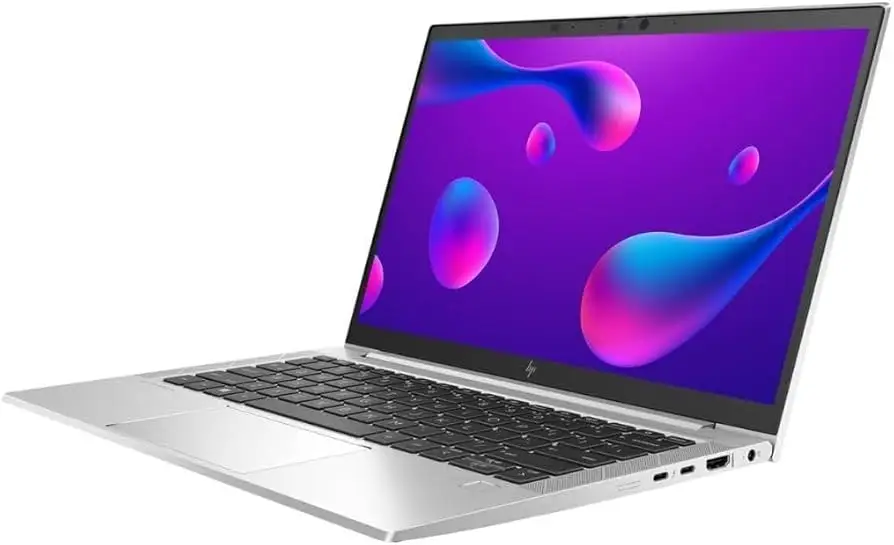
Build quality draws consistent applause—the chassis feels “solid…no cheap plastic” according to johnb***, with some units looking “brand new” despite being refurbished. Portability scores high thanks to its 1.23 kg weight and slim profile; Best Buy customer donv*** loved the “plenty of connectivity options for all my devices.”
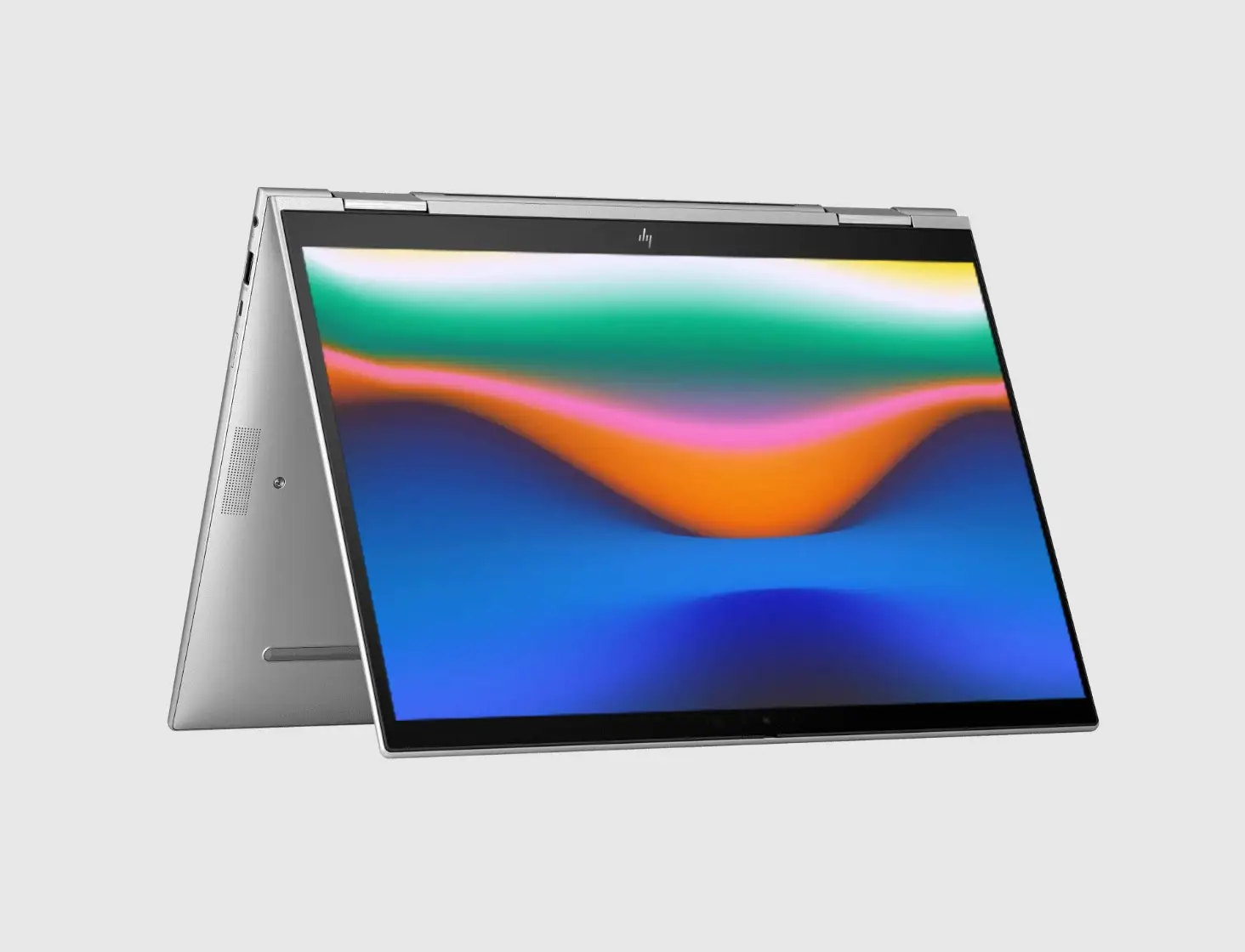
Screen quality is another win. Multiple users found vibrant resolution and, in some cases, unexpected touch functionality. Patriciad*** called the display “pristine,” adding: “my PC happened to be touch screen…wasn’t advertised…a nice surprise.”
Common Complaints
Battery endurance is the most common gripe. College users note it “could be a bit better for full days on campus without charging,” while power users admit to keeping it plugged in during heavy work.
Hardware quirks crop up occasionally. Janey***’s unit had faulty [M] and [N] keys, and ret 8 dmjm*** detailed “no less than 5 complete failures of system operation” requiring restarts. These are in the minority but serve as reminders to test refurb units intensively during warranty.
Missing or inactive security features also frustrate some buyers. Several report non-functional fingerprint scanners, possibly due to prior business configurations. Kari*** preferred physical biometrics to facial recognition but found the scanner “not available for use.”
Divisive Features
The optional HP Sure View privacy screen gets mixed reactions. NotebookCheck praised its brightness ceiling (up to 1000 nits) but warned about narrower viewing angles—a trade-off some professionals are happy with, others dislike. For those traveling with sensitive data, it’s a plus; for collaborative work, it’s a hindrance.
Upgradeability is universally liked, but opinions split on necessity. Some, like johnb***, call the ability to reach 64GB RAM “a great value for the money.” Others feel stock configurations are already overkill for daily tasks.
Trust & Reliability
Skepticism toward refurbished devices dissolves quickly for buyers who used Joy Systems, the refurbisher most cited. Kari*** describes them as “a very classy refurbisher” ending a streak of blue-screen-prone laptops.
Long-term durability stories are good but not flawless: danisha noted a fingerprint reader issue after a year, but otherwise “used it heavily…everything still working well.” Johnb*** reports 74% battery health at purchase, suggesting refurb batteries may not always be fresh—though they can be replaced.
Alternatives
When compared to Lenovo ThinkPad X13 and Dell Latitude 7310—both mentioned in NotebookCheck’s deep dive—the EliteBook 830 G7 wins on upgradeability and matchups in brightness. ThinkPad fans may miss the TrackPoint and longer battery life, while Latitude users get microSD readers absent in the HP.
The AMD-based EliteBook 835 G7 offers better integrated graphics for design work but drops Thunderbolt support. For users prioritizing graphics, the AMD option fits; for data-heavy professionals requiring fast wired and wireless, the Intel-based 830 G7 stays competitive.
Price & Value
eBay listings show refurbished EliteBook 830 G7 units from $299 to $394, down from list prices near $1,499—a steep discount. Trustpilot buyers see this as “impossible to find…at this price.”
The resale market favors well-maintained units; models with 32GB RAM and 512GB+ SSDs retain higher value. Community tips include seeking sellers with explicit warranty terms, testing all ports and keys upon arrival, and confirming whether advertised features like fingerprint or touch are active.
FAQ
Q: Is the refurbished HP EliteBook 830 G7 worth it for students?
A: Yes, especially for those in engineering, design, or programming programs. Multiple student reviewers cite flawless multitasking and portability, though you may need to carry a charger for long on-campus days.
Q: Can the RAM and storage be upgraded?
A: Absolutely. Users have successfully upgraded to 64GB RAM and swapped SSDs, praising easy access compared to newer soldered-memory designs.
Q: Does every unit have a functional fingerprint scanner?
A: No. Some refurbished units ship with inactive scanners or missing drivers, a holdover from prior enterprise configurations. Test early to decide if you need to return or adapt.
Q: How does battery life compare to new laptops?
A: It’s decent, but below many modern ultrabooks. Expect 4-6 hours under mixed loads, less for continuous heavy tasks like CAD or video editing.
Q: Is the screen touch-enabled?
A: Not always. Some buyers received surprise touch displays, but this isn’t consistent or guaranteed unless specified in the listing.
Final Verdict
Buy if you’re a professional, power student, or small business owner who values speed, build quality, and upgrade options over all-day unplugged use. Avoid if uninterrupted battery endurance is critical or if you need guaranteed biometric features.
Pro tip from community: Always check refurb units inside the return window—run stress tests, try all ports, verify advertised security features, and update BIOS/drivers before settling in.





