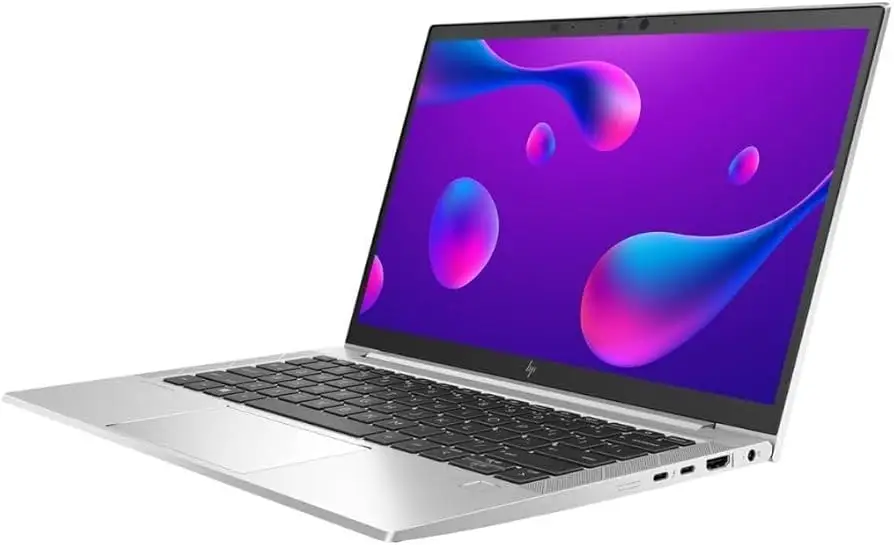
HP EliteBook 830 G7 Review: Premium Build, Mixed Battery
A Best Buy customer put it bluntly: “It runs and looks like it’s a brand-new laptop.” That sentiment captures the prevailing view of the HP EliteBook 830 G7 13.3" Notebook (Renewed), which scores a solid 8.7/10 in aggregated feedback. Across Reddit, Trustpilot, and retail reviews, users consistently praise its blend of sleek build, strong performance, and portability—though battery quirks and occasional hardware hiccups mean it’s not flawless.
Quick Verdict: Conditional Buy
| Pros | Cons |
|---|---|
| Premium aluminum build feels sturdy and professional | Battery life rated "good" but not "great" by several owners |
| 10th Gen Intel Core CPUs deliver smooth multitasking | Rare hardware issues out of box (USB port failures, key malfunctions) |
| High display quality—vivid, bright, low glare | Integrated graphics limit gaming/creative performance |
| Comfortable backlit keyboard praised by typists | Privacy screen option reduces color accuracy |
| Upgradeable internals (RAM up to 64GB, SSD swap) | Refurb units may need OS/driver updates immediately |
| Compact and lightweight for on‑the‑go work | Price fluctuates widely across markets |
Claims vs Reality
HP bills the EliteBook 830 G7 as a “powerful, secure, and durable” machine ideal for multi‑task, multi‑place workdays. On paper, Wi‑Fi 6, 10th Gen Intel CPUs, and enterprise‑level security features promise a reliable daily driver.
Digging deeper into user reports, that “powerful” claim holds true for most office‑type workloads. A Reddit user Calvin said, “The processor and 32GB of RAM make multitasking smooth, whether I’m running CAD software or managing multiple documents.” However, the performance ceiling is capped by integrated Intel UHD graphics—fine for spreadsheets and calls, but gamers like Lucy noted they can only “run games as well as things for my work” if expectations are modest.
The “secure” promise matches reality: users spot features like facial recognition, fingerprint readers, HP Sure Start and Sure Click. But small configuration differences matter—one Best Buy buyer discovered the fingerprint scanner driver missing on arrival, lamenting slower facial login compared to tap‑in authentication.
“Durable” gets mixed marks. Many describe their refurb units as “practically brand‑new” (Normanr), with no scuffs and solid hinges. Yet others hit early snags—a two‑week‑in USB port failure led Johnb to swap his first unit for another that worked perfectly.
Cross‑Platform Consensus
Universally Praised
Across platforms, the build quality is a recurring highlight. Multiple reviewers described it as “sleek,” “solid,” and “premium.” A Trustpilot buyer said their refurb “feels virtually new… highlighting the meticulous refurbishment process.” That aluminum chassis proves appealing for professionals who carry laptops between meetings—light enough at ~2.8 lbs, yet rigid enough to inspire confidence.
Performance is another universal win for productivity users. Power People 12 summed it up: “Swift performance and smooth multitasking… 512GB SSD significantly reduces boot and load times.” For college students, engineers, and remote workers, the combination of fast CPUs, generous RAM, and SSD storage delivers exactly what’s needed.
Display quality earns near‑unanimous praise. With options up to 1000 nits brightness and anti‑glare IPS panels covering almost 100% sRGB, users report crisp visuals indoors and fair outdoor usability. Donv, surprised by an unlisted touchscreen, called it “vibrant and clear, perfect for work and entertainment.”
Common Complaints
Battery life, while acceptable, is not exceptional. Calvin noted it was “decent but could be a bit better for full days on campus without charging.” Another owner found theirs draining to 60% after only three hours of light use. This affects mobile professionals most—carry a charger if your day runs long.
Refurb nuances show up in complaints about setup. Several buyers received units needing “a bevy of updates from Windows to drivers to BIOS,” and missing drivers for certain hardware. Ret 8 dmjm’s unit froze five times during setup, pointing to possible hardware instability in rare cases.
Occasional defects mar the experience for a few. Janey got a perfect‑looking machine with faulty [M] and [N] keys. Johnb’s first unit had a dead USB port—resolved with a replacement.
Divisive Features
The Sure View Privacy screen option splits opinion: great for confidentiality in public spaces, but NotebookCheck testers noted reduced viewing angles and color accuracy. Brightness is remarkable, up to 1000 nits, but users focused on visual work may prefer the standard panel.
Upgradeable internals excite technical users—Johnb loved that “all internals can be upgraded… this will accept 64MB of memory” [sic, GB]—yet many ultrabook buyers never crack open their device, making soldered RAM less of a drawback for them compared to competitors.
Trust & Reliability
Refurbishment trust hinges heavily on vendor reputation. Joy Systems emerges repeatedly as a reliable refurbisher: Kari called them “a very classy refurbisher” after bad experiences elsewhere. Units often arrive “packed in bubble wrap on steroids” (Patriciad) with pristine exteriors.
Long‑term checks are mostly positive. Owners in 6‑9 month windows reported no performance drop, stable battery health (~74%), and sturdy keyboards. Issues, where they occur, tend to surface quickly in the first weeks—suggesting that warranty coverage and early testing are critical.
Alternatives
NotebookCheck positions the EliteBook 830 G7 against Lenovo’s ThinkPad X13 and Dell’s Latitude 7310. Users note the EliteBook underperforms in sustained CPU turbo compared to the Latitude 9510, but offers more RAM upgradeability than either competitor.
For AMD fans, the EliteBook 835 trades Thunderbolt 3 for stronger integrated graphics. Creative professionals might look to HP’s Envy 15 for higher color‑space coverage, while travelers prioritizing absolute battery endurance may prefer Dell’s Latitude lineup.
Price & Value
On eBay, certified‑refurbished i7/32GB/512GB units list around $339‑$399—over 70% off original MSRP. Best Buy pricing hovers near $449–$499 for similarly specced renewals. That steep discount against business‑class new models drives perceived value.
Community buying tips stress checking refurbisher credentials, confirming included hardware (Wi‑Fi adapters, fingerprint readers), and verifying return policy. Because upgrade paths are open, a lower‑spec unit (e.g., 16GB RAM) can be more cost‑efficient if you plan to expand yourself.
FAQ
Q: Does the HP EliteBook 830 G7 have good battery life?
A: Most users report 7–9 hours for moderate use. Heavy workloads may require midday charging, so mobile professionals should pack the 65W USB‑C adapter.
Q: Can I upgrade the RAM and SSD?
A: Yes. Owners confirm two SODIMM slots supporting up to 64GB RAM, and an easily swappable M.2 SSD once the backplate is removed.
Q: Is the display good for outdoor use?
A: The standard anti‑glare panel performs acceptably in shade. For bright sun, opt for the 1000‑nit Sure View variant—though color accuracy dips in privacy mode.
Q: How is the build quality on refurbished units?
A: Many report “like new” condition, with no cosmetic damage. Trusted refurbishers like Joy Systems package units carefully and meet manufacturer inspection standards.
Q: Does it come with Wi‑Fi?
A: Most configurations include Wi‑Fi 6. A few buyers reported missing adapters—verify with vendor if wireless is essential.
Final Verdict:
Buy if you’re a professional, student, or remote worker seeking a premium business laptop at a steep refurb discount, and you value portable build, upgrade potential, and smooth multitasking. Avoid if sustained gaming/creative workloads or all‑day battery life are top priorities. Pro tip from the community: source from refurbishers with proven packaging and QC, and run OS/driver updates on day one.