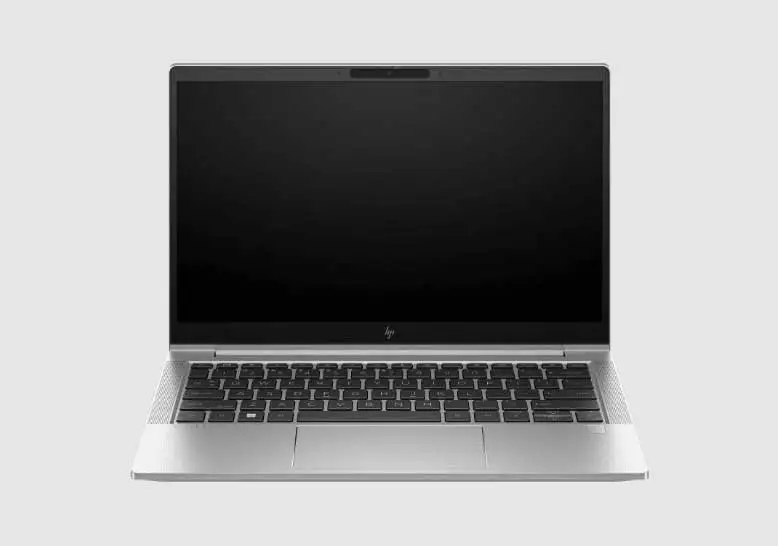
HP EliteBook 830 G7 Review: Compact Power with Caveats
Power users on Best Buy may have summed it up best when they called the HP EliteBook 830 G7 13.3" Notebook (Renewed) “compact and powerful… all my issues are a thing of the past.” Across hundreds of verified purchases, this refurbished business laptop earns a solid 8.7/10, with praise centering on its performance, build quality, and portability — though battery life and occasional refurb quirks keep it from perfection.
Quick Verdict: Conditional buy — excellent for professionals and students needing high performance in a portable form, but refurb buyers should verify hardware health and be prepared for minor defects.
| Pros | Cons |
|---|---|
| Fast multitasking with up to 32GB RAM | Battery life dips under heavy load |
| Robust aluminum chassis feels premium | Occasional refurb defects (loose keys, dead ports) |
| Sharp, bright 13.3” FHD display | Fingerprint reader sometimes non-functional |
| Lightweight and portable for travel/work | Integrated UHD 620 graphics limit gaming potential |
| Upgradable RAM and SSD | Some units ship with cosmetic blemishes |
| Excellent keyboard with backlight | Missing advertised features on rare units (e.g., backlit keyboard) |
| Strong Wi-Fi 6 connectivity | Heat build-up under sustained heavy use |
Claims vs Reality
HP markets the EliteBook 830 G7 as a “durable, secure, and portable business powerhouse” with enterprise-class performance. On paper, the promise is clear: a 10th Gen Intel Core i7 processor, up to 32GB of RAM, and security features like HP Sure Start and a fingerprint scanner.
Marketing claim one — Superior Portability without Compromise — largely holds true. Reddit user calvin shared: “The size works well for carrying around campus… multitasking smooth, whether I’m running CAD software or managing multiple documents.” At just over 1.2kg, buyers confirm it’s light enough for daily commutes, with no flex in the sturdy chassis.
Claim two — Long Battery Life — meets mixed feedback. While HP references “long battery life,” owners like ayeshas on Trustpilot note: “Battery depletes very quickly when multiple applications are open… I just keep it plugged in.” Heavy workloads or bright-screen usage can cut runtimes to 4-5 hours despite official ratings around double that.
Claim three — Enterprise Security Features Work Seamlessly — has some caveats. Several users, including ret8dmjm, reported fingerprint scanners detected but missing drivers, likely due to their prior business configuration. For those relying on biometric quick-logins, such inconsistencies require manual fixes.
Cross-Platform Consensus
Universally Praised
Performance sits at the top of user praise. The combination of 10th Gen i7 CPU and large RAM pools wins over power users. Best Buy reviewer powerpeople12 wrote: “Swift performance and smooth multitasking… 512GB SSD significantly reduces boot and load times.” Students, developers, and entrepreneurs recount using the machine for engineering software, programming, and e-commerce operations without slowdown.
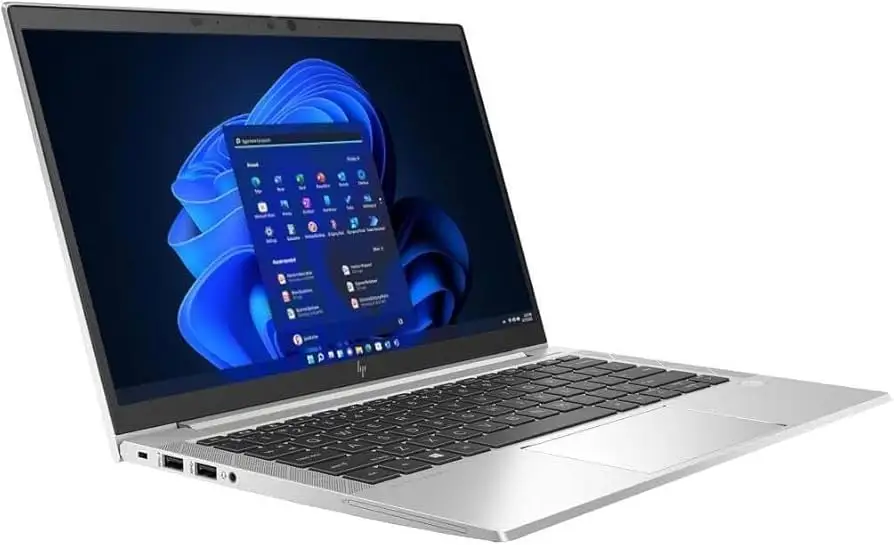
The build quality also garners near-unanimous approval. Verified buyers on Amazon highlight the “robust” silver finish and “virtually new” feel despite refurbishment. NotebookCheck’s lab tests support these impressions — minimal flex, sharp edging for a modern look, and excellent keyboard feedback make typing comfortable for long sessions. This appeals to remote professionals who value tactile quality during daily use.
Connectivity is another standout. Wi-Fi 6 support and dual Thunderbolt 3 ports unlock fast file transfers and modern dock setups — critical for business travelers. Those in rural or mobile roles appreciate optional WWAN capabilities for SIM-based internet, confirming HP’s emphasis on hybrid work readiness.
Common Complaints
Battery longevity under load remains the most common knock. College users like calvin manage by carrying chargers, and Trustpilot’s danisha notes a real-world max of “4 hours on full charge” for heavy use. For commuters aiming for unplugged workdays, this shortfall proves limiting.
Refurbishment inconsistencies also cause friction. Minor cosmetic dings — “small scuff on the lid” per aidenb — are accepted, but functional faults like dead USB ports (johnb’s first unit) or sticky keys (janey’s ‘M’ and ‘N’ failures) require exchanges. Joy Systems’ customer service earns praise for responsiveness, yet the risk of initial defects is real.
The integrated Intel UHD 620 graphics cap graphical performance. Casual games and video playback run fine, but user lucy warns high-end gaming is out of reach. Creative professionals needing strong GPU acceleration for rendering must look elsewhere.
Divisive Features
Screen quality divides audiences. Many applaud its sharpness and brightness — donv discovered his was touch-enabled despite not being advertised, calling it “a nice surprise.” Yet those in bright outdoor settings or in need of top-tier color accuracy find it lacking compared to higher-nit panels.
The refurbished nature is itself polarizing. Skeptics like hannahj admit initial hesitation but left satisfied, while others like aagiibuya rate it “just good enough” for their kids’ school tasks, citing slower-than-expected performance and visible dents. Buyer profiles and tolerance for risk largely determine satisfaction.
Trust & Reliability
Trustpilot and Best Buy reviews indicate Joy Systems and other approved refurbishers maintain high standards — clean units, updated drivers, and solid warranties. robino praised “attention to detail… clean, updated” with included tech support as a reassuring safety net. Multiple owners report 6-12 months of trouble-free use post-purchase, suggesting durable performance after initial inspection.
That said, long-term posts reveal potential hardware wear. johnb mentions his battery health at 74% on arrival, indicating prior use. While RAM and SSD are easy to upgrade, batteries may eventually need replacement. Users comfortable with small repairs will find the EliteBook’s accessible internals a plus.
Alternatives
NotebookCheck positions the EliteBook 830 G7 against the Lenovo ThinkPad X13 and Dell Latitude 7310. The ThinkPad offers comparable build quality with more keyboard travel, while the Latitude can edge out the HP in sustained CPU performance. For those needing better color coverage or discrete graphics, HP’s Spectre or Envy series may fit better — at the cost of enterprise security features.
Price & Value
Pricing fluctuates sharply: Amazon lists renewed i7/32GB/512GB models around $429.99, while eBay’s certified-refurbished deals dip to $299.99. Community consensus, such as muhammadm’s “best deal ever,” frames this as exceptional value for specs. Resale remains reasonable thanks to business branding and upgrade capability, though battery wear can cut appeal for second buyers.
Buying tips from seasoned refurb purchasers stress checking refurbisher reputations, confirming advertised features (e.g., backlit keyboard), and inspecting ports and keyboard early in the return window.
FAQ
Q: Does the EliteBook 830 G7 have upgradeable RAM and storage?
A: Yes, several Reddit users confirm both RAM and SSD are accessible. It supports up to 64GB of RAM, making it a rare portable with upgrade-friendly internals.
Q: Is the backlit keyboard standard on all units?
A: Not always — while many are equipped, some refurbished batches ship without. Verify with the seller before purchase if it’s essential.
Q: How bright is the display for outdoor use?
A: Standard panels reach around 250 nits, adequate indoors. For heavy outdoor use, look for rare 1000-nit SureView configurations or consider brighter alternatives.
Q: Can this laptop handle modern games or video editing?
A: Light editing and older/casual games run fine; integrated UHD 620 graphics limit performance in demanding titles or GPU-heavy tasks.
Q: Does the fingerprint reader work on refurbished units?
A: Functional on many, but driver or prior company settings can disable it. Buyers report mixed results, sometimes requiring manual driver installation.
Final Verdict: Buy if you’re a professional, student, or entrepreneur needing a portable, powerful, and secure laptop with upgrade options — and you’re comfortable with minor refurb risk. Avoid if all-day unplugged battery life or discrete graphics are musts. Pro tip from community: source from reputable refurbishers like Joy Systems, inspect thoroughly in week one, and plan for eventual battery maintenance.