HP Advanced Photo Paper Glossy Review: Conditional Buy 8/10
The loudest story here isn’t about gloss—it’s about drying: one Staples reviewer vented that “the ink will not dry, 48 hours still smearing,” while Best Buy shoppers raved the same kind of product “dries instantly.” HP Advanced Photo Paper Glossy 8.5x11 in lands as a Conditional buy for most home photo printers, with real-world results swinging hard by printer/settings and expectations. Score: 8/10.
Quick Verdict
HP Advanced Photo Paper Glossy 8.5x11 in is a Yes—conditionally. Digging deeper into buyer comments, it’s most beloved by people printing framed photos, gifts, and portfolio pieces who want “clear and vibrant colors” without outsourcing to a lab. The biggest risks show up when users assume it’s card stock, expect gloss on both sides, or hit drying/smearing problems.
A recurring pattern emerged across retail reviews: when it works, it looks “like professional copies.” When it doesn’t, the experience is messy—literal ink smears, fingerprints, and wasted sheets.
| Decision driver | What users said | Who it helps/hurts |
|---|---|---|
| Print quality | “pictures come out like professional copies.” (Best Buy user mark 2244) | Great for framing, gifts, portfolios |
| Dry time | “Instant dry.” (Best Buy user plymouth 1620) vs “48 hours still smearing” (Staples reviewer) | Sensitive to printer/ink/settings |
| Paper handling | “good weight and thickness; not thin.” (Best Buy user plymouth 1620) | Feels premium; some printers jam |
| Compatibility | “use it in epson printers…completely compatible.” (Best Buy user wonks) | Not just HP printers, but varies |
| Expectations mismatch | “thought it would be glossy on both sides…for making cards.” (Staples reviewer) | Hurts crafters needing double-sided gloss |
Claims vs Reality
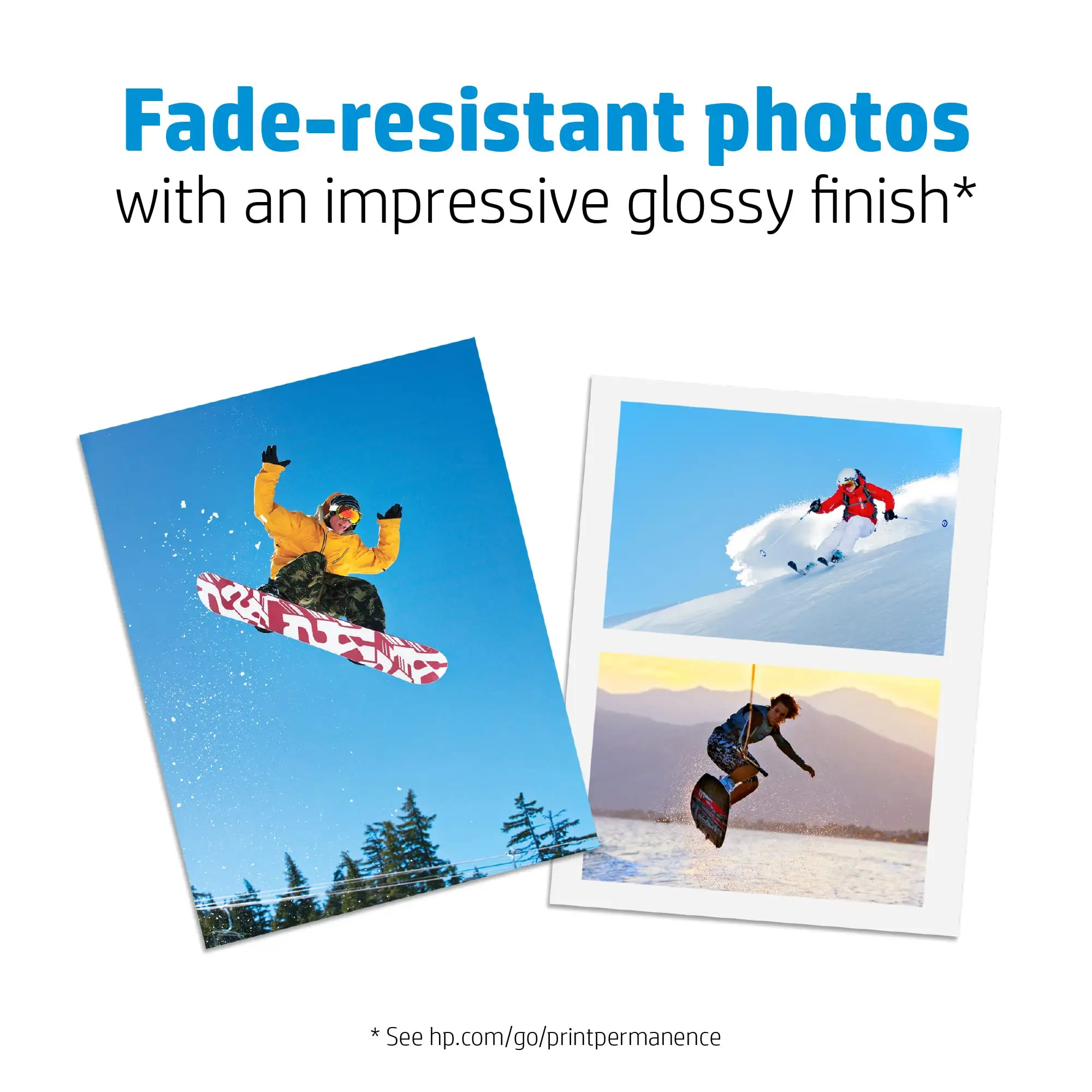
HP Advanced Photo Paper Glossy 8.5x11 in is marketed around rich color, quick-dry handling, and longevity. User feedback largely supports the “photo quality” promise—but the “quick-dry” and “easy handling” story fractures depending on the setup and use case.
HP’s product description highlights that you can “handle durable, quick-dry photos right from the printer,” and frames it as paper you can use for “framed displays” and “creative projects.” In practice, some shoppers mirror that experience closely. A customer on Staples kept it simple: “this paper is great for printing pictures.” On Best Buy, user plymouth 1620 called it “excellent glossy photo paper…Instant dry…good color reproduction.”
While marketing leans into easy, immediate handling, a subset of buyers report the opposite. A Staples reviewer described a worst-case scenario: “the ink will not dry, 48 hours still smearing,” and another echoed the same failure mode: “Ink was all over the paper. did not dry and smeared…leaving finger prints.” The gap here reads less like a universal defect and more like a compatibility/settings trap—especially for people who assume “photo paper” will behave consistently across printers and inks.
Another marketing-adjacent mismatch is how people interpret “photo paper” versus craft paper. One Staples reviewer wrote: “I thought it would be glossy on both sides…going to use it for making cards…wanted a cardstock weight…so, i can not use it for what i wanted it for.” In other words, even if the glossy finish delivers for photos, it can fail the moment the buyer’s real project is greeting cards or heavier craft stock.
Cross-Platform Consensus
Universally Praised
HP Advanced Photo Paper Glossy 8.5x11 in gets its strongest, most consistent praise for photo realism and a “finished” look that feels frame-ready. Digging deeper into user reports, the people happiest with it tend to be printing at home for everyday photo needs—family pictures, artwork gifts, and portfolio prints—where gloss and color “pop” are the whole point.
Best Buy reviews repeatedly celebrate output that surprises first-time users. Best Buy user handro 33 described that first-print moment: “we couldn’t believe the quality of the picture.” Another, Best Buy user mark 2244, framed the value angle: “best value…good quality paper and dry’s quickly.” For the practical home printer crowd, that combination—lab-like look without lab-like effort—is the core win.
Staples feedback adds a creator/artist angle. One reviewer explained a multi-use workflow: “i use this for portfolio prints, as well as for prints for gifts of my artwork… it really good paper.” That’s a specific persona story: artists and hobby sellers don’t just need “nice paper”—they need something that makes prints presentable without constant reprints.
When things go right, drying time becomes part of the appeal. Best Buy user mari jc said: “dries instantly, i was actually surprised.” Even more telling: “Highly rated by customers for: quality, dry time” is how Best Buy’s review summary describes the overall pattern. For people printing and immediately handling or framing, instant-dry behavior is the difference between a smooth workflow and a smeared disaster.
After those narratives, the praise clusters into a few repeatable themes:
- “pictures print beautifully with quick drying time.” (Best Buy user happy go lucky)
- “beautiful photos…clear and vibrant colors.” (Staples reviewer)
- “HP glossy paper really improved the picture quality.” (Best Buy user grumpy)
Common Complaints
The most serious complaints aren’t subtle—they’re angry, time-wasting failures centered on smearing, drying, and paper feed issues. A recurring pattern emerged: users who run into problems often describe them as total blockers, not minor annoyances.
Drying and smudging is the headline risk. One Staples reviewer wrote: “terrible photos won’t dry…48 hours still smearing,” turning what should be an instant gratification product into a two-day waiting game that still ends in fingerprints. Another described the moment of failure right at the printer: “Ink was all over the paper…smeared removing from the printer leaving finger prints.”
Paper handling—especially jams—shows up as a second major pain point. A Staples reviewer called out a specific printer scenario: “my hp 8710…will not take this 8.5x11 photo paper…this gets stuck & causes a paper jam.” For anyone relying on letter-size prints for albums or framing, that’s not a rare edge case; it’s the entire reason they bought 8.5x11 instead of 4x6. Interestingly, that same reviewer also documented a workaround from a Staples tech: “press the door opposite the rollers until i hear the paper pass through…finally able to print.” That story suggests some “paper doesn’t work” reports may be solvable—but only if the buyer is willing to troubleshoot.
Expectation mismatch is the quieter but common frustration, especially among crafters. One Staples reviewer explained they couldn’t use it for their intended project because they wanted card-making materials: “wanted a cardstock weight not a picture weight paper.” That complaint isn’t about poor print quality—it’s about the product being the wrong tool for the job.
Key complaint themes, in users’ own words:
- “ink will not dry…still smearing.” (Staples reviewer)
- “paper jam…gets stuck.” (Staples reviewer)
- “thought it would be glossy on both sides.” (Staples reviewer)
Divisive Features
Dry time is the most polarizing trait because different buyers are reporting opposite realities. Best Buy users describe near-instant handling—Best Buy user plymouth 1620: “Instant dry”—while Staples reviews include “48 hours still smearing.” While HP describes it as “quick-dry,” multiple users report conditions where it behaves like the opposite. The contradiction doesn’t resolve cleanly in the data, but it strongly implies that printer model, ink type, and paper settings can make or break the experience.
Compatibility is also split, but in a more nuanced way. Some buyers report broad compatibility: Best Buy user wonks said, “use it in epson printers and it is completely compatible,” and another user noted other brands “haven’t worked well” but this did. Yet the Staples HP 8710 owner’s jam story suggests that “works in inkjets” doesn’t guarantee “feeds reliably in all inkjets,” especially at 8.5x11.
Trust & Reliability
On scam concerns specifically, the provided Trustpilot and social/community sources don’t contain independent trust signals beyond what appears to be HP store review content; there aren’t verified patterns of fraud reports to compile from those sources here.
Reliability, in the way users talk about it, centers on repeatable results and whether the paper behaves consistently sheet-to-sheet. Several Best Buy reviewers indicate they’d repurchase, suggesting dependable outcomes for their setups. Best Buy user connie wrote: “This was my first purchase… and i will be ordering more when i run out,” and Best Buy user mari jc echoed: “will be buying again.”
Long-term “6 months later” durability stories aren’t present in the provided Reddit/community data for this specific product. What does appear repeatedly is short-term handling reliability—drying, smearing, and jams—which are immediate, not long-horizon, reliability concerns.
Alternatives
The only clearly referenced alternative in the provided data is Epson-branded photo paper, mentioned indirectly by a Best Buy reviewer comparing compatibility experiences. Best Buy user wonks said: “use it in epson printers…Some photo paper other than epson haven’t worked well but this hp photo paper is just fine.”
That comparison frames HP Advanced Photo Paper Glossy 8.5x11 in as a viable option for Epson printer owners who have had inconsistent results with non-Epson papers. At the same time, the jam/smear complaints suggest that if a user already has a paper that feeds perfectly in their specific printer, switching carries some risk—especially for letter-size sheets where jams are more disruptive than with 4x6.
Price & Value
Value perceptions hinge on whether the paper saves you from reprints. When output matches expectations, users see it as a cost-effective way to get “professional” looks at home. Best Buy user rusa summarized the day-to-day value angle: “great product within the price tag…photo quality is very good for daily printing,” and Best Buy user mark 2244 called it “best value.”
Resale listings on eBay show this kind of glossy photo paper often appears as “open box” or “pre-owned” packs (for example, “hp advanced photo paper glossy 100 sheets 8.5 x 11…pre-owned”), which suggests buyers sometimes offload partially used paper—possibly after compatibility issues, printer changes, or surplus. That can mean deals for bargain hunters, but also adds uncertainty about storage conditions and completeness.
Community buying tips embedded in reviews mostly translate to expectation-setting: several complaints come from using it for the wrong purpose (card-making, double-sided gloss) or from printer feed issues that required mechanical workarounds. The practical implication is to verify printer settings and intended use before buying a large quantity.
FAQ
Q: Does HP Advanced Photo Paper Glossy 8.5x11 dry quickly?
A: It depends on your printer and settings. Best Buy user plymouth 1620 said, “Instant dry,” and Best Buy user mari jc wrote, “dries instantly.” But a Staples reviewer reported “the ink will not dry, 48 hours still smearing,” and another described ink that “smeared…leaving finger prints.”
Q: Will it work in non-HP inkjet printers (like Epson)?
A: Some buyers say yes. Best Buy user wonks noted, “use it in epson printers and it is completely compatible.” Still, compatibility isn’t universal—one Staples reviewer with an HP 8710 reported the paper “gets stuck & causes a paper jam,” showing printer-specific feeding can be an issue.
Q: Is this good for making greeting cards or cardstock projects?
A: Not for everyone. A Staples reviewer said they “thought it would be glossy on both sides” and wanted “a cardstock weight not a picture weight paper,” then concluded they “can not use it for what i wanted.” Reviews skew toward photo printing, portfolios, and framed images.
Q: What kind of photo quality should I expect?
A: Many buyers describe near-lab results for home printing. Best Buy user mark 2244 said pictures come out “like professional copies,” and Staples reviewers praised “beautiful photos…clear and vibrant colors.” Best Buy user handro 33 added: “we couldn’t believe the quality of the picture.”
Final Verdict
HP Advanced Photo Paper Glossy 8.5x11 in: Buy if you’re a home photo printer who wants glossy, frame-ready prints and you’re willing to match printer settings to photo paper. Avoid if you need double-sided gloss, card-making cardstock weight, or you’ve had past issues with smearing and paper-feed jams on thick letter-size sheets. Pro tip from the Staples community: one jam-prone user fixed feeding by “press[ing] the door opposite the rollers until i hear the paper pass through.”





