HP 21 Black Ink Cartridge Review: Conditional Verdict
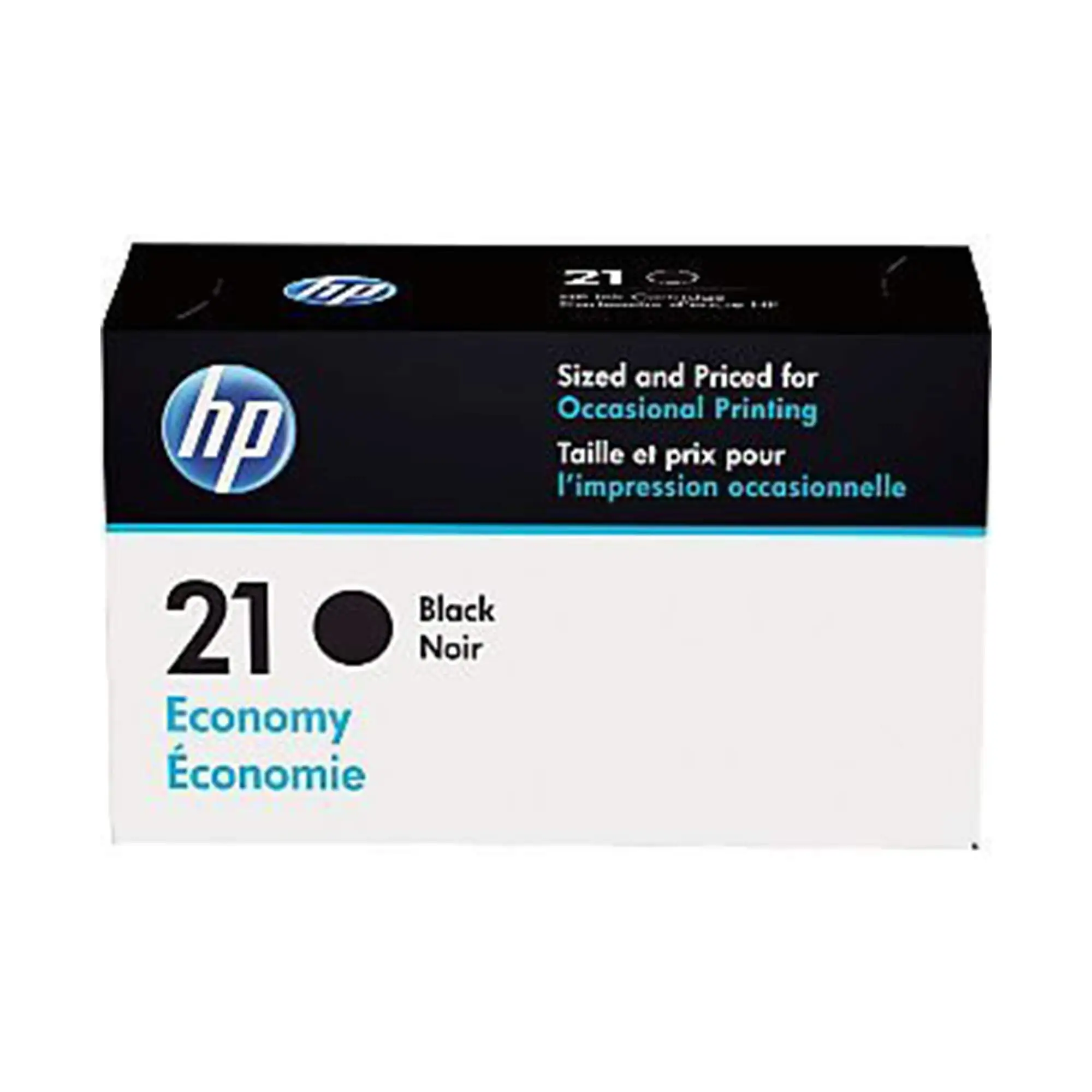
One Amazon buyer summed it up bluntly: “Runs out way too fast—not worth the money,” while a Best Buy customer called it “the greatest ink buy ever.” That contrast captures the polarizing nature of the HP 21 Black Ink Cartridge, which scores 7.6/10 based on aggregated real-world feedback. Marketed as delivering “laser-quality” text with a yield of ~190 pages, users agree it’s easy to install and delivers crisp prints—but many dispute the page count and complain about high running costs.
Quick Verdict: Conditional
| Pros | Cons |
|---|---|
| Crisp, high-quality black text | Page yield often falls short of 190 pages |
| Easy installation and reliable compatibility | Expensive for volume printed |
| Works well with older HP printers still in service | Frequent replacements needed for heavy users |
| Long-term loyalty from some users | Reports of cartridges drying up before use-by date |
| Fade-resistant prints for archiving | Packaging damage in transit (Best Buy reports) |
Claims vs Reality
HP’s marketing touts “laser-quality black text” and “up to 2x more prints” compared to non-original ink. A verified buyer on Amazon noted: “New HP ink cartridge works better than refill cartridges,” confirming the quality claim, especially for professional documents. Customers on Walmart also reported “consistently crisp, clean, and smear-free results,” making it a good choice for archiving.
The advertised 190-page yield is where the gap widens. While officially tested under ISO standards, Reddit discussions show page counts closer to 100–150 pages for text and only 20–30 for photos. One Staples reviewer warned: “The cartridges cost over $15 each… only good for 100–150 pages of text.” This impacts value for anyone doing moderate- to high-volume printing.
The convenience claim—“simple to install and easy to use”—aligns well with user experiences. Best Buy reviews praise the ease of installation, with one user stating: “Just tear off the cartridge tape, slide it in and done. No mess and less fuss.” Older printer owners appreciate the compatibility, with one shopper commenting, “My printer seems to like it; works fine.”
Cross-Platform Consensus
Universally Praised
Across Amazon, Best Buy, and Staples, print quality earns repeated praise. A Best Buy reviewer described it as “vibrant on paper with no smears,” while Walmart buyers cited sharp text for archives. For home users and small offices prioritizing presentation, these qualities matter—you can trust the printer to produce clean, professional-looking documents without reprints.
Compatibility with legacy HP printers is another strong point. Amazon buyers with models decades old are relieved: “Oldie but goodie… I hope they don’t discontinue the ink!” For those maintaining older hardware, the HP 21 remains one of the few readily available cartridges still sold online.
Common Complaints
The dominant gripe is page yield. Heavy users hit the limit within days. One parent buying for a child’s e-learning setup said: “Gone in several days (maybe 20 pages?).” Frequent shortfalls mean recurring expense and storage of spares. Another long-time Staples shopper calculated annual costs over $1,000 using this model for light use. This especially affects home offices printing daily reports or educational material.
Drying out also frustrates buyers. The Citizenside expert review acknowledged that “some users experienced dried-up cartridges before use-by date.” It’s a known risk for infrequent printers who may find a cartridge unusable when finally needed.
Divisive Features
Price draws split opinions. Best Buy shoppers frequently cite “best price I’ve seen,” while others on Staples call it “waste of money.” The gap often comes down to purchase source—those buying discounted twin-packs online versus paying full retail locally. Draft mode usage also changes cost-per-page significantly; one Amazon customer shared that by printing at 300 dpi in draft mode, “1 black ink cartridge will last me most of a school semester” with 10–20 pages per week.
Trust & Reliability
Long-term HP loyalists swear by the brand’s dependability. A Staples customer with “over 15 years” of use reported no issues, adding, “Great quality! New HP ink cartridge works better than refill cartridges.” There’s a sense among this group that OEM reliability justifies the premium, especially for mission-critical printing.
On the flip side, durability issues surface in scattered reports about dried ink or defective cartridges. While rare, they fuel suspicion about storage practices in retail supply chains. Multiple Best Buy customers mentioned packaging damage on arrival, though the cartridges inside remained operational.
Alternatives
Alternatives discussed in Quora and eBay data center on remanufactured or compatible cartridges. Brands like ValueToner, Zi Print, and Coloworld deliver higher yields (up to 520 pages per black cartridge) at lower per-unit costs. However, the trade-off is occasional compatibility errors and lighter print density. For high-volume users seeking savings, these could be attractive; OEM purists argue remanufactured inks risk clogging printheads.
Price & Value
On Amazon, singles hover around $24.89, while Best Buy’s twin-pack deal at $41.99 appeals to regular users. eBay shows remanufactured options selling for under $15, even for twin packs, but quality variance is wider. Community tips emphasize buying in bulk—Staples and Walmart twin-packs avoid frequent out-of-stock issues and lower per-page costs. Using draft print settings can significantly extend cartridge life, as highlighted by those achieving semester-long usage.
FAQ
Q: Does the HP 21 Black Ink Cartridge really yield 190 pages?
A: Many users report fewer—often between 100–150 pages for plain text and far less for photos. Draft mode printing can extend life closer to claimed values.
Q: Is it worth paying for OEM over remanufactured?
A: OEM cartridges offer consistent quality and fewer compatibility issues, especially for older printers. Remanufactured options cost less but may have lighter output or occasional errors.
Q: Will it work in older HP printers?
A: Yes, it’s compatible with a wide range of legacy DeskJet, OfficeJet, PSC, and Fax models, making it a lifeline for discontinued printers.
Q: Can the cartridge dry out if unused?
A: Yes, infrequent use can lead to drying before the use-by date. Store in a cool, dry place and print regularly to avoid waste.
Q: How can I reduce my ink costs with HP 21?
A: Buy twin-packs online for discounts, print in draft mode when possible, and avoid photo printing unless necessary.
Final Verdict: Buy if you own an older HP printer and prioritize print quality over running cost. Avoid if your printing volume is high—you’ll likely face frequent replacements and escalating expenses. Pro tip from community: Use draft mode daily and purchase discounted twin-packs from reputable retailers to keep costs manageable without sacrificing OEM reliability.





