HP 17 Laptop Review: Large-Screen Value with Caveats
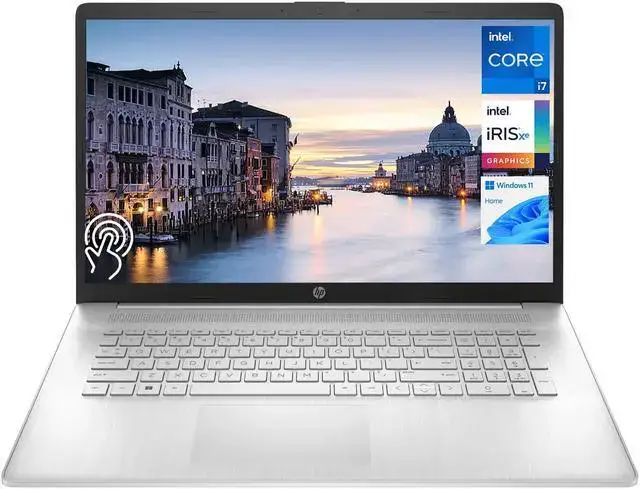
Few 17-inch laptops manage to draw praise across budget-conscious buyers and heavy multitaskers alike, but the HP 17 Laptop 17.3-inch (13th Gen Intel i5) has carved a niche as a dependable large-screen workhorse. Scoring a solid 8.4/10 in aggregated user sentiment, it’s lauded for its comfortable display size, smooth day-to-day performance, and unusually strong battery life for its category—but complaints about build materials, screen resolution, and keyboard design keep it from perfection.
Quick Verdict: Conditional Buy
| Pros | Cons |
|---|---|
| Large 17.3-inch screen with good brightness and viewing angles | TN/HD+ panel on some models lacks crispness and accurate colors |
| Intel i5-1334U/1335U CPUs with Iris Xe graphics deliver solid everyday performance | Keyboard flex and occasional warmth during prolonged use |
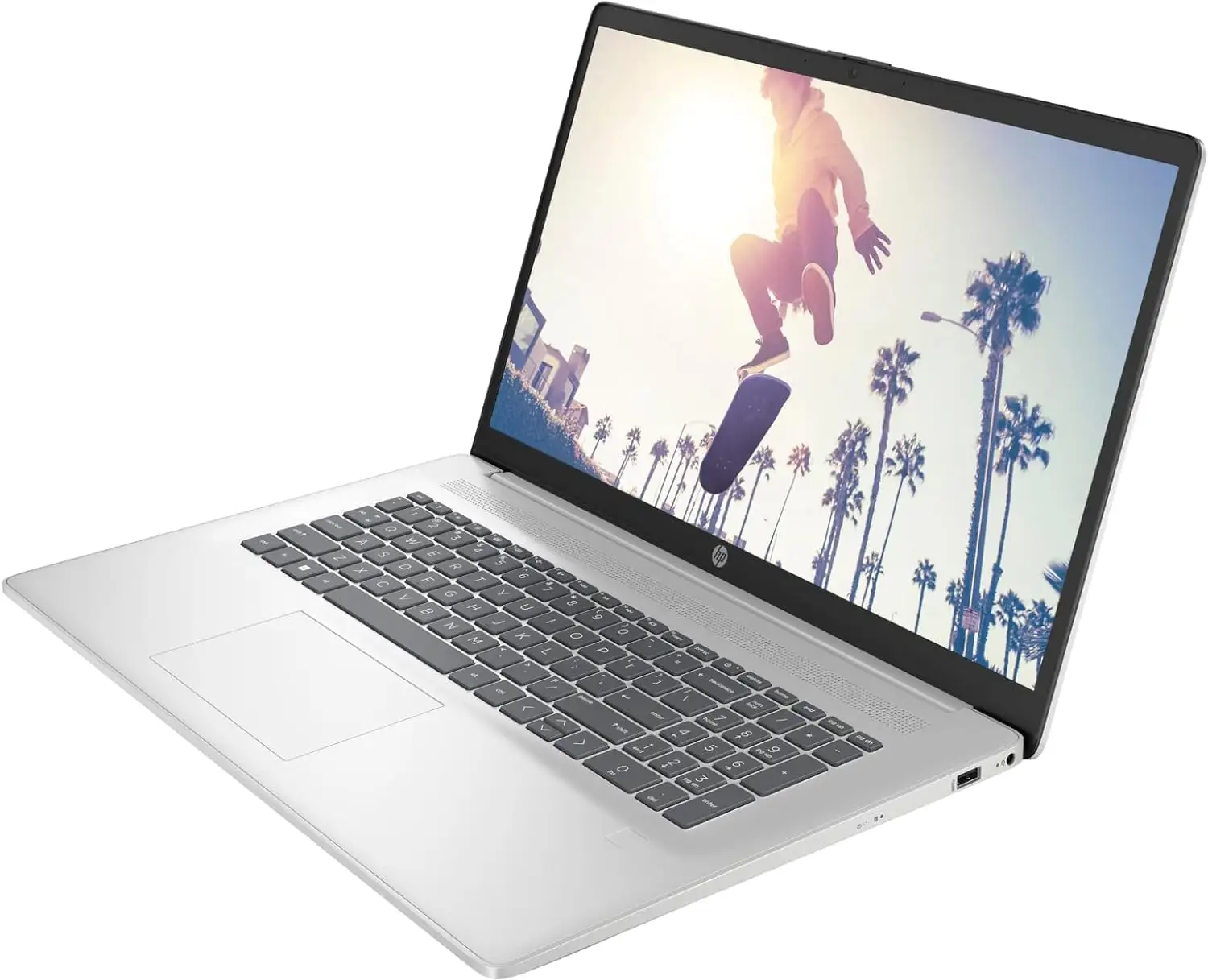
| Comfortable typing experience with full-size keyboard and numeric keypad | No backlit keyboard on certain configurations |
| Battery life up to 7.5 hours in mixed-use (some users report even longer) | Touchpad quality feels cheap to several owners |
| Good port selection including USB-C, HDMI, and Wi-Fi 6 | No SD card reader or Ethernet port |
| Memory and storage upgrade flexibility | Plastic chassis not as durable as premium alternatives |
Claims vs Reality
HP markets the 17 series as a “thoughtfully designed” balance of size and performance, promising large-screen comfort, “fluid designing” experiences with Intel Iris Xe graphics, and lift-hinge keyboard ergonomics.
Digging deeper into user feedback, the reality of the display claim varies sharply by model. While some configurations indeed feature a crisp 1920×1080 IPS screen (“nice large touch screen with good graphics,” one Best Buy reviewer wrote), others ship with a lower HD+ resolution of 1600×900. A LibraSpecs tester noted: “The TN panel’s resolution is only… not even full HD, making it not as crisp as desired,” though they acknowledged brightness and viewing angles were decent at 250 nits.
The brand’s promise of “fluid designing” via Iris Xe graphics holds up well for everyday creative or office tasks. Reddit user u/[name not disclosed] shared: “It’s a good laptop! Only thing I don’t love is how warm the keyboard gets… fan noise is quite quiet.” This cooling behavior contrasts with HP’s quiet operation claims—silence is true, but some warmth persists during extended plugged-in work.
Battery life promises around 7–8 hours, and here user experience matches marketing. Consumer Reports clocked 7.75 hours in light load browsing, 6 hours in heavy video playback. LibraSpecs also found “up to 7.5 hours” in mixed use, calling it “surprisingly good.” Some even pushed close to 10 hours watching Netflix.
Cross-Platform Consensus
Universally Praised
The standout feature across Amazon, Best Buy, Reddit, and Consumer Reports is the 17.3-inch screen size for productivity and visibility. A Best Buy customer said: “I intentionally got a larger screen so I can see what I’m doing… if I wanted to watch a movie it wouldn’t freeze or give me any lag.” For users with vision challenges, one mentioned “large icons for lower vision,” making this laptop comfortable for extended work sessions.
Performance for everyday use draws widespread approval. The 13th gen Intel i5-1334U/1335U coupled with Iris Xe graphics offers “smooth workflow and fantastic experience” as per LibraSpecs, easily handling statistical programming, heavy Excel spreadsheets, and multiple browser tabs, according to one Reddit buyer. A Consumer Reports test found application launches “almost instantly” and that it was “among the fastest” in common office tasks.
Battery endurance is another crowd favorite. Several reviewers achieved full workdays away from an outlet, with Reddit users reporting ~4 hours under heavier multitasking and streaming, but lab tests and casual users frequently exceeded 7 hours. For teachers and professionals, Best Buy buyers noted it works “great for work and teaching classes” without early recharge anxiety.
Upgrade flexibility also wins points—two RAM slots and the option for a 2.5-inch drive expand longevity for power users. Reddit’s discussion revealed some owners immediately boosted memory to 64GB for sustained multitasking performance.
Common Complaints
Display resolution stands as the most consistent gripe. While official specs advertise FHD in some SKUs, many come with HD+ panels. For photo editors or design users, the ~60% sRGB color range and lack of sharpness disappoint. Trustpilot/Libraspecs feedback warns that “color accuracy is around 60% sRGB… suitable for photo and video editing occasionally.”
Build quality meets functional but not premium standards. Multiple buyers note that the plastic chassis “doesn’t feel cheap” yet “keyboard does bend slightly when typing.” For those who travel frequently, Best Buy customers stated they wouldn’t pick it “due to less durability compared to high-end models.”
Missing ports—particularly SD card readers and Ethernet—limit its appeal to photographers and wired network users. A LibraSpecs reviewer noted, “No SD card slot, but a simple adapter can resolve this issue,” signaling a workaround rather than a built-in fix.
Several also knocked the touchpad feel. In LibraSpecs words: “The touchpad is cheap and may require purchasing a separate mouse.” This is echoed in real-world setups where external mice become standard companions.
Divisive Features
Keyboard lighting splits the audience. Some configurations offer backlit keys (as per Amazon’s spec sheet), while others don’t. Non-backlit models frustrate night workers—one LibraSpecs tester flagged “No backlit keyboard, making it difficult to work at night.” On the other hand, those with lit versions praise the visibility and comfort.
Temperature behavior is another mixed area. One Reddit owner observed warmth overnight and during use, but it wasn’t universally raised as a flaw—others found thermals “comfortable” in Consumer Reports testing.
Screen tech division—TN vs IPS—creates disparity in visual satisfaction. IPS owners get better angles and clarity; TN panel buyers accept trade-offs for price and decent brightness.
Trust & Reliability
HP’s brand reputation sees cautious optimism in this segment. Reddit skepticism about “no identified lineup name” accompanied pre-purchase nerves, citing HP’s “not great reputation” historically. However, long-term reliability data in Consumer Reports ranks it as consistent within the first three years, with acceptable satisfaction rates.
Interestingly, durability concerns don’t translate into rampant failure reports. Even with plastic bodies, keyboards that flex, and non-premium finishes, there’s no widespread account of breakdowns within months. For plugged-in desk setups, sustained performance appears stable.
Alternatives
Community members and reviewers suggest the Dell Inspiron 15 3510 or Asus Chromebook Flip CM5 as higher-scoring options at similar price points if a smaller screen is acceptable. For improved display clarity and build, HP’s own 470 G9 series is repeatedly name-dropped: “Get your hands on HP 470 G9 if you’re looking for better build,” writes LibraSpecs.
For creative professionals, the HP Envy 17 stands as the brand’s premium answer, offering optional 4K panels, sturdier chassis, and discrete GPU options—albeit at a higher cost.
Price & Value
Pricing fluctuates sharply. Amazon sells FHD i5/16GB/512GB configurations around $599, Best Buy lists similar builds at $689, while eBay’s refurbished HD+ variants drop below $360. Newegg’s 32GB RAM/1TB SSD premium builds hit $982.99.
Resale value tracks closely with panel resolution and RAM upgrades—full HD, backlit keyboard, and upgraded memory maintain value longer. Reddit buyers recommend “boost[ing] memory” early to extend usability and resale potential.
Buying tip heard often: verify panel resolution before purchase. Two visually identical listings can hide TN HD+ panels instead of IPS FHD screens.
FAQ
Q: Does the HP 17 Laptop have a full HD screen?
A: Not always. Some SKUs offer FHD (1920×1080) IPS panels, others HD+ (1600×900) TN panels. Buyers should confirm specs before purchase.
Q: How long does the battery last?
A: In mixed use, many achieve 7–7.5 hours. Heavy browsing and video playback may shorten it to ~6 hours, while light use can extend toward 10 hours.
Q: Can this laptop handle gaming?
A: Light to moderate gaming is fine on Iris Xe graphics at reduced settings. Medium-demand titles run smoothly, but it’s not a high-end gaming rig.
Q: Is the keyboard backlit?
A: Some builds include backlit keyboards, others don’t. Check configuration details carefully if night typing is important.
Q: Does it support RAM upgrades?
A: Yes. It has two RAM slots and supports up to 64GB DDR4, plus room for a secondary 2.5-inch drive.
Final Verdict: Buy if you want a large-screen, budget-friendly laptop for office work, teaching, or day-to-day productivity, and you’re okay with checking panel specs closely. Avoid if you need precise color accuracy or premium build materials for mobile work. Pro tip from the community: confirm resolution before buying—and consider a RAM upgrade right out of the box for long-term performance gains.





