HP 17 Laptop Review: Big Screen, Mixed Battery Verdict
A Reddit post summed it up bluntly: “Fan noise is quite quiet, but the battery life is pretty minimal. Maybe 4 hours of use.” That contrasts sharply with HP’s marketing of long workday performance for its HP 17 Laptop 17.3-inch (13th Gen Intel i5). Based on aggregated feedback, this large-screen HP scores 8.2/10, offering strong everyday performance and a comfortable ergonomics package, but only conditional battery life that depends on your use case.
Quick Verdict: Conditional Buy
| Pros | Cons |
|---|---|
| Large 17.3" screen with solid FHD clarity | Mediocre battery life in heavy use |
| Smooth multitasking with up to 32GB RAM | Warm keyboard during extended sessions |
| Quiet fan operation | Plastic build feels less durable |
| Full-size backlit keyboard with numpad | No memory card reader or optical drive |
| Good value for price when on sale | Display color accuracy not ideal for creatives |
| Multiple ports including USB-C and HDMI | HD+ variant has lower resolution |
Claims vs Reality
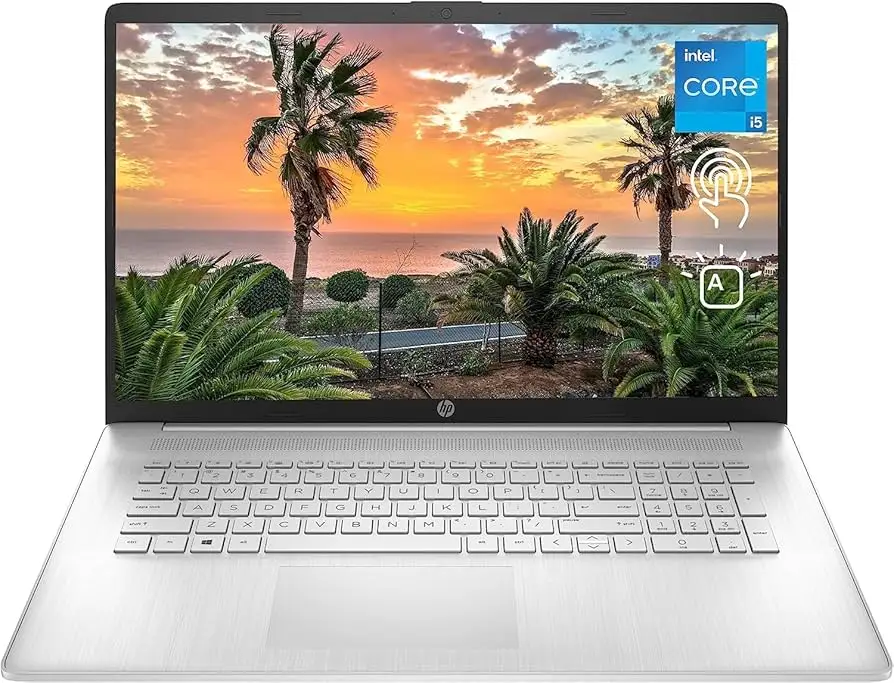
One of HP’s biggest selling points for this model is its “large 17.3-inch display with anti-glare” marketed as suitable for work and entertainment. Digging deeper into user reports, the FHD variant indeed delivers crisp clarity with wide viewing angles. Consumer Reports noted the display was “very good overall” and “anti-reflective, so there was little or no glare when viewing in a brightly lit room or outdoors.” However, colors are described as “in the ballpark, though not completely accurate,” which could disappoint photographers or graphic designers—especially given HP’s pitch toward creators.
HP also promotes “long battery life” and fast charging. Official specs highlight up to 8 hours in light use, yet Reddit user feedback and testing tell a different story. One Reddit user said they consistently saw “maybe 4 hours of use” when multitasking heavily. Even Consumer Reports’ mixed-use tests brought results closer to 6–8 hours depending on workload, a far cry from all-day unplugged performance.
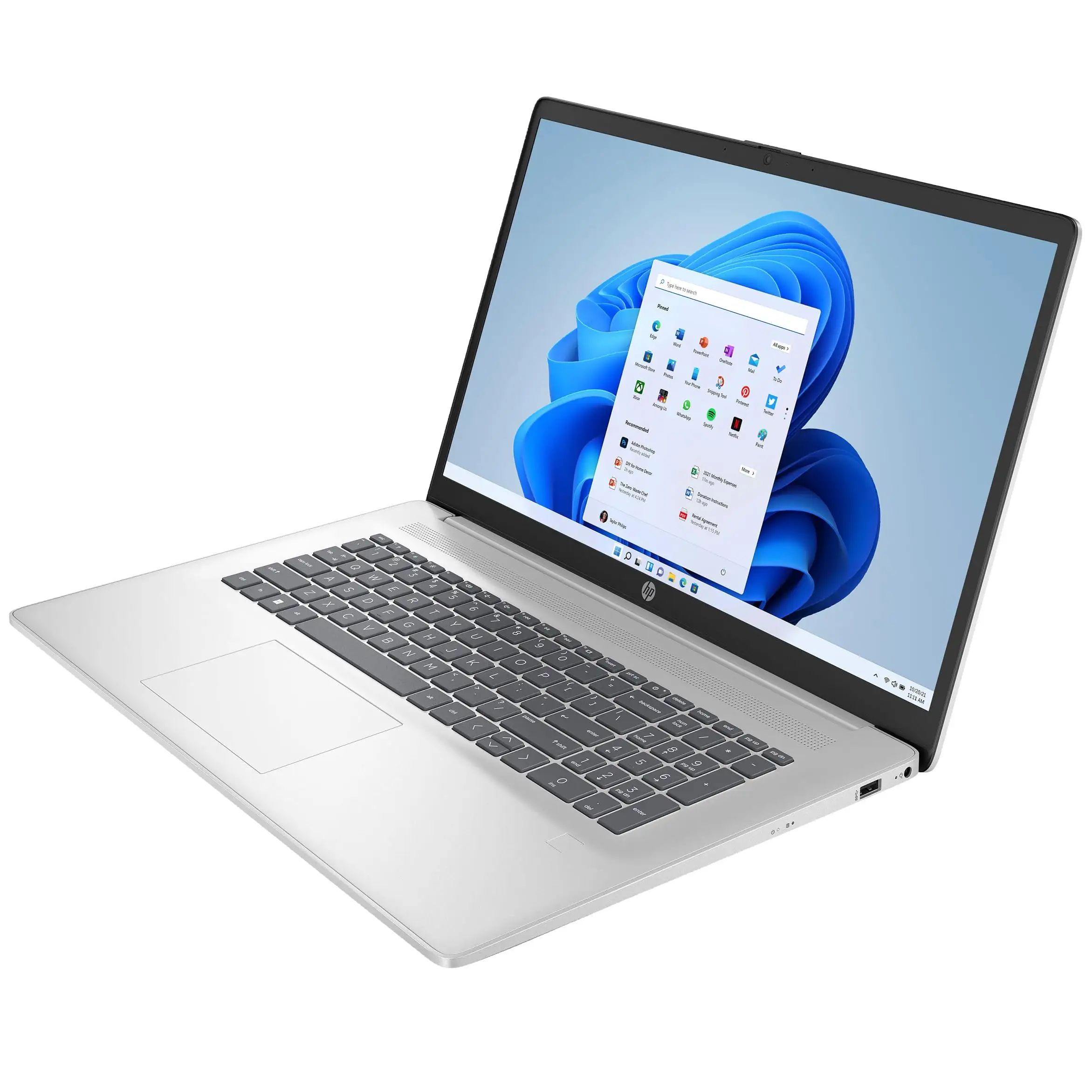
The third claim—premium ergonomics with spacious keyboard and numeric keypad—holds up well. Best Buy customers pointed out “nice large touch screen with good graphics and large icons for lower vision” and praised the comfort for prolonged typing. However, a recurring complaint surfaced from Reddit: “The keyboard gets warm and… stays warm overnight,” suggesting minor thermal management issues.
Cross-Platform Consensus
Universally Praised
One standout across all sources is the large display’s usability for everyday work. A verified Best Buy buyer wrote: “I intentionally got a larger screen so I can see what I’m doing. I did more RAM so if I wanted to watch a movie it wouldn’t freeze or give me any lag.” For students or office workers juggling multiple windows, the extra space was consistently valued.
Performance in multitasking scenarios also earned strong marks, especially with upgraded RAM. Newegg describes configurations up to 32GB DDR4 and users who opted for more memory reported smooth operation with “a million Chrome tabs open at once” without stalling. This benefits power users dealing with Excel models, statistical programming, or simultaneous video streaming.
The quiet cooling system was another highlight. Reddit feedback confirmed fan noise was “quite quiet,” making the HP 17 suitable for library use or shared office spaces. Unlike some competitors, thermal throttling wasn’t a widespread complaint despite a warm keyboard.
Finally, the full-size backlit keyboard with numeric keypad was a productivity win. Consumer Reports frequently praised the backlighting’s utility in dark rooms, and Best Buy reviewers noted the convenience for data entry and teaching workflows.
Common Complaints
Battery performance was the most repeated gripe. While HP advertises robust capacity, heavy workloads trigger fast depletion. This hits mobile professionals hardest—anyone needing prolonged unplugged sessions may find it limiting.
Build materials also drew criticism. Several Best Buy reviewers mentioned the “plastic shell” feeling less durable than premium HP lines like Envy. This led some to recommend against travel use, keeping it as a desk-bound machine.
Thermal comfort issues cropped up sporadically. Reddit users noted keyboard warmth even after idle periods, which could bother touch typists in long sessions. While not linked to overheating or shutdowns, it was enough to be marked as “the only thing I don’t love” by one owner.
Display resolution controversy emerged for the HD+ model. The 1600x900 panel, present in lower-cost configurations, was acceptable for basic tasks but left creative professionals unimpressed. Amazon descriptions even split between FHD IPS and HD+ BrightView models, making careful spec checking essential.
Divisive Features
Port selection had split opinions. While ports are plentiful—USB-C, multiple USB-A, HDMI, audio jack—the USB-C on some configurations is “data transfer only, not for charging or connecting any external device,” according to Amazon listings. For users expecting power delivery over USB-C, this was a letdown.
The lack of an optical drive and memory card reader was acceptable for most, but photographers and media archivists saw it as an inconvenience, forcing reliance on external gear.
Price-value perception was heavily dependent on purchase timing. During HP’s official discounts or eBay refurbisher sales around $420–$499, buyers called it “great value.” At full MSRP (~$850), comparison to higher-end competitors made some hesitant.
Trust & Reliability
Reddit discussions hinted at initial skepticism: “This laptop seems like a ghost—no identified lineup name... hp doesn’t have a great reputation.” However, short-term ownership feedback skewed positive, with owners adapting it for memory upgrades and enjoying steady performance.
Ebay’s certified refurbished entries and warranty coverage helped mitigate scam concerns. Sellers like Newegg’s 98.6% positive rating and Allstate’s two-year warranty for certified refurb units gave buyers reassurance.
Long-term reliability data from Consumer Reports showed HP laptops in this size category performing consistently in everyday workloads but placed “below that of many other models” for heavy creative and simulation tasks. Still, there was no widespread failure pattern in the first year.
Alternatives
Only HP competitors surfaced in available data. The HP Envy 17 line offers similar sizing but with higher-end materials and optional 4K, Nvidia GPUs, and Thunderbolt 4 ports—making it more appealing to creatives and gamers at a higher price point.
For budget users considering downsizing, HP’s 15-inch models offer better portability and sometimes longer battery life, though at the expense of the roomy keyboard and multitasking-friendly screen.
Price & Value
Current market has broad variation:
- HP direct discount: as low as $420 for HD+ 8GB models.
- Ebay refurbished: $439–$499 for higher RAM and SSD units with warranties.
- Retail new: $599–$689 for midrange configs; MSRP often near $850.
Community advice leans toward hunting for promotional pricing or certified refurbished units to maximize ROI. As Digital Trends put it, during HP’s 50% off sale it became “a far more reasonable price for this spec.”
FAQ
Q: How long does the battery last on the HP 17 Laptop?
A: Light use may stretch to 7–8 hours, but heavy multitasking often drops it to 4–6 hours. Fast charging gets about 50% in 45 minutes.
Q: Is the keyboard comfortable for extended typing?
A: Yes, most users praise its spacious layout and backlighting, though some report warmth on the keys after prolonged use.
Q: Does the USB-C port support charging?
A: On certain configurations, the USB-C is for data transfer only—check specs before buying if you need power delivery.
Q: Is the display good for photo or video editing?
A: FHD IPS screens are serviceable but have “colors in the ballpark, though not completely accurate,” according to Consumer Reports. Color-critical work may require an external calibrated monitor.
Q: Can you upgrade the RAM and storage?
A: Yes, community reports show users successfully installing larger RAM kits and SSDs for boosted performance.
Final Verdict: Buy if you’re a home or office user needing a large, clear display and quiet operation without extreme mobility demands. Avoid if you require all-day unplugged battery life or ultra-accurate color for professional creative work. Pro tip from community: look for HP direct sales or certified refurb units to get premium configurations at budget-friendly pricing.





