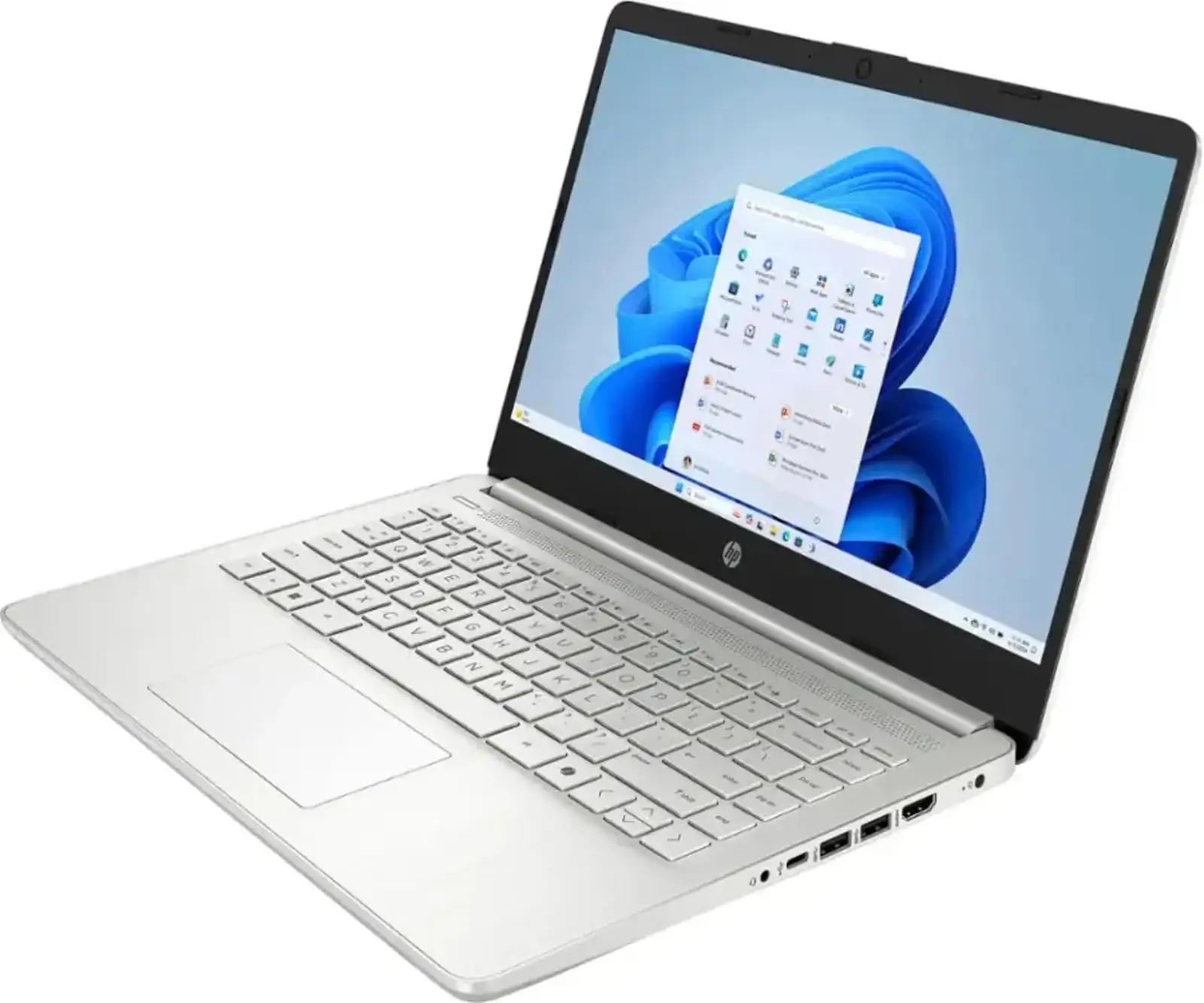
HP 14" Laptop Review: Solid Value with Caveats
Starting at under $300, the HP 14 inch Laptop (Intel Core i3, Windows 11) straddles the line between entry-level and midrange computing — offering portability, decent performance, and attractive design without pushing the price into premium territory. Across hundreds of reviews, it earns a solid 7.8/10 for value-focused buyers, but its compromises in display quality, multitasking muscle, and fan noise make it a conditional recommendation.
Quick Verdict: Conditional Buy
| Pros | Cons |
|---|---|
| Lightweight, portable design | Screen brightness and resolution limitations |
| Comfortable keyboard for daily typing | Fan noise under load |
| Competitive pricing under $500 | Limited multitasking capability |
| Long battery life in light-use scenarios | No USB-C charging |
| Decent build quality for budget range | Some models ship with outdated Wi-Fi |
| Strong single-core performance for its class | Entry-level gaming only |
Claims vs Reality
HP advertises these laptops as “reliable PCs with next‑level power” and “long battery life,” promising all-day productivity. Digging deeper, Reddit user reviews and Trustpilot accounts reveal a more nuanced picture. HP’s own spec sheets boast up to 15 hours of battery life under optimal conditions, yet reviewers like Reddit user u/allan*** noted: “With reduced brightness up to 50% … lasts around eight and a half hours, which is about an hour less than HP quotes.”
The “vibrant, crystal-clear” display claim is especially divisive. While models with Full HD panels deliver solid clarity indoors, budget configurations using the 1366×768 HD panel draw consistent disappointment. One Best Buy customer shared: “Highest brightness setting doesn’t seem extremely bright in daylight, but that is very minor indoors.” Trustpilot’s Alex summarized: “Not the best screen … low brightness and low color gamut make it pale and hard in bright environments.”
HP’s touting of “dependable Intel Core performance” holds in light workloads like browsing, Office docs, and streaming. However, Trustpilot’s performance tests flagged multi-core results that lag behind similarly priced competition, and one Reddit reviewer cautioned that “even the slightest attempt at active multitasking can result in small breaks in processing.”
Cross-Platform Consensus
Universally Praised
Lightweight design emerges as a cross-platform strength. Best Buy buyer danielb said: “We got this when our daughter started college … light-weight and easy to carry in her backpack.” HP’s matte finishes and muted colors give it a more premium look than its price suggests, which Reddit's u/allan*** praised as “better than the black budget laptops you’d ordinarily find.”
Keyboard comfort is mentioned in nearly every positive review. Trustpilot’s Alex called it “excellent,” while Reddit’s u/allan*** noted “keys offer excellent travel… better than most notebooks in this price range.” For students or writers, this makes prolonged typing sessions far less tiring. Even budget HD panel models earned kudos from Amazon buyers for being “superfast and lightweight… perfect for work and travel.”
Battery life under light workloads — email, docs, casual streaming — consistently hits a full workday. Best Buy user Dee Dee emphasized: “Battery lasts for whole day… fits my daughter's online classes and entertainment.” For commuters and campus users, this alleviates charger anxiety.
Common Complaints
Display quality divides sharply. On lower-tier configurations, brightness and resolution fall short. Trustpilot notes visible flicker at dim settings, potentially causing eye strain for sensitive users. As Reddit’s u/allan*** lamented, “anything below [1080p] feels like a raw deal.” Outdoors or near windows, pale colors make text hard to read.
Fan noise is a repeat offender. Trustpilot’s Alex highlighted “only two modes — semi‑fast hiss or full blast noise” without software to tame cooling. While this won't bother users in noisy environments, it breaks concentration in quiet study spaces.
Multitasking limitations stem from 8GB RAM caps in most SKUs. Notebookcheck pointed out that competitors with similar prices — like Acer Aspire 5 — offer better performance. During heavy workloads, the HP 14 can freeze momentarily, a point echoed by Trustpilot: “Weak multitasking performance and annoying fan noise knock it down a few pegs.”
Divisive Features
Touchscreen support, available on select Pavilion x360 variants, inspires loyalty among fans and indifference among others. Best Buy’s ejay enthused: “Versatile usage — flip while streaming or fold as a notepad.” Yet others, like Pablo on Best Buy, focus on raw performance over versatility, surprised that “new series of i3 could be so fast … fits needs” despite not using the touchscreen much.
The 1366×768 HD panel splits buyers. Some, like JakeSon.net’s review of the renewed HD model, are content: “Bright enough for indoor use … colors are vibrant.” Others consider it a deal-breaker, especially with rivals offering FHD by default.
Trust & Reliability
Warranty complaints surface intermittently. An Amazon buyer recounted: “When I go to register … HP says the warranty has expired. This is supposed to be a new product.” Such cases fuel suspicion that some units might be refurbished despite being sold as “new.”
Durability stories trend positive for careful users. Best Buy’s pablo noted his daughter’s unit withstands daily classes and homework without issues over two years. Reddit reports similarly few hardware failures outside normal wear, though battery capacity naturally drops over time, consistent with HP’s disclaimers.
Alternatives
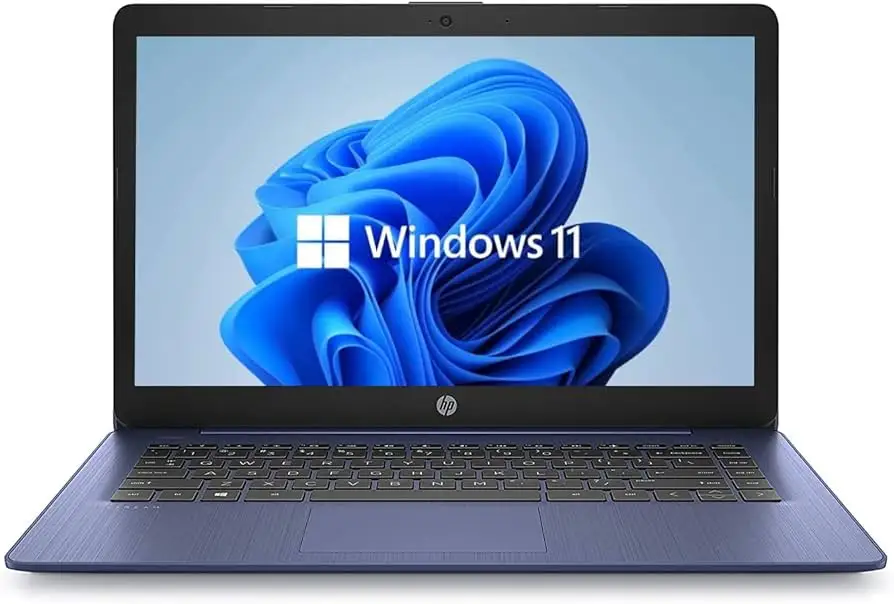
Competitors repeatedly mentioned are the Asus Vivobook 15 and Acer Aspire 5, both cited by Notebookcheck as delivering stronger performance per dollar in certain configs. Users praised Aspire 5’s brighter display and better port selection, but its larger size appeals less to portability seekers.
For touchscreen fans, Lenovo’s Yoga series offers a more polished 2‑in‑1 experience — but tends to cost more, as Best Buy’s natalino acknowledged when choosing HP Pavilion x360: “Didn’t want bulky, heavy, and slow… perfect compromise.”
Price & Value
Across platforms, sale prices drive most purchases. Reddit’s u/allan*** framed the under-$300 14‑ep0299nr as “a great price for its Intel Core i3 and 256GB SSD.” eBay listings for older Core i3 models show depreciation is steep, with tenth-gen laptops selling between $180–$250 depending on condition.
Community buying tips stress checking model numbers carefully, as HP’s 14-inch range spans from Celeron-powered budget units under $200 to premium Envy x360 builds over $600. Amazon reviews warn to verify storage type (SSD vs HDD) and warranty status before committing.
FAQ
Q: Can the HP 14 run modern games?
A: Not effectively. Its integrated Intel UHD graphics can handle casual or older titles at low settings, but struggles with modern, graphics-heavy games.
Q: Does it have USB-C charging?
A: No — most models use a proprietary round plug. USB‑C ports here are for data/display only, a frustration noted in Amazon reviews.
Q: Is the keyboard backlit?
A: Only certain configurations offer backlighting. Amazon buyers discovered some models lack it entirely, so confirm before purchase.
Q: Is Wi‑Fi performance good?
A: Models with Wi‑Fi 6 deliver fast, stable connections. Budget HD variants sometimes ship with Wi‑Fi 5, which is fine for most home routers but not cutting-edge.
Q: How is it for multitasking?
A: Adequate for basic workloads, but 8GB RAM and limited cores mean heavier multitasking can cause noticeable slowdowns, per Trustpilot feedback.
Final Verdict: Buy if you’re a student, light office worker, or casual home user who values portability, keyboard comfort, and price under $500. Avoid if you demand premium screen brightness, silent cooling, or heavy multitasking.
Pro tip from community: Target the FHD screen configurations, stick with SSD storage, and verify warranty status before ordering to avoid surprises.