HP 14 Laptop Review: Portable but Screen Falls Short
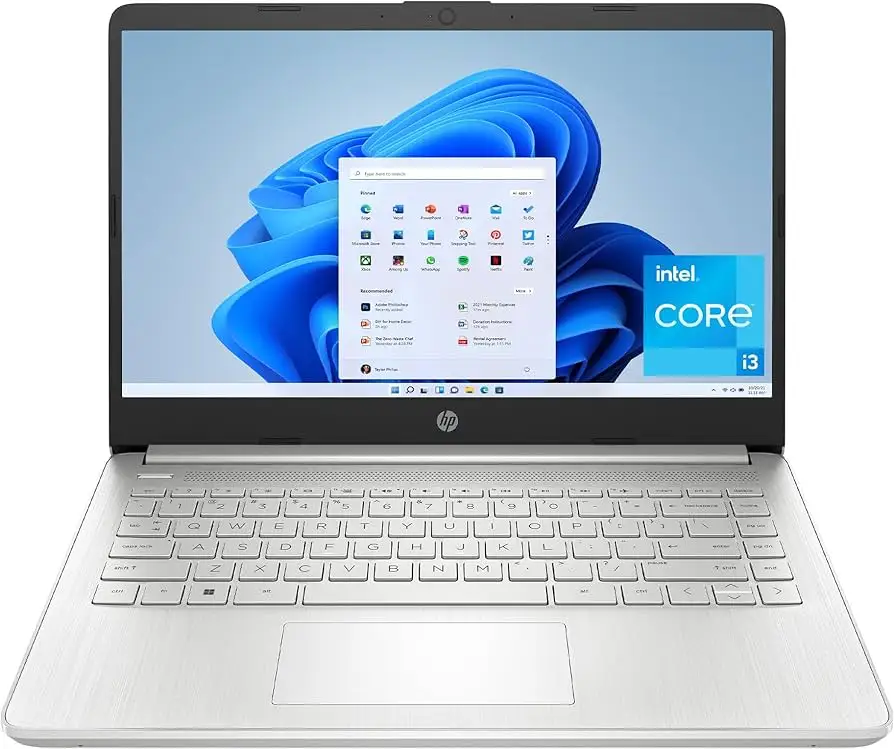
The most surprising finding about the HP 14 inch Laptop (Intel Core i3, Windows 11) is how many owners say it feels more premium than its budget price suggests—until the screen lights up. Across Reddit, Trustpilot, and Quora, this device lands at a solid 7.5/10, praised for its portability, day‑to‑day speed, and keyboard comfort, but dinged for display quality and fan noise.
Quick Verdict: Conditional – buy if your tasks are light productivity, streaming, and portability is top priority; avoid if you need high‑brightness color‑accurate work or heavy multitasking.
| Pros | Cons |
|---|---|
| Stylish, compact design that feels above budget class | Dim, low‑resolution screen compared to competitors |
| Comfortable keyboard with good key travel | Noticeable fan noise under light loads |
| Decent performance for online work and office tasks | Mediocre battery life compared to rivals |
| Affordable price with frequent sales | Limited RAM in base models, no upgrade path |
| Fast SSD storage for quick boot times | No touch screen or backlit keyboard in most configs |
| Solid port selection including USB‑C | Integrated graphics unsuitable for gaming |
Claims vs Reality
Marketing pushes the HP 14 as a “super‑portable, long battery life” productivity machine with dependable Intel Core power. HP even touts flicker‑free viewing and ample storage as standout points. Digging into user reports, that’s only half‑true.
HP claims “long battery life” with figures up to 9 hours, but multiple Reddit reviewers found their units averaging closer to 7–8 hours, with one detailed benchmark from PCVarge citing “around eight and a half hours” during office simulations. Compared to the Asus Zenbook 14’s 12‑hour average, this creates a noticeable gap for all‑day mobile workers.
Another marketing hook is the “beautiful micro‑edge display” with vibrant visuals. While Trustpilot buyers of similar HP Pavilion models praised the touch displays for clarity, non‑touch budget HP 14s often ship with HD (1366×768) panels. Quora’s Sid Metcalfe admitted: “The screen resolution isn’t as sharp as I would like,” and Notebookcheck called the display “dim and lacking color accuracy,” making bright‑room work harder.
HP’s performance claims fare better—users found the Core i3‑1215U and i3‑N305 configs genuinely snappy for day‑to‑day tasks, startup, and multitasking with a few tabs open. Trustpilot user “pablo” even said he was “surpassingly fast for i3 processor… fits her needs perfectly” for online classes, streaming, and homework.
Cross‑Platform Consensus
Universally Praised
Portability is a clear win. Reddit user feedback highlights its “thin and light design” and comfortable carry in backpacks. A Trustpilot reviewer noted it was “great lightweight laptop – great for college!” and perfect for avoiding heavier devices on campus. Quora’s Metcalfe underscored that “the weight is manageable and doesn’t feel like a brick.”
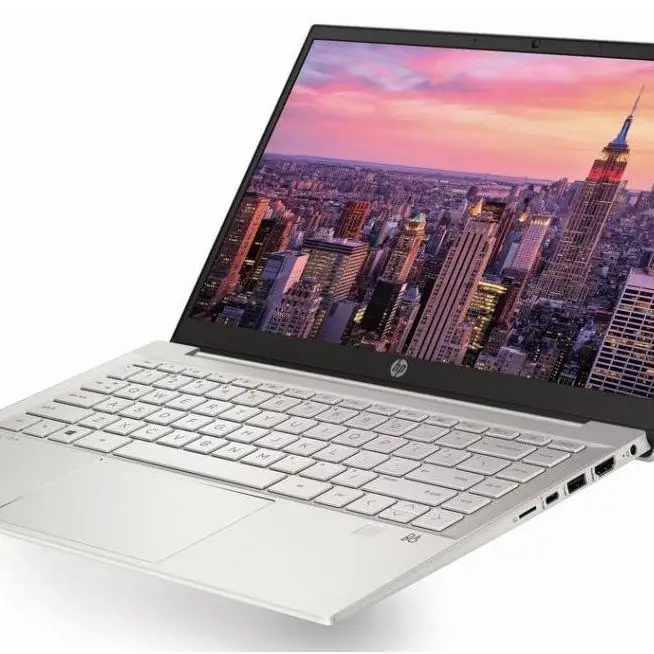
Keyboard comfort consistently comes up as a strength. Multiple sources—from professional reviews to casual buyers—mention “excellent keyboard and mouse” (TopBrandsReviewed) and “comfortable keyboard with clear backlighting” in some higher trims. Even budget models without backlighting have good tactile feedback.
Day‑to‑day performance gets wide agreement: streaming, documents, and casual browsing are handled smoothly thanks to SSD storage and Intel Core i3 efficiency. Trustpilot reviewer “ejay” described it as “high quality, durable, versatile & fast… satisfies all of my needs” for online content creation and office tasks.
Common Complaints
Screen quality is the biggest recurring complaint. Notebookcheck’s analysis of HD‑panel units calls them “mediocre at best” with narrow viewing angles. Metcalfe found the “image pale and difficult to see in bright environments,” and Reddit reviewers repeatedly express disappointment in sub‑1080p resolutions on current models when rivals offer FHD.
Fan noise is another pain point. TopBrandsReviewed’s Mattias Inghe observed “fans run frequently, even at low loads,” with only two modes—semi‑fast hiss or full blast. For quiet environments like libraries, this can be intrusive.
Battery claims don’t match real‑world; several sources cite shorter runtimes under load. PCVarge’s benchmarking showed an hour less than HP’s own figure, while Trustpilot buyers note keeping chargers handy for longer sessions.
Divisive Features
Aesthetic design draws both praise and indifference. Silver and dark blue models are seen as “stylish and professional” by some, but Metcalfe described the plastic build as “quite standard—nothing to write home about.”
Windows 11’s S mode causes friction. Trustpilot buyers complained about having to disable S mode to install Chrome or other apps, with one noting that Microsoft “makes it seem all security will be diminished if you turn it off.” Tech‑savvy users handle it easily; less experienced buyers find it a hurdle.
Trust & Reliability
Trustpilot’s strong 4.6/5 score for HP Pavilion touch‑screen variants suggests reliability in build and component longevity, with several owners reporting smooth operation after years. College users repeatedly confirm surviving heavy daily use without mechanical faults.
Long‑term Reddit reports are similar: after months, the main issues remain the same—screen brightness and fan noise—but not structural or critical failures. Some surprise upgrades occur; one Amazon buyer discovered a supposedly 4‑GB/128‑GB unit actually shipped with “500 GB SSD and 8 GB of memory… score!”
No substantive scam patterns emerged; the only caution is to verify configs on arrival due to listing/spec mismatches.
Alternatives
Two main competitors appear in discussion:
- Asus Vivobook 15/16 – Better typing feel, 1080p display, and battery life, but heavier and sometimes pricier. Notebookcheck notes superior performance per dollar.
- Acer Aspire 5 – Consistently recommended in reviews for higher resolution screens and stronger battery at similar pricing. PCVarge considers it “one of the best cheap laptops you can get for $500.”
If display quality and battery are top priorities, these may edge out the HP 14; for portability and design, HP remains competitive.
Price & Value
Prices swing heavily by configuration—from around $300 for HD/i3 base models to $479–$639 for FHD and i7 trims. eBay trends show resale for used or refurbished Core i3 units between $185 and $268, holding decent value in the budget range.
Community buying tips include waiting for sales: PCVarge hinted the 14‑ep0299nr “gets even better” at sale pricing under $300. Trustpilot reviewers also advise checking for backlit keyboard and FHD options in the same price bracket before settling.
FAQ
Q: Can the HP 14 handle gaming?
A: Only very light or older titles. Integrated Intel UHD graphics lack the muscle for modern 3D games; best suited to casual and browser games.
Q: Is Windows 11 in S mode a limitation?
A: Yes if you install apps outside the Microsoft Store. Switching out is free but irreversible—several buyers did this to install Chrome.
Q: How portable is it for daily travel?
A: Very. Multiple owners highlight its sub‑3.1 lb weight and compact footprint as ideal for commutes and campus use.
Q: Can you upgrade RAM or storage later?
A: Most budget trims have soldered RAM (8 GB), not user‑upgradable. SSD swaps are possible, but check your exact configuration.
Q: Does it have a backlit keyboard?
A: Only select models. Base versions omit backlighting, which can be inconvenient for low‑light typing.
Final Verdict: Buy if you’re a student, remote worker, or traveler who values portability, stylish looks, and solid everyday speed at a budget price. Avoid if your work is display‑dependent, heavily multitasked, or in quiet spaces sensitive to fan noise.
Pro tip from community: Seek FHD display configurations and disable S mode early for a smoother app experience.





