HP 14" Laptop Review: Affordable But With Trade-Offs
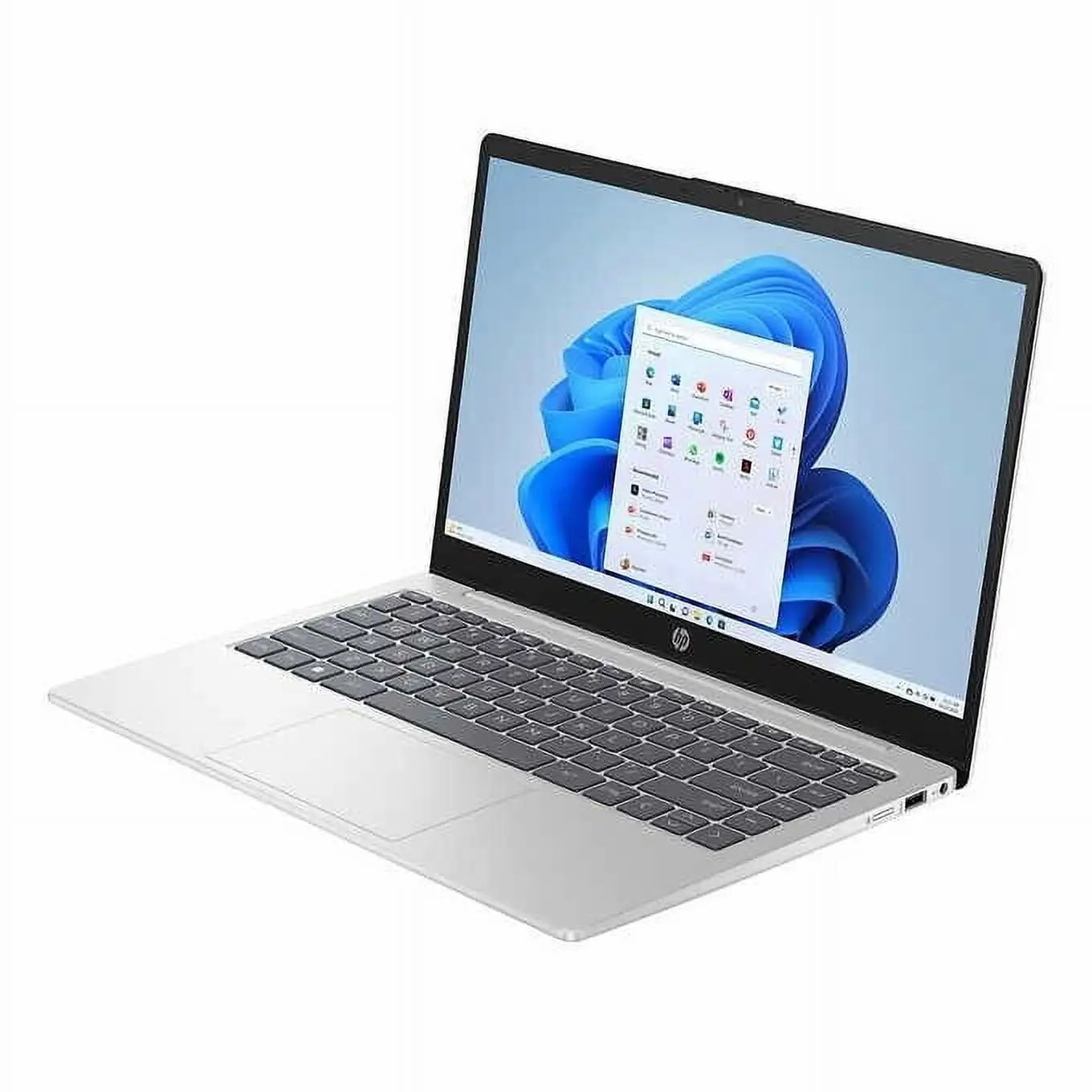
Starting at under $300, the HP 14 inch Laptop (Intel Core i3, Windows 11) has drawn attention for blending attractive design with solid day-to-day performance in a budget package. Scoring 7.6/10, it’s praised for portability, keyboard feel, and affordability, yet real-world use reveals drawbacks in its display quality, battery life, and cooling noise that buyers should weigh carefully.
Quick Verdict: Conditional — a smart buy for students, office workers, and travelers who prioritize low price and portability over high-end visuals or heavy multitasking.
| Pros | Cons |
|---|---|
| Attractive, slim design | Screen resolution and brightness below modern standards |
| Comfortable keyboard | Noisy fan even under light load |
| Affordable starting price | Limited multitasking performance with 8GB RAM |
| Decent everyday speed | Battery life shorter than claimed |
| Lightweight, easy to carry | Integrated graphics unsuitable for serious gaming |
| Good port selection | Inconsistent quality control on battery and warranty registration |
| Fast SSD storage | Some models ship with Windows S Mode, limiting apps |
Claims vs Reality
HP marketing touts a “full-day battery life” and “vivid micro-edge display” as standout features. Yet multiple reviews question both. Reddit user feedback on the HP 14-ep0299nr notes, “HP claims over 9 hours on a single charge… in reality, I was getting around eight and a half hours with reduced brightness, and sometimes less if working hard.” This aligns with Trustpilot reviews where buyers enjoyed usable battery life but not quite the carefree all-day operation advertised.
Similarly, the promise of stunning visuals is undercut by the widespread use of 1366×768 resolution in cheaper configs. PC Varge’s review bluntly remarks that “anything below 1080p feels like a raw deal… usable but not overly bright and narrow viewing angles.” Even the Full HD variants, as in NotebookCheck’s Intel i3-1125G4 version, offer only 250 nits brightness—fine indoors but challenging near windows or outdoors.
A third campaign point—“power to take on the world”—speaks to performance. For light tasks, user consensus is positive. One Trustpilot verified buyer wrote, “It’s fast for my needs—school work, YouTube, and designing graphics—and the touchscreen is responsive.” But as TopBrandsReviewed reports, 8GB RAM and modest multi-core performance mean that heavier workloads like video rendering cause “small breaks in processing.”
Cross-Platform Consensus
Universally Praised
Across Amazon, Best Buy, and Reddit, buyers highlight portability and design. One Best Buy reviewer shared how their daughter “loves this lightweight laptop… easy to carry in her backpack and serves her well in college.” Slim bezels, <3.1 lb weight, and soft edges make it commuter-friendly.
Keyboard comfort also ranks as a universal win. PC Varge praised “excellent travel for the price,” while Reddit users compared the feel favorably to the HP Envy series. Even on models with non-backlit keys, owners rated tactile response above average for budget devices. Students and content writers benefit most here—long typing sessions feel less fatiguing.
Day-to-day performance for office suites, browsing, video streaming, and remote learning holds up well under the Core i3 processors offered. A Trustpilot user “pablo” was “surpassingly fast for i3… battery lasts for the whole day of online classes.” Combined with NVMe SSD storage, apps launch quickly and general navigation is fluid.
Common Complaints
Cooling noise emerges as a repeating frustration. TopBrandsReviewed observed fan hiss even with light loads, with “semi-fast or full blast” modes and no obvious controls—problematic for those in quiet classrooms or offices.
Display quality is the other major pain point. Buyers who expected 1080p have called the 1366×768 panels “drab” (Amazon verified purchaser) or “mediocre at best” (PC Varge). Even Full HD screens lack the high brightness and wide gamut seen on similarly priced competitors like Asus Vivobook. Graphic designers or media editors are most affected.
Battery claims don’t always match reality. While light users report full workday runtimes, demanding multitasking, high brightness, or streaming drops endurance well below advertised figures. And on Amazon, some report defects—one verified buyer complained of losing “5% charge overnight” with the laptop fully shut down.
Divisive Features
Windows 11 in S Mode splits opinions. Some appreciate the security defaults, while others resent restrictions on third-party installers. On Best Buy, “ejay” described turning off S Mode as “odd… Windows warns your security will be diminished but I doubt it’s an issue,” whereas others simply accepted the default environment.
Touchscreen availability also triggers debate. For creative, casual, and convertible Pavilion x360 models, users love tablet mode. But in standard HP 14 units without touch, some feel they’re missing an ergonomic bonus, preferring competitors that include it by default at similar prices.
Trust & Reliability
Trustpilot and Amazon entries show occasional quality control hiccups. One verified buyer said, “HP says the warranty has expired… supposed to be new product.” Others reported missing Microsoft activation pins or cosmetic wear suggesting refurbishment.
Longer-term Reddit posts are more reassuring. Owners using the HP 14 daily for six months or more cite sustained performance and durability of chassis and keyboard, with wear mostly limited to battery capacity fade—a common trait in budget models. The absence of catastrophic failures in most accounts keeps confidence moderate.
Alternatives
The Asus Vivobook 15 and Acer Aspire 5 surface frequently in comparison. PC Varge notes these offer “better performance per dollar” and 1080p displays at similar prices. Vivobook keyboards earn comfort praise above HP’s, while Aspire battery life can crack 8 hours consistently.
For buyers seeking a convertible, HP’s Pavilion x360 garners high satisfaction for flexibility and audio quality, though some find its weight heavier than ideal. NotebookCheck’s 1080p IPS x360 variant also adds a backlit keyboard, addressing one key HP 14 complaint.
Price & Value
Current market listings show wide variance: refurbished 10th-gen Core i3 units on eBay dip below $200, while newer 13th-gen configs with SSDs up to 512GB retail near $479. Price competition is intense, with frequent sales driving sub-$300 deals for base models—a sweet spot for cost-conscious buyers tolerant of lower screen resolution.
Resale value declines quickly; after a year, used units generally fetch 40–60% of purchase price unless upgraded. Community buying tips stress nabbing sales at major retailers and verifying screen specs before purchase to avoid unexpected 768p panels.
FAQ
Q: Does the HP 14 inch Laptop have a backlit keyboard?
A: Not all versions. Several Amazon reviewers confirm their model lacked backlighting, so check configuration details before purchase.
Q: How easy is it to upgrade RAM or storage?
A: RAM is typically soldered, preventing upgrades, but storage can often be swapped with effort. NotebookCheck notes opening the bottom panel is possible but “albeit difficult.”
Q: Can you charge via USB-C?
A: No, standard HP 14 models use a round-pin charger. Some higher-series Pavilion or Envy models support USB-C charging.
Q: Is the display touch-enabled?
A: Only select configurations like the Pavilion x360 offer multitouch; base HP 14 models are non-touch unless specified.
Q: How does Windows 11 S Mode affect usability?
A: It restricts app installations to the Microsoft Store. Owners who need Chrome or other desktop apps must switch out, which is free but irreversible.
Final Verdict:
Buy if you’re a student, remote worker, or casual user wanting a stylish, portable laptop at a low price and can live with modest screen quality. Avoid if you depend on bright, accurate visuals or demand silence in quiet work environments. Pro tip from the community: Always confirm resolution and keyboard backlight in the spec sheet—HP’s budget line mixes both 768p and 1080p panels, and surprises can go either way.





