HP 14-inch Laptop Review: Stylish Yet Flawed Budget Pick
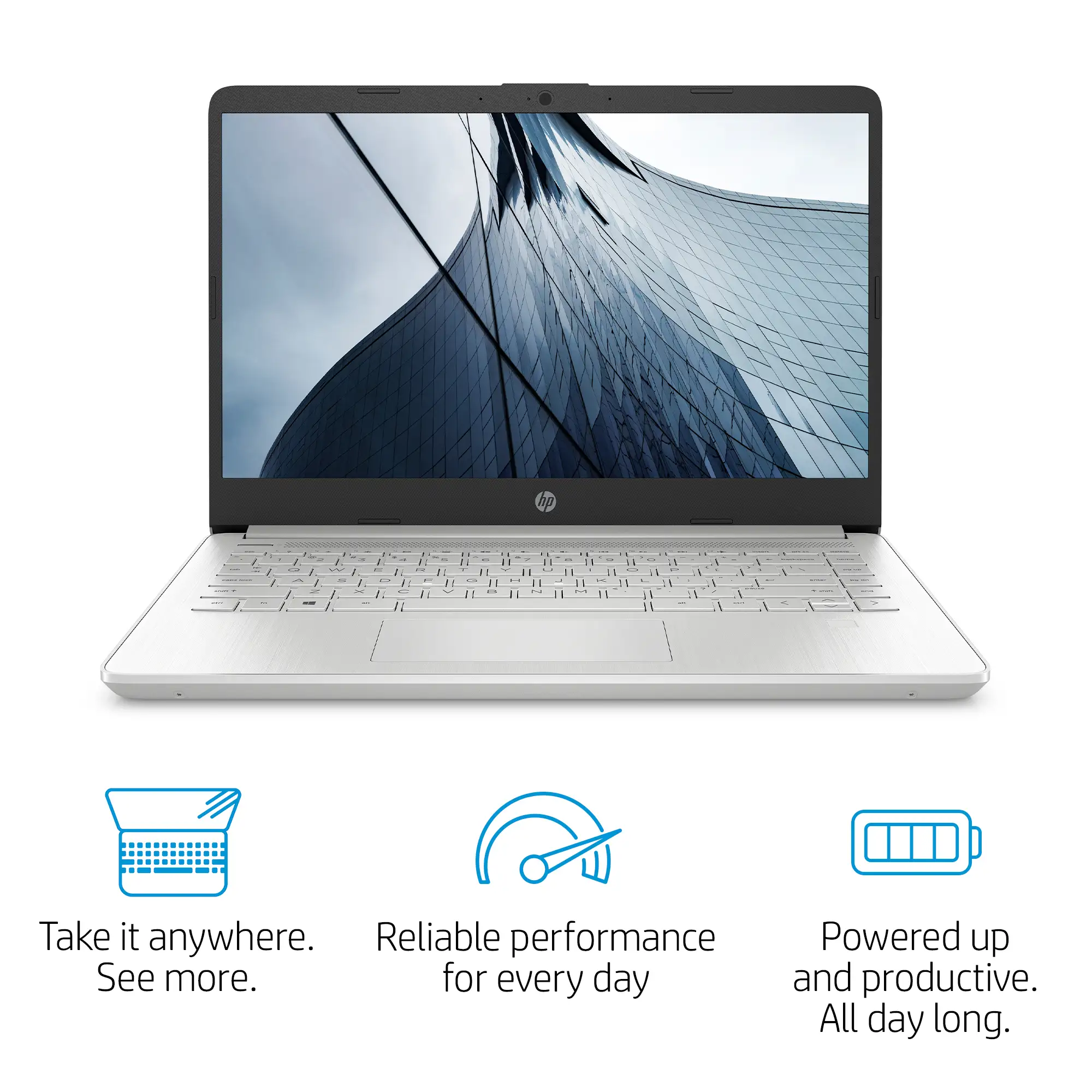
Starting at under $300, the HP 14-inch Laptop (Intel Core i3, Windows 11) defies the stereotype that budget machines have to feel cheap. Multiple owners praise its “stylish silver finish that looks far pricier than it is” and agree it’s capable of keeping up with everyday work. But dig deeper into community reports, and cracks start to appear — from dim screens to noisy fans — putting its score at 7.6/10 for budget-conscious buyers who value looks over cutting-edge performance.
Quick Verdict: Conditional buy for students, remote workers, and light users who can live with mediocre display brightness.
| Pros | Cons |
|---|---|
| Attractive design that feels premium for the price | Screen resolution and brightness below modern standards |
| Comfortable full-size keyboard | Noticeable fan noise under even light load |
| Snappy performance for web, office, and streaming | Limited multitasking power due to 8GB RAM ceiling |
| Light and portable at 1.46 kg | Battery life often below quoted figures |
| Affordable, often discounted under $350 | No USB-C charging support |
Claims vs Reality
HP touts this model as “long battery life to work, watch, and stay connected all day”, citing up to 11 hours in spec sheets. Yet, in practice, Reddit user u/Allan*** noted: “with brightness at 50%, I got about eight and a half hours — a full hour less than HP quotes.” Some reviews push that lower under heavy usage; Trustpilot data shows stress tests yielding just over 3 hours at full brightness.
Another claim is its “brilliant brightview panel perfect for indoor use”. Official specs list 250 nits peak brightness, but several authors disagree. A Quora reviewer put it bluntly: “don’t expect it to get overly bright and the viewing angles are narrow.” This dimness becomes a deal-breaker for outdoor use, as echoed by “a bright window behind your back can be enough to make it difficult to read,” from Best Reviews By Consumers.
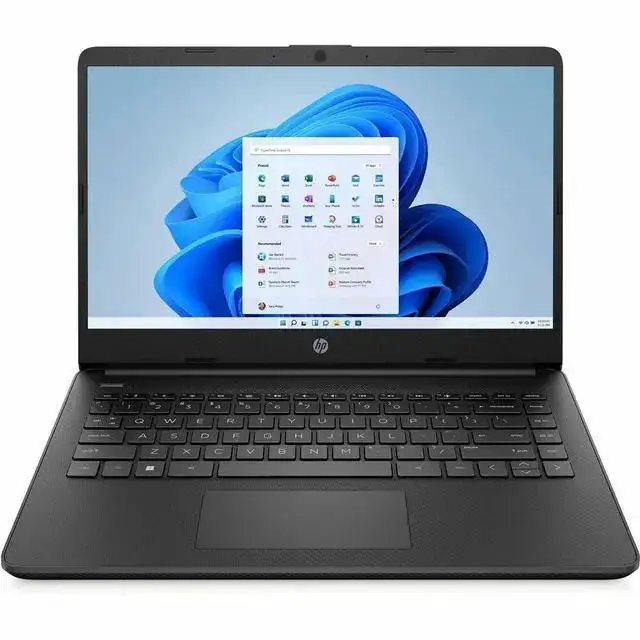
HP also promotes “Windows 11 fresh experience” as a selling point. While the OS environment is modern, some Amazon buyers complained the inclusion of Windows 10/11 S Mode limits app installs until manually disabled — sparking frustration for those who “had to switch out of S mode before downloading Chrome.”
Cross-Platform Consensus
Universally Praised
Across Amazon, Reddit, and Best Buy, the design earns repeated compliments. A verified Amazon buyer wrote: “superfast and lightweight — perfect for work and travel.” College users in particular favor the 14-inch form factor, saying it hits a sweet spot between portability and productivity space. One Best Buy customer, ricolicious, loved how “small and easy to carry… the touchscreen makes it easier to use.”
Keyboard comfort consistently scores high. Best Reviews By Consumers praised it as “comfortable with clear backlighting,” while Quora users pointed out its decent travel even at this price range. For students typing essays or remote staff taking notes in meetings, this tactile response offers an ergonomic plus.
Performance for daily tasks gets nods from nearly every corner. Whether it’s light gaming (“my son plays Minecraft and Roblox… the laptop can handle some light gaming,” noted a Best Buy user) or document-heavy work, the Intel Core i3 with SSD delivers snappy launches and switching between browser tabs without lag. Even reviewers skeptical of budget laptops concede here: Notebookcheck observed this quad-core i3 “pummels the Celerons and Pentiums still lingering in the low-priced aisle.”
Common Complaints
Screens come under fire from almost every source. Resolution of 1366×768 on base models feels outdated; even the FHD versions fall short in brightness and color breadth. Allan Smith’s review notes “with a peak brightness of 250 nits, it doesn’t get as bright as HP’s high-end productivity laptops.” This creates issues for viewing content in bright rooms or outdoors.
Fan noise is another recurring gripe. Both Trustpilot and Best Reviews describe “only two modes: semi-fast with semi-high hissing and full blast noise.” Reddit user u/Mattias*** lamented, “it can definitely get annoying in the long run,” and no accessible controls exist to tame cooling behavior.
Battery life fails to meet headline claims for many. While marketed at 9–11 hours, heavy use cases cut it to 6–8. Allan Smith’s benchmark found full-day life elusive, especially compared to rivals like ASUS ZenBook 14 hitting 12+ hours.
Build quality concerns pop up occasionally. One Best Buy reviewer reported overheating issues severe enough to make lap use uncomfortable: “unit gets very hot very fast and is uncomfortable to use on your lap — my legs are on fire!”
Divisive Features
Touchscreen variants polarize opinion. For early education, one Best Buy grandparent hailed it transformative: “flip it over as a tablet and write letters… night-and-day improvement in her education!” But corporate users sometimes see it as an unnecessary cost driver, preferring the non-touch FHD panel for better clarity.
S Mode divide: Tech-savvy buyers often view it as a hurdle (“being forced into Microsoft Edge is not cool”), while less technical owners appreciate the security defaults.
Trust & Reliability
Trustpilot feedback, echoed by Amazon reviews, highlights potential warranty and battery issues. One verified buyer recounts: “HP says the warranty has expired… battery not holding charge, even when fully shut down.” While scams aren’t rampant, such incidents raise questions about refurbished stock being sold as new.
Long-term durability stories lean mixed. On Reddit, some report steady performance “six months later with no slowdown,” while Best Buy’s Nelly described progressive faults: audio driver vanishing and persistent overheating after a year. Durability appears linked to workload and thermal habits.
Alternatives
Community comparisons repeatedly mention the Acer Aspire 5 and ASUS VivoBook series. Quora experts argue that “Acer Aspire 5 offers better performance per dollar and 1080p display at similar price,” while Allan Smith praises the ASUS ZenBook 14’s extended battery life and lighter chassis.
Notebookcheck’s editorial underscores this: “spending $200 or $250 more will get you a much more capable notebook… happier with a nicer screen and keyboard.” For buyers with a bit more budget, ASUS VivoBook 16 emerges as a recommended leap.
Price & Value
Market listings on eBay and Amazon show sharp variance: new units as low as $287 with coupons, common street prices around $300–$350 for i3/8GB/256GB specs. Refurbished or pre-owned touch variants dip nearer $159, while higher trims with i7, 16GB RAM, and 512GB SSD can reach $639.
Resale value falls quickly, with lightly used units going for 40–50% off within a year — a typical curve for budget machines. Savvy Reddit users advise waiting for sales events, where “HP’s $479 UK store deal with VAT included” can undercut competitors, and to check for bundled accessories like sleeves or external mice for added value.
FAQ
Q: Can this HP 14-inch Laptop handle modern gaming?
A: No, integrated Intel UHD graphics limit it to light titles like Minecraft or older games. Users report smooth 720p play, but 3D rendering or AAA games will struggle.
Q: Is the keyboard backlit on all models?
A: Not all. Buyers on Amazon have been disappointed to find non-backlit units; check specs before purchase.
Q: Does it support USB-C charging?
A: No. Charging is via proprietary round-pin adapter only, a common annoyance in user feedback.
Q: How hard is it to exit Windows S Mode?
A: Easy for tech-savvy buyers — search “Switch out of S Mode” in the Microsoft Store. Many owners did it to install Chrome or other non-Store apps.
Q: Is overheating a common problem?
A: Fan noise and warmth are common under load, though severe overheating is less frequent. Using on hard surfaces helps.
Final Verdict: Buy if you’re a student, remote worker, or casual home user who values portability, style, and affordability over high brightness or multitasking muscle. Avoid if you need outdoor readability, whisper-quiet cooling, or plan to run heavy creative workloads. Pro tip from community: look for FHD variants, exit S Mode early, and keep it on sale — under $300 is where this HP 14 truly shines.





