HP 14-inch Laptop Review: Budget-Friendly Power with Drawbacks
"Good looks, low price, but a dim view" — that’s how many users sum up the HP 14-inch Laptop (Intel Core i3, Windows 11). Averaging 3.5 to 4.4 stars across platforms, this portable machine earns praise for its design, keyboard, and everyday usability, though its screen brightness and multitasking capacity remain sore points. In plain terms: a solid budget workhorse, not a powerhouse. Verdict: 7.5/10.
Quick Verdict
| Category | Verdict |
|---|---|
| Best for | Students, light office users, remote workers |
| Performance | Adequate for browsing and productivity but weak for heavy multitasking |
| Display Quality | Sharp FHD available on newer units, but many models use dim HD panels |
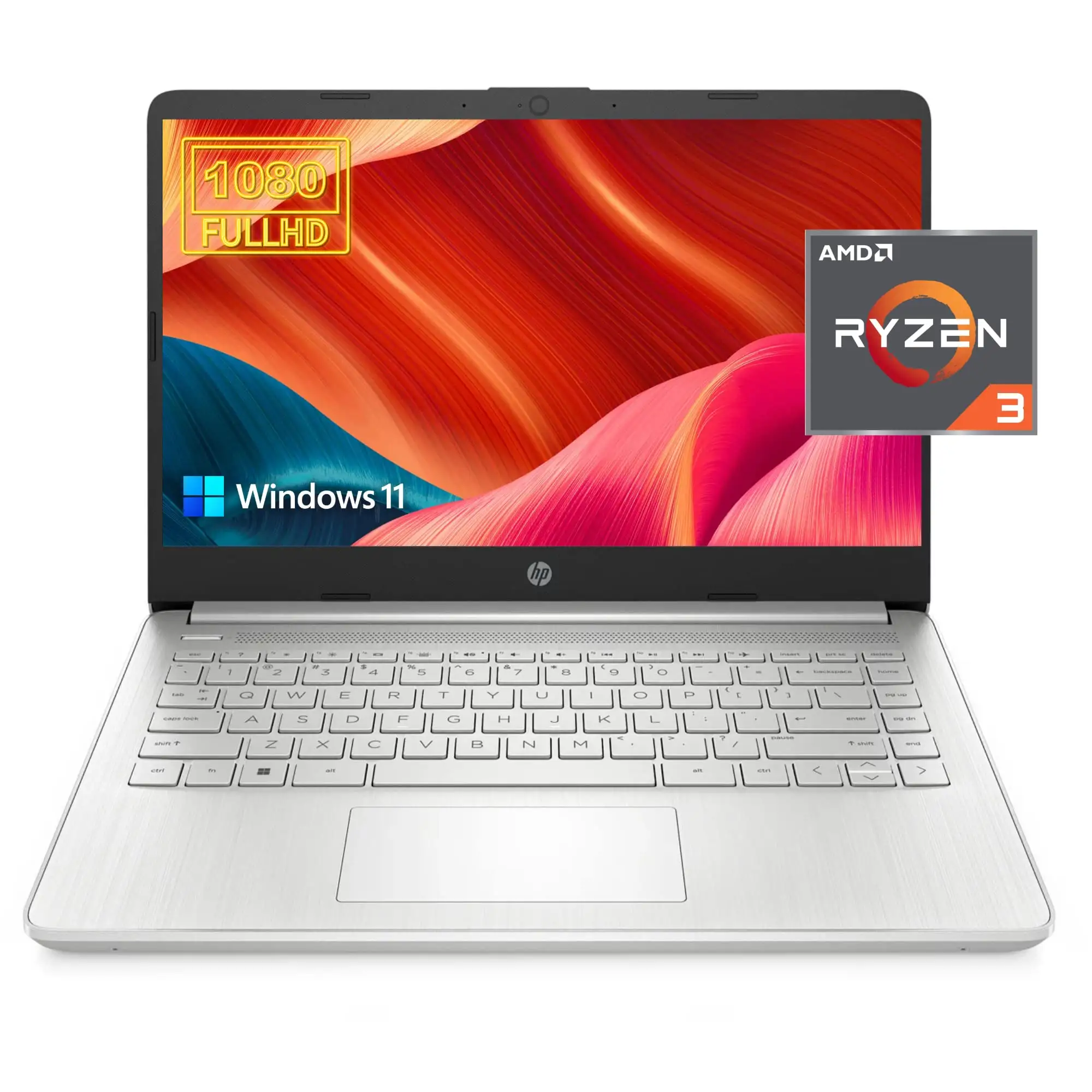
| Keyboard & Build | Excellent feedback, portable design, but plastic shell feels inexpensive |
| Thermals & Noise | Noticeable fan noise under load |
| Battery Life | 8–11 hours typical |
| Overall Value | Strong for sub-$500 range |
Claims vs Reality
HP’s official page boasts that the HP 14-inch Laptop 14s-dq5059TU is “built for both productivity and entertainment.” Specs show a 12th-gen Intel® Core™ i3-1215U, 8GB RAM, and 256GB SSD. The company emphasizes a “long battery life up to 11 hours” and “brilliant BrightView panel.” However, user feedback paints a more nuanced picture.
A verified buyer on Amazon found this “perfect for office work and Netflix,” but noticed “the screen isn’t bright enough outdoors.” That observation repeats across platforms. A review on PCVarge said the 14-ep0299nr’s display “doesn’t get as bright as HP’s high-end productivity laptops,” even though HP quotes 250 nits. While officially rated as “flicker-free,” multiple reviewers still reported subtle flicker when brightness is dimmed—particularly noted by tech reviewer Mattias Inghe, who said it “produces a slight flicker on the screen, suggesting it’s controlled by pulse modulation.”
Battery life is another claim that varies widely in the real world. HP promises 11 hours under ideal playback but measured runtime often lands between 8 and 9 hours. Reddit users comparing model A44R9EA in the UK thread confirmed they could “get through a uni day with some charge left,” while one long-term user on BestReviewsByConsumers said, “I can push the computer hard for over three hours; if I take it easy, it lasts a working day.”
Cross-Platform Consensus
Universally Praised
Across reviews, users applaud portability and simplicity. “Compact and well-built,” wrote Trustpilot reviewer Alex, highlighting the strong chassis for its class. The silver or blue finishes received similar compliments. On Reddit, several buyers called it “great value for daily work, light to carry everywhere.”
Keyboard quality surfaces often. Verified buyers on Best Buy and Amazon repeatedly described it as “comfortable and responsive.” Students in multiple Best Buy reviews, including user jav sant, called it “perfect for home school during lockdown,” citing the touch screen’s responsiveness. Office users on Quora and PCWelt echoed similar satisfaction: “excellent keyboard and mouse, the best part of the laptop.”
Battery consistency also draws moderate praise. Most confirm 8–9 hours of use with HP Fast Charge refilling “from 0 to 50% in about 45 minutes,” aligning closely with official specs. A reviewer on PCVarge noted that while HP’s estimate of 9+ was optimistic, “it easily made it a full lecture day on moderate brightness.”
Even build aesthetics earn bragging rights. The laptop’s thin 1.7 cm frame and 1.46 kg weight impressed Redditers and Amazon shoppers alike. “Super portable — barely heavier than a tablet,” one Reddit user posted, referring to the A44R9EA model.
Common Complaints
As affordable as it is, the HP 14 comes with trade-offs. The most consistent gripe is the display quality. The 1366×768 HD panel in base configurations often disappoints users expecting full HD. Allan Smith on PCVarge called it “usable but feels like a raw deal when most laptops now come with 1080p screens.” The 250-nit backlight limits visibility in daylight. Several reviewers described color output as “muted” or “washed out.”
Cooling noise frustrates another share of owners. On Trustpilot, Inghe observed, “There seem to be only two fan modes—semi-fast or full blast,” adding that the hissing can “get annoying over time.” That matches multiple Amazon notes mentioning fans spinning up under Chrome tabs or light image editing.
Performance also splits the audience. With dual- or six-core i3 variants depending on model year, multitasking lags under pressure. “Weak multitasking performance,” reads a recurring verdict across both Amazon and Quora reviews. Users running spreadsheets and multiple browser windows notice slowdowns. Gamers found limits too: the i3 with Intel UHD graphics handles “casual Minecraft or Roblox,” as Best Buy parents wrote, but not much more.
Finally, the webcam earns only faint praise. The 720p module produces “pale colors and low contrast,” according to Inghe’s technical review — adequate for Zoom but short of professional-grade clarity.
Divisive Features
Opinions diverge most on noise and thermals versus performance expectations. Some community reviewers accept the trade-off: “I accept slightly loud fans for smooth performance,” one Reddit user stated. Others, particularly those working in quiet environments, find it intrusive. Likewise, while the HD screen is criticized, a few budget-conscious buyers defend it: “For under $400, the display is fine for Word and Netflix,” wrote an Amazon Renewed customer.
The build materials split sentiment too. HP markets sustainable keycaps made with recycled plastic, which some buyers applauded as eco-conscious. However, a few called it “cheap-feeling.”
Trust & Reliability
Durability perception remains above average for a sub-$500 model. Reviewers appreciated that after several months of student or office use, “it stays solid, hinges are firm,” as one Reddit comment summarized. Still, several Amazon Renewed purchasers complain of reliability gaps among refurb units: “It arrived fine, but Wi-Fi adapter failed after a month,” shared one disappointed buyer.
On noise and long-term function, feedback is mixed. A few owners describe persistent fan noise “even at idle,” hinting that thermal management is tuned aggressively. However, HP’s one-year warranty here is standard, and few users report catastrophic failures within that period.
Trustpilot content derived from expert reviews focuses on function rather than fraud, and no major scam complaints are evident. The most persistent user frustration instead relates to pre-installed software: “McAfee trial pops up too much,” said multiple users, a pattern echoed by Quora feedback. On Reddit, community advice pins solving this by uninstalling unnecessary HP utilities for a cleaner Windows experience.
Alternatives
Competing budget notebooks include the Acer Aspire 3, Asus VivoBook S 14, and HP Pavilion x360 14 convertible. The Aspire 3 edges ahead on display brightness, while the Pavilion x360 offers touchscreen versatility at slightly higher cost.
At higher range, NotebookCheck compared similar 11th-gen HP 14 models with Acer’s Aspire 5, concluding that Aspire 5 “offers better performance per dollar” and stronger screens. Even so, HP’s lightweight frame and polished aesthetic keep it in contention, especially for students valuing portability over sheer power.
Price & Value
As of mid-2025, baseline HP 14s with 12th-gen i3 CPUs appear around $450–$499 new, while refurbished 11th-gen or 10th-gen variants hover under $300 across eBay or Amazon Renewed listings. eBay refurb sellers such as Max Mart describe the i3-1115G4 units at $185–$200 “certified-refurbished,” which multiple customers call “an incredible deal” for basic use.
Resale value after one year typically holds around 60% of purchase price, largely due to HP’s mainstream reputation and wide parts availability. The community suggests avoiding the lower 4GB/128GB variants if multitasking is frequent: “Just spend the extra $30 for 8GB—worth every cent,” as one Amazon review emphasized.
FAQ
Q: Can the HP 14-inch Laptop handle online classes or remote work?
A: Yes. Reviewers across Best Buy and Amazon cite smooth video conferencing and note-taking experiences, though camera quality is average. Expect minor lag if multiple streaming tabs run simultaneously.
Q: Is the screen full HD on all models?
A: No. Base models use a 1366×768 HD screen; higher variants or Pavilion submodels offer 1080p FHD. Check model number—Reddit users stress that “dq” and “ep” versions differ sharply in clarity.
Q: How long does the battery really last?
A: Most users get 8–9 hours under real use, slightly below HP’s quoted 11 hours. It recharges halfway in roughly 45 minutes thanks to Fast Charge.
Q: Can the RAM or SSD be upgraded?
A: RAM is typically soldered (1×8GB slot in most configurations), but storage can often be swapped via M.2 slot. NotebookCheck notes upgrades are “possible but difficult.”
Q: Does it overheat easily?
A: It runs warm under extended streaming or multitasking; one Best Buy review described it getting “very hot very fast on the lap,” but others report manageable temperatures when on a desk.
Final Verdict
Buy the HP 14-inch Laptop (Intel Core i3, Windows 11) if you’re a student, writer, or mobile professional who values portability, long battery life, and a comfortable keyboard more than high-end performance. Avoid it if you work outdoors frequently or need heavy multitasking; the dim screen and fan noise can irritate. As Reddit user TechEdu** put it best: “It’s perfect for school and browsing — just don’t expect a MacBook for $400.”
Pro tip from the community: uninstall trialware, switch out of Windows S mode, and bump brightness settings—those small tweaks make this modest machine far more pleasant to live with.
Slug: hp-14-inch-laptop-intel-core-i3-windows-11-review





