HP 14 E14 G4 Portable Monitor Review: Conditional Buy
A verified buyer on Amazon summed up the appeal of the HP 14 E14 G4 FHD Portable Monitor neatly: “Great for work. Easy to travel with. One wire. Clear and bright.” Scoring a solid 8.1/10 from aggregated feedback, this lightweight 14-inch display delivers convenience and portability that frequent travelers and remote workers clearly value — but there are strings attached when it comes to durability, cable length, and compatibility.
Quick Verdict: Conditional Buy
| Pros | Cons |
|---|---|
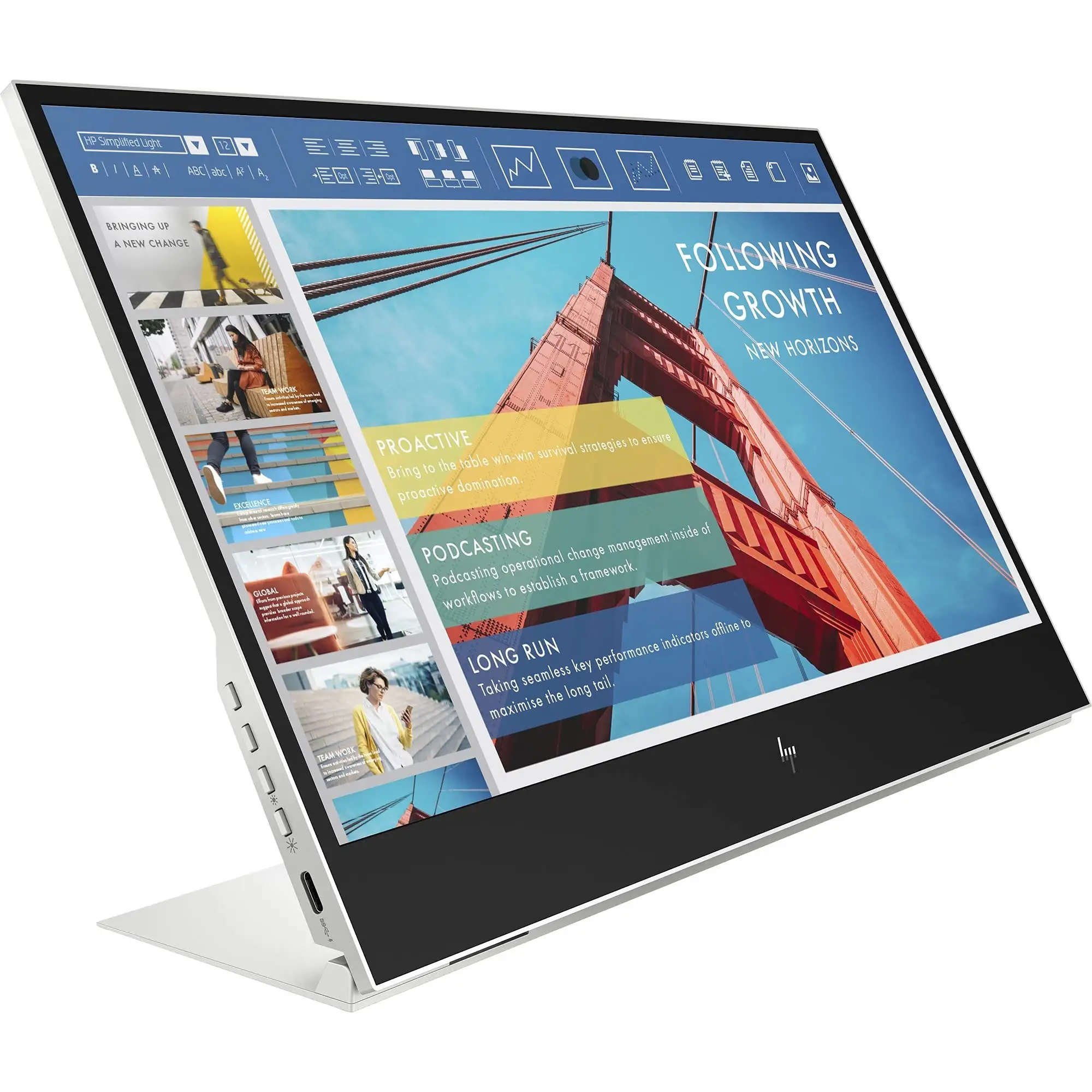
| Slim, lightweight build (640g) fits easily in laptop bags | Fragile screen, prone to damage during transport |
| Bright 400-nit anti-glare display supports outdoor use | Short, stiff included USB-C cable limits placement |
| Single-cable USB-C video and power setup | USB-C compatibility issues with some non-HP devices |
| Included soft sleeve for basic protection | No HDMI or alternate input options |
| Good color reproduction (72% NTSC) | Price considered high for resolution and feature set |
| Useful adjustable kickstand | Intermittent blank screen issues reported by some users |
| 65W power pass-through helps conserve laptop battery | Warranty excludes “customer damage” |
Claims vs Reality
HP promotes the E14 G4 as “the on-the-go monitor that’s ready to work in any light” thanks to its 400-nit anti-glare panel. While this brightness spec is confirmed by users, the real benefit surfaces in stories from travelers. One Staples reviewer praised it for hotel and conference room use, but also noted its “bright, clear output” held up in varied lighting. Yet, several buyers caution the included sleeve “gives zero protection… in a crowded backpack,” making outdoor and mobile setups a risk for the delicate glass.
The company emphasizes single-cable efficiency via USB-C, promising instant setup and simultaneous power delivery. Amazon customers generally back this up, with one saying “just plug it in and set up as an extended display.” However, the reality diverges for anyone outside the HP ecosystem. A frustrated Staples buyer found it “not compatible with Surface Laptop… nothing worked” after buying multiple adapters. That gap between plug-and-play marketing and the restrictive USB-C requirement is a recurring theme.
HP claims “half the power” of its predecessor and a 65W pass-through to preserve laptop battery life. While users appreciate not draining their systems during extended work, reliability issues undercut this perk. One Amazon reviewer reported “blank screen half the time… even after replacing the cable,” showing the pass-through is only valuable if the display maintains a stable connection.
Cross-Platform Consensus
Universally Praised
Portability steals the spotlight. Remote workers, programmers, and students all commend the 640g weight and slim profile. One Amazon user called it “very slim design, solid build… gorgeous display performance” when paired with a gaming laptop, while a Staples reviewer loved how it “fits in my bag and only has one cord to connect… game changer if you’re mobile.”
Brightness gets equal love. The 400-nit panel enables productivity in cafés, airports, or even sunny patios. A programmer on Amazon noted it “worked really well… sitting next to 500 nits laptop display.” The anti-glare treatment also earns mention as key for outdoor readability.
Ease of setup shines for compatible devices. Multiple reports cite instant detection and operation without driver headaches, whether connecting to HP ZBooks, Lenovo laptops, or Alienware systems with USB-C DP Alt Mode. This simplicity appeals to presentation professionals who want a “quick and simple connection” for meetings.
Common Complaints
Durability is the Achilles’ heel. Across Amazon and Staples reviews, cracked or damaged screens within three months are common. “Flimsy screen. Cracked… and HP won’t help,” lamented one Staples customer. HP’s warranty explicitly excludes user damage, leaving accidental knocks or backpack compression unprotected.
Cable issues are persistent. The included USB-C is described as “ridiculously short” and “pretty stiff,” creating awkward laptop-monitor positioning. Replacement cables fix length but not intermittent connectivity problems. This frustrates gamers or designers who need a reliable dual-screen workflow.
Compatibility restrictions are a dealbreaker for some. Without HDMI or robust USB-C hub support, the monitor fails to connect to Switch consoles, certain phones, and laptops without full-featured USB-C ports. One Amazon reviewer experimenting with a Steam Deck found “even with HDMI input and USB-C output cables it will not work.”
Divisive Features
The soft sleeve divides opinion. Some appreciate its light, minimalist protection that slips easily into a laptop bag, while others deem it inadequate for real-world commuting. Likewise, build quality earns praise for sleekness but criticism for fragility — the same slim profile that makes it portable also makes it vulnerable.
Price triggers polarized reactions. Enthusiasts call it “worth every penny” for its bright display and convenience, while value-focused users brand it “pricey but great quality” or complain of “relatively poor value” given the standard FHD resolution.
Trust & Reliability
Trustpilot-like sentiments and verified purchases flag an important caution: HP’s customer support stance on damage leaves some buyers stranded. One Amazon user’s “screen… damaged after only 3 months” was met with warranty denial. Staples reviewers echo “HP won't help. At all.” This pattern erodes trust despite otherwise strong performance feedback.
Long-term reliability reports are uneven. Some buyers happily use it for months of travel with consistent results, but a notable subset face failures within weeks. Blank screen behavior, intermittent signal acceptance, and port-specific limitations suggest this may not be a set-it-and-forget-it investment unless devices are perfectly matched and transport is careful.
Alternatives
Community mentions include Gechic portable monitors, which require two cables but offer broader compatibility, and larger 17-inch competitors that include HDMI and more robust cases for the same price. These alternatives may suit gamers or creatives needing more screen space and diverse connectivity.
Price & Value
The E14 G4 sits between $294–$399 USD in current listings, with international prices varying widely. eBay sellers maintain near-retail prices, indicating steady resale value for undamaged units. Value perceptions hinge on how much a buyer prioritizes portability and brightness over inputs and resolution — professionals with USB-C DP laptops see good return, while casual users may feel constrained.
Buying tip from the community: Ensure your device has full-featured USB-C DP Alt Mode or Thunderbolt 3 before purchase to avoid adapter dead ends. If traveling heavily, consider a third-party hard case for protection.
FAQ
Q: Does the HP E14 G4 work with gaming consoles like Nintendo Switch?
A: Not directly. Users report it requires USB-C DP Alt Mode, which the Switch’s dock setup provides via HDMI — but this monitor lacks HDMI input, making direct connection impossible without specialized converters that often fail.
Q: How portable is the HP E14 G4 for daily commuting?
A: Very portable in weight and thickness. At 640g and under 5mm thick, it fits into most laptop bags. However, the included soft sleeve offers minimal impact protection, so extra care or a hard case is recommended.
Q: Can it connect to non-HP laptops?
A: Yes, if the laptop supports video over USB-C with DisplayPort Alt Mode. Compatibility issues arise with laptops lacking this feature or when using docks/adapters not supported by HP’s design.
Q: Does it drain laptop battery quickly?
A: Many users appreciate the 65W power pass-through that powers the monitor and charges the laptop simultaneously. This conserves battery compared to older models, provided connections remain stable.
Q: Is the display good for outdoor use?
A: Yes, multiple buyers confirm the 400-nit anti-glare screen remains visible in bright environments like cafés or patios. It’s one of the most praised aspects of the monitor.
Final Verdict: Buy if you’re a mobile professional with a compatible USB-C laptop and you need bright, lightweight dual-screen productivity. Avoid if you require HDMI, game console support, or a rugged build for heavy commuting. Pro tip from the community: Replace the short, stiff cable immediately and invest in a padded hard case to extend its lifespan.





